Updates to AI credits in Figma


We’re introducing new ways to track your AI credit usage in Figma, and soon you’ll have more ways to buy additional AI credits.
Share Updates to AI credits in Figma
At Figma, we believe AI tools should be additive to every user’s workflow—whether that’s automating repetitive tasks, instantly visualizing the ideas in your head, or helping you riff on design variations. Over the past year, we’ve launched several new AI products and features to help our users push what’s possible: from manipulating dozens of visuals at once with our AI-powered image editing features, to turning designs into functioning, high-fidelity prototypes with Figma Make Today, all Figma AI features and products are moving out of beta, including Figma Make—which is now available for everyone to try. Here’s how teams are using the prompt-to-app tool to dream bigger, move faster, and work better together.

Prompt, prototype, perfect: Figma Make is now available to all users
In order for every user to experience how Figma AI can amp up workflows and help bring your ideas to life, we rolled out AI credits to every Figma seat and plan earlier this year.
Track your AI credit usage
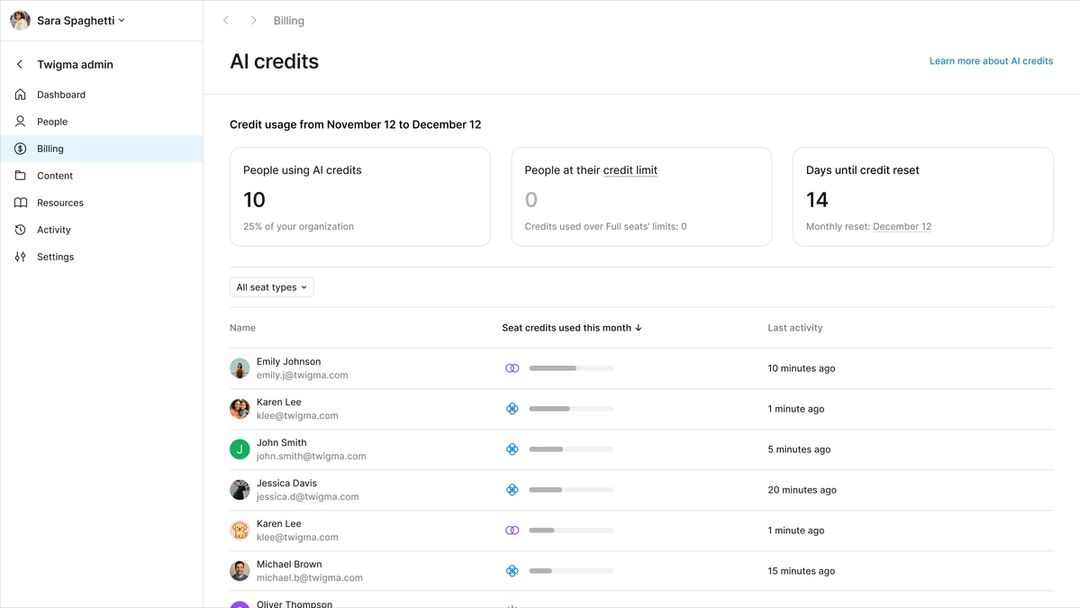
Starting today, we’re giving you greater visibility into your team’s current AI credit usage. From the billing dashboard, admins can track who on their team is using AI features, and how many credits have been consumed.

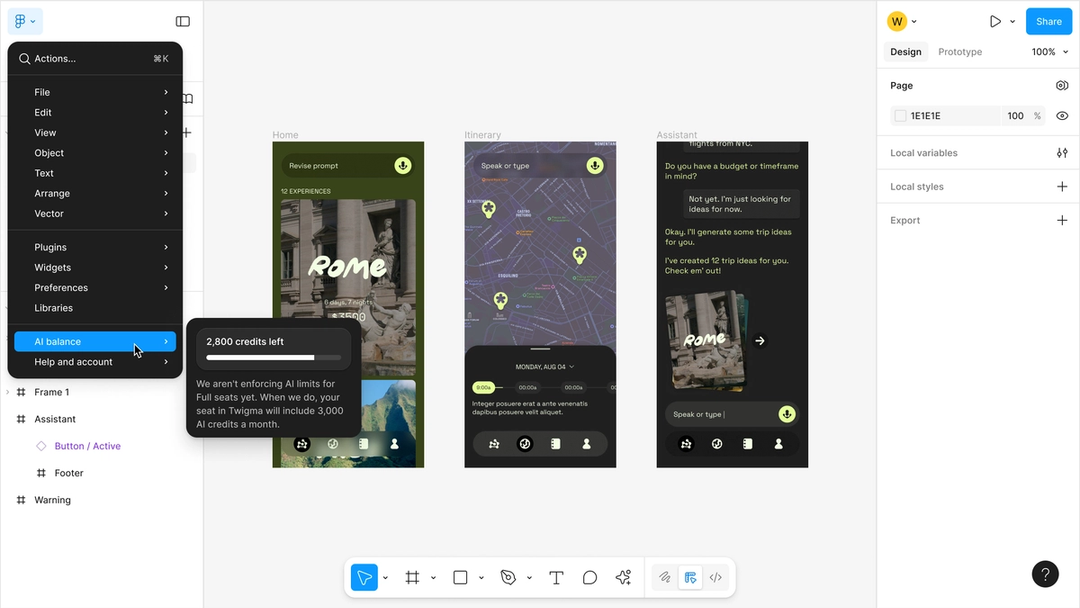
Individual users can also view their own credit balance and see when their credits will reset. For most AI features, users will also be able to see exactly how many credits each action consumed.

Coming soon: Purchase additional AI credits
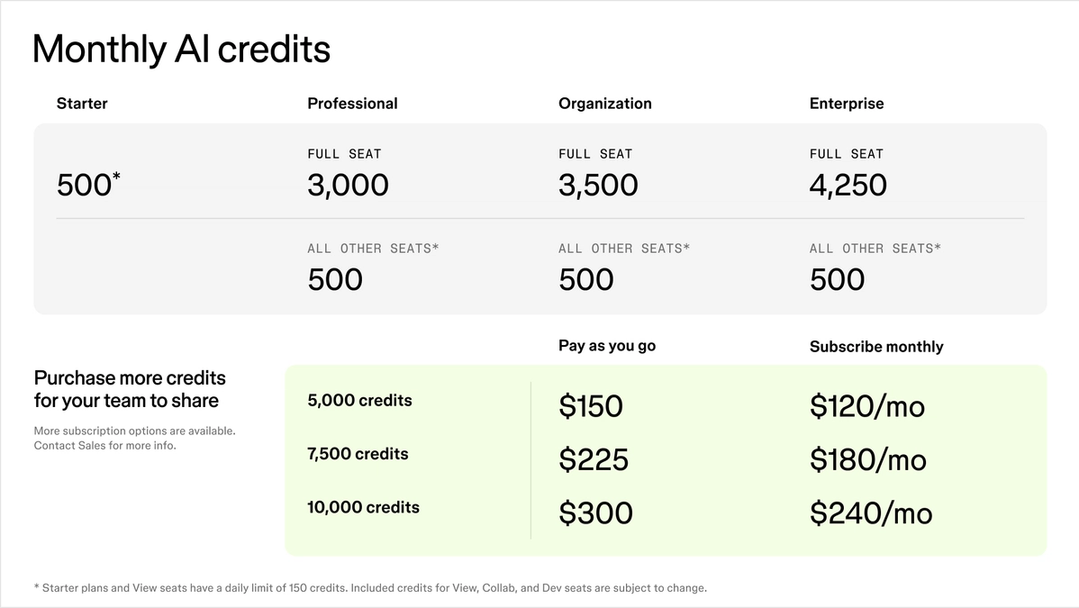
Starting on March 11, 2026, we’re introducing two new ways for teams to purchase additional AI credits beyond what’s included in their seats:
- Purchase the AI credits subscription: The AI credits subscription provides a shared pool of credits at a better rate and is ideal for teams who regularly use AI features in their workflow. You can subscribe to a package of monthly credits based on your usage level starting March 11, 2026.
- Enable pay-as-you-go billing: You can also pay for credits as your team needs them up to your specified spending limit. This setting can be enabled alongside the subscription or on its own, and is fitting for teams who don’t yet have predictable usage patterns or need to top off their subscription. This option will be available by Q2 2026.
Note that starting on March 18, 2026, we will enforce all seat credit limits.

For more information on the AI credit add-on and the mechanics of credit consumption across our AI products, visit the Help Center.
Alicia Xiong is a director of product leading growth and billing at Figma and is based in Oakland, California.