How to design agentic tools for work




The Gemini Enterprise team shares their approach to making complex, multi-agent workflows feel simple, intuitive, and trustworthy.
Share How to design agentic tools for work


Hero illustration by Pedro Sanches
Designing an agentic experience means striking a balance between making AI feel approachable, yet powerful. In a business context, the brief gets more challenging: On top of making complex, collaborative, high-stakes work feel intuitive, it needs to earn users’ trust. This was what the Google Cloud AI team set out to do when designing Gemini Enterprise. “Our guiding principle is that the user’s focus should always be on their goal, not on managing AI,” says Senior Director, Head of UX and Design, Sheta Chatterjee. “At the same time, it’s crucial to make clear that the user can intervene. People are working with sensitive information and making decisions with real business outcomes.”
With this in mind, Sheta and her team prioritized simplicity and transparency in each part of the tool, including the chat interface, visual dashboard, custom agent builder, and shared project spaces. In breaking down each decision, Sheta reveals how they built an agentic experience that’s proactively solving challenges we all face at work—team silos, multiple tools, competing deadlines—while keeping people in the flow.
Your team is building on the foundation of Gemini, the consumer app. How did you approach making these experiences feel connected yet distinct?
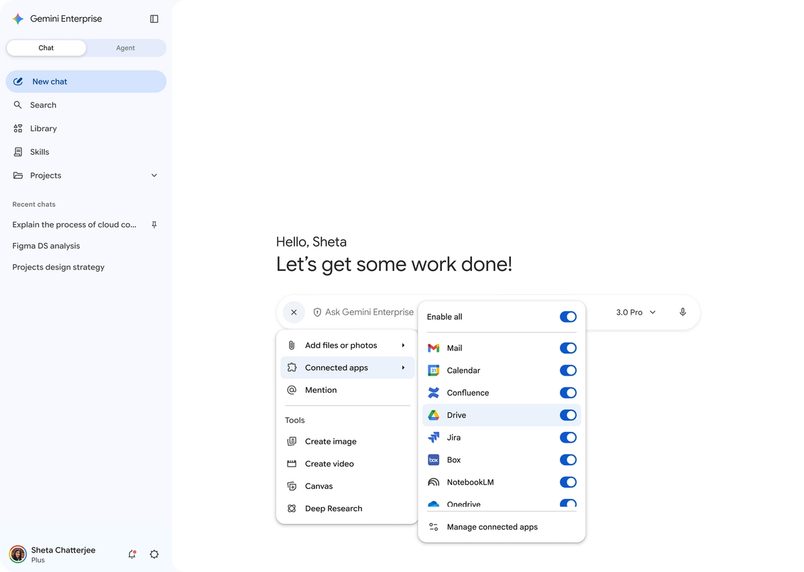
At a high level, it should feel like one brand. The visual language of the sparkle icon, guiding gradients, rounded shapes, and intentional motion unify the two experiences. Where we differentiate is at the feature level. For example, while the prompt box is consistent with the consumer app, it brings connectors more forward when you’re prompting. Integrating with the tools your business uses—such as Google Workspace, Jira, and Notion—is key to making sure the assistant has all the right context.

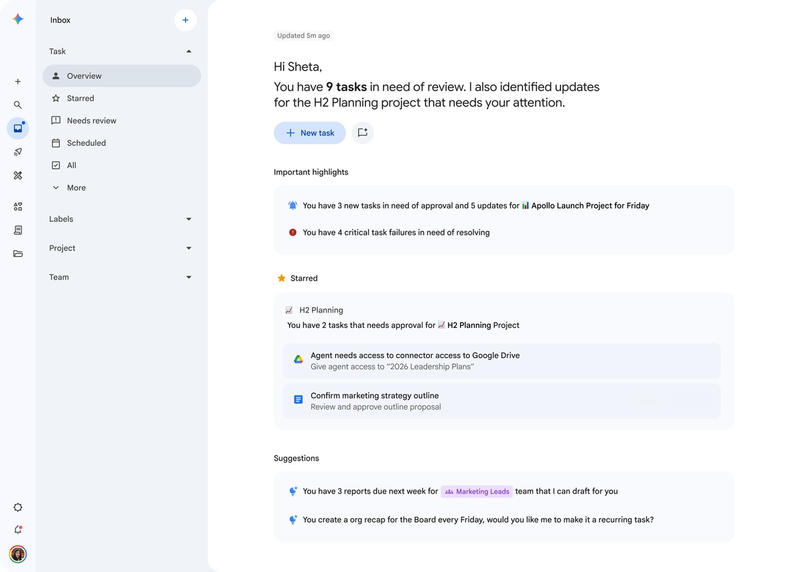
But we also wanted to think beyond the prompt box. The future of work is moving beyond single commands toward orchestration. You’re working with multiple tools, pulling data from multiple sources, and delegating complex tasks to multiple agents. We introduced the AI Inbox: a living dashboard showing what your agents are working on, what’s complete, and what needs your intervention. You can see at a glance that a market analysis is due tomorrow morning, and it’s ready for review. A visual workflow acts more like a team check-in than a back-and-forth chat thread.

That’s another key difference: This isn’t a solo productivity tool. How did the need for team collaboration shape the design?
One of the design decisions I’m most proud of is the move from individual chat threads to a persistent, shared project space where AI acts like another member of the team—performing tasks, summarizing discussions, pulling up project files.

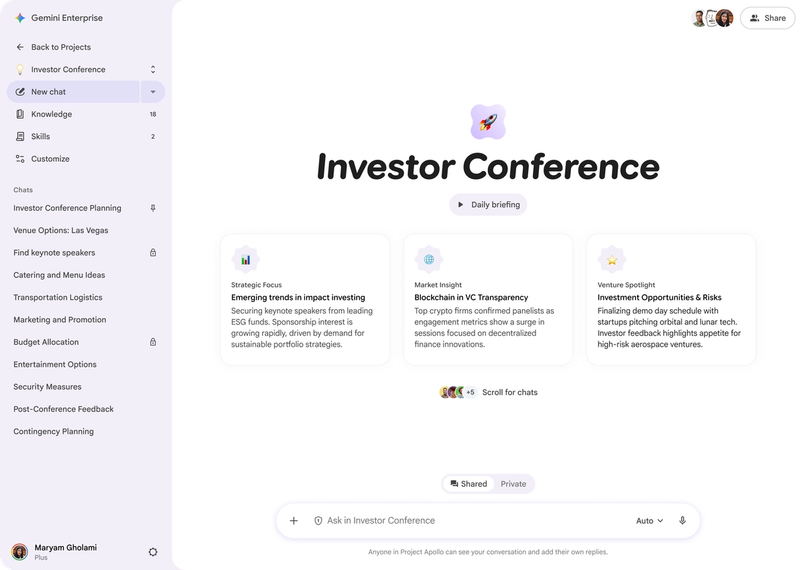
It does all this in a space that everyone on the team can see and reference, and every request is attributed to a team member. That simple design decision is critical for accountability, and for others to understand the context of the agent’s actions. By staying present in a collaborative space, the assistant fills in knowledge gaps across the team, so that if an engineer uploads a technical spec, a designer can ask for details without tracking the spec down themselves. The biggest problem with work today is silos, and AI creates a single source of truth. It’s this natural way of integrating AI that elevates it from a productivity tool to a team intelligence amplifier.

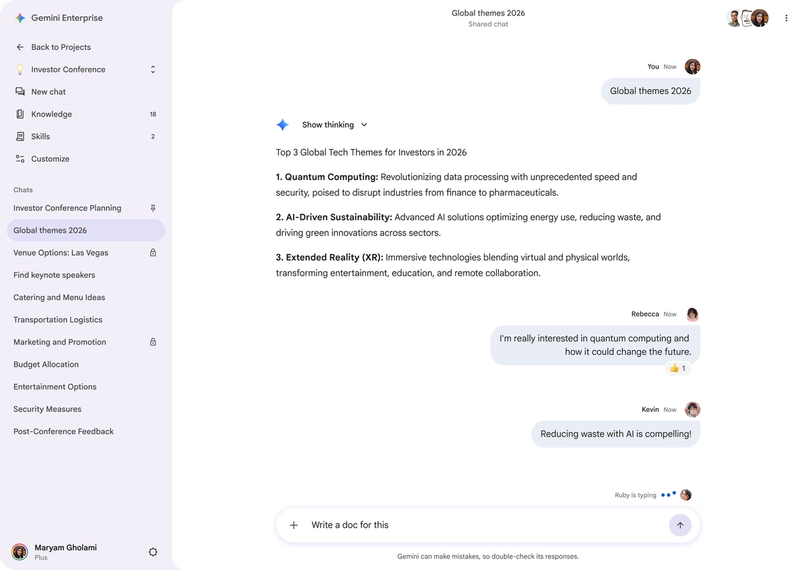

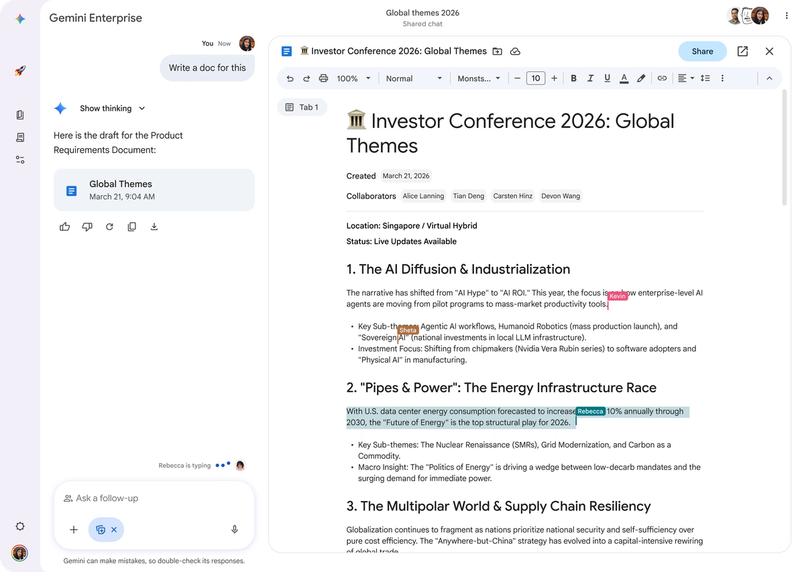
It’s this natural way of integrating AI that elevates it from a productivity tool to a team intelligence amplifier.
How did you think about AI helping users connect the dots without becoming intrusive?
A truly agentic system needs to be able to anticipate your needs, so we want to make sure that AI is a proactive partner. We’re experimenting with non-intrusive nudges—something like, “You have a project deadline approaching. Should I draft a status update?” Or, what if it raises its hand when you’re in a chat, and it has something to say? These suggestions should feel magical, not like interruptions, so we’re rapidly evolving our design patterns so that they feel more intuitive to how you work every day. We’re making sure that seamless tool integration is a foundational pillar of our design, so AI has a deep understanding of your world.
Enterprise users also need to feel like they can trust AI with sensitive information. How do you build in a feeling of control and governance without making things feel restrictive?
Transparency is everything. The consumer app narrates what it’s doing in real time; the enterprise version extends that thinking state in more granular detail. If you ask an agent to track the health of a recent launch, for example, it states its intended plan: understanding the project, breaking down customer feedback in SurveyMonkey, analyzing support tickets in Jira, and drafting a memo highlighting key takeaways. It’s a deliberate pause and moment of designed friction to ensure that the user is the ultimate authority. Source citations are always baked into responses, so people can understand exactly where information is coming from.
When you’re creating a custom agent, our Agent Designer lets you define a “harness”—a governance layer that specifies which data an agent can access, which tools it can use, and when it must stop to ask for permission. It puts security and logic directly in the hands of users.

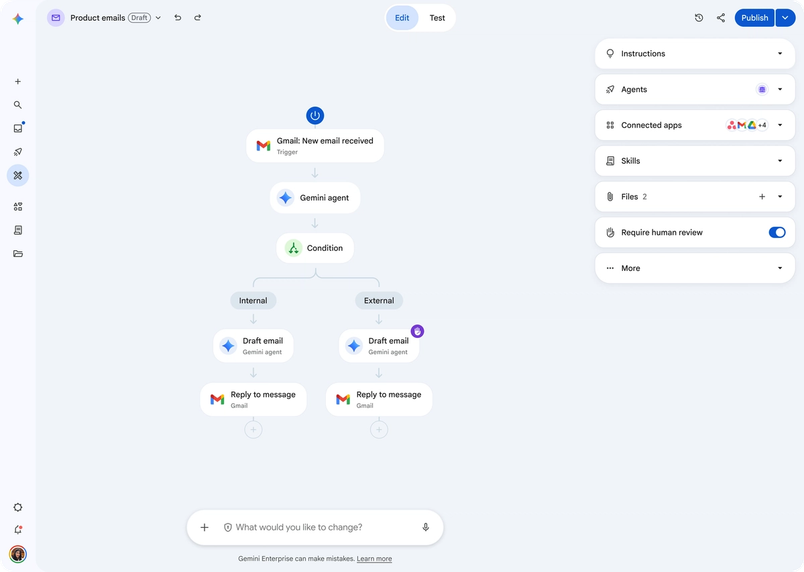
The capabilities of agentic AI are growing constantly. How do you decide what to build, and how do you keep things consistent across so many surfaces?
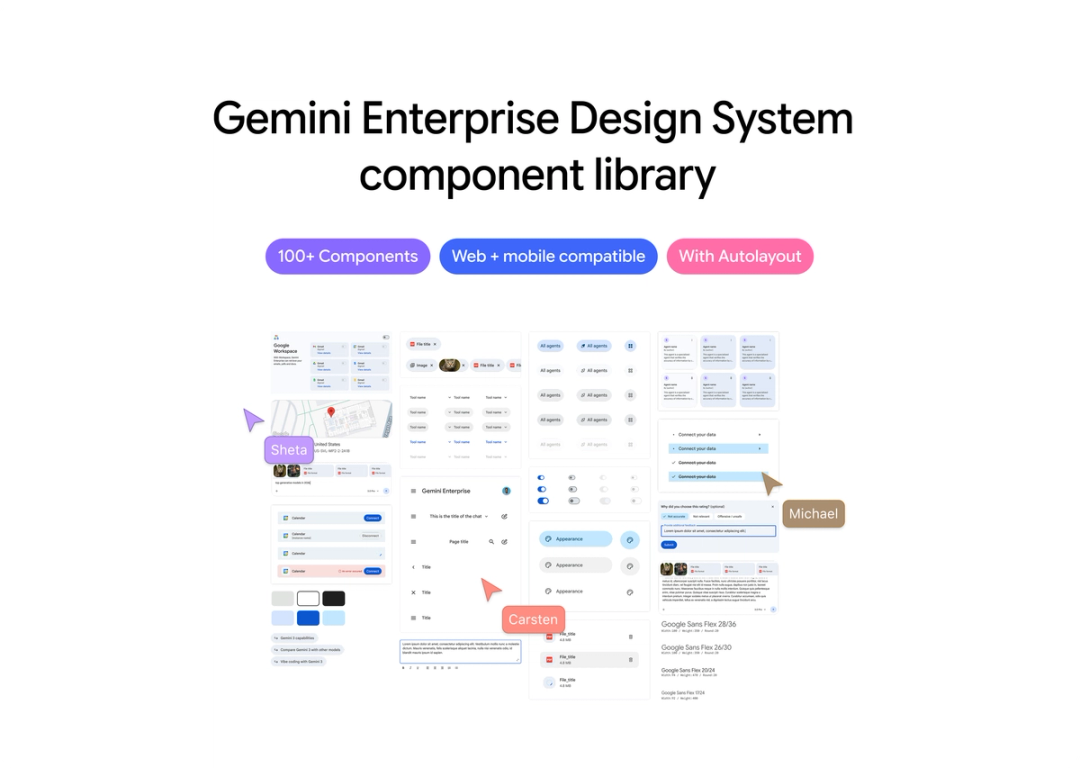
Figma is our single source of truth, from the earliest concept work all the way through to shipping. We use FigJam at the front end to map user goals, understand journeys, and vote on ideas. Then we move into higher-fidelity work.
When we think about making a change, we have to consider how it cascades and scales for all the things we want to add because we’re just at the beginning of the journey. For a system operating at this scale, building, documenting, and maintaining a design system in Figma is crucial. We can get to a level of detail that we want in Figma that’s not possible with vibe coding, refining details and managing complex states. And because we have a single source of truth, we can cross-reference with the consumer team to make sure a successful experiment on one side is reflected on the other.

What’s your broader take on where AI design is right now—and what it demands of designers?
We’re at a moment a bit like the era before graphical interfaces, when computers ran on command lines. The design principles that have always mattered—clarity, information architecture, trust, visual polish—haven’t gone away. People are building so fast, but it’s the details that determine which AI products users will actually use.
The new rhetoric around AI can be genuinely intimidating. It’s easy to get lost in the terminology of agents and orchestration, but the end user just wants to get their work done. That’s what designers are so good at: making things feel simple, human, and delightful. In the age of rapid prototyping, when it’s so easy to build things that aren’t necessarily right, craft and taste are more important than ever.

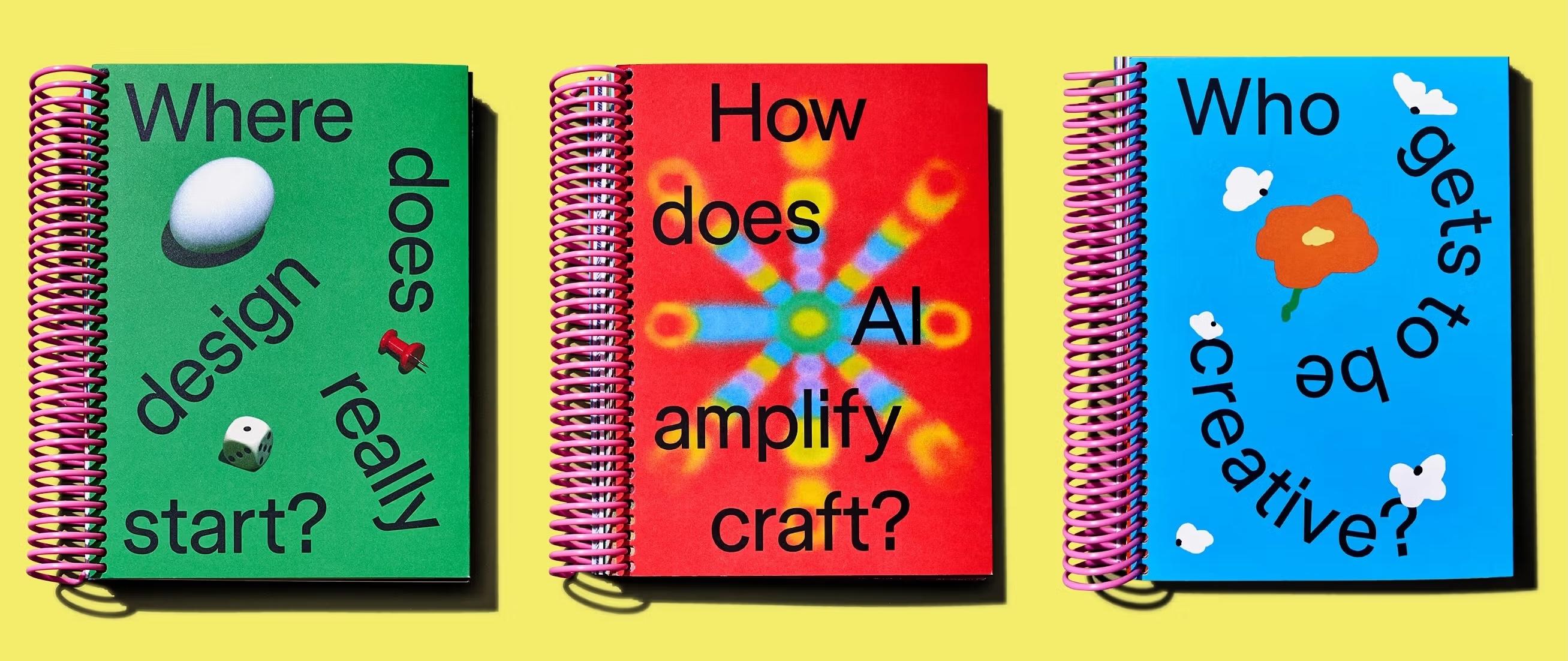
This article was featured in our annual print magazine, Start Anywhere. Explore the digital version, or purchase a copy.