From design to code: How Juspay achieved 5x faster workflows with Figma
From design to code: How Juspay achieved 5x faster workflows with Figma
Juspay, a leading multi-national payments technology company, relies on a fast-moving, engineering-first culture to support millions of transactions across complex merchant and consumer ecosystems. With dozens of dashboards, modular platforms, and extensive customisation requirements, design had to evolve from manual effort to a scalable, developer-aligned system.
By adopting Figma, Juspay has turned design from siloed workflows into an integrated developer-ready system. Features like branching, Dev Mode, and Code Connect now let Juspay collaborate better, ship faster, and scale consistently across teams and resellers—with a 5x improvement in design speed.
Closing the design-to-dev gap
Before Figma, Juspay's design workflow relied on Sketch, Flinto, and in-person feedback. Designers often worked solo or huddled around screens, passing files back and forth—a collaborative but location dependent process. Developers also had limited visibility into design intent, which made implementation slower, more prone to error, and resulting in missed deadlines.
“We were spending 9 to 10 hours a day on calls, and screen sharing Sketch made our devices lag. That friction made it clear we needed a better way to collaborate, so we switched to Figma almost overnight," recalls Samit Barai, Director of Design at Juspay.
Figma gave us real-time, multiplayer workflows. That changed everything, from how we collaborate to how we scale. Our entire design ecosystem grew from there.
— Samit Barai, Director of Design, Juspay
Scaling design systems with depth and control

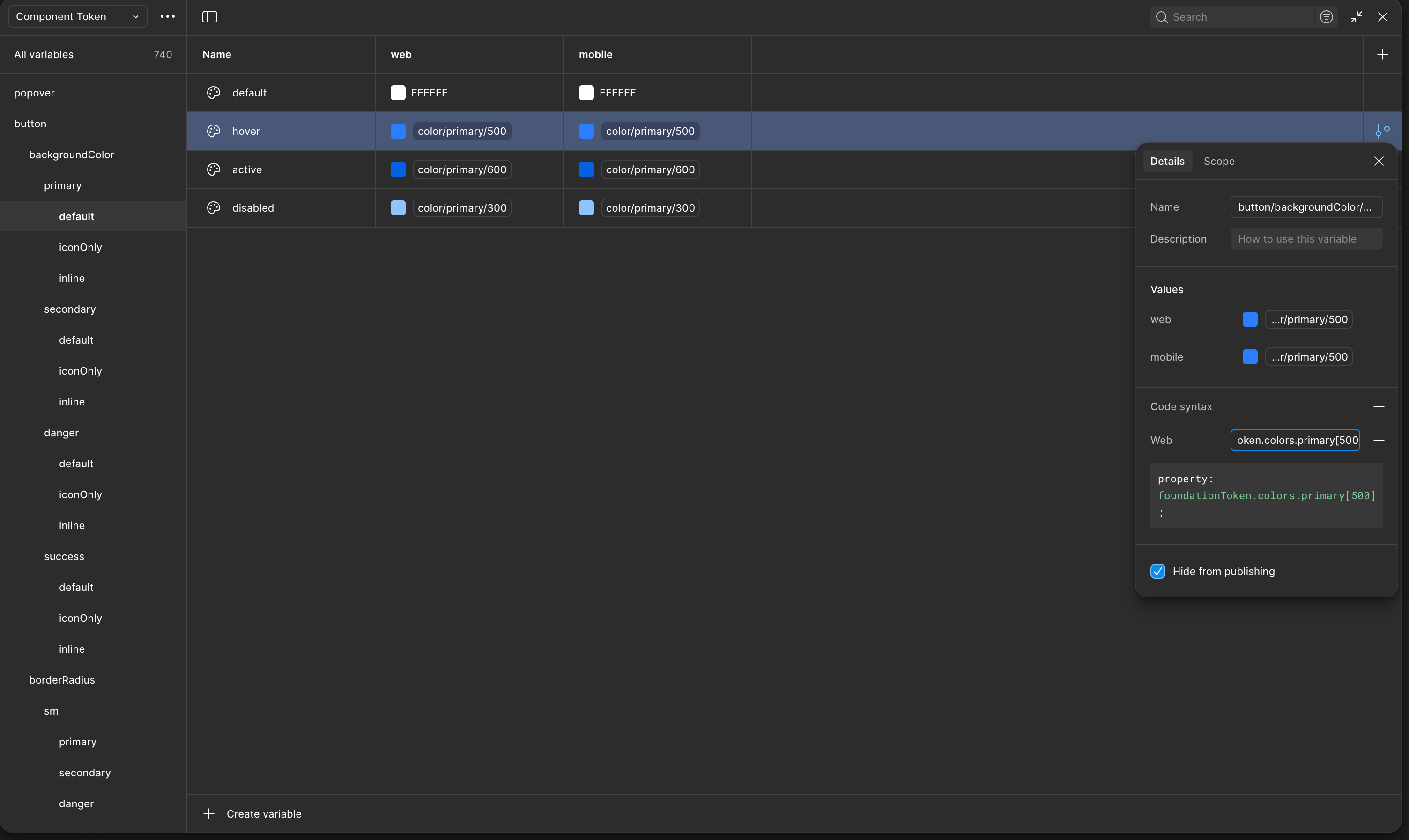
Juspay's first design system emerged after adopting Figma. Initially built with styles, the team transitioned to variables for colours, typography, sizing, theming, and ensuring closer alignment with engineering code syntax.
This shift was essential given Juspay’s multi-brand, multi-dashboard environment, where foundations needed to adapt seamlessly across different teams and partners. Today, with variable-based theming, designers can theme dashboards for merchants and reseller partners in just a few clicks.
We moved from designing manually for each use case to building tokens for themes, screen sizes, and states. Now we can switch between resellers or layouts without duplicating effort.
— Deepanshu Kumar, Associate Product Manager (Design Systems), Juspay
Ensuring accuracy at scale
As Juspay’s product surface expanded, the team built private plugins and internal tools with Figma’s APIs to bridge design-to-dev workflows and validate implementation. A design system coverage plugin scans files before every handoff, flagging elements not built from components. “This plugin helps find which elements aren’t using the design system, and what should be turned into a component. It’s both a QA tool and an opportunity engine,” explains Deepanshu.
The resulting data flows into an internal dashboard that tracks file and user-level metrics such as component reuse, non-design system overrides, and design system adoption trends.

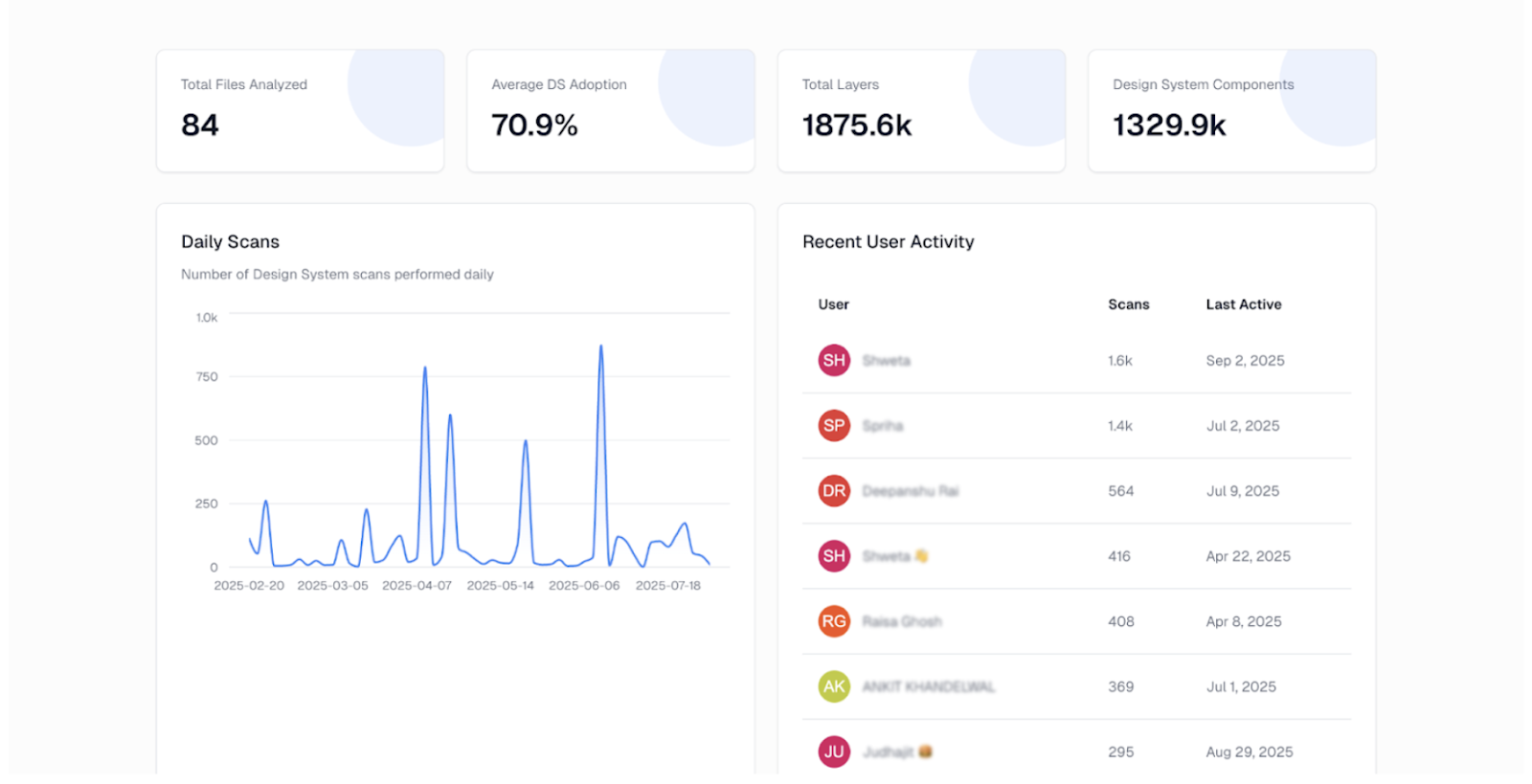

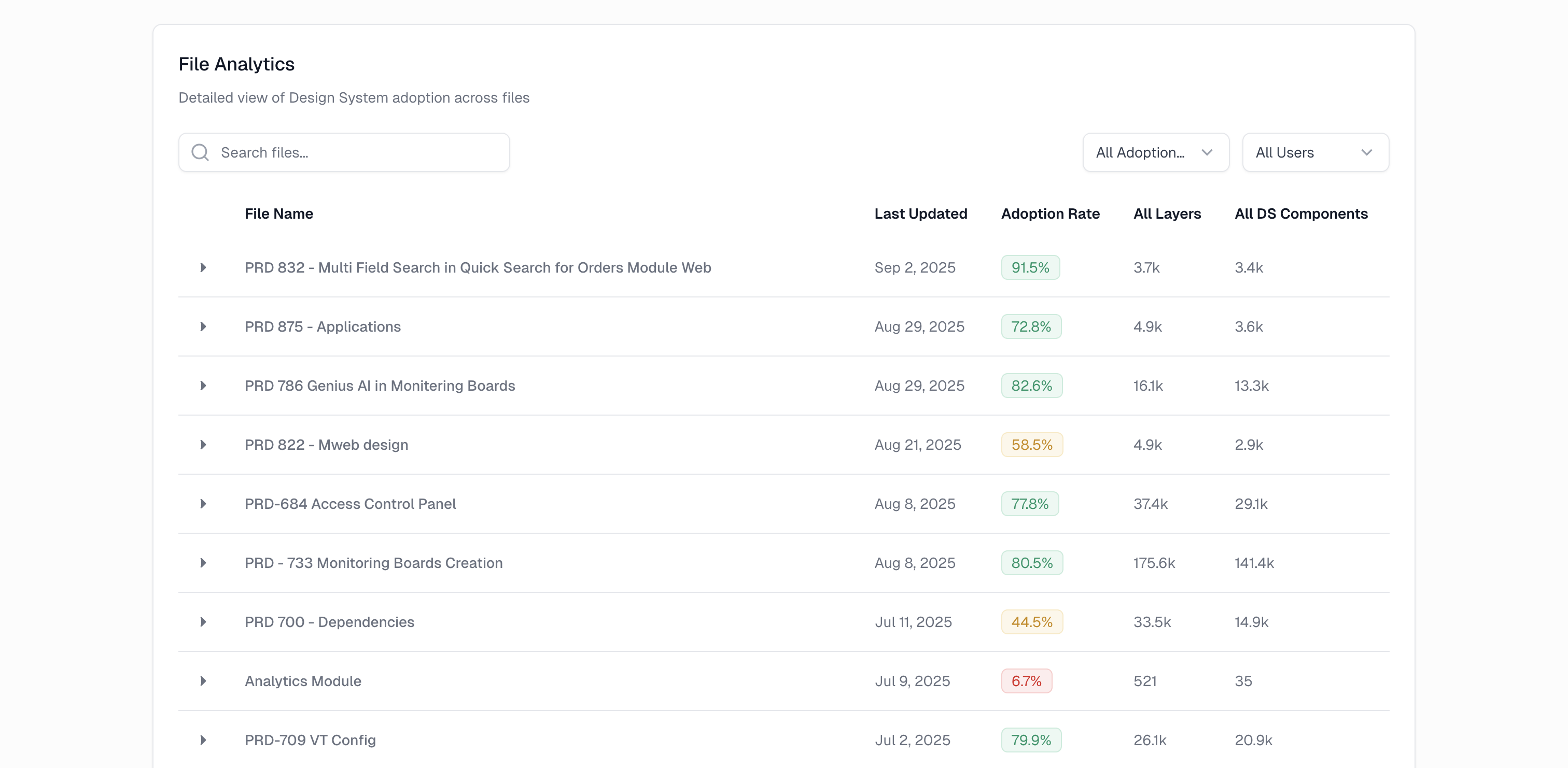
To reinforce visual integrity for engineering, Juspay also built a Chrome extension that flags pull requests that are not aligned with validated designs. Combined with Figma’s library analytics, these tools prevent inconsistencies, keep developers in sync, and ensure design health.

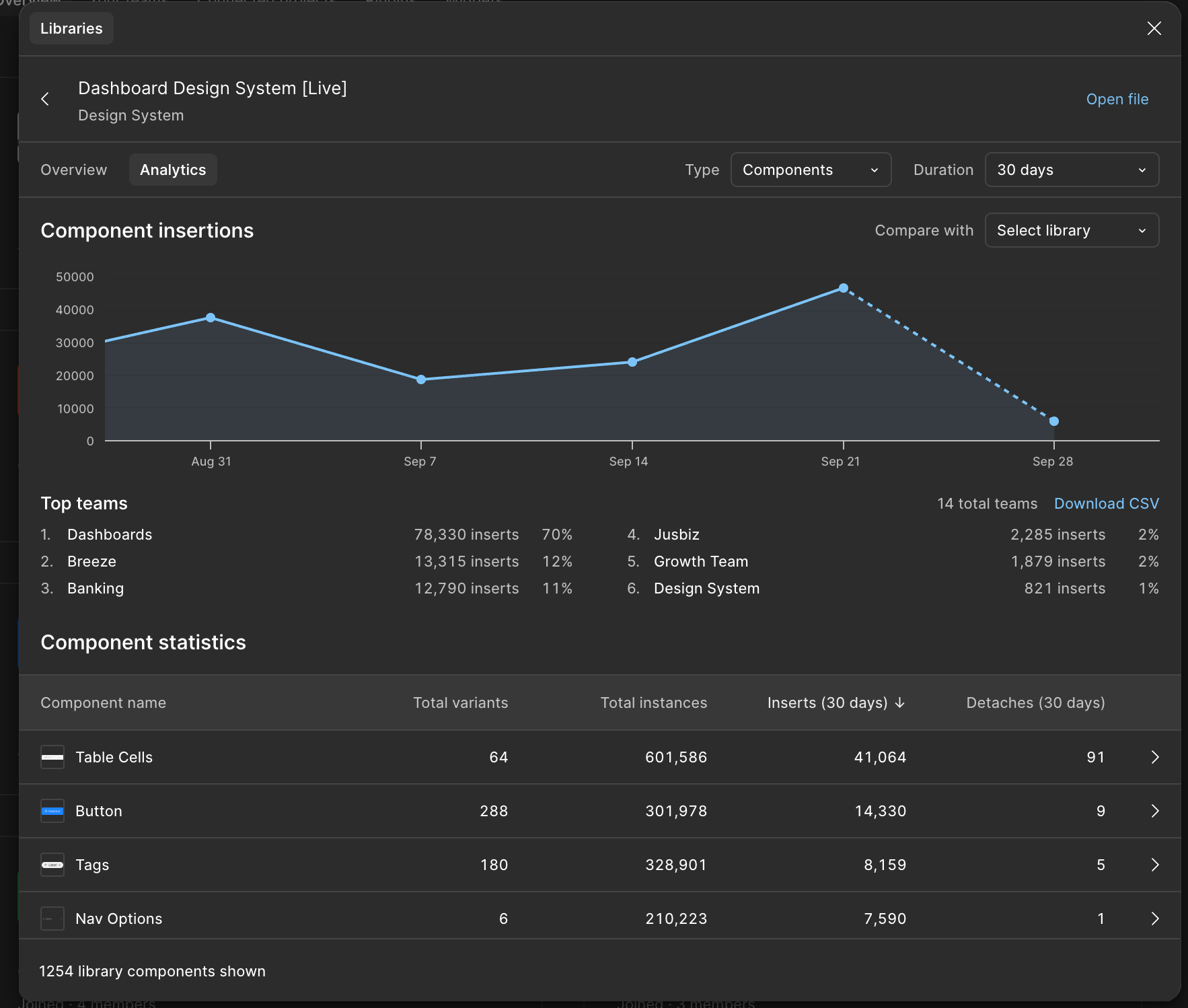
These improvements have translated into measurable impact:
- 5x improvement in design speed
- 173% increase in component reuse rate over 90 days
- 17% drop in component detachment
- 71% average design system coverage across scanned files
- 12 internal teams actively using shared libraries
Governance with flexibility
Despite operating at scale, Juspay doesn’t believe in capping creativity. Designers are encouraged to propose new patterns and variants via a Slack-to-Jira workflow, reviewed by the design systems team. Approved changes move through branching in Figma, peer review, and are then merged into the master file with clear changelogs.

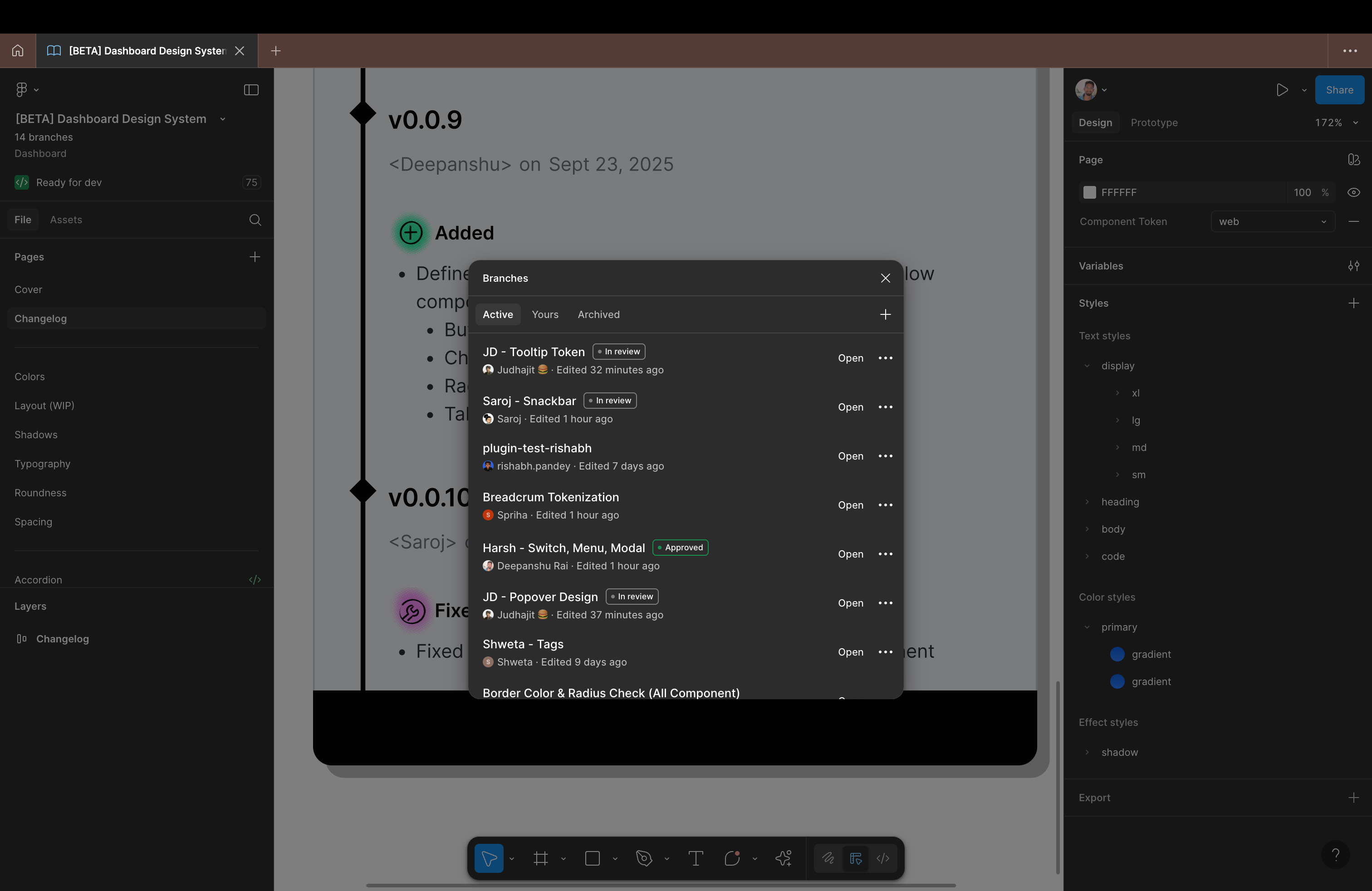
Before branching, the master file was chaotic. Now it’s a single source of truth. Only reviewed, approved designs make it in.
— Deepanshu Kumar, Associate Product Manager (Design Systems), Juspay
Beyond dashboards, Juspay’s design system also mirrors component architecture in code. Modular components, like table cells and wrappers, can be assembled in different ways depending on the use case. “Instead of redesigning each instance, we now assemble interfaces like building blocks, resulting in a 5x improvement in design speed,” explains Deepanshu.
FigJam for critique, ideation, and inclusion
Figma’s impact goes beyond components and code, it has also reshaped Juspay’s design culture. Each project now includes a Show & Tell session, a structured peer critique where team members assess designs across four dimensions: what they like, what doesn’t work, what could be improved, and what might be missing—all within FigJam.
Product managers and engineers also join ideation early with stickies and wireframes to share ideas and give feedback. This open, cross-functional approach has made design a truly shared responsibility across the organisation.
Looking ahead: Dev Mode MCP Server, Code Connect, and automation
With a mature design system in place, Juspay is piloting new ways to automate design-to-code workflows.
Code Connect is now integrated with their design system repository, enabling developers to view real-time, production-aligned code snippets directly in Dev Mode. As of today, 34 components have been connected using Code Connect.

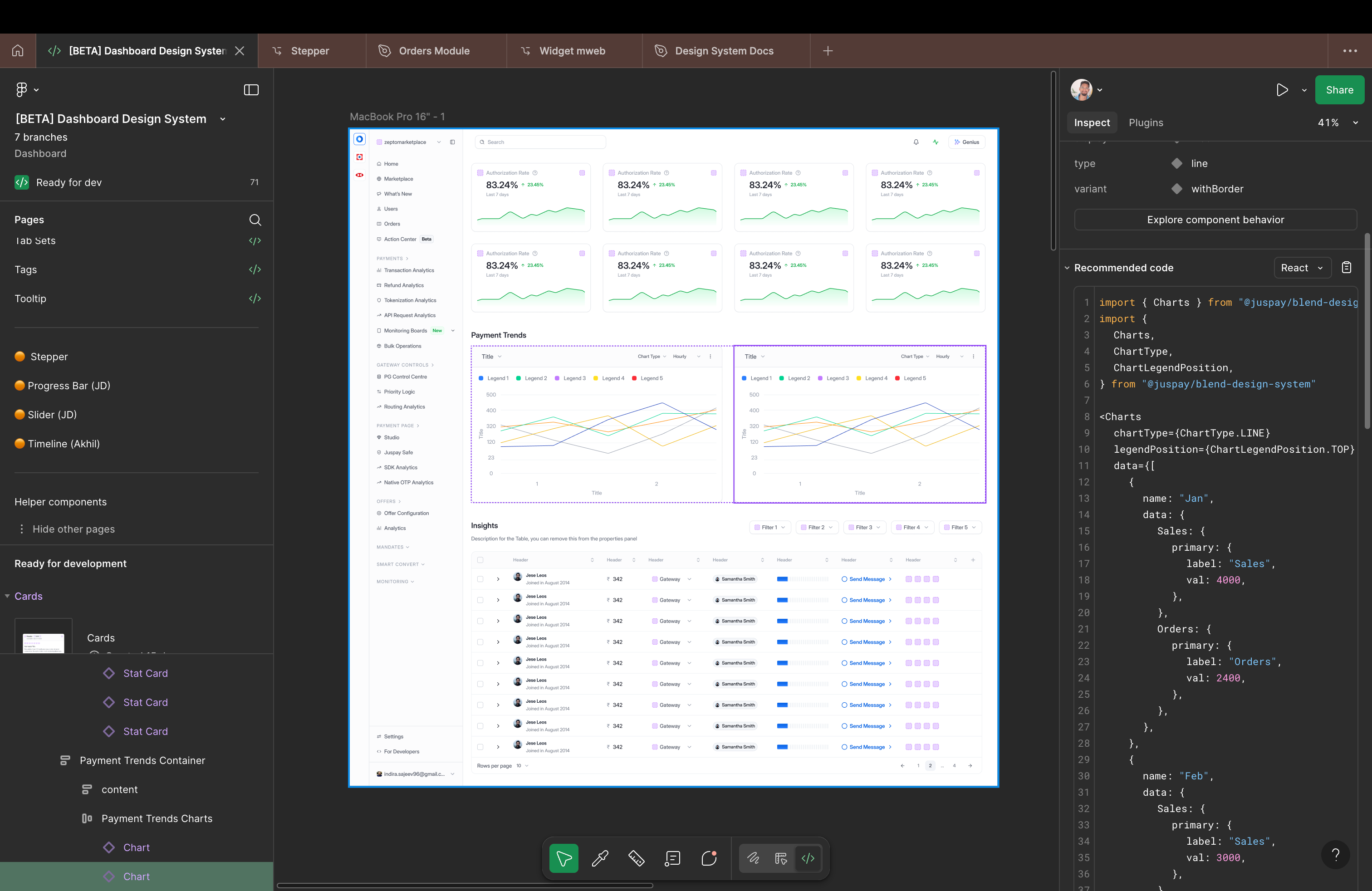

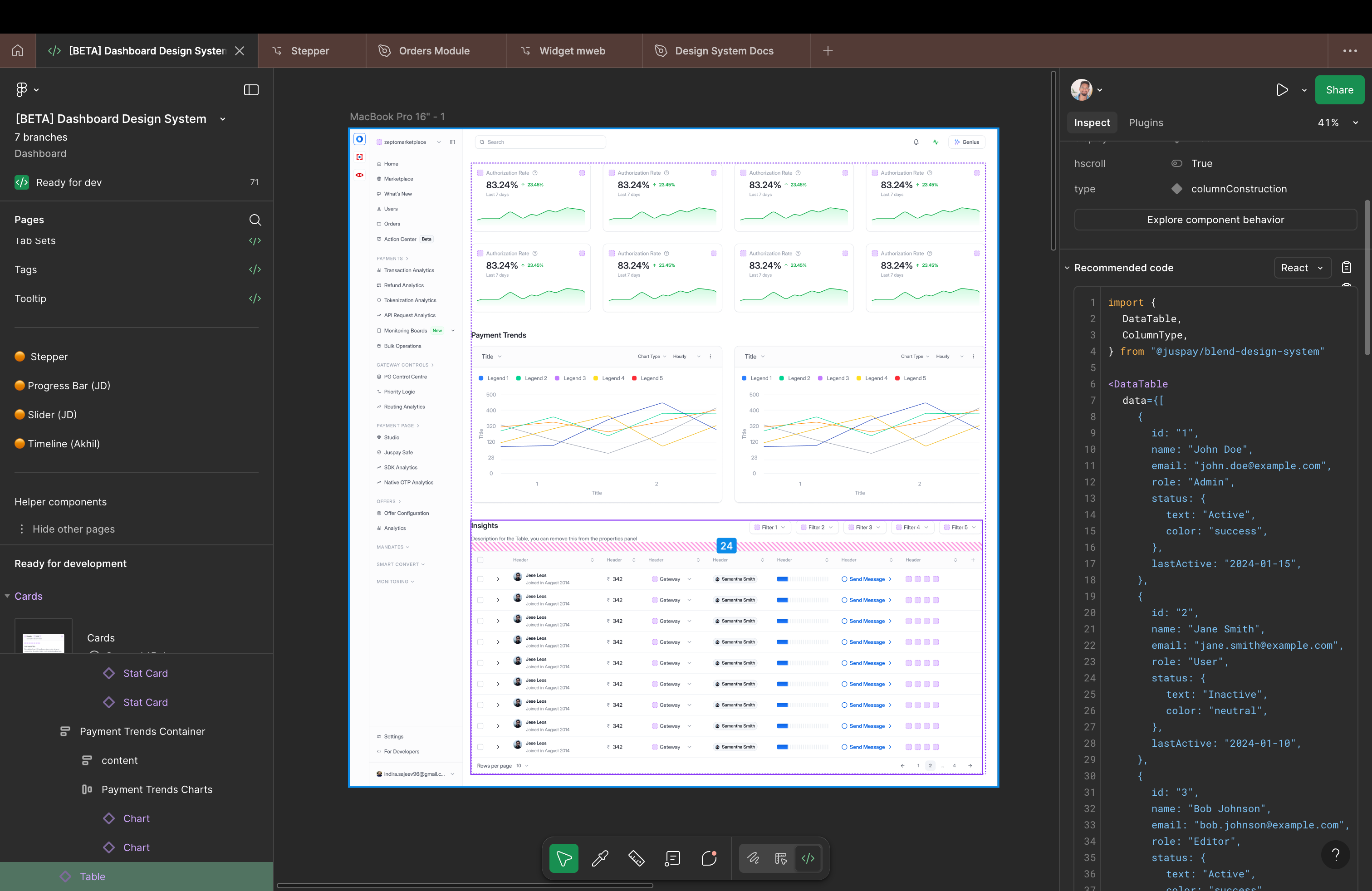
Juspay is also leveraging Figma’s Dev Mode MCP Server to generate usable HTML/CCS and TypeScript code, with the goal of moving from concept to production-ready code with minimal manual steps.
While in early experimentation, Juspay estimates that Figma’s MCP Server and Code Connect could unlock major efficiency gains, including:
- 4-5x faster dev time: reducing implementation from 45-60 minutes to 8-12 minutes per screen
- Fewer steps required: cutting their workflow from 15 to 4 manual steps
- Greater consistency: reducing visual inconsistencies from 15-20% to 3-5%
To ensure developers stay in sync with every change, the team is also piloting a plugin that scans for updates across design system versions and raises GitHub pull requests automatically, closing the loop between design updates and code visibility.
Designing for scale, building for the future
From necessity to innovation, Juspay’s journey with Figma shows how a collaborative design platform can enable not just UI consistency, but cultural and workflow transformation. With Figma as their foundation, Juspay is building faster, collaborating smarter, and scaling with confidence—one variable, branch, and plugin at a time.
See how Figma can help you scale design
Great design has the potential to differentiate your product and brand. But nothing great is made alone. Figma brings product teams together in a fast and more inclusive design workflow.
Get in touch to learn more about how Figma can help companies scale design.
We’ll cover how Figma can help:
- Bring every step of the design process—from ideation, to creation, to building designs—into one place
- Accelerate design workflows with shared company-wide design systems
- Foster inclusivity in the product team process with products that are web-based, accessible, and easy to use