How Grab scales hyperlocal experiences across Southeast Asia with Figma and AI
Grab is Southeast Asia’s leading superapp, serving over 50 million people across transport, food, and digital payments. As the business scaled across diverse markets, teams needed a shared system that could balance speed and consistency while still adapting to local needs.

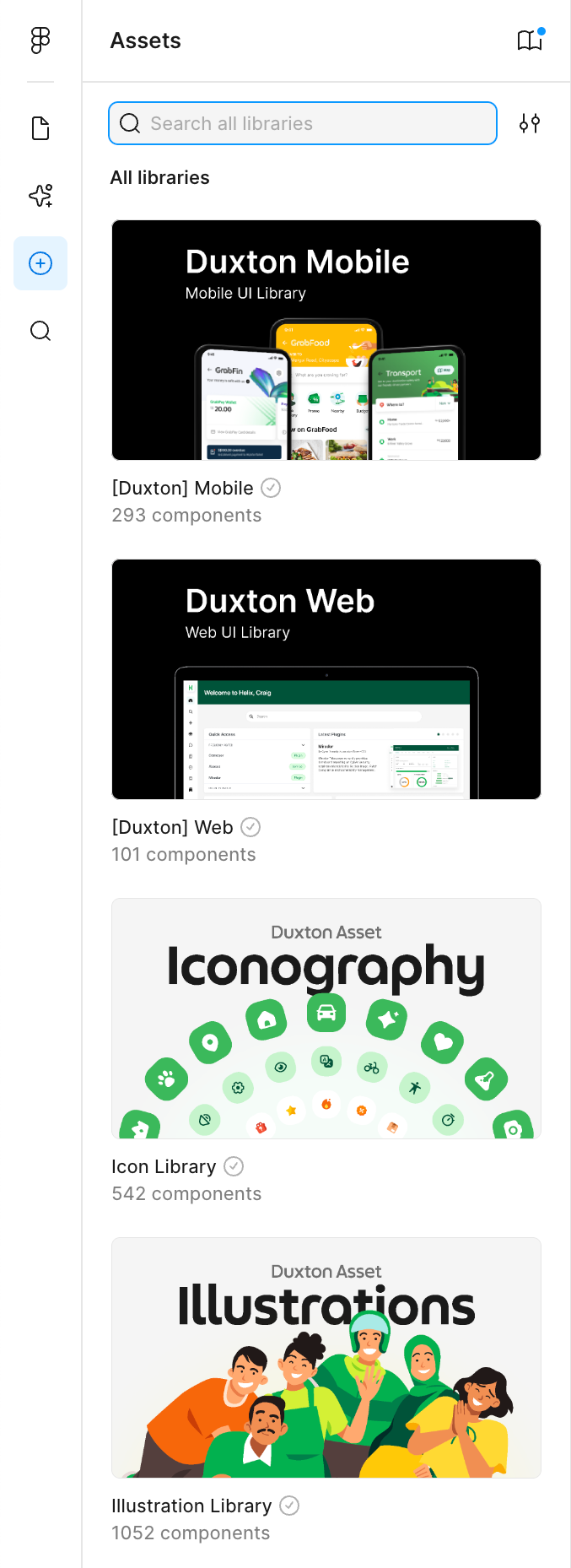
With Figma as a common workspace, Grab built Duxton, their design system that now powers Grab’s passenger app. Designers and engineers work from a single source of truth, and Dev Mode gives engineers the implementation details they need without chasing specs across files.
As Grab continues to experiment, teams are also exploring AI-enabled workflows—using Figma Make and MCP-based integrations—to prototype, modernise, and localise experiences faster.
Challenge: Scaling hyperlocal experiences across diverse markets
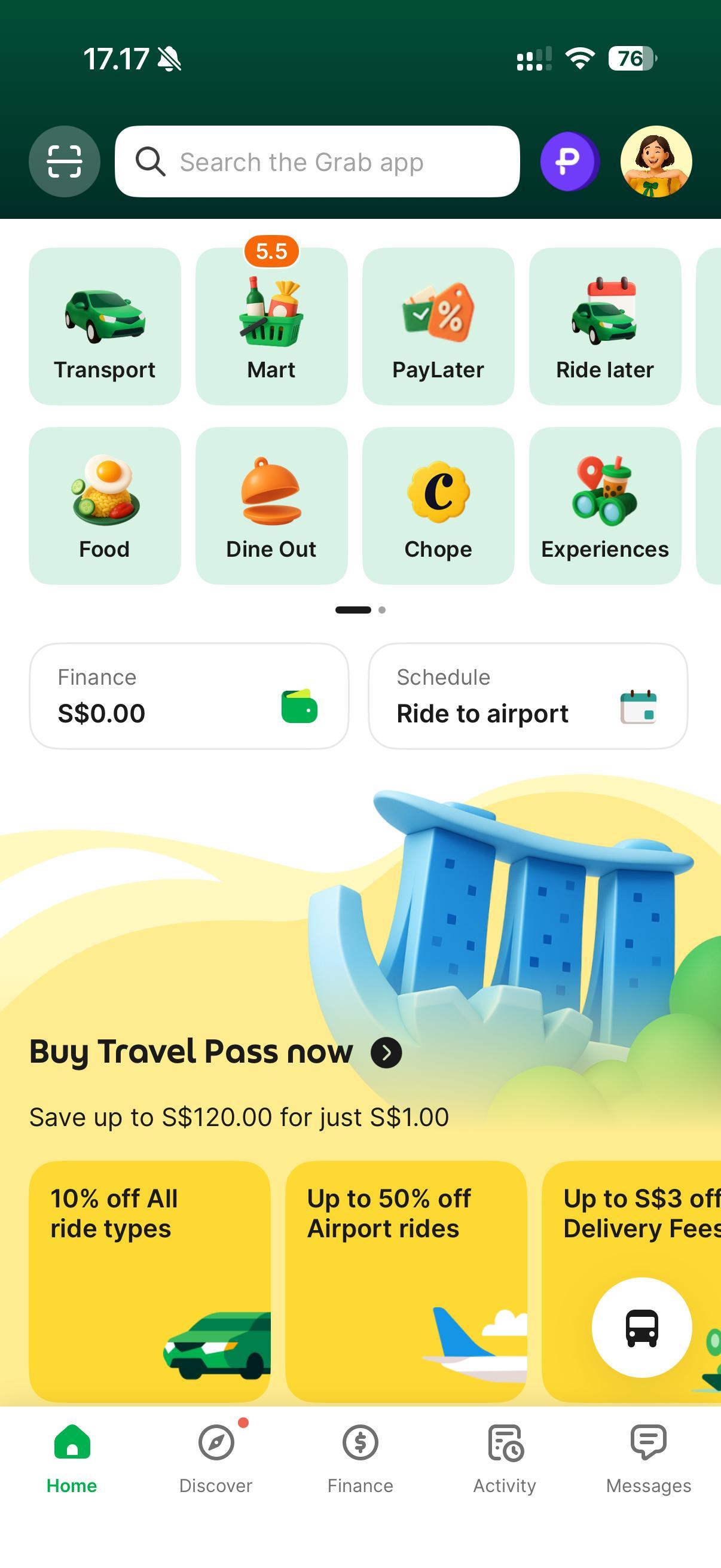
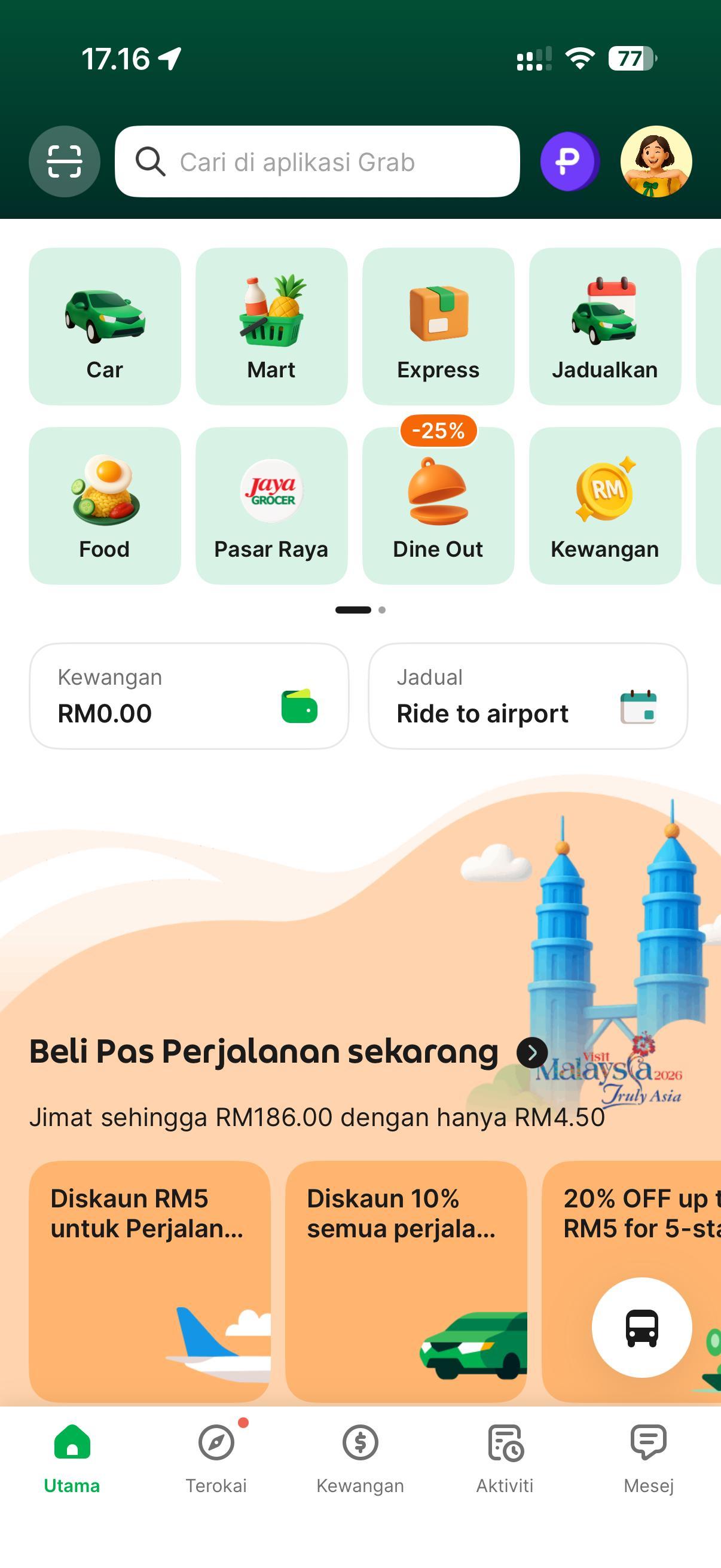
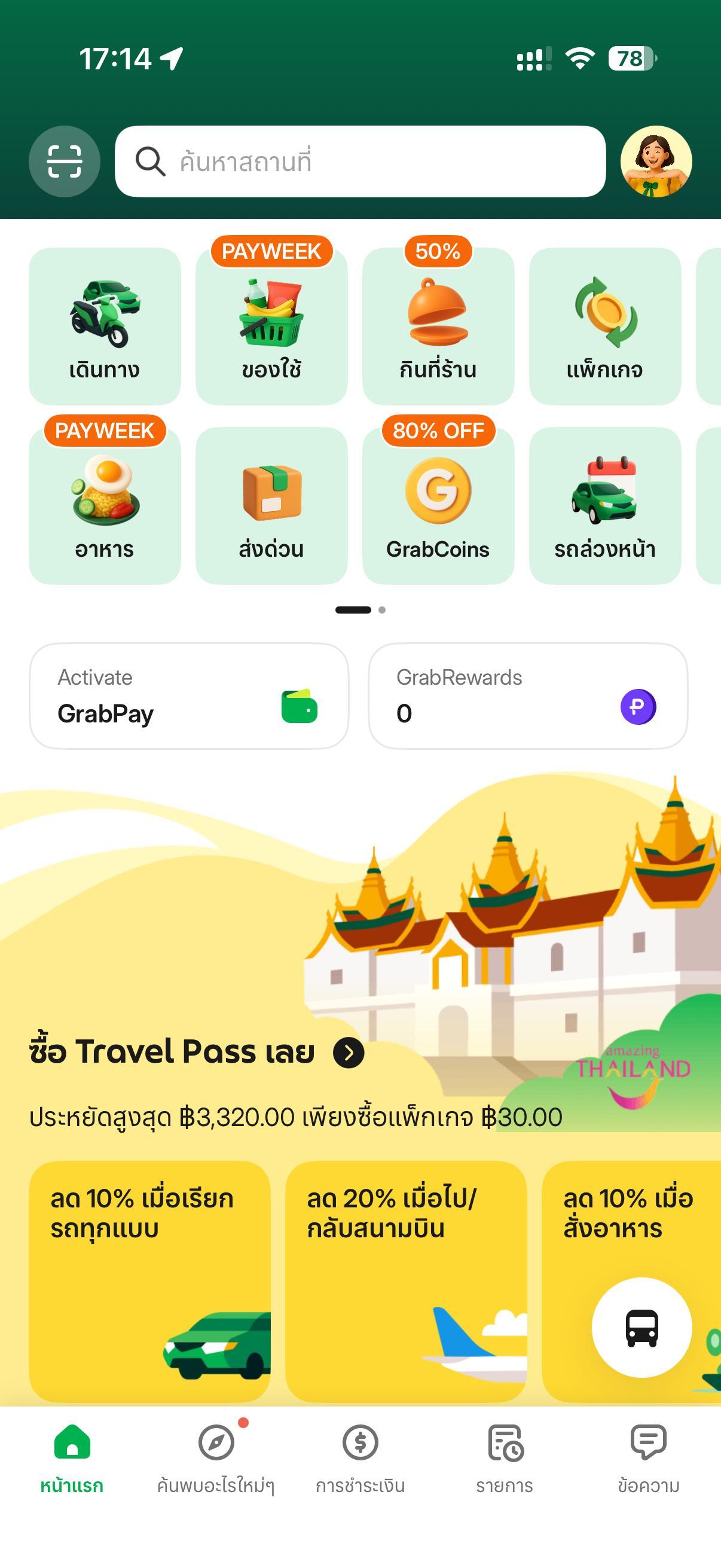
Grab designs for a region where no two markets are the same. What feels intuitive in Singapore might not work in the Philippines, and a layout that fits Thailand may need to shift entirely for users in Indonesia.

But the tools the team was using couldn’t keep up. Designers worked in siloed files with no shared system, which meant components had to be rebuilt, specs often diverged, and even basics—like font sizes or corner radii—weren’t consistent across teams.
Without a unified platform, it became harder to move quickly or scale what worked. Grab needed a way to turn local insights into real products quickly without losing consistency across teams and markets.

Solution: A shared platform for faster, more connected work with Figma
Grab’s design organisation includes around 170 designers and 380 engineers, organised into cross-functional “pods” that tackle consumer, driver and merchant problems and horizontal teams that focus on systems and localisation.
Moving the team to Figma transformed how they worked. With shared components, built-in versioning, and organisation-wide visibility, Figma became their single source of truth—allowing designers to move faster and giving engineers earlier access to what they needed.

“Features such as versioning and visual representation on Figma have made it easier for engineers to consume design and translate to code,” shares Suraj Swamy, Head of Engineering and Core Experiences at Grab.
Within months, teams had built reusable components and saw immediate workflow improvements. Once a change is made, it scales across the system, so iteration is fast, consistent, and easy to deploy.

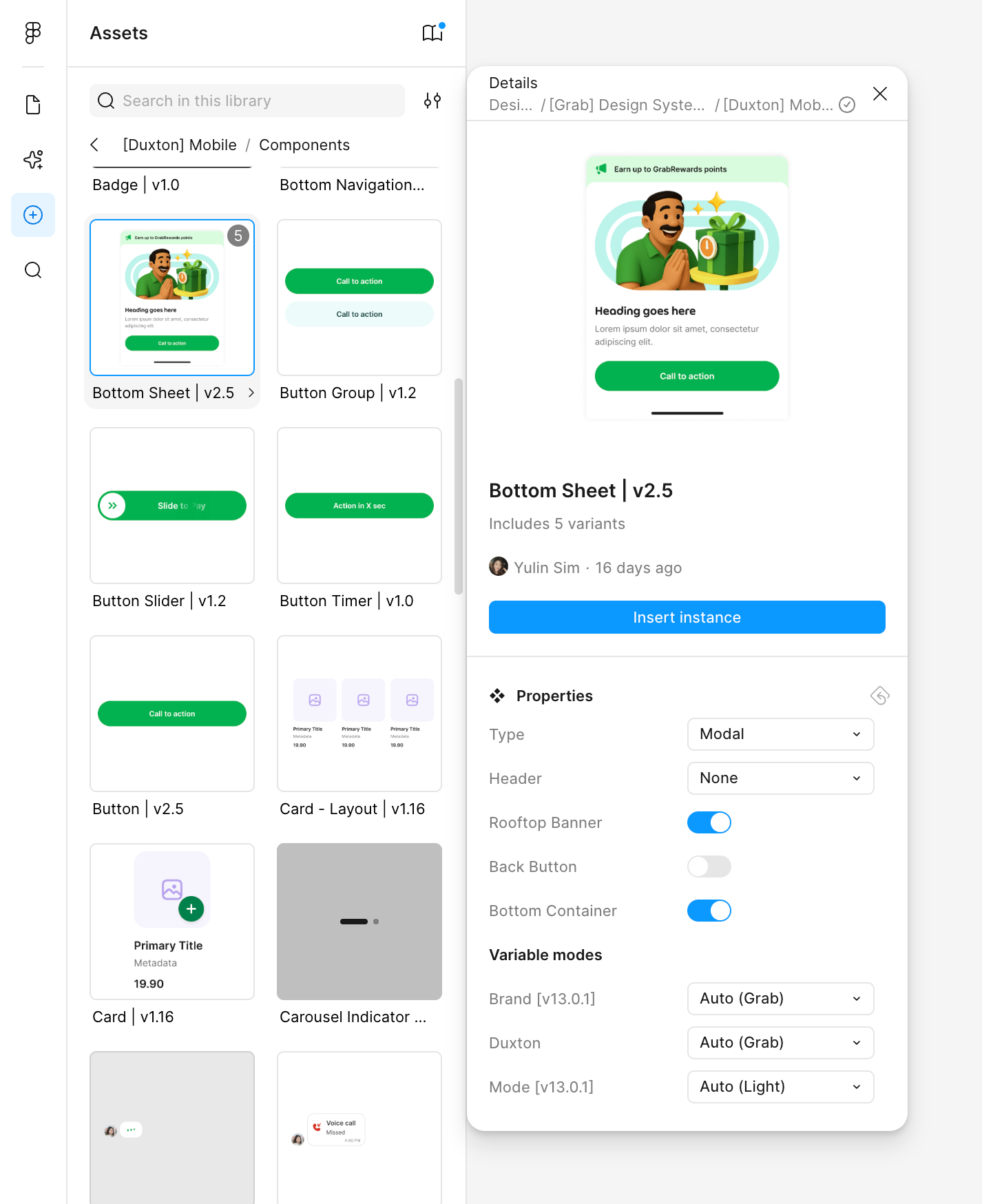
“People look at each other’s work more easily. With Figma, they can reutilise elements and solutions,” says Patrick Jean, Head of Design at Grab. This has been a game-changer for Grab’s experiment-driven culture. Designers and engineers can make decisions faster and ship products with more confidence.
The road to Duxton: A design system built to scale
Duxton is Grab’s design system, named after a historic street in Singapore. It anchors how the team builds consistent, hyperlocal experiences across Southeast Asia. Created in Figma, Duxton gives designers and engineers a shared foundation of reusable components, enabling them to move quickly without compromising quality.

As more teams adopted Duxton, the focus shifted to scaling design consistency across the app. Design and platform engineering teams collaborated to build the Duxton SDK—the code library that brings the Duxton Figma Library into production—and explore AI-powered tools that make it easier to adopt and stay aligned with the system. This helped teams move from isolated, local optimisation toward a shared model, where speed comes from reusing and improving common building blocks together.

Duxton was established as Grab’s default design system in late 2023. By the second half of 2025, it reached roughly 50% adoption across the app. Getting there meant carefully migrating a large legacy surface while the system and SDK were still evolving—without disrupting components used by multiple teams. Alongside the technical work, teams had to shift how they worked, balancing flexibility for local markets with consistency across the organisation.
Roughly 50% of our entire consumer app is actually built using Duxton design components powered by the SDK. This is considering our app code base has more than 5 million lines of code.
— Suraj Swamy, Head of Engineering and Core Experiences, Grab
With Figma as the foundation, Duxton helps Grab deliver consistent, high-quality experiences at speed. This consistency scales across products, making everyday interactions like booking a ride or ordering food feel intuitive and seamless.

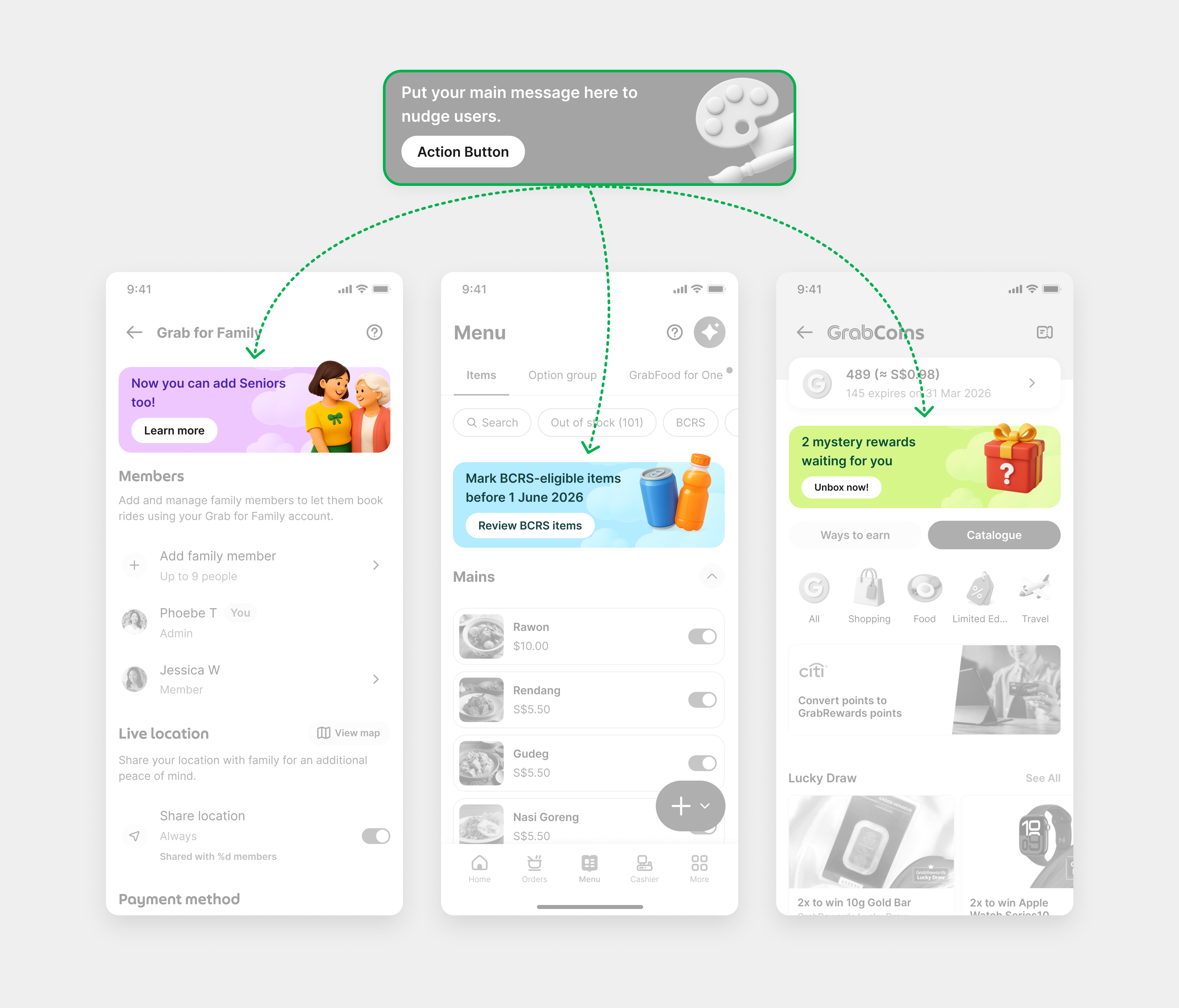
“We need to make sure that whatever we build or design has the necessary flexibility to address the needs of the user,” says Patrick.
I would say that building a design system and an SDK is complex work, but it’s doable. Scaling it to an organisation, now at roughly 50% adoption? That’s the real piece of work that requires a lot of evangelising.
— Patrick Jean, Head of Design, Grab
To keep momentum, the team now uses dashboards to track adoption by screen and by team. This visibility helps identify gaps and prioritise improvements. They are also exploring how AI can plug into these workflows to support contributions and further accelerate adoption.
Streamlining design-to-development with Dev Mode
Grab has seen strong, organic adoption of Dev Mode across teams. It is now the default way of inspecting designs and accessing implementation details, with highly active users rising from 244 last year to 353 today—a roughly 45% year-on-year increase. Properties like colour, corner radius, and iconography are configurable, so components can flex to meet local or functional needs without breaking the system.

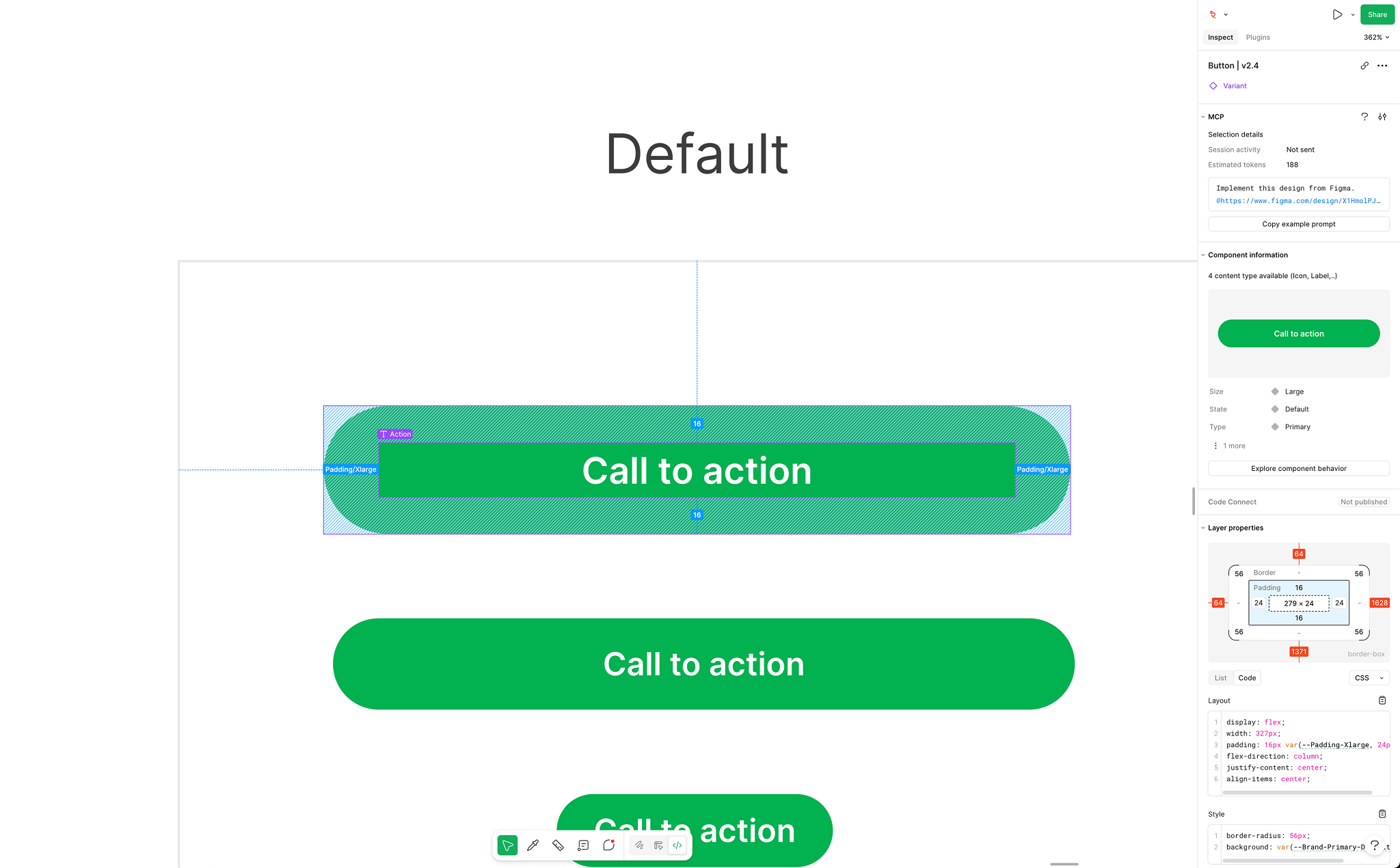
Alignment between design and engineering improved, making it easier to build great products by quickly testing and validating small changes, such as microcopy tweaks or layout adjustments. Grab runs local A/B experiments against control groups to measure business impact, rolling out different variations across markets to refine hyperlocal experiences.
It goes back to what we said about being consumer-obsessed. It actually means understanding the pain points of all our users, be it drivers, merchant partners, or consumers. With Dev Mode, engineers at Grab can easily inspect components and translate our designs into implementation, ensuring that what we build always stays true to our customers’ needs.
— Patrick Jean, Head of Design, Grab
Engineers no longer need to dig through design files for specs. Everything they need—component details, structure, spacing—is surfaced right where they’re working.
There was a lot of picking and pecking and hunting going on at the time. So in that regard, it removed a layer of friction because it becomes much easier for engineers to look for what they need and what is relevant for them.
— Patrick Jean, Head of Design, Grab
Exploring the next frontier with AI
Experimentation is core to how Grab builds. As AI tooling advanced, the team saw an opportunity to reduce friction between design and engineering, especially in the repetitive parts of the design-to-code workflow. They began working with Cursor, an external AI-powered code editor that generates code from natural language prompts, to help automate routine tasks and support faster iteration.
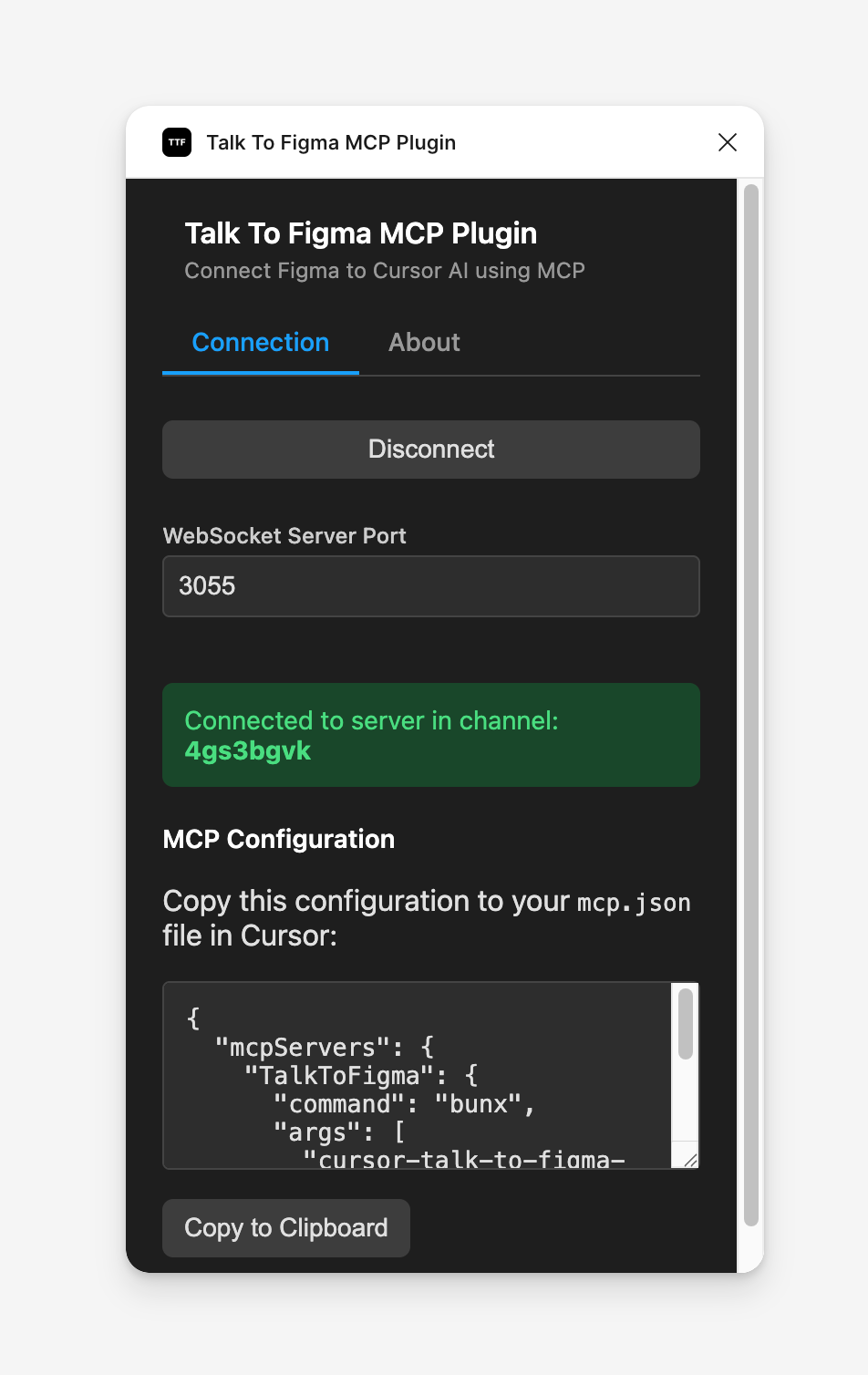
That foundation led to the development of an internal integration called Talk to Figma MCP. Built by Grab, the tool connects Figma to Cursor using a Model Context Protocol (MCP), so teams can extract structured design data and use AI commands to speed up design tasks. The plugin is seeing strong adoption, with 1.7K weekly users generating over 210K events, signalling just how quickly teams are embracing AI-powered workflows. “We’re always pushing the boundaries to see where the frontier is in terms of the capabilities of AI models,” says Suraj.

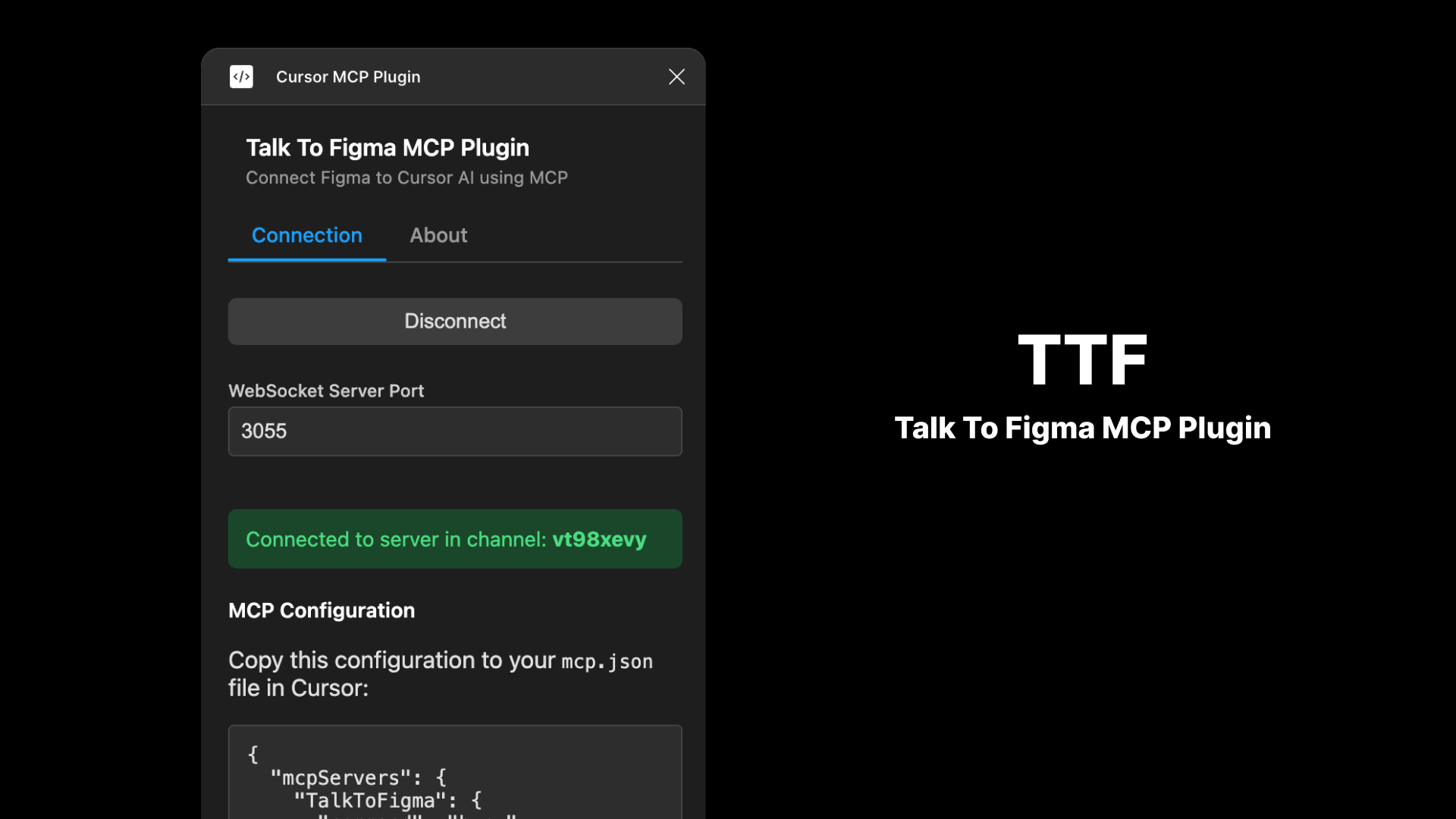
It's a great example of how expansive and customisable the Figma platform is: from first-party tools like Dev Mode and Figma’s MCP server to integrations such as Grab’s Talk to Figma MCP, teams can assemble the workflow that fits their needs. While still in the early stages, the tool already shows potential for use cases such as modernising legacy interfaces, accelerating localisation efforts, and improving accessibility—all within Figma.

The road ahead: Shared tools, shared momentum
As design and engineering continue to converge, Grab sees growing opportunities to streamline how teams work together. Figma remains central to that evolution—from scaling Duxton to experimenting with AI-powered tools.
The team is now exploring Figma Make to rapidly prototype and test ideas, bringing feedback into the process earlier. “Magic happens when people actually sit next to each other and have a common language that they can speak,” Patrick says.
With a single platform, Grab continues to build hyperlocal, high-quality experiences—designed with intention, and delivered at scale.
See how Figma can help you scale design
Get in touch to learn more about how Figma can help companies scale design.
See how Figma can help you scale design
Great design has the potential to differentiate your product and brand. But nothing great is made alone. Figma brings product teams together in a fast and more inclusive design workflow.
Get in touch to learn more about how Figma can help companies scale design.
We’ll cover how Figma can help:
- Bring every step of the design process—from ideation, to creation, to building designs—into one place
- Accelerate design workflows with shared company-wide design systems
- Foster inclusivity in the product team process with products that are web-based, accessible, and easy to use