How Lollypop takes clients from brief to build in Figma
Lollypop Design Studio is a global UI/UX design agency with a team of 180+ designers and engineers spread across India, USA, the UAE and Vietnam. Over a decade, the studio has served 1,000+ clients, earned 50+ global design awards, and touched over two billion lives, working with startups and Fortune 500 companies across healthcare, fintech, and e-commerce to translate complex business requirements into scalable digital products.
As Lollypop’s client roster grew and engagements became more complex, so did the challenge of keeping designers, developers, and clients moving in the same direction, without losing fidelity and momentum.
When they began designing an online, multi-region retail operations platform for a client, they needed a faster way to move from brief to build without losing alignment. By consolidating its workflow inside Figma—across FigJam, Figma Design, Dev Tools, and Figma Make—Lollypop reduced prototyping effort by 3-4x, shortened feedback cycles from multiple days to one day, and reduced front-end development timelines from months to weeks.

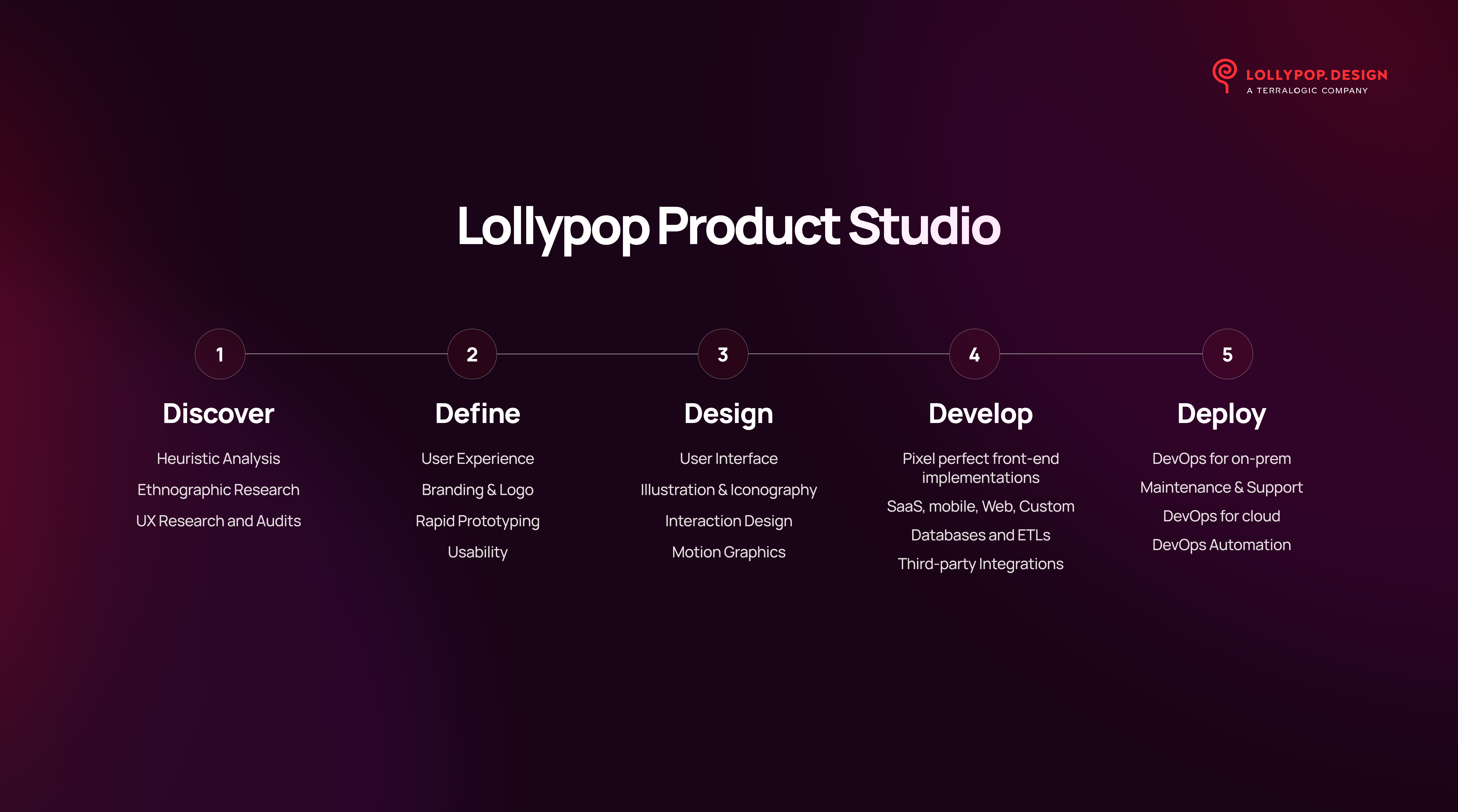
The challenge: Managing complex product workflows across teams and clients
Before Figma, designers, developers, and client stakeholders reviewed work across different tools and documents, making it harder to keep decisions synchronised and slowing down feedback at critical stages.
The challenges compounded when they began designing an online retail operations platform for a client operating across multiple regions. The platform needed to give business managers visibility into retail performance across outlets, while field activity data continuously informed the product’s logic and workflows.
Without a shared workspace, progress was often tracked through spreadsheets, presentations, and email threads, creating gaps between what was designed, what was built, and what the business needed.
We needed to bring retailer onboarding, task allocation, daily activity tracking, and performance monitoring into one system. Without that central view, coordination across regions becomes extremely difficult.
— Sri Chandra Dronavalli, Director, Software Services, Lollypop

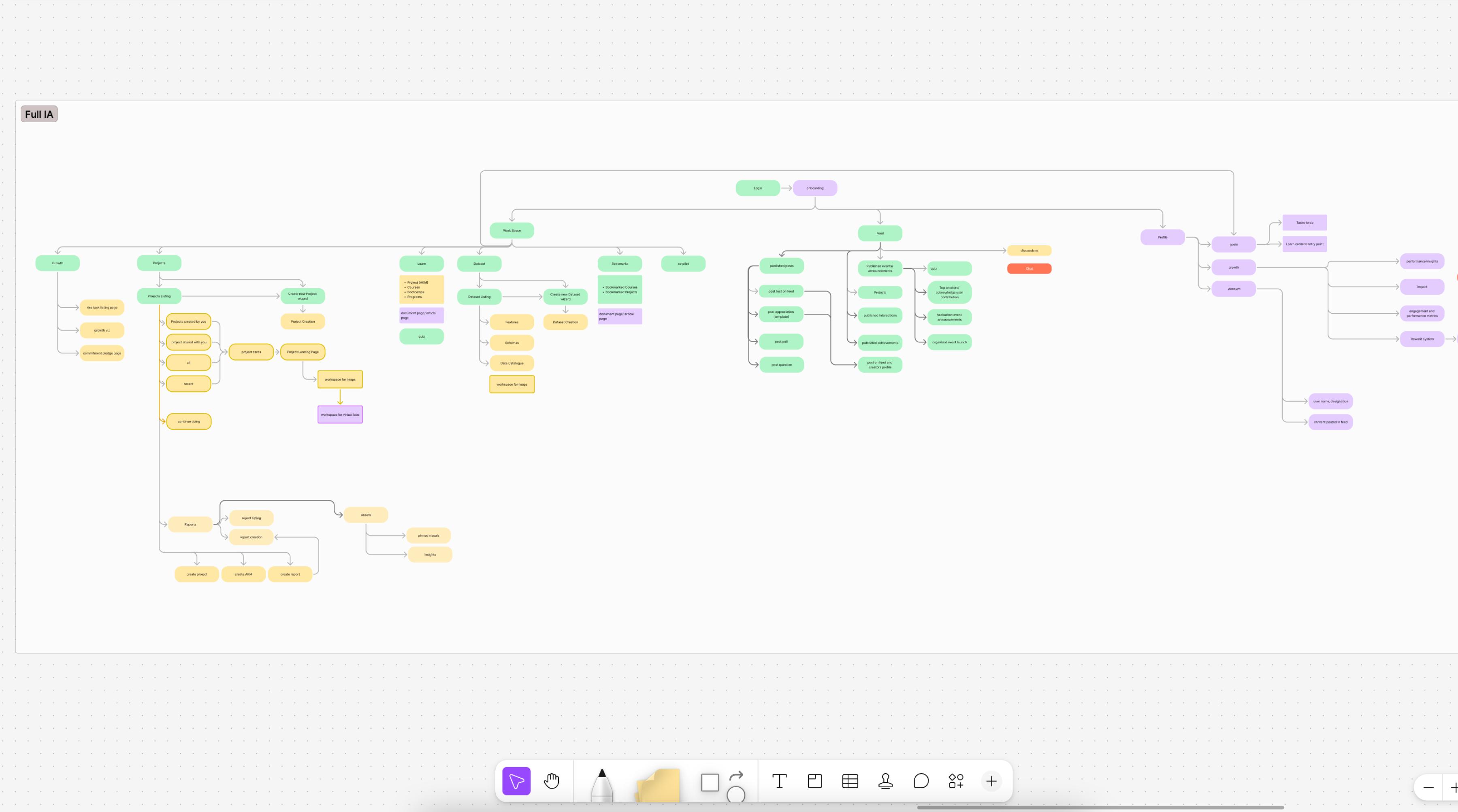
The solution: Designing, validating, and delivering in one connected workflow
Lollypop restructured its entire project workflow around a single, connected environment. The team moved everything into Figma—using FigJam for discovery and alignment, Figma Design for prototyping and validation, Dev Tools for more streamlined handoffs, and Figma Make to accelerate front-end delivery.
The result was a process where decisions made in discovery carried directly into design, and both designers and developers could move into implementation without assets or context being lost along the way.
Building a structured discovery process in FigJam
The team began every engagement with facilitated workshops inside FigJam. Designers and stakeholders worked together to map retailer journeys, define performance triggers, model intervention scenarios, and surface edge cases—all before a single screen was designed.

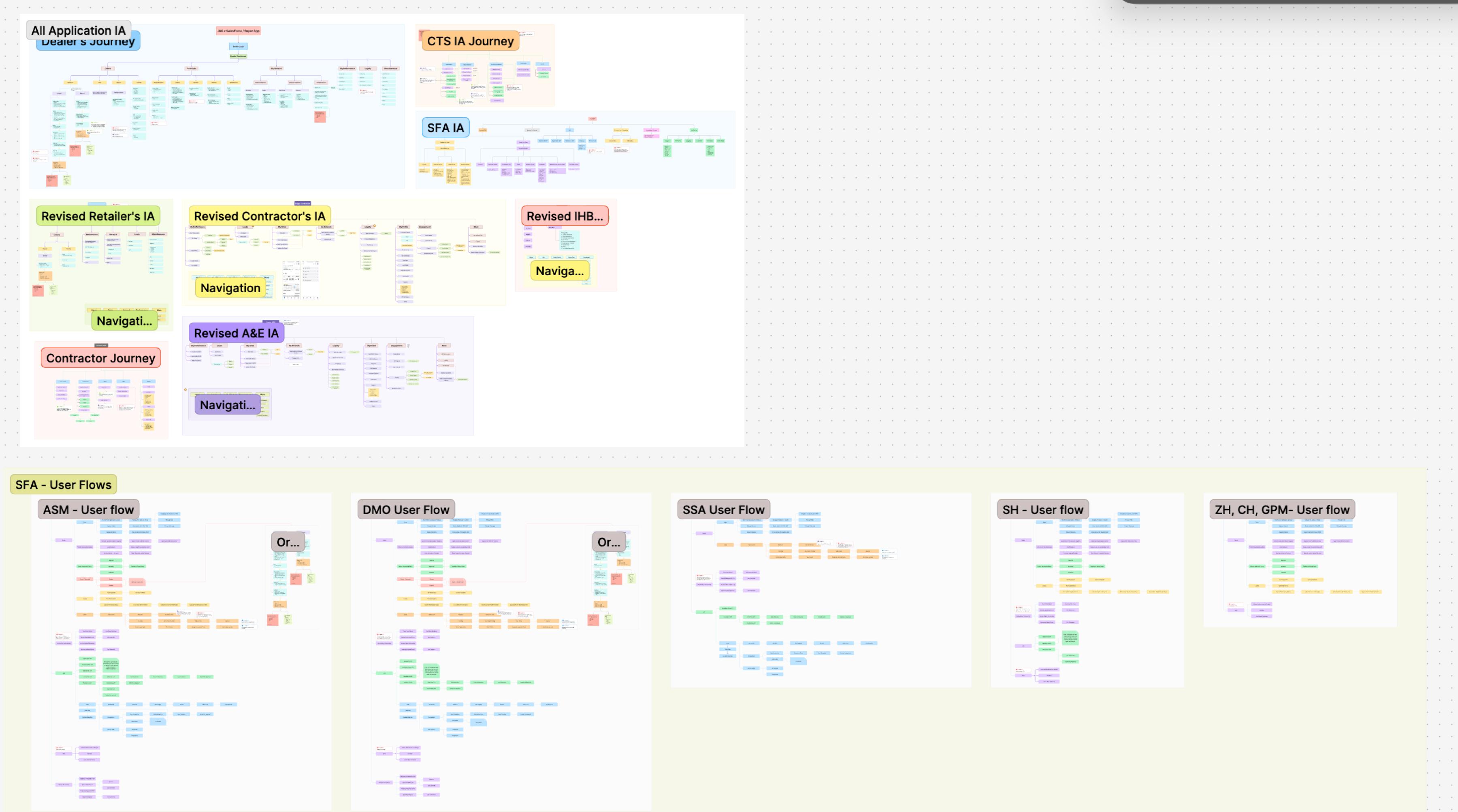
The ability to move from research directly into design, without switching tools or recreating flows, means we spend more time making good decisions and less time managing information. This has already helped accelerate the discovery process by 2x.
— Ameet Palkar, Design Director, Lollypop
Validating workflows with native Figma prototypes
“Earlier, we had to export all 100 screens into JPEG format, input all those JPEGs into another tool, and hard-code and make the prototypes,” said Naseer Ahmed, Senior Design Manager at Lollypop.
By moving prototyping natively into Figma, the team eliminated that phase entirely.
With native Figma prototyping, we no longer had to repeat that export-and-rebuild process every time a design changed—reducing our efforts by nearly 3-4x compared to our previous workflow.
— Naseer Ahmed, Senior Design Manager, Lollypop
Smart animations also brought the prototypes closer to the feel of the finished product, which led to clearer feedback from stakeholders and fewer misunderstandings from the field.
The difference isn't just speed. When the prototype lives in the same file as the design, you catch things earlier—interactions that don't feel right, flows that need rethinking. That quality check used to happen much later.
— Mohith S, Lead UI Designer, Lollypop
Keeping design and code on the same canvas with Dev Mode, Code Connect, and Figma’s MCP server
Previously, Lollypop worked across different tools that required designers to maintain separate files and developers to navigate multiple platforms to access specs, assets, and annotations.
By consolidating into Figma, the team replaced that workflow with a single, connected environment, where developers could access accurate specs, component details, and assets directly inside the design file—and what got built could also come back to Figma for review—reducing ambiguity and keeping design and code in sync throughout the project.
“Figma changed how design and development stay in sync throughout the build. Design context flows directly into our development workflow, and what gets built can come back to Figma for review. It has reduced ambiguity, minimised back-and-forth clarifications, and ensured closer alignment between design and implementation—ultimately saving time and improving delivery efficiency,” said Sri Chandra Dronavalli, Director, Software Services, at Lollypop.
The team also connected Figma’s MCP server to their IDEs, enabling AI agents to query design files directly and generate code grounded in real design system context rather than approximating from screenshots or manual specs. By using Code Connect to link Figma components to their production code, AI tools reused exact codebase elements rather than approximating new ones—resulting in 90% component accuracy in just one or two attempts. The result was less rework, fewer bugs from token mismatches, and faster iteration on user feedback.
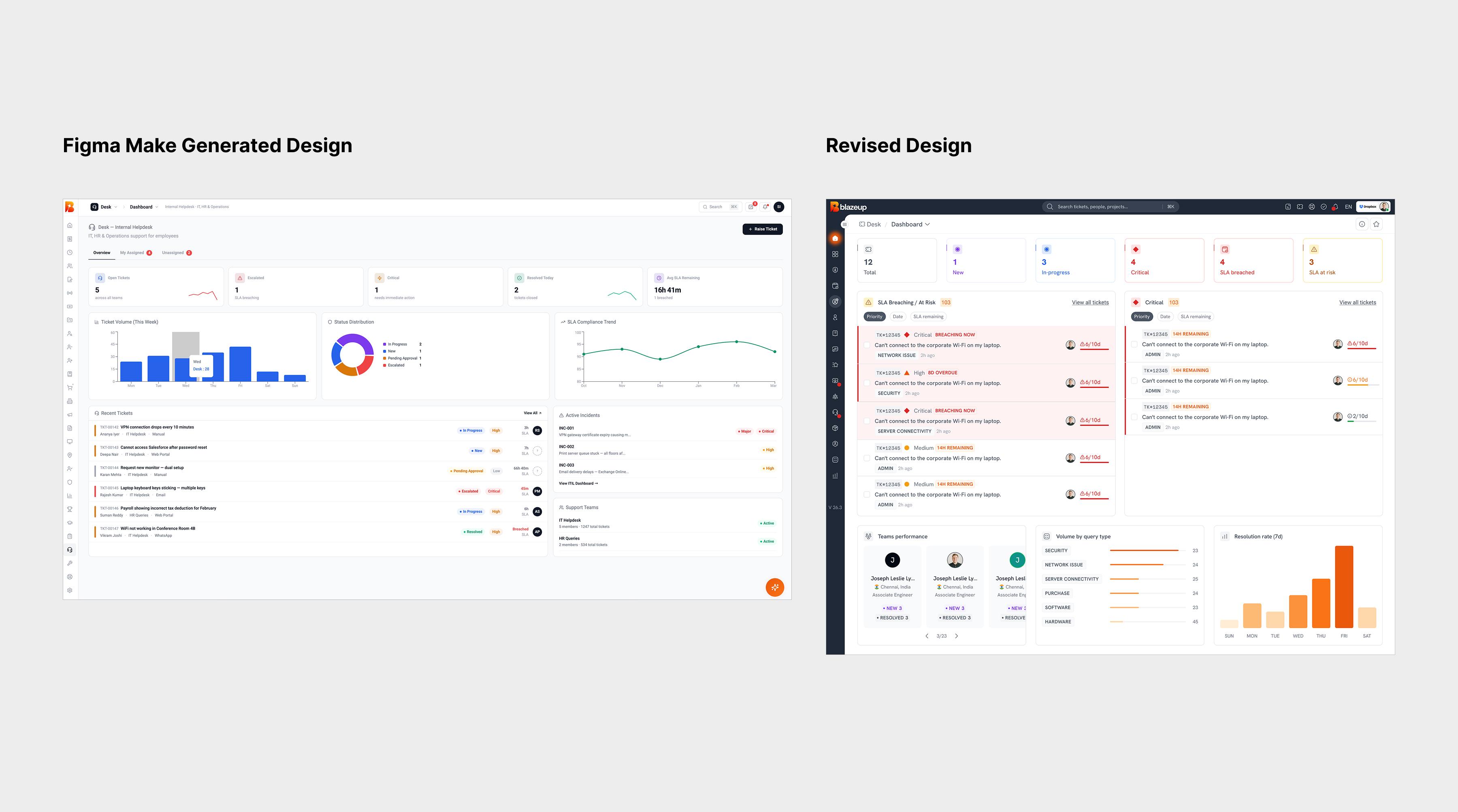
Accelerating front-end delivery with Figma Make
For modules where backend systems were already in place, Figma Make helped with the next step by reducing how much of the front-end layer needed to be built from scratch.
Using Figma Make, the team generated an initial front-end scaffold from the approved designs. Engineers used this as a starting point, refining and integrating with backend systems rather than building the interface layer from the ground up.
We don't need to build the entire front-end layer from scratch anymore—Figma Make gives us a strong starting point using simple text prompts. What previously took 2-2.5 months can now be delivered in 3-4 weeks for applicable modules.
— Sri Chandra Dronavalli, Director, Software Services, Lollypop

Reducing feedback cycles with shared files
Feedback had always been a persistent bottleneck, and exporting screens to PDF and waiting days for responses meant iteration was always playing catch-up to client timelines.
“Earlier, we used to send presentations, export all the screens into JPEG and convert that into a PDF, and wait a couple of days for feedback and reviews,” said Naseer.
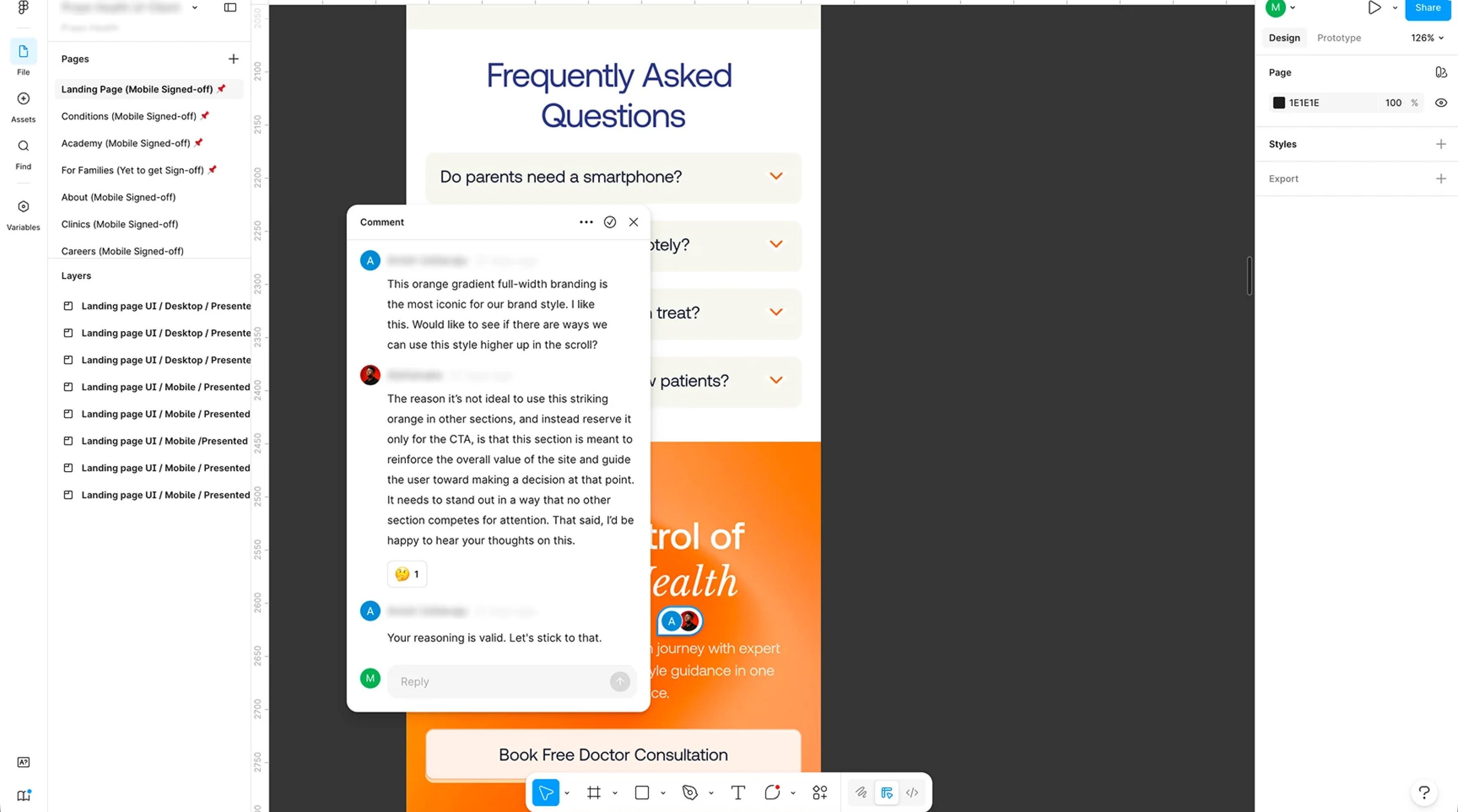
By sharing live Figma files with stakeholders, the team was able to move reviews into the design workspace itself. Discussions and decisions were captured directly in the file, creating a traceable record without additional documentation overhead.
Today, turnaround time has been reduced to one day. You send the design files in the afternoon, and you’ll receive feedback in the evening or the next afternoon.
— Naseer Ahmed, Senior Design Manager, Lollypop

Looking ahead: Expanding collaboration and improving workflows
As Lollypop takes on more complex, multi-region client engagements, Figma is becoming the shared layer across how teams collaborate, present, and deliver. The consolidation of their workflow has created a foundation they’re now extending to new parts of the business.
“When we ship faster and better, it impacts how we show up in the market. The workflows and processes we built in Figma have helped us to build fast, launch fast, and put our best work forward every time. That’s what builds the brand,” said Charan Babu N., Senior Manager, Global Marketing and Partnerships at Lollypop.
With Figma Slides, the team is also bringing stakeholder presentations closer to the design process, helping teams align across regions without switching tools. They are also using Figma Buzz to manage templates and content delivery, ensuring brand tone and consistency are maintained across campaigns, formats, and regions without rebuilding assets from scratch.
When your entire workflow—from discovery through delivery—runs in one place, the business impact compounds. We’re delivering faster and aligning better, which translates directly into stronger client relationships. Figma has really impacted our ability to scale the kind of work we take on.
— Rama Kini, EVP, Design and Software Services, Lollypop
See how Figma can help you scale design
Get in touch to learn more about how Figma can help companies scale design.
See how Figma can help you scale design
Great design has the potential to differentiate your product and brand. But nothing great is made alone. Figma brings product teams together in a fast and more inclusive design workflow.
Get in touch to learn more about how Figma can help companies scale design.
We’ll cover how Figma can help:
- Bring every step of the design process—from ideation, to creation, to building designs—into one place
- Accelerate design workflows with shared company-wide design systems
- Foster inclusivity in the product team process with products that are web-based, accessible, and easy to use