How to create a product requirements document + free template
Share How to create a product requirements document + free template
Explore more from
Strategic planning

How do you coordinate with multiple teams when designing a product? Better yet, how do you keep everyone on the same page throughout the process? As a product manager or designer, you need a single source of truth outlining key requirements for your team. To do that, use a product requirements document (PRD).
A PRD outlines what you're building and why. It covers the features, purpose, and scope of a product. It provides scope, clarity, and purpose to help your team prioritize tasks.
Writing an effective PRD keeps your team aligned on overall goals and ensures that users get a product they love. To help you write a strong PRD, we’ll cover why they matter, walk through the steps to writing one, and share a free PRD template example to get you started.
What is a product requirements document?
A PRD defines the requirements for a product release. It guides your team through designing, building, and testing a product. The core components of a PRD include:
- Product overview
- Purpose, use cases, and main value propositions
- Features and functionality
- User personas and user stories
- User flows and user experience notes
- Release criteria and timeline
- Potential risks
- Non‑functional requirements
- Assumptions, dependencies, and constraints
- Evaluation plan and related success metrics
Together, these sections align your team and stakeholders on next steps, scope, and risks—from early stages through release. A PRD typically paints a broad picture, focusing on what you're building rather than how you'll build it. Each section should provide enough context to support good decisions as you move through the project lifecycle.

Product requirements documents vs. market requirements documents
Market requirements documents (MRDs), sometimes called customer requirements documents, identify market opportunities to meet customer needs, while PRDs explain how a product will meet those needs. Although PRDs can address marketing, product teams typically save that for MRDs.
MRDs look at external factors to make sure there's a market for your product. They tend to focus on customers' needs and how to guide them to your product. MRDs also tend to come into play later in the process than PRDs.
Start creating your own product requirements document
Use this free PRD template to get your next project started.
Product requirements documents vs. business requirements documents
Business requirements documents (BRDs) usually focus on business goals like revenue impact, operational efficiency, or regulatory compliance. They outline the high‑level capabilities a business expects from the solution.
BRDs are usually created early in a project to secure alignment and funding, then use a PRD to guide day‑to‑day decisions on scope, trade‑offs, and the end‑to‑end user experience.
Product requirements doc vs. functional specifications
A functional specifications document describes what a product does and how users interact with it. It gives designers and engineers a clear reference point. In some cases, teams include functional specifications directly in their PRD.
| Document type | Purpose | Who writes it |
|---|---|---|
| PRD | Explains what the product needs to do and how its users will interact with it | Product managers |
| MRD | Outlines market demands and user needs/pain points to determine what problems need to be solved | Product marketing managers |
| BRD | Defines business goals, sets high-level objectives, and assesses the return on investment (ROI) or profitability of a project | Business analysts |
| Functional spec/tech spec | Explains exactly how engineers will implement the PRD requirements | Engineering/architects |
Agile product requirements documents
The agile methodology is an iterative approach to development that favors working software over heavy upfront planning. Agile teams work in short development cycles called sprints. This approach ensures that teams can continuously develop new products and updates. That said, agile teams still need to track requirements before a sprint.
Agile PRDs often look more like task boards than traditional documents, giving developers more flexibility in how they achieve goals. They also use agile-specific elements to organize development:
- Themes: An agile theme is a strategic initiative or company-wide objective. Themes reflect the core purpose and business context for your product.
- Epics: Agile developers group collections or user stories into epics. Epics show how products and new features work together to meet wider goals.
- User stories: User stories note product requirements from an end user’s perspective. User stories typically follow the format: As a [type of user], I want to [perform a task] so that I can [achieve a goal].
- Tasks: Agile breaks user stories into tasks, or units of work carried out by individual developers. Developers are assigned tasks and build the features mentioned in user stories.
Because of their flexibility, agile PRDs go through more changes during development. Product owners also lean more on stakeholder input and team feedback when writing requirements. In turn, you need to keep your team and stakeholders informed as things change.
If you work in an agile environment, you can use a FigJam PRD board as a living space where your epics and user stories sit alongside your requirements. Start by mapping your product vision and key outcomes on the canvas, then cluster epics, user stories, and tasks around each goal so everyone can see how the work in each sprint connects to the bigger picture.
As you refine the PRD, you can link directly to Figma design files and prototypes, capture decisions in sticky notes and comments, and adjust priorities in real time. That keeps your PRD adaptable and up to date without losing the context that product managers and designers need.
How to write a PRD in 6 steps
Here are six steps to writing a PRD.

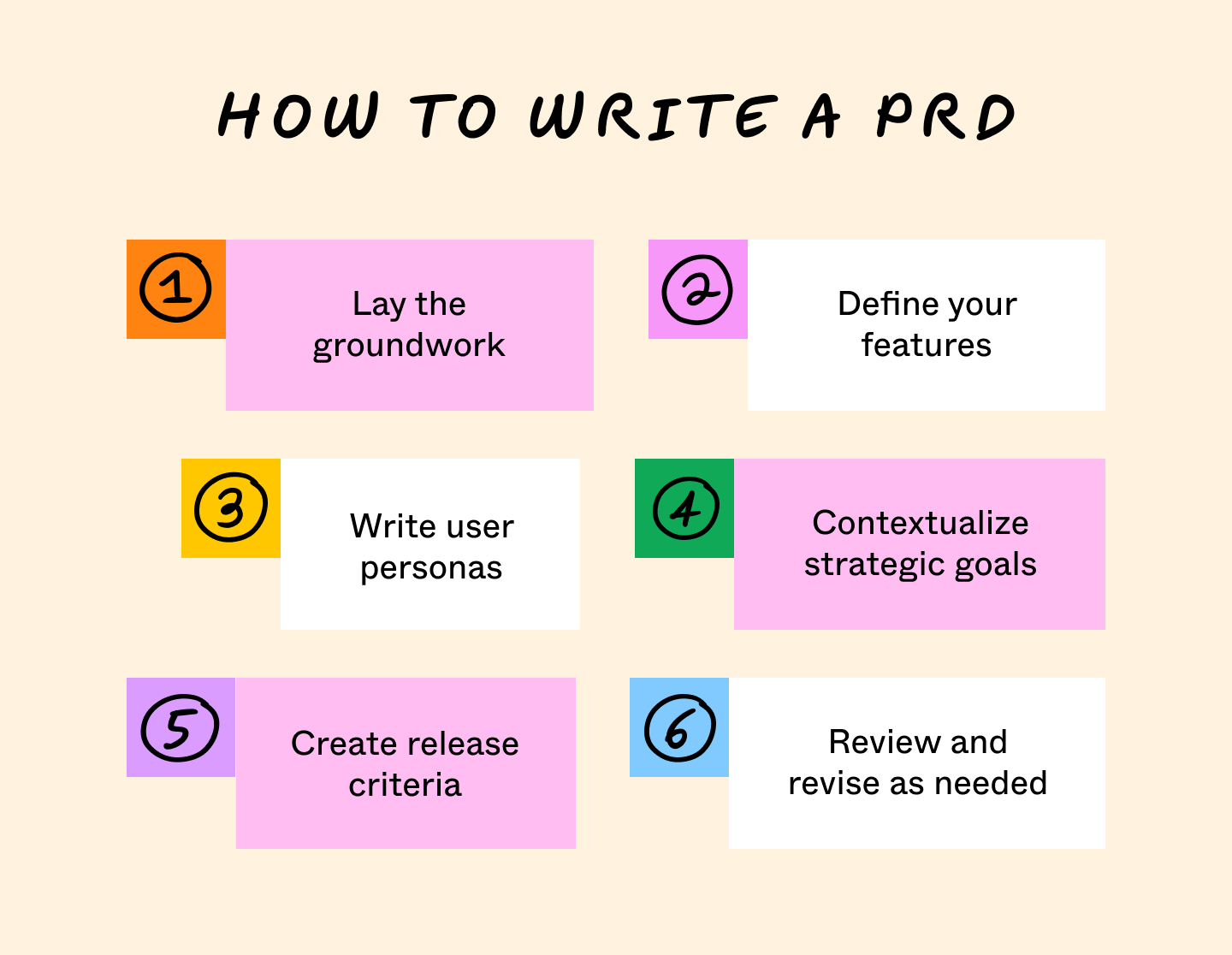
Step 1: Lay the groundwork
Start with the product’s purpose, how it works, and your design guidelines. Aligning your team around these shared visions early makes it easier to map out the rest of the project.
Write out basic information about your product and its design by asking questions like:
- What’s the elevator pitch for the product you’re designing?
- Which teams, stakeholders, and other managers will help you build this product?
- What is your budget and release date?
- Based on how the product looks and feels, how will users interact with it?
- Can you build a wireframe, mockup, or demo to illustrate the end product?
- What obstacles or risks could get this product off track?
Step 2: Define your features
Next, list the features a product needs to meet its purpose. Creating a feature hierarchy will also direct your teams to the highest-value functions first. Remember to explain why you prioritized certain features to guide developers.
PRDs emphasize the features drawing customers to a product. You need to research your users and identify what they value. From there, design your product around this intended functionality. For example, note when features are triggered automatically or as part of a manual process.
You can define features by asking:
- What problems will a new feature solve?
- How will this feature help meet your goals?
- What capabilities do you need to add for this feature?
- Which teams will work on this feature?
- How soon can you deliver a feature, and how much will it cost?
- Which customers stand to gain the most from this feature?
- How will this feature contribute to our goals and initiatives?
Step 3: Write user personas
While user personas are often fictional characters, they represent your actual customers and can help you better articulate who they are and what they care about.
When writing a user persona, include traits like:
- Demographic information like their age, role, and goals
- How the user would react to new products or features
- Their needs, challenges, and motivations
- Where they fit into your wider user base
Step 4: Contextualize strategic goals
Explain how your product release ties into your overall strategy. Product releases can help you break into new markets or differentiate from competitors. They can also build momentum before a larger launch. Whatever your strategic management goals are, you should emphasize them in a PRD.
You can contextualize strategic goals by asking:
- What value does this product release bring, and what goals will it achieve?
- How will this product release get you closer to those goals?
- What do your teams need to know to ensure this product meets those goals?
- Have any customer or market trends shaped this product?
- Will this product help meet your goals post-release with add-ons or updates?
Step 5: Create release criteria
Create release criteria before full development begins, so your team knows exactly what the product needs to do before it can ship. To write effective release criteria, you should:
- Consider the development timeline and budget
- Provide metrics gauging the product’s performance/success
- Note the project scope and what you chose to exclude
- Estimate ongoing maintenance and support needs
- List the teams needed to meet release criteria
- Describe the expected impact of your release
Step 6: Review and revise as needed
Once you have a first draft, review it with your. team and stakeholders. If they have questions you can’t answer, take the time to research them. Revisions help make sure your PRD is as thorough as it needs to be.
Your PRD should evolve as requirements change. Update it as you move through development so it stays useful.
PRD example
To show what this looks like in practice, we’ve written a sample PRD. For this example, assume you’re a product manager at a company offering productivity software.
Your platform uses automation to help clients streamline their workflows. Now, you want to develop a mobile app for your software. This PRD example shows how that looks on the page.
Product details:
Project: Mobile app development
Target release: 1.0
Document owner: Ed Carlisle
Project manager: Ed Carlisle
Designer: Alexis Cho
Developer: Morgan Rivers
Project objectives:
- Purpose: Develop a mobile app for our software to improve the user experience.
- Background: A survey among current customers shows that 73% of users prefer to use our tool on the go. Managers don’t always have access to their laptops, so they can only use the tool in the office.
- Strategic context: We’re prioritizing UX and platform accessibility to gain an edge over the competition. Our main competitors tend to produce mobile apps with reduced functionality, so releasing an app with the desktop version’s full list of features will set us apart.
Feature requirements:
- Full platform functionality accessible from a mobile device
- A reworked interface that suits the mobile experience
- Real-time syncing so updates made on the desktop immediately show up on the mobile app
User personas:
- Kelly Smith, an engineering manager who coordinates teams working from different job sites
- Dylan Thomson, a senior developer juggling multiple projects, who wants to quickly check for schedule updates
Release criteria:
- Design an eye-catching, user-friendly interface with mobile users in mind
- Port all existing functions to the app
- Ensure the app processes data quickly and doesn’t lag behind the desktop software
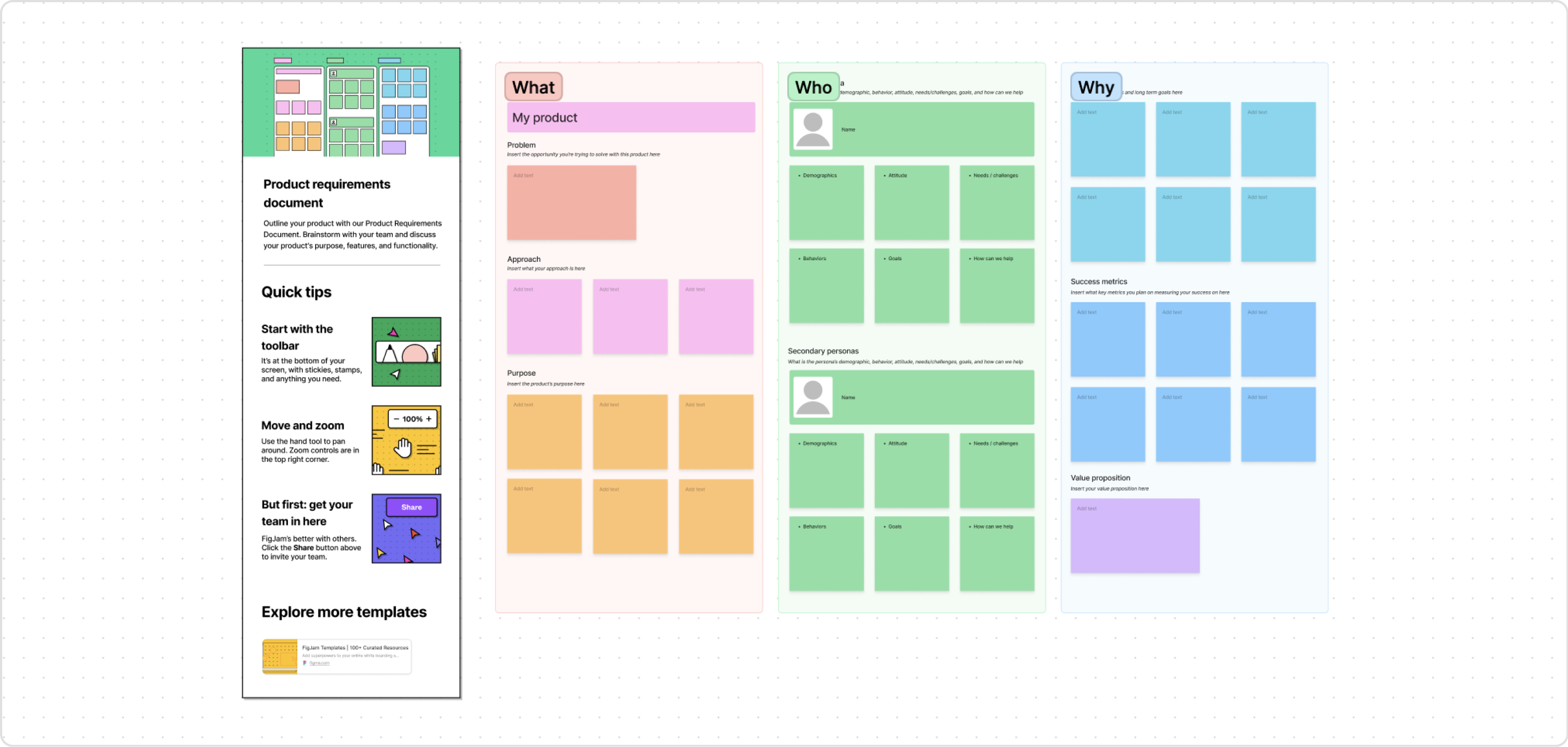
Try the FigJam PRD template
Ready to start writing your own product requirements document? Try our PRD template and get started today.

Benefits of writing a PRD
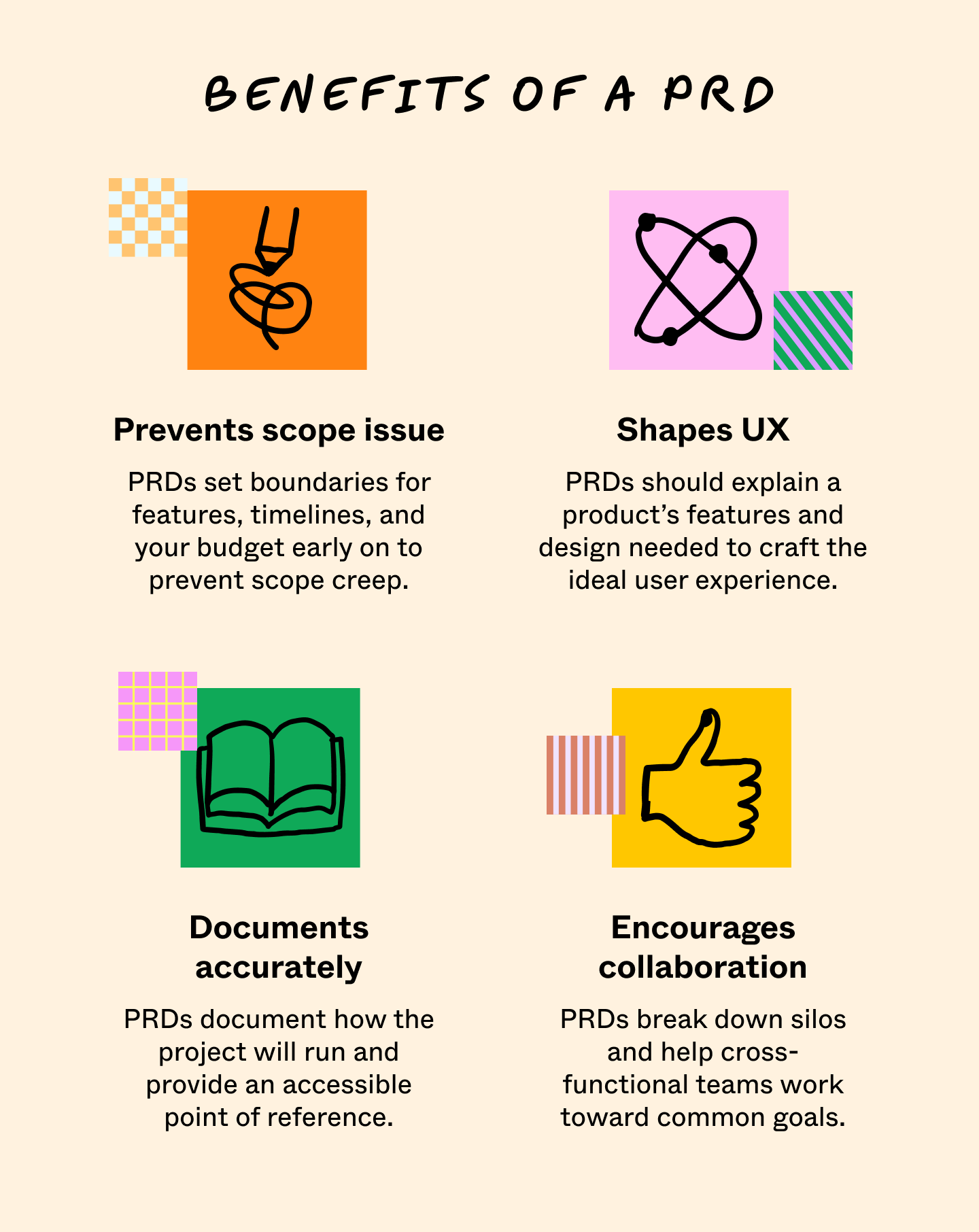
Writing a PRD gives your teams and stakeholders a single source of truth on the product you’re developing, so when developers have questions about core features, they have the tools to answer them. Here are a few other benefits of PRDs:
- Reduce the chances of scope creep: By outlining features, timelines, and a budget early, PRDs set clear project boundaries.
- Shape UX design: Your PRD should explain a product’s intended functionality and design. With enough detail, you can describe the ideal user experience and help your team create that experience during development.
- Document accurately: A PRD includes the steps, developer approaches, and responsibilities required during development. That gives everyone a clear reference point for how the project runs.
- Encourage collaboration: PRDs involve members of different teams working toward a common goal. This breaks down silos and helps you ship better products faster.

Common mistakes when writing a PRD
When working on your next PRD, avoid these common pitfalls:
- Length: Always self-edit to keep your PRDs from running too long. Overly long documents are harder to follow and harder to keep up to date. In most cases, a one-page PRD is ideal.
- Coordination: Since PRDs contain so much information, they require input from multiple teams. Getting the right people in the room and giving them time to contribute takes careful planning.
- Miscommunication: If you don't understand what your users need, you can't document it clearly. This lack of clarity among stakeholders and users can cause significant delays or even cancellation.
- Solution favoritism: Because PRDs outline what a product does, it’s easy to favor a single way products solve users’ problems. Avoid favoring one solution over another until your team can test those solutions.
- Feature overload: Be comprehensive yet concise. Adding too many features obscures a product's main value, confuses users, and increases development costs. A more focused feature list helps customers see the value in your product and helps you deliver on time.
- Requirement traceability: PRDs outline how you track a product’s issues, test cases, bugs, and problem resolution for each requirement. Set up a traceability method early and make sure your team knows about it.
- Incomplete, inaccurate, or outdated information: Remember, your PRD is a living document that should get regular updates as new information emerges.
Product requirements document FAQ
Keep reading for answers to frequently asked questions about product requirement documents.
What are the steps for creating a PRD?
Most teams follow a similar arc:
- Define the problem and goals
- Describe your users
- Outline scope and features
- Capture constraints
- Set success metrics and release criteria
From there, you iterate with your product, design, and engineering partners as you learn more through discovery and delivery.
What’s an example of a product requirements document?
A typical product requirements document example might cover a new onboarding flow, a mobile app, or a net‑new feature area. It will include sections for purpose, personas, features, user flows, and success metrics.
Note that not all PRDs have to include all of these components, and the specifics will vary depending on the type of product you’re developing. For example, PRDs for manufactured goods often contain more detailed manufacturing, safety, and quality requirements.
What’s the difference between a PRD and an MRD?
A product requirements document (PRD) focuses on what you’re building and how it should work for users, while a market requirements document (MRD) describes the broader market opportunity, customer segments, and the competitive landscape.
In practice, PMs often use the MRD to justify why a product or feature is worth building and the PRD to guide how the team will bring that idea to life.
Who is responsible for writing a PRD?
Product managers typically own the PRD, but the strongest documents are co‑created with designers, engineers, and other stakeholders who will bring the work to market. As a product manager, you might draft the first version yourself, then use open sessions in FigJam to refine the problem statement, scope, and success metrics as a group.
When should you create a PRD?
You usually create a PRD once they’ve validated a problem or opportunity enough to commit resources to it, but before they jump into detailed design or sprint planning. Writing the PRD at this stage helps you align stakeholders on goals and constraints. You can then use that shared understanding to make better roadmap and design decisions.
How long should a PRD be?
While there’s no universal page count, keeping PRDs concise helps stakeholders digest them more easily. This typically means one page for smaller features, and a bit more for complex or cross‑team initiatives.
Remember, the goal is not to document every possible scenario, but to provide just enough detail to enable good decisions.
Do agile teams still need PRDs?
Agile teams often favor lighter‑weight documentation, but they still benefit from a clear, shared view of the problem, users, scope, and success criteria. Instead of a long, static doc, you might maintain a slim PRD in FigJam or a similar tool and evolve it alongside your backlog, roadmap, and design work.
What tools do teams use to create PRDs?
Many teams start out in docs or spreadsheets and then move to more visual tools as their collaboration grows more complex. Interactive canvases like FigJam make it easy to connect your PRD to discovery work, design explorations in Figma Design, and the agile boards your engineers use every day.
Collaborate on PRDs with FigJam
Your product requirements document aligns your team early and focuses attention on your main priorities. As a result, it can shape strategic planning throughout the development process. With a well-written PRD, you can meet users’ needs without going out of scope.
With FigJam, your team can collaborate in a shared space to exchange feedback, track progress, and design new solutions.
Here’s how:
- Brainstorm requirements and collaborate on implementation with FigJam’s online whiteboard
- Use a kanban template to help break PRD items into stories and tasks
- Keep your PRD connected to day‑to‑day execution by linking it to FigJam’s product development roadmap template
Ready to create a product requirements doc?
Use FigJam to align your team and turn your ideas into real products.
Keep reading

What is product design?
Product design and UX design both involve designing user-centric experiences. Learn about their differences, then use Figma’s design tools to get started.


What is a go-to-market (GTM) strategy? + How to build one
A go-to-market (GTM) strategy is your roadmap for launching a product. Learn how to define your target audience and value proposition for a successful launch.