
How to create a product requirements document + free template
A product requirements document (PRD) is a list of design guidelines and functions that project managers write to ensure key features make it into the release.
Skip to main content
Team productivity

The biggest obstacle to shipping great products is context. Insights from user research rarely survive the handoff to design intact, and by the time engineering gets involved, the original problem can look unrecognizable. AI in product management is changing that, with measurable results to show for it.
According to McKinsey, generative AI already boosts PM productivity by 40%. The teams driving those gains share one thing in common: they’re using AI to keep context intact from discovery through delivery. If you’re looking to do the same, this article covers how product teams are putting AI to work across research, prototyping, and stakeholder communication, with less context lost along the way.
Read on to learn:
There are two ways to think about AI in product management. The first is building AI-powered products. The second is using AI to do the job of PM better: synthesizing research faster, prototyping ideas earlier, and communicating strategy more clearly. Most PMs are doing both at once.
That’s where connected workflows make a difference. With Figma, ideation, prototyping, and stakeholder communication connect on one platform, so the context behind every decision travels with the work. David Kossnick, Head of AI Products at Figma, puts it this way: a good roadmap is a living document that evolves with the team rather than a fixed list of features to ship.
Here’s how that plays out across five core areas of the PM workflow.
Early-stage product work is about asking better questions. AI helps structure that thinking before the conversation starts, whether you’re kicking off a new feature or getting a cross-functional team moving in the same direction.
In FigJam, PMs can prompt the AI to generate a kick-off or ideation board structure tailored to the session. Your team gets a working structure from the start, so they can dive straight into sharing their ideas.
When a team hits a wall, PMs can use Jambot to generate feature ideas, reframe a problem from a different angle, or surface icebreakers to get a quieter group talking. It keeps momentum when the room goes flat.
Sorting through user research can take up hours that could be spent making product decisions. AI helps product teams synthesize interview notes, identify patterns, and surface themes in a fraction of the time it would take manually.
In FigJam, that means a significantly shorter path from raw research to insights you can act on. After user interviews, PMs can paste notes as stickies onto a FigJam board, then prompt the AI to sort and summarize them. It can also analyze sentiment across feedback clusters, generate interview summaries, and build user flows.
The same capability extends into sprint planning and retrospectives. PMs can generate a retro or weekly sync template from a prompt, skipping setup to get straight to the conversation. For teams in the Microsoft ecosystem, the Copilot and FigJam integration lets M365 users pull documents directly into FigJam to generate structured diagrams.

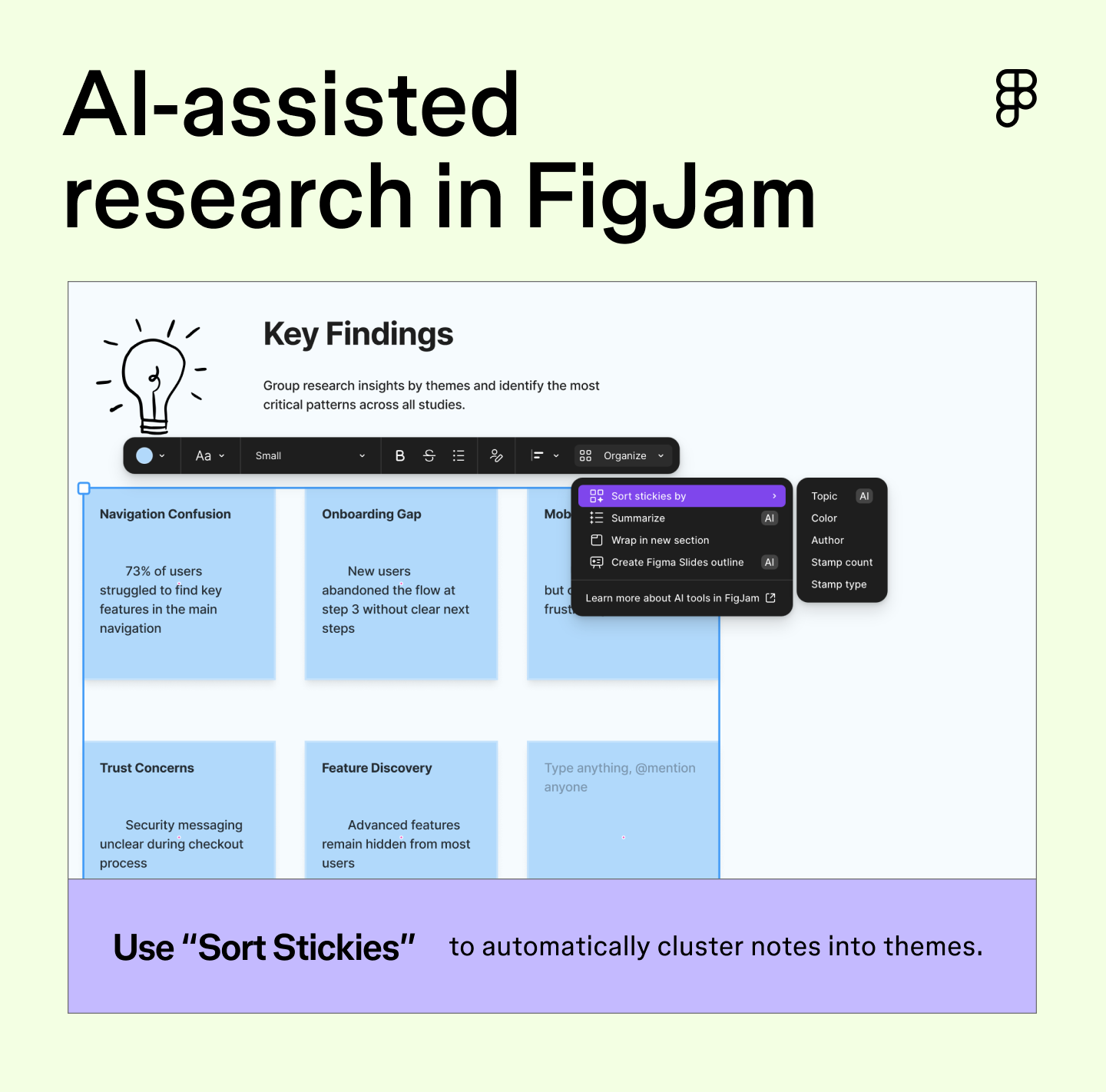

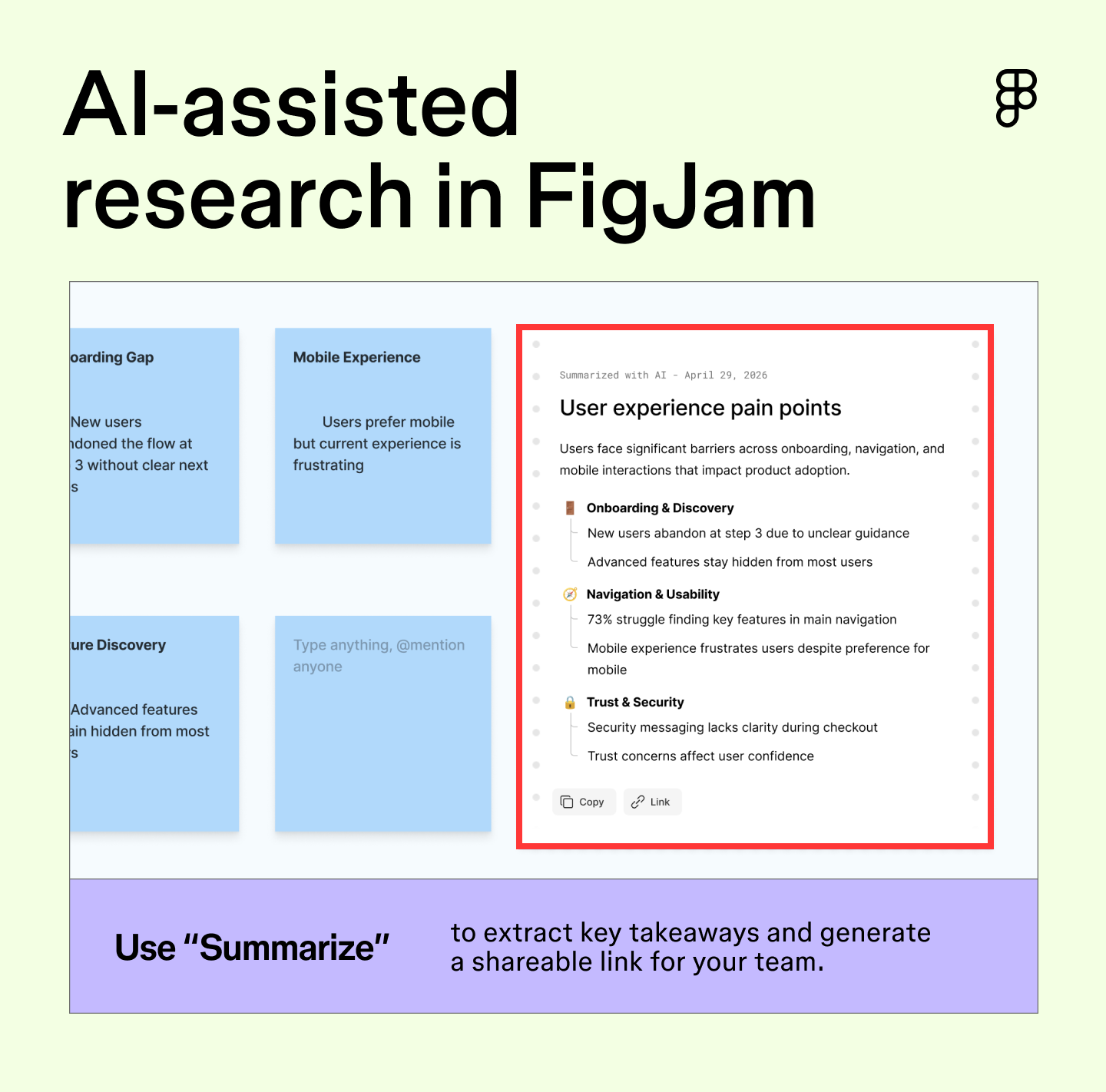
The next time you’re staring down a pile of interview notes, try following these steps in FigJam:
Use FigJam AI to streamline ideation and achieve cross-department alignment.
AI has changed what it means to prototype. What used to take design resources and multiple rounds of back-and-forth can now happen in an afternoon, giving PMs a way to test assumptions before a design sprint starts.
Figma Make is one of the leading tools for AI prototyping for product managers, generating functional prototypes, Web apps, and interactive UI from natural language. What makes it particularly useful for PMs is that it can attach existing Figma design files as context, so prototypes use real tokens and components from day one.
That changes how PMs communicate ideas. You can describe a user flow in a prompt, get a clickable prototype, and test it with stakeholders before anyone’s committed to anything. Or build a functional edge-case screen to surface technical complexity ahead of sprint planning.
According to Vishal Kapoor, VP of Product at Affirm, product managers at the company have gone from reviewing designs in Figma to building prototypes directly in Figma Make—and those prototypes now serve as the foundation for their PRDs.

Getting teams aligned on a product direction has always been more about clarity than consensus. AI helps PMs build that clarity faster, turning abstract strategies into concrete outcomes that stakeholders can respond to.
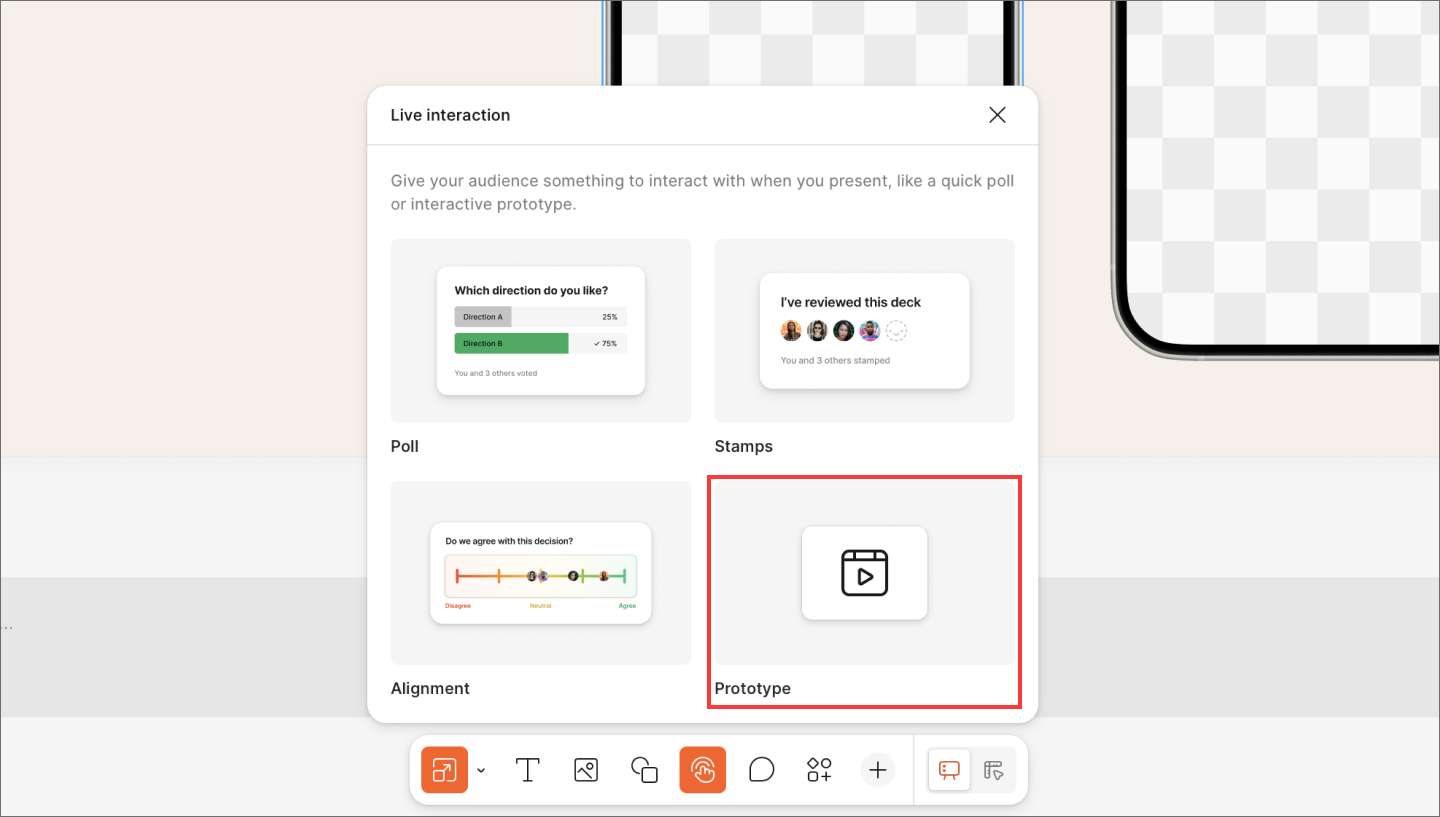
During roadmap reviews, PMs can embed a Figma Make prototype directly into a Figma Slides presentation so that stakeholders can interact with the feature. That shift from explaining to experiencing changes the quality of feedback. The same setup works for QBRs and OKR check-ins, where PMs are often presenting strategy alongside design work.
Clear communication moves product decisions forward. AI helps PMs spend less time formatting decks and more time crafting the narrative, whether that’s a stakeholder update, a sprint review, or an async brief for a distributed team.
Figma Slides lets PMs create and present directly within Figma, embedding live design files, FigJam boards, and Figma Make prototypes into presentations without switching tools. For distributed or cross-timezone teams, sharing a deck as a link means stakeholders can review everything they need on their own time, with full context already attached.
Let’s say you wrap up a round of user interviews with pages of notes and a tight deadline. Here’s what an AI-assisted workflow can look like in practice:
The throughline is traceability. Every decision connects back to the original research, making it easier to explain trade-offs and keep the team aligned.
More PMs are adopting this type of work. In fact, weekly active users of Figma Make grew over 70% in 2025, reflecting a broader shift toward prototyping earlier and communicating work more collaboratively.
Getting the most out of AI in your PM workflow takes some intentionality. The PMs seeing the best results are deliberate about when and how they use it. Here are a few tips worth keeping in mind:
Keep reading for answers to frequently asked questions about AI for product management.
AI is changing what product management looks like, but it’s not replacing the people who do it. The skills that define great PMs—judgment, empathy, and the ability to navigate trade-offs—aren’t things AI can replicate. What AI does is handle the more repetitive parts of the workflow, freeing PMs up to focus on the decisions that require human instinct.
The fundamentals still matter: user empathy, strategic thinking, and clear communication. On top of that, PMs working with AI benefit from developing prompting skills, AI literacy, and workflow design skills.
Discovery is one of the highest-leverage places to use AI. PMs use it to synthesize interview notes, spot patterns across feedback, analyze sentiment, and surface themes in less time than it’d take to do so manually. The right AI tools for product discovery can make this process significantly more efficient.
AI speeds up the drafting process for product requirements documents and roadmaps by turning ideas and research notes into structured starting points. PMs can use AI to generate an initial draft and refine from there. Specifically for roadmaps, AI helps PMs pressure-test priorities and identify gaps before sharing them with the broader team.
AI-first product management means building products where AI is central to the user experience, not just a feature tacked on. It requires PMs to think differently about how products behave, since AI systems are probabilistic rather than deterministic, and outputs can vary. Success metrics shift too, moving beyond feature completion toward output quality, user trust, and adoption over time.
The ones getting the most out of AI in product management are using it to stay closer to the work, from early research through to stakeholder review. Figma brings that entire workflow into one connected place, so context travels with every decision you make.
Here’s how to put it all together:
Use Figma Make to transform your product management team’s workflow.
A product requirements document (PRD) is a list of design guidelines and functions that project managers write to ensure key features make it into the release.


A go-to-market (GTM) strategy is your roadmap for launching a product. Learn how to define your target audience and value proposition for a successful launch.


Learn how AI for product managers can transform your daily processes. Discover top tools + tips for using AI to streamline roadmapping and user research.


Product design and UX design both involve designing user-centric experiences. Learn about their differences, then use Figma’s design tools to get started.

Learn how to master the stages of the product development process, from concept to launch, and how FigJam can help in this step-by-step guide.


Understanding UX for product managers helps you build products people love. Learn how to step into the design process early and collaborate on user problems.