
8 of the best design collaboration tools of 2026
Explore 8 of the best design collaboration tools of 2026 to help teams boost creativity, streamline workflows, and keep every project on track.
Skip to main content
Team productivity

Building great products is a team effort, but most tools are built for individuals. You design in one place, document in another, and present somewhere else entirely. By the time a decision gets made, the context behind it is scattered across four apps. Visual collaboration tools bring that context into one shared space, so the work speaks for itself.
This guide covers 18 of the best visual collaboration tools across whiteboarding, design, diagramming, project management, and presentation, so you can find what fits your team’s workflow.
Read on to learn:
Whiteboarding tools give product and design teams a shared canvas to think out loud before they build. Whether that’s mapping a user journey, running a retro, or making sense of a brainstorm, this is where most visual collaboration begins.
| Visual collaboration tool | Ideal for | Key features |
|---|---|---|
| FigJam | Brainstorming, workshops, and collaborative planning | Infinite canvas, template library, AI clustering and summarization, Figma Design integration |
| Miro | Cross-functional planning and alignment | Third-party integrations, template library, enterprise security controls |
| Mural | Running structured workshops and facilitated sessions | Facilitation Superpowers, design thinking templates, guest access |
| Microsoft Whiteboard | Quick internal brainstorms and meeting collaboration within Microsoft 365 | Teams integration, sticky notes and ink tools, Microsoft 365 sync |
| Conceptboard | Bridging brainstorming and project execution in one workspace | Task management, structured comment threads, real-time collaboration |

Ideal for: Brainstorming, workshops, and collaborative planning before design begins
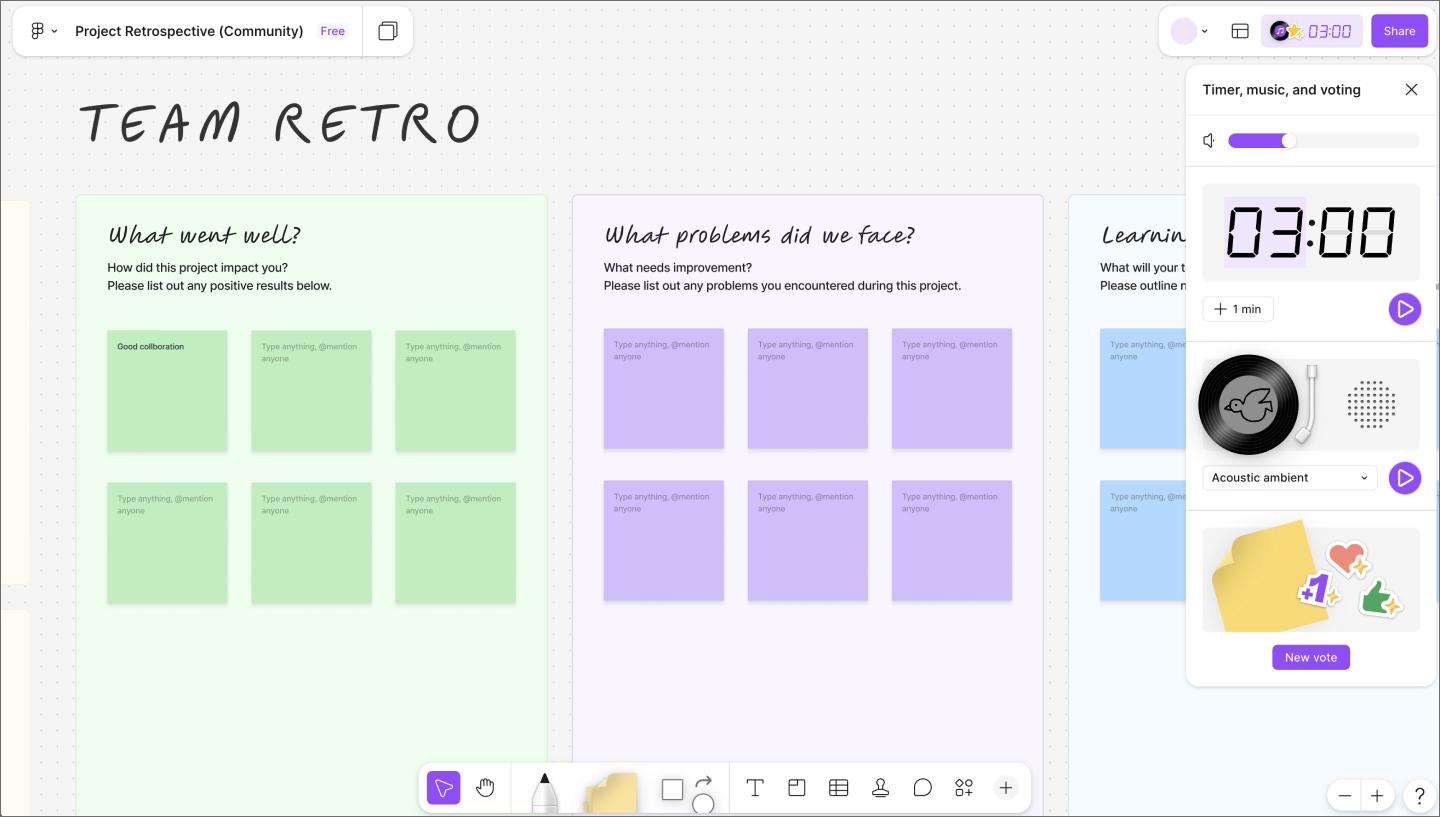
FigJam is an online collaborative whiteboard, built for the moments before a design file exists. Teams can brainstorm together, using sticky notes, diagrams, comments, votes, and reactions to build on each other’s thinking in real time. It works just as well for a quick async brainstorm as it does for a live workshop with 20 people.
Because FigJam lives inside the same platform as Figma Design, ideas move directly into a design file, keeping the full context of how a concept developed intact. Plus, the Asana and Jira plugins let teams create and track tasks directly from the board.
Figma’s MCP server integration lets you generate wireframes and architecture maps using production UI and codebase context. Once a brainstorm wraps up, teams can use AI to turn the FigJam board into a Figma Slides deck for stakeholder presentations and embed Figma Make prototypes directly in the board. That way, everyone can interact with a working concept in the same space where the idea started.
FigJam gives teams an infinite canvas to think together, from first ideas to final concepts.

Ideal for: Cross-functional planning and alignment in tool-heavy organizations
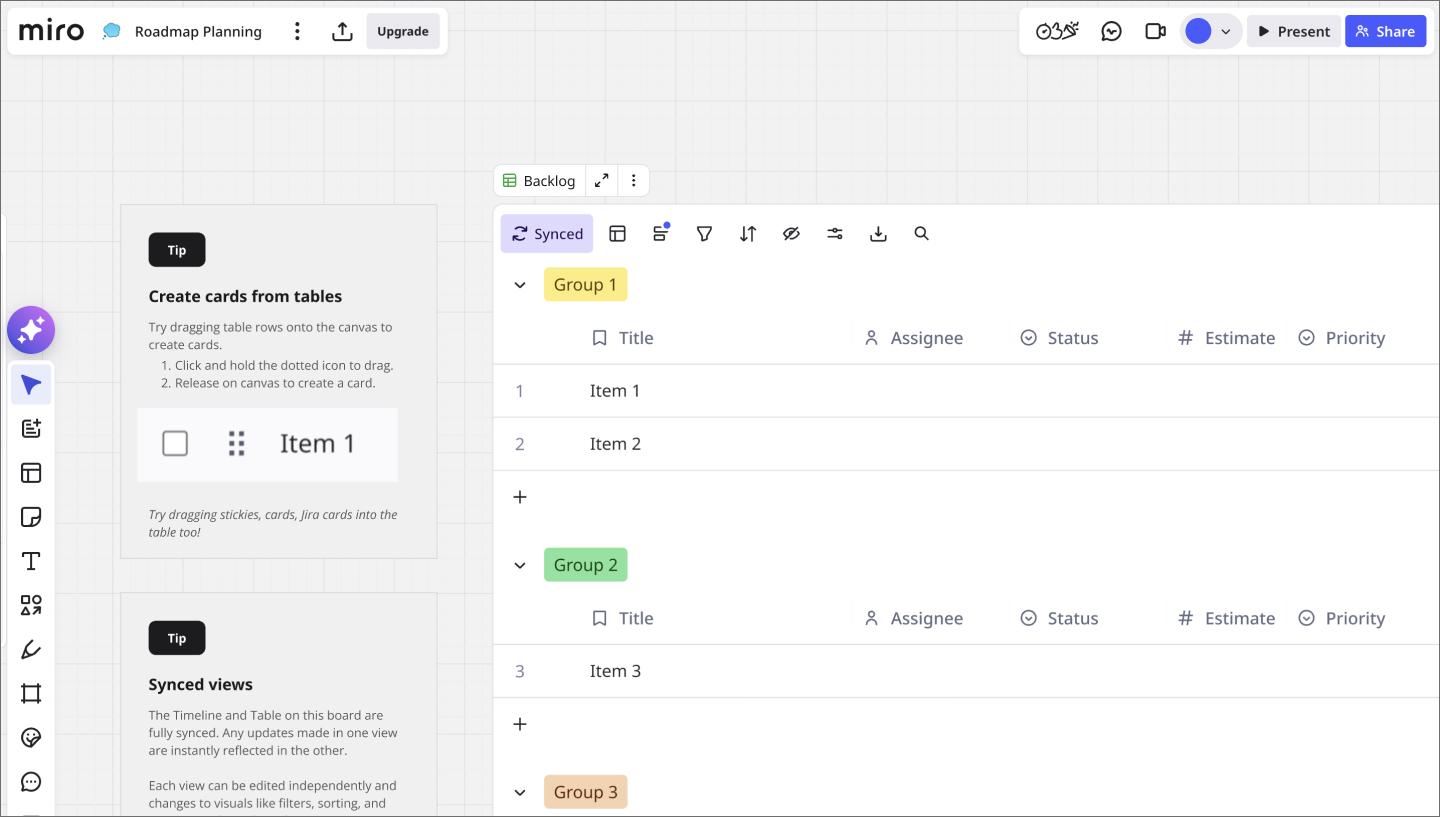
Miro is a popular visual collaboration platform for enterprises, and its integration depth is a big reason why. Jira, Slack, Google Workspace, Microsoft Teams, and dozens of other connectors make it easy. If your team runs agile ceremonies, sprint planning, or cross-functional workshops, Miro has a template library that covers most of those use cases out of the box.
It’s worth noting where Miro’s workflow ends, though. It works well for planning and alignment, but teams that need to move from a whiteboard session into high-fidelity design and developer handoff will find themselves switching tools to finish the job.

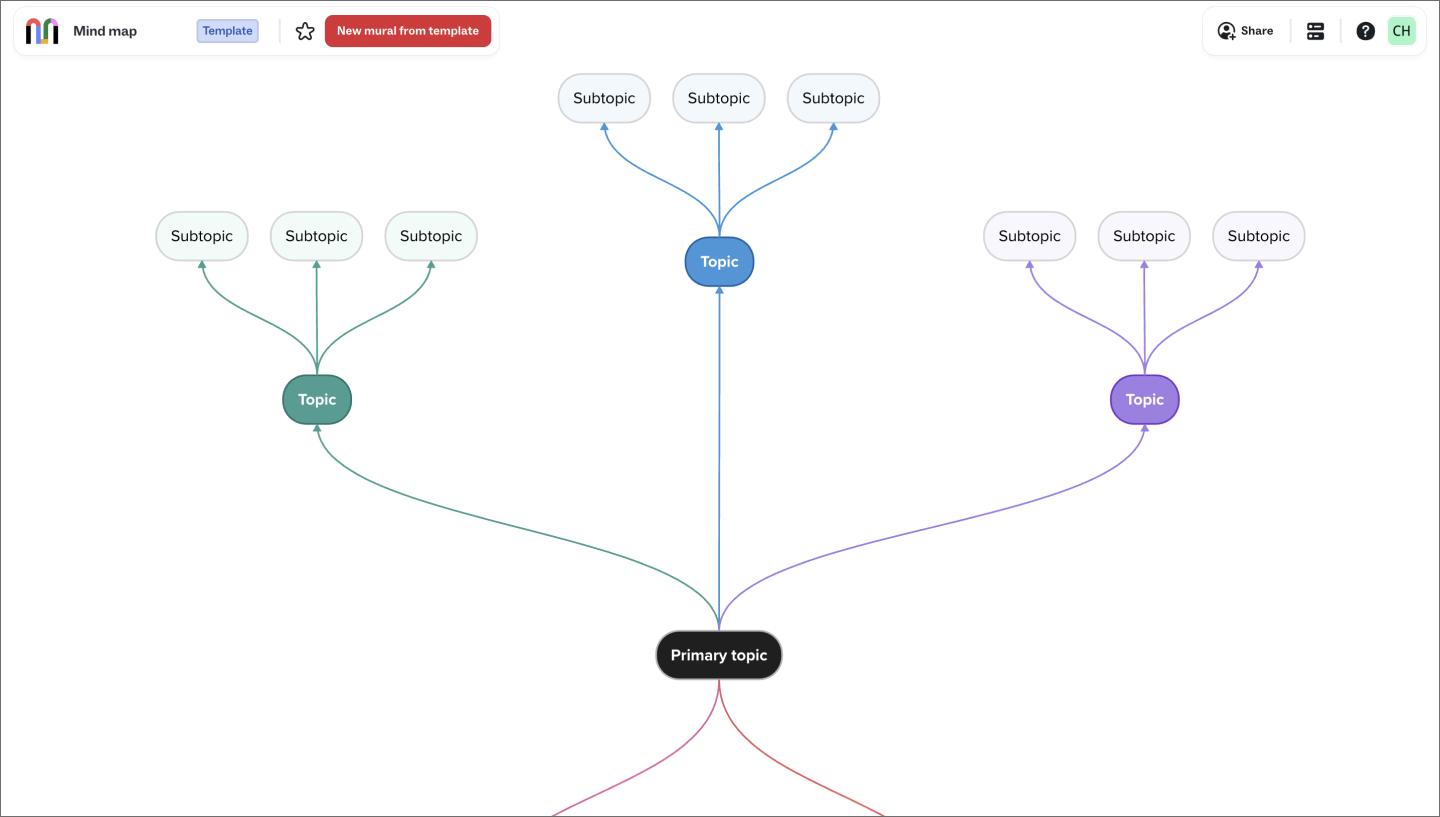
Ideal for: Running structured workshops and facilitated sessions with distributed teams
Where most whiteboarding tools hand you a blank canvas and get out of the way, Mural is built around the facilitator. Its Facilitation Superpowers features let session leaders guide participants through structured exercises and keep distributed teams focused without the usual chaos of a free-for-all brainstorm.
As visual collaboration software goes, Mural skews more toward the facilitation layer than the design layer. Teams that need their whiteboard to connect into a design and development workflow will likely need additional tools alongside it.

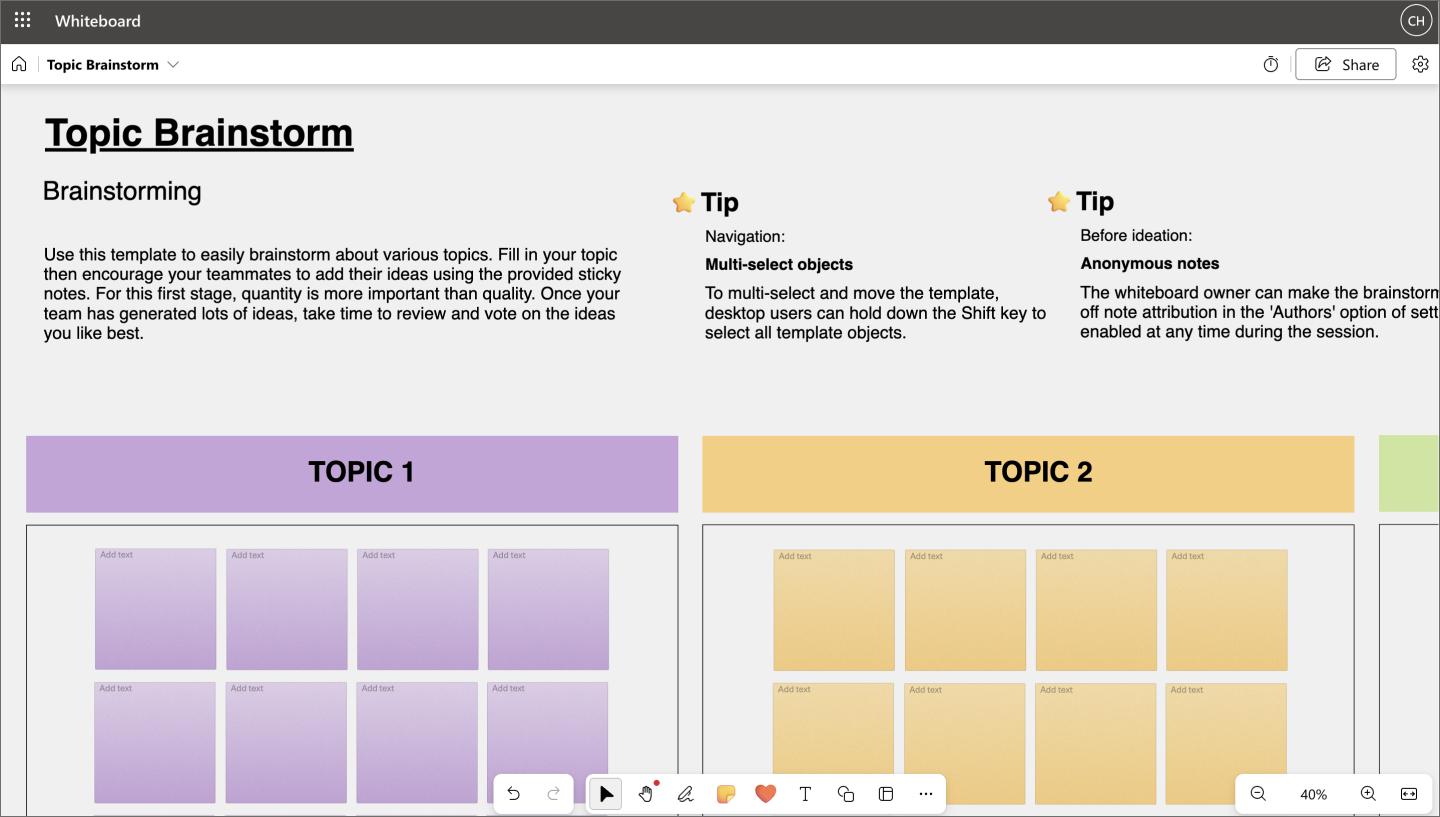
Ideal for: Quick internal brainstorms and meeting collaboration within Microsoft 365
Microsoft Whiteboard is the lowest-friction entry point for organizations already running on Teams, Office, and SharePoint. You can launch it directly inside a Teams meeting, so there’s no separate subscription to manage or new tool for participants to learn. It gets the job done for quick, collaborative internal sessions.
Teams doing serious UX work or needing structured facilitation will hit their limits quickly. But for organizations deep in the Microsoft ecosystem that need a whiteboard available at a moment’s notice, it’s a practical default.

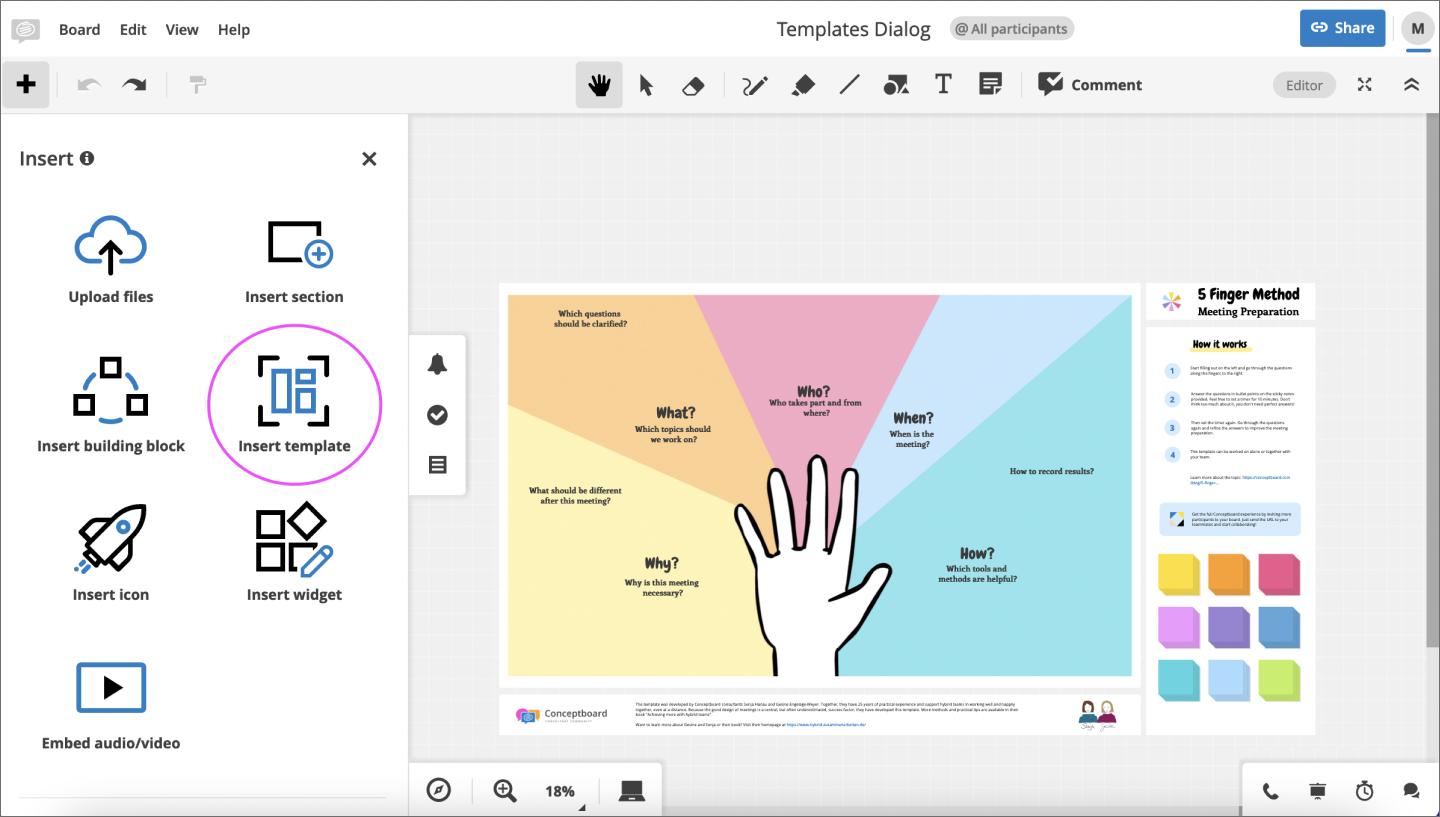
Ideal for: Bridging brainstorming and project execution in one workspace
Conceptboard sits at the intersection of whiteboarding and project management. Teams can brainstorm on a shared canvas and move straight into execution, with task management and structured comment threads built directly into the same workspace.
This tool makes the most sense if keeping planning and execution connected matters more than deep design capabilities. Action items, owners, and deadlines live right next to the ideas that generated them, which keeps planning sessions actionable.
Once the whiteboards and sticky notes have done their job, you’ll need creative collaboration tools to start building. These tools are where you trade rough sketches for pixel-level precision, building out interactive prototypes and design systems that act as your team’s source of truth.
| Visual collaboration tool | Ideal for | Key features |
|---|---|---|
| Figma Design | Building production-ready products in a shared environment | Multiplayer editing, prototyping, design systems, Dev Mode |
| Sketch | Mac-based design teams with established plugin workflows | Symbols, plugin ecosystem, prototyping |
| Axure RP | Prototyping complex, logic-heavy interactions | Conditional logic, dynamic panels, annotations and specs |

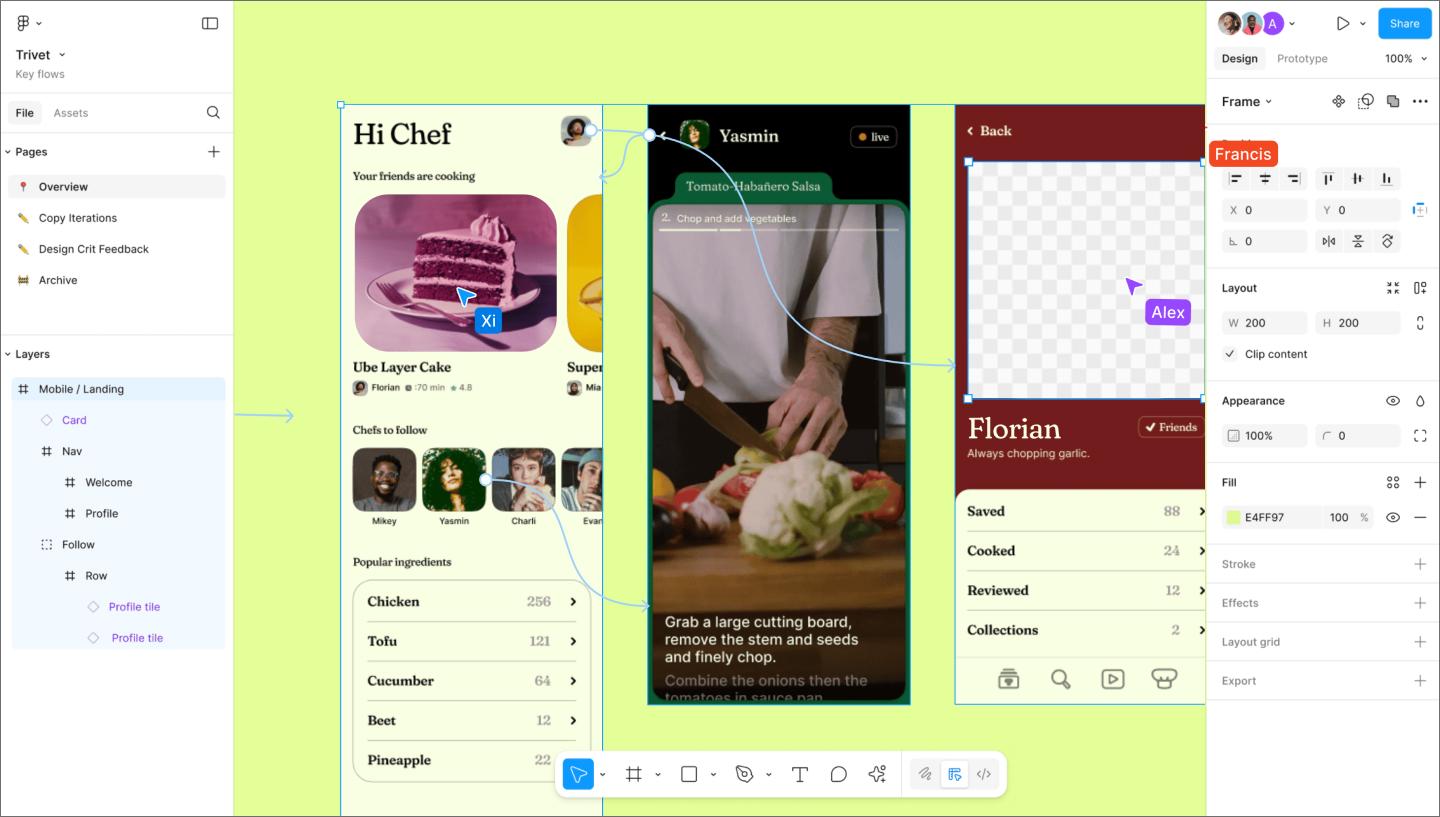
Ideal for: Building production-ready products in a shared environment
Figma Design is where cross-functional product teams do their best collaborative work. The multiplayer editing model lets designers, product managers, and developers work on the same file at the same time. That turns the design process into a continuous conversation, keeping the whole team aligned as the product takes shape.
When you need a working concept fast, you can start with Figma Make. It turns natural language prompts into editable, high-fidelity prototypes to help you validate ideas. You can pull these AI-generated drafts directly into Figma Design to riff, refine, and iterate with your team in real time.
As the design matures, Dev Mode and Code Connect keep the momentum going through the build. Developers can inspect elements, grab production-ready code snippets, and export assets without needing a separate handoff document.
With design systems, you can scale that work across multiple teams. Shared components, variables, and styles are your universal source of truth across every file, keeping your product and brand in sync.

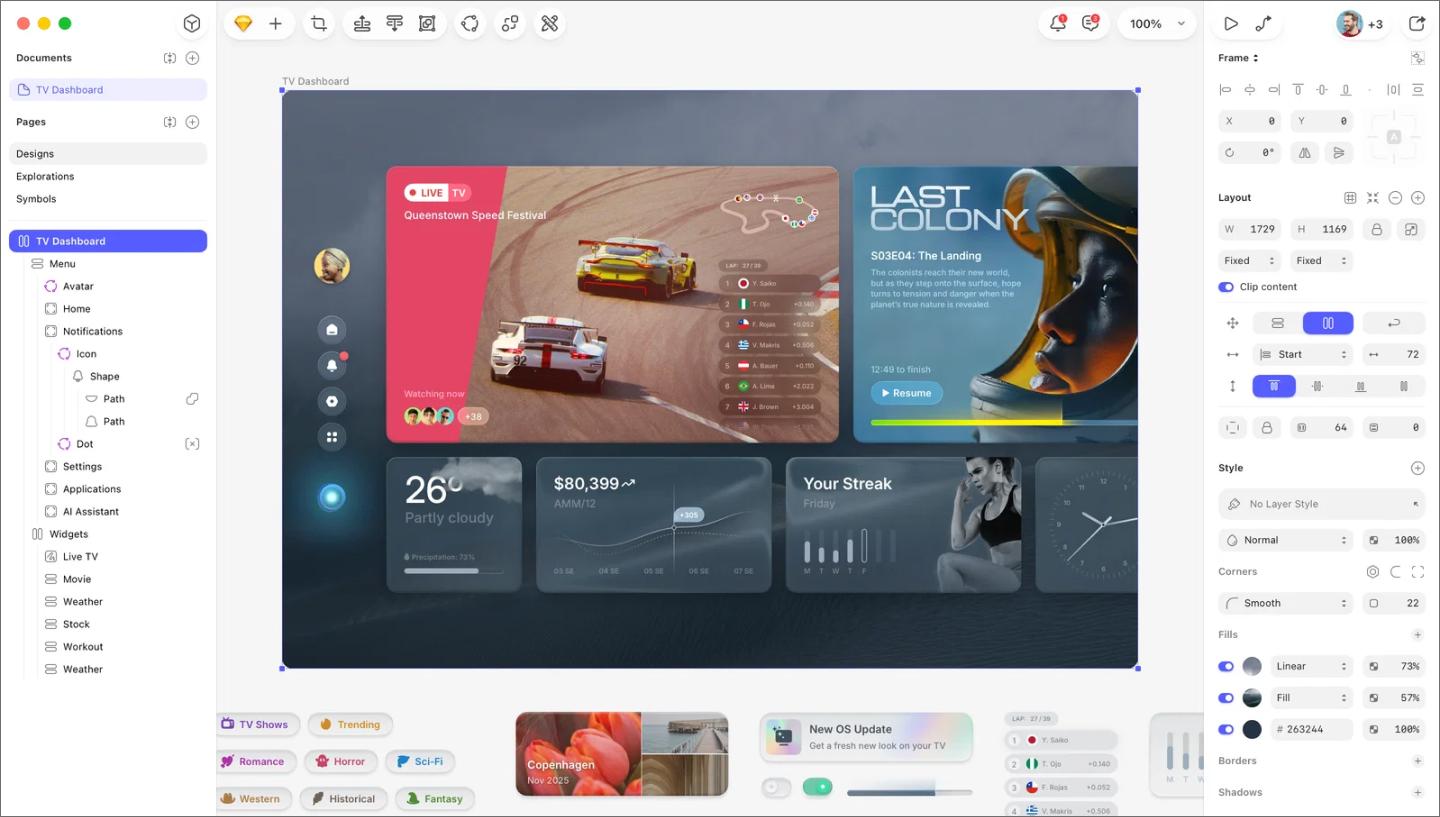
Ideal for: Mac-based design teams with established plugin workflows
Sketch was one of the first design tools to introduce patterns that are now standard in UI design, like reusable symbols, artboard-based layouts, and an open plugin ecosystem. It still has a strong following among designers who built their practice around it.
Sketch mostly focuses on UI and interactive prototyping. The plugin ecosystem runs deep, and teams that have customized their setup around it rarely want to leave. Just keep in mind that it’s macOS-only, which makes it a tough sell for cross-platform teams. It recently introduced web-based collaboration, but teams used to multiplayer editing will find it a different experience.

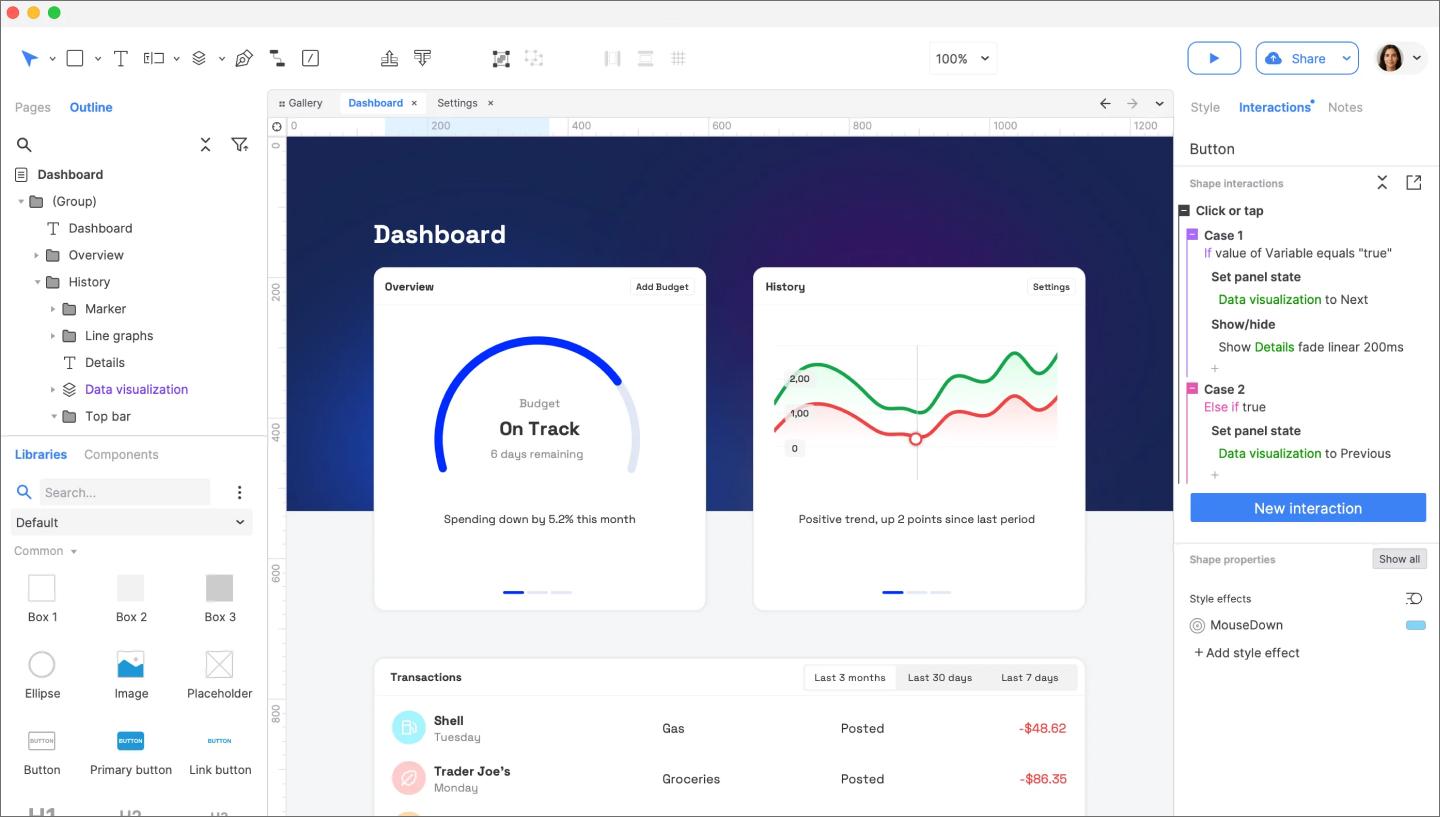
Ideal for: Prototyping complex, logic-heavy interactions
Axure RP handles multi-step forms, branching user flows, and conditional logic—the level of interaction complexity goes well beyond what most prototyping tools support. That precision makes it a go-to for enterprise UX teams documenting intricate specifications.
Designers share prototypes with stakeholders and developers via a live link, collect feedback via annotations, and maintain detailed UX documentation alongside the prototype. The learning curve is steeper than other tools, but on complex enterprise products, that tradeoff is usually worth it.
Diagramming tools create structured, logic-based visuals, like system architecture maps, network diagrams, org charts, and technical documentation. FigJam covers lighter diagramming needs for flowcharts and user journey maps, but teams working on more complex technical documentation will find the dedicated tools below worth a look.
| Visual collaboration tool | Ideal for | Key features |
|---|---|---|
| Lucidchart | Technical diagramming and system documentation | Technical shape libraries, Atlassian integration, data-linked diagrams |
| Whimsical | Sketching product flows and information architecture | Flowcharts, wireframing, mind maps |
| Cacoo | Straightforward diagramming with project management integration | Backlog integration, version history, real-time editing |

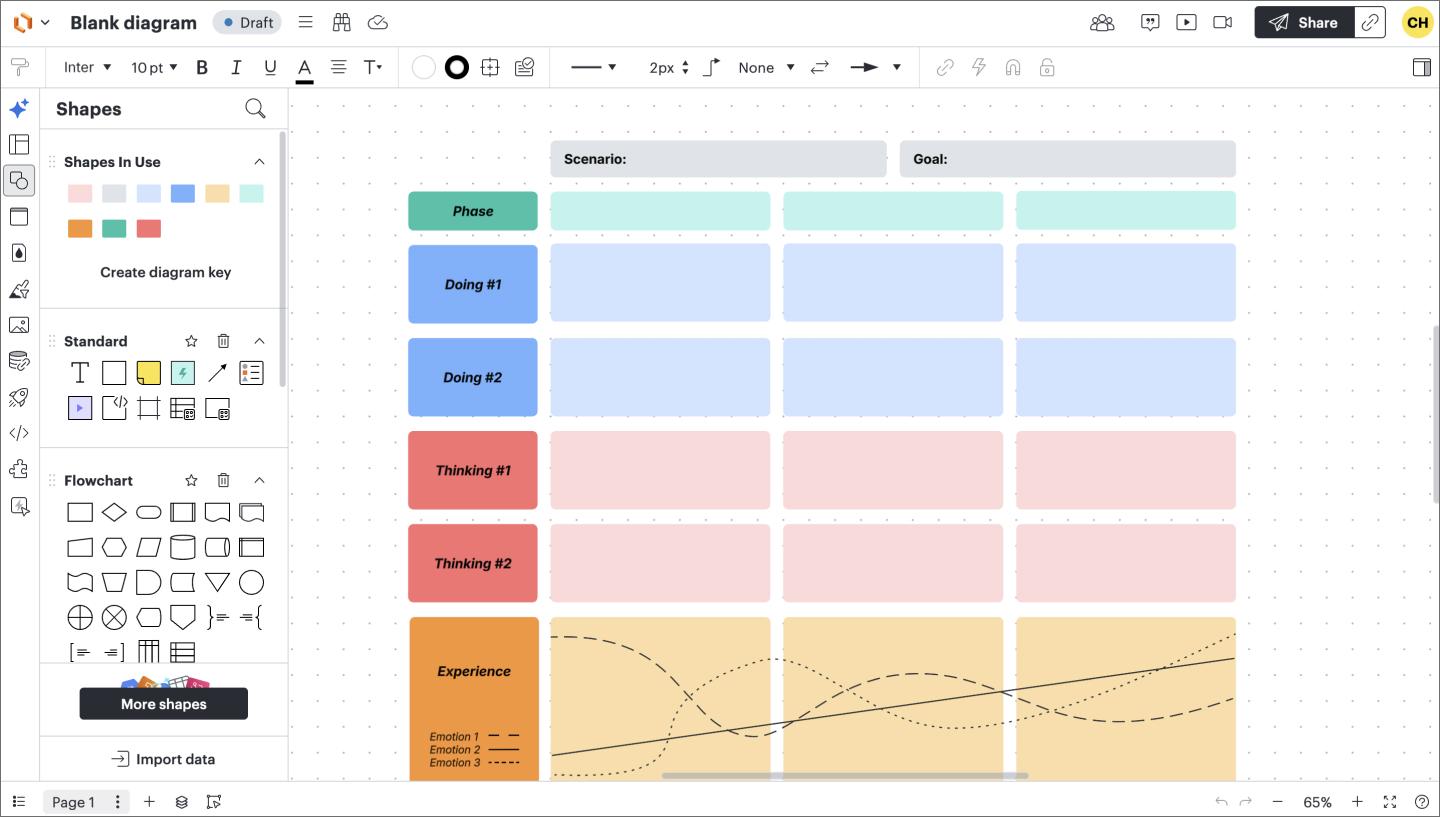
Ideal for: Technical diagramming and system documentation
Lucidchart is a cloud-based diagramming tool for teams that need structured, precise visuals. The shape library covers cloud architecture, org charts, database schemas, UML, and more, so most teams can find what they need. The grid-based canvas keeps complex diagrams readable at any size.
Lucidchart also connects well to the rest of the team’s workflow. Diagrams embed directly into Confluence pages and Jira tickets, so technical documentation stays alongside the work it describes. It also integrates with Google Workspace and Microsoft 365, so teams can pull data from spreadsheets to auto-generate org charts or process flows.

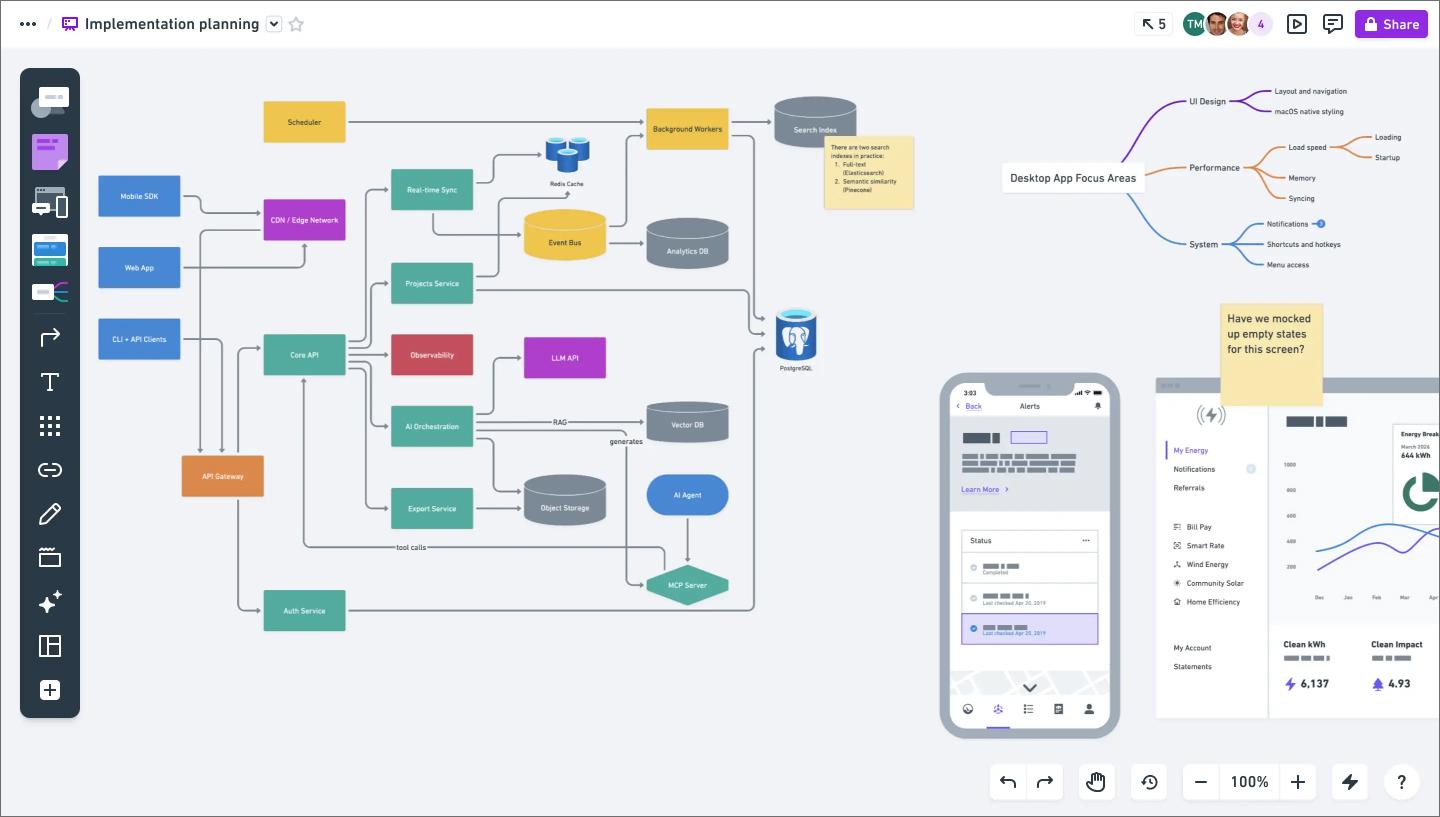
Ideal for: Sketching product flows and information architecture
Whimsical is a whiteboard and diagramming tool that keeps things simple. Customization is limited by design, so the output looks clean and consistent without much effort. That’s useful for product managers who need to sketch a user flow or map an information architecture on the fly.
It covers four use cases: flowcharts, wireframes, mind maps, and sticky notes, all inside one lightweight workspace. Switching between them feels natural, which makes Whimsical a good fit for early-stage product thinking where getting your idea in front of teammates matters most.

Ideal for: Straightforward diagramming with project management integration
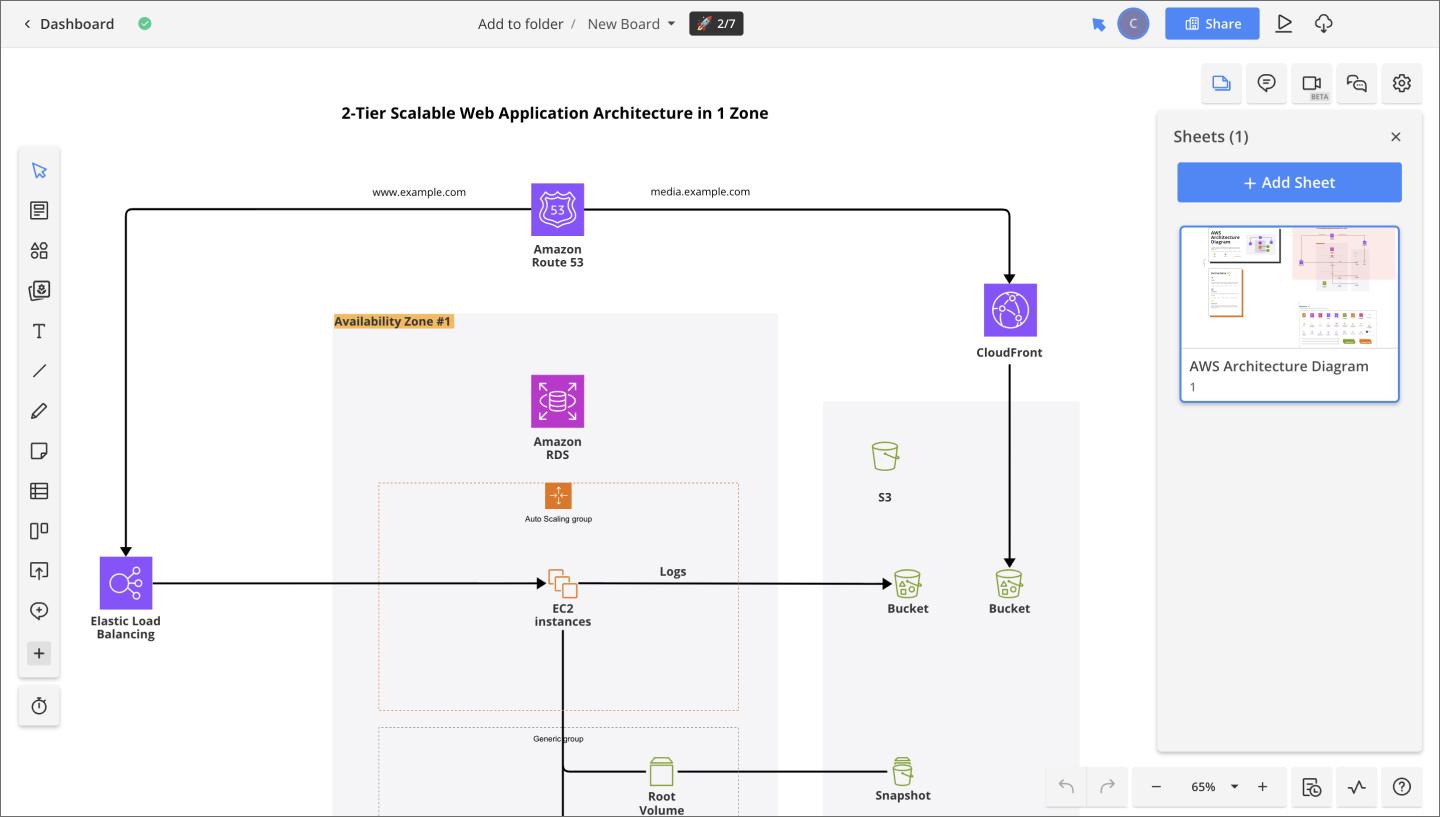
Cacoo is a cloud diagramming tool from Nulab, the team behind the project management platform Backlog. If your team already uses Backlog, the integration is simple—diagrams link directly to projects and tasks. It supports real-time editing, version history, and templates for flowcharts, network diagrams, and wireframes.
Because it’s part of Nulab’s ecosystem, Cacoo works well for teams that review and iterate on diagrams together. Commenting happens directly on the canvas, so feedback stays tied to specific elements. Combined with version history, teams can track how a diagram evolved through a review cycle and revert if needed.
Visual project management tools help everyone see a project’s status at a glance, whether that’s a kanban board tracking sprint progress, a Gantt chart mapping dependencies, or a roadmap showing what’s coming next. Most teams use one of these alongside a whiteboarding or design tool to handle the execution side of the workflow.
| Visual collaboration tool | Ideal for | Key features |
|---|---|---|
| Trello | Task tracking and kanban-based project management | Kanban boards, Power-Ups, card detail views |
| Asana | Cross-functional project tracking across different teams | Multiple project views, cross-team projects, Figma integration |
| Notion | Centralizing docs, databases, and project tracking | Database views, connected docs and tasks, flexible templates |
| ClickUp | Customized workflows with granular task and project control | Multiple project views, custom fields and statuses, built-in whiteboarding |

Ideal for: Task tracking and kanban-based project management
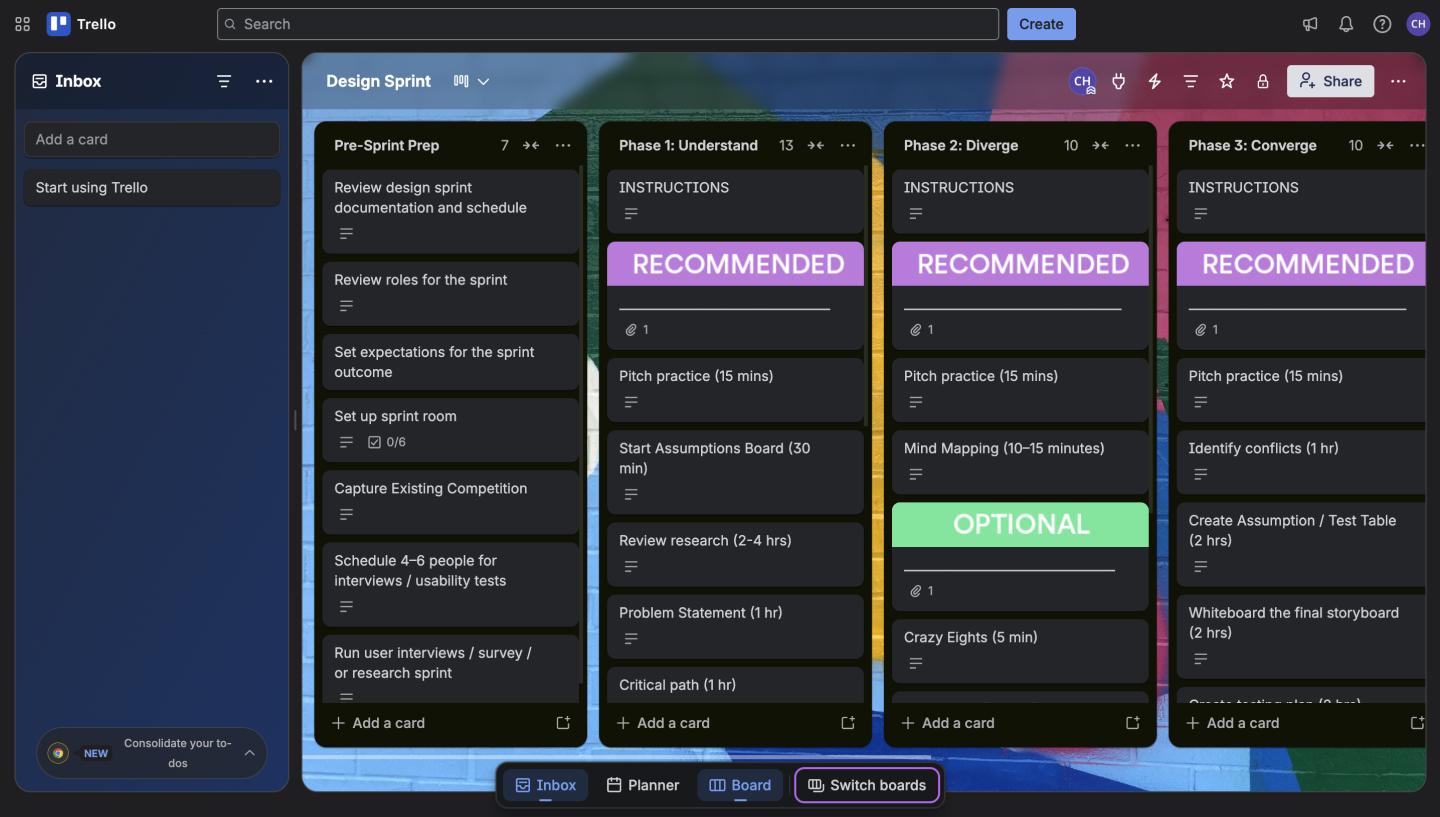
Trello’s card-and-board model is about as intuitive as project management gets. Each card represents a task, boards represent projects, and work moves across columns as it progresses. It’s visual by default, so any team member can understand the project status without a walkthrough.
Power-Ups significantly extend Trello’s core functionality. Calendar views, timeline charts, and automation rules are all available, giving teams more flexibility as projects get more complex. It’s simpler than most tools in this category, which works in its favor for smaller teams or non-technical workflows that don’t need the overhead of a full project management platform.

Ideal for: Cross-functional project tracking across different teams
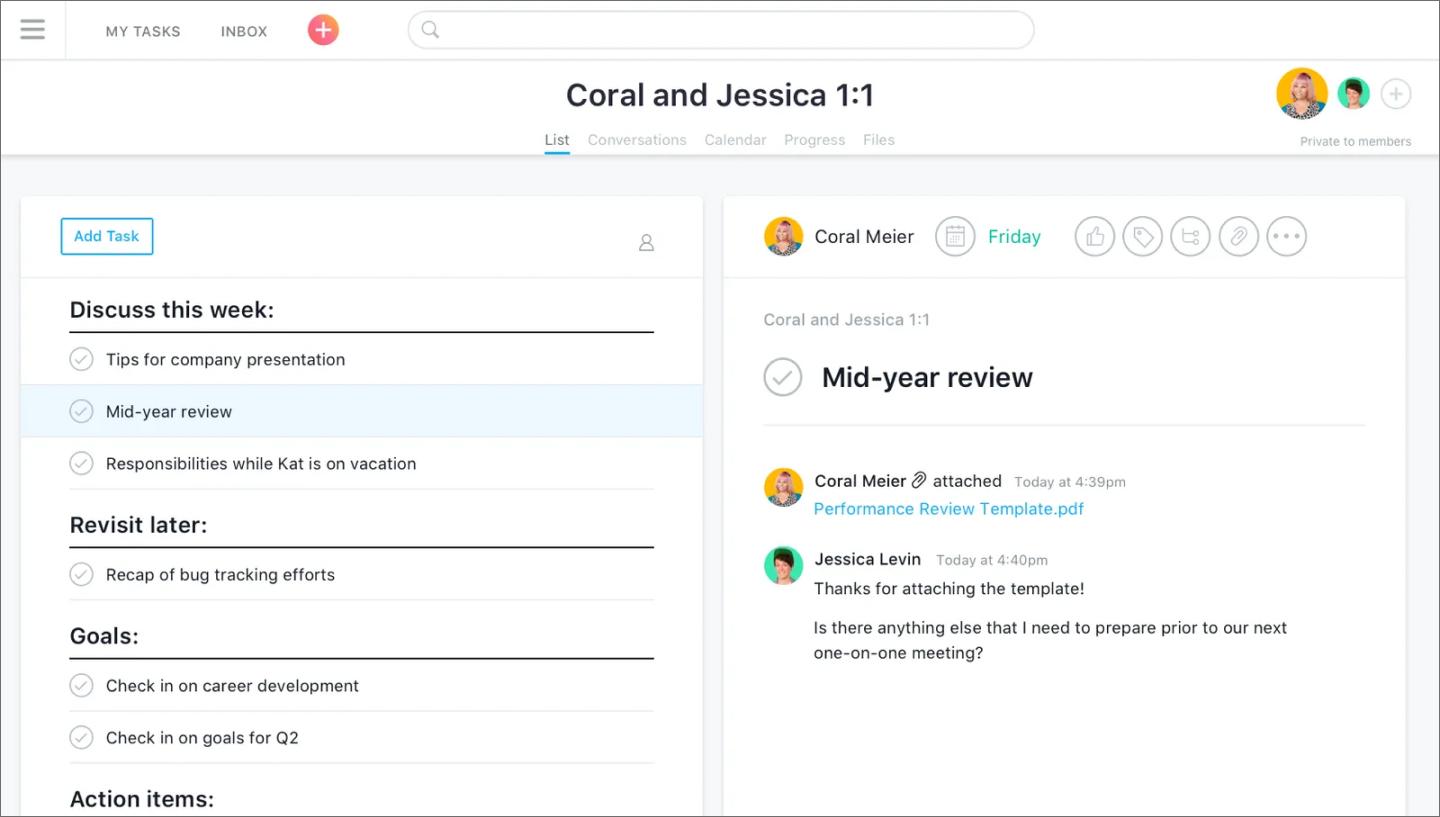
Asana gives teams a lot of flexibility in how they view and manage work. The same project can be a kanban board for one team member, a timeline for another, and a workload chart for a manager keeping an eye on capacity. That versatility makes it one of the easier tools to roll out across teams with different working styles.
It bridges design and non-design teams particularly well. Product, marketing, and engineering can all work from the same project without needing to translate between tools or workflows. Also, Asana integrates with Figma, so design tasks and files stay connected to the broader project.

Ideal for: Centralizing docs, databases, and project tracking
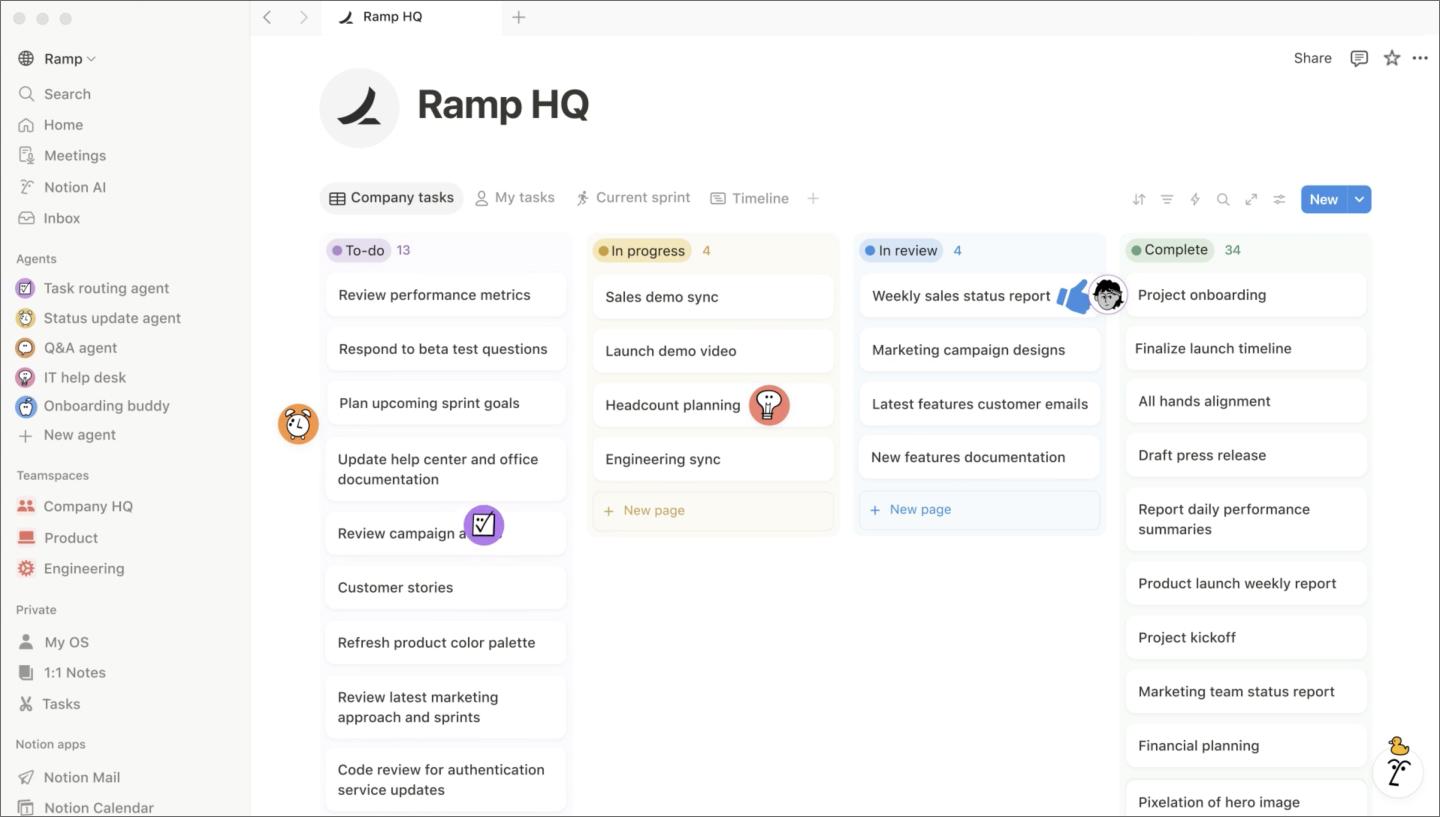
Notion brings pages, databases, kanban boards, calendars, and galleries into one workspace. Product teams gravitate toward it because PRDs, roadmaps, and task boards can all live together without jumping between apps. The flexibility is a big part of the appeal, with teams shaping Notion around their own workflows rather than the other way around.
You can switch any database between table, board, calendar, and gallery views, depending on what your team needs to see. Product managers tracking a product roadmap, designers reviewing assets, and engineers checking sprint status can all get what they need from the same source.

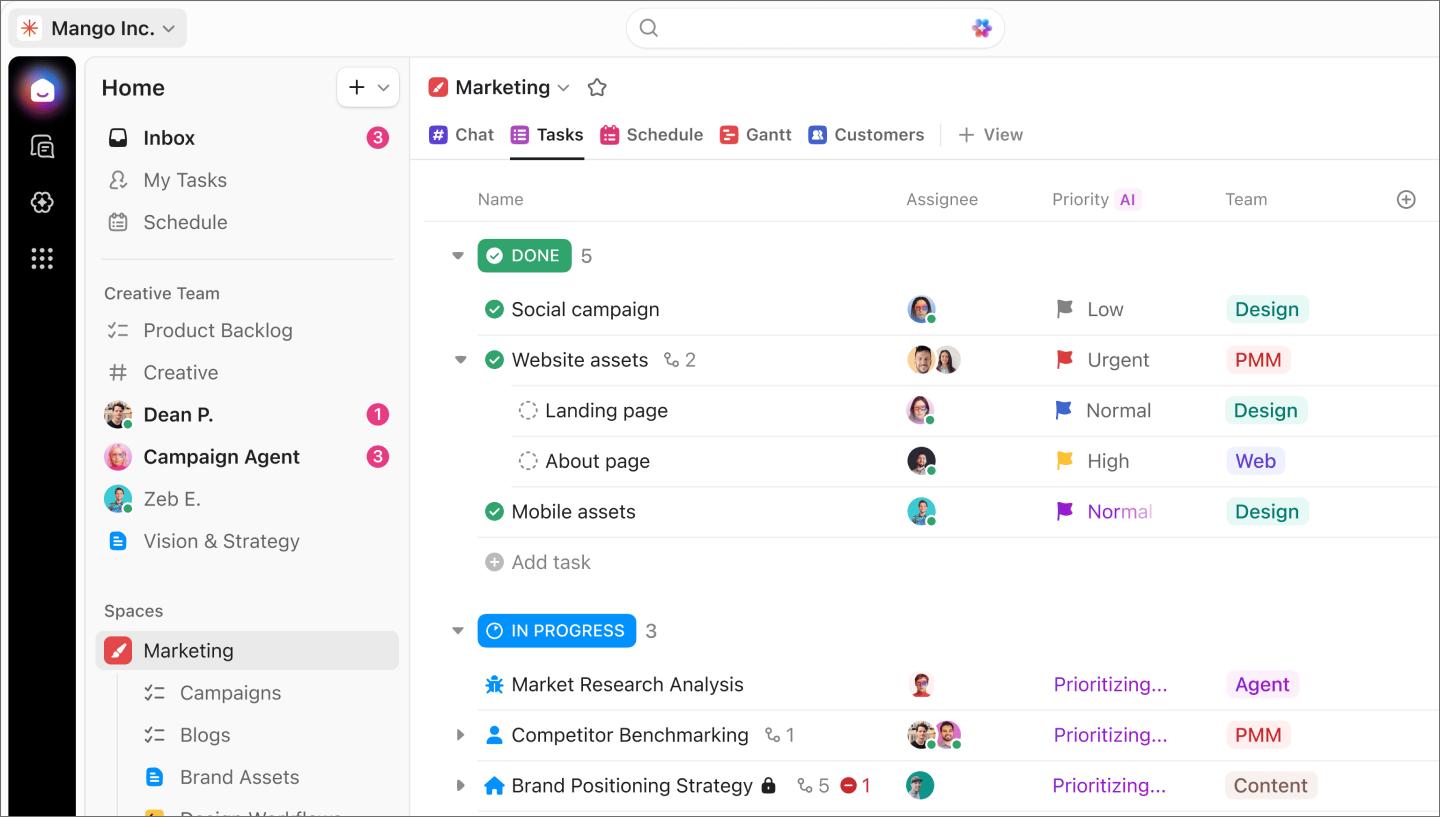
Ideal for: Customized workflows with granular task and project control
ClickUp packs list, board, Gantt, workload, mind map, and whiteboard views into one tool. Custom fields let you track the data points that matter most, whether that’s priority level, story points, or campaign stage. Custom statuses mean teams aren’t stuck with generic labels like “in progress” or “done.” They can define workflow stages that reflect how work actually moves forward.
The built-in whiteboard covers basic ideation needs, but teams doing serious workshop facilitation or design-connected brainstorming will likely want a dedicated tool alongside it.
Presenting work is its own form of collaboration. These tools help teams share context, walk stakeholders through decisions, and collect feedback when a live meeting isn’t practical. Whether a team is running a design review or documenting a bug report, having the right presentation or async video tool keeps the conversation moving.
| Visual collaboration tool | Ideal for | Key features |
|---|---|---|
| Figma Slides | Design reviews and stakeholder presentations | Live design embeds, real-time presenter mode, live engagement tools, auto-updating content |
| Loom | Async walkthroughs and high-context feedback | Screen and cam recording, time-stamped comments, instant sharing |
| Pitch | High-polish decks and visual storytelling | Smart layout blocks, live data integration, cinematic animations. |

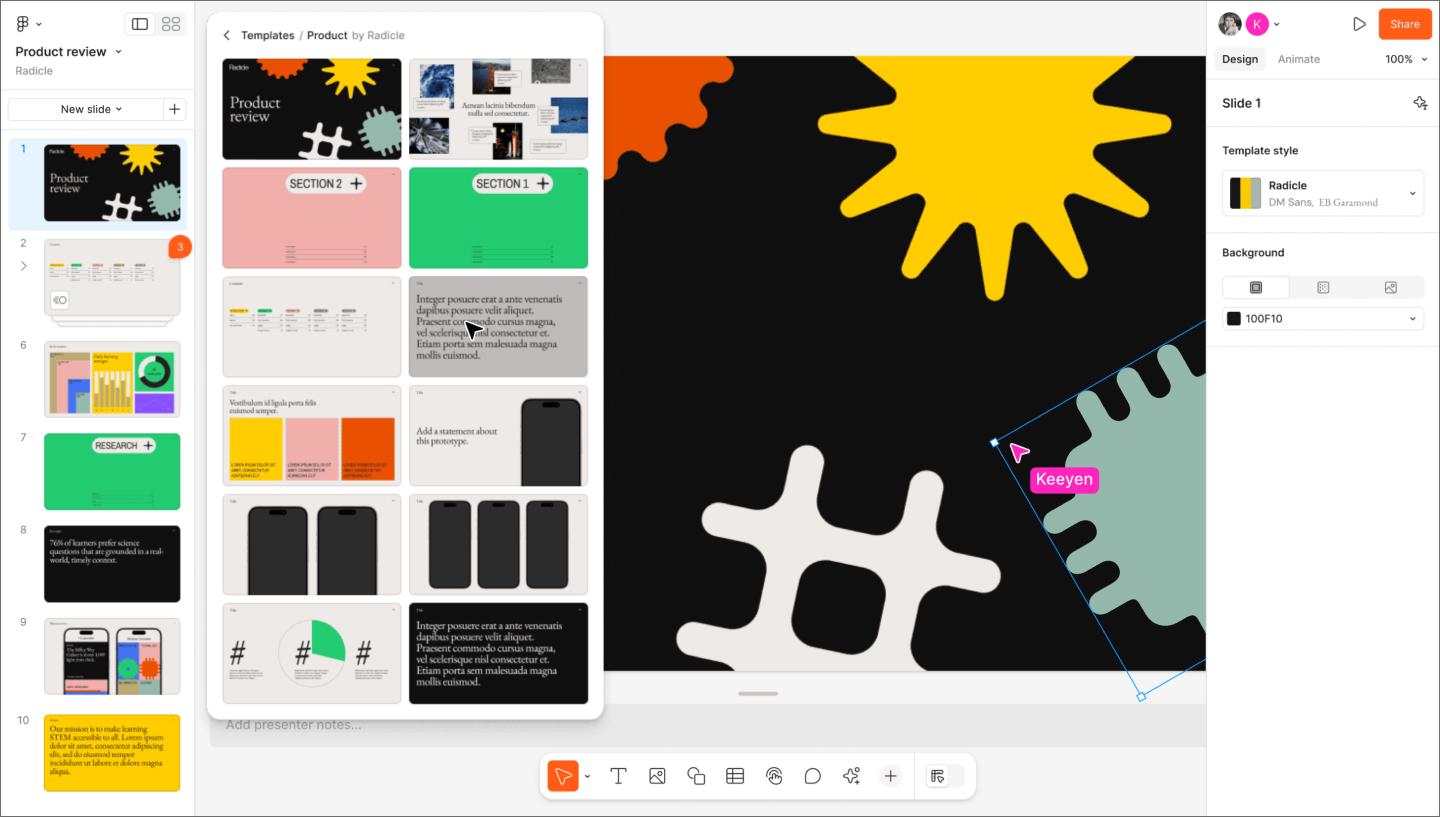
Ideal for: Design reviews and stakeholder presentations
Figma Slides is a presentation tool that lets you embed design files, prototypes, and FigJam boards directly into slide decks. When designs update, the presentation updates with them, so stakeholders always see the most current version.
With real-time presenter mode, multiple presenters can drive the deck, and attendees can follow along on their own screens. It also comes with live engagement tools like polls and voting, turning a one-way presentation into a conversation.
Since everything lives in the same platform, there’s no exporting, re-linking, or switching tabs when it’s time to present.

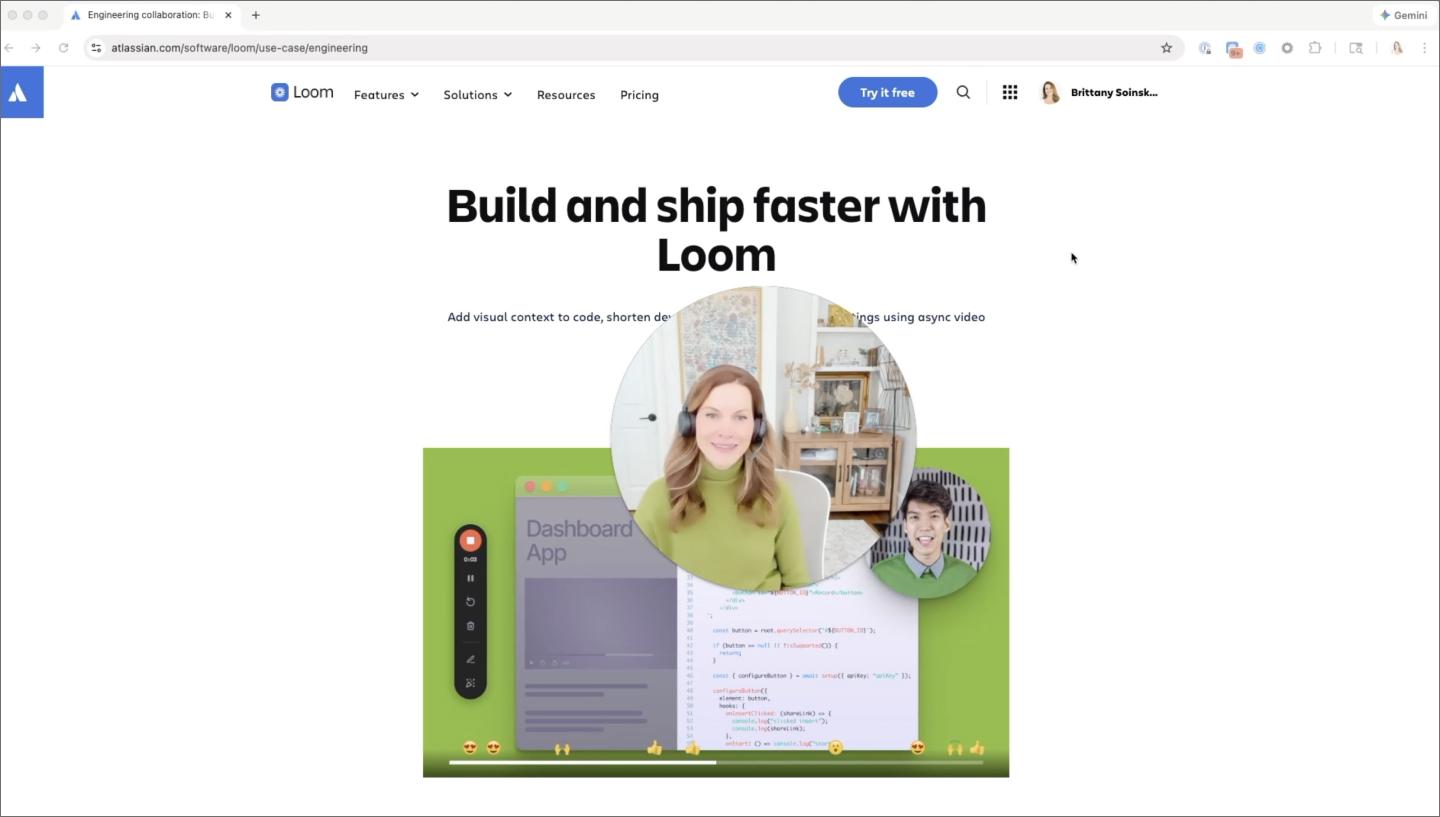
Ideal for: Asynchronous walkthroughs and high-context feedback
Loom adds an async video layer to your team’s toolkit. When a static screenshot isn’t enough to explain a flow, you can record a quick screen capture with narration and share it in seconds.
Product teams use Loom for design feedback, bug reports, and feature demos where a live meeting would only create scheduling friction. Viewers can leave time-stamped comments, so feedback stays anchored to specific moments and actionable.

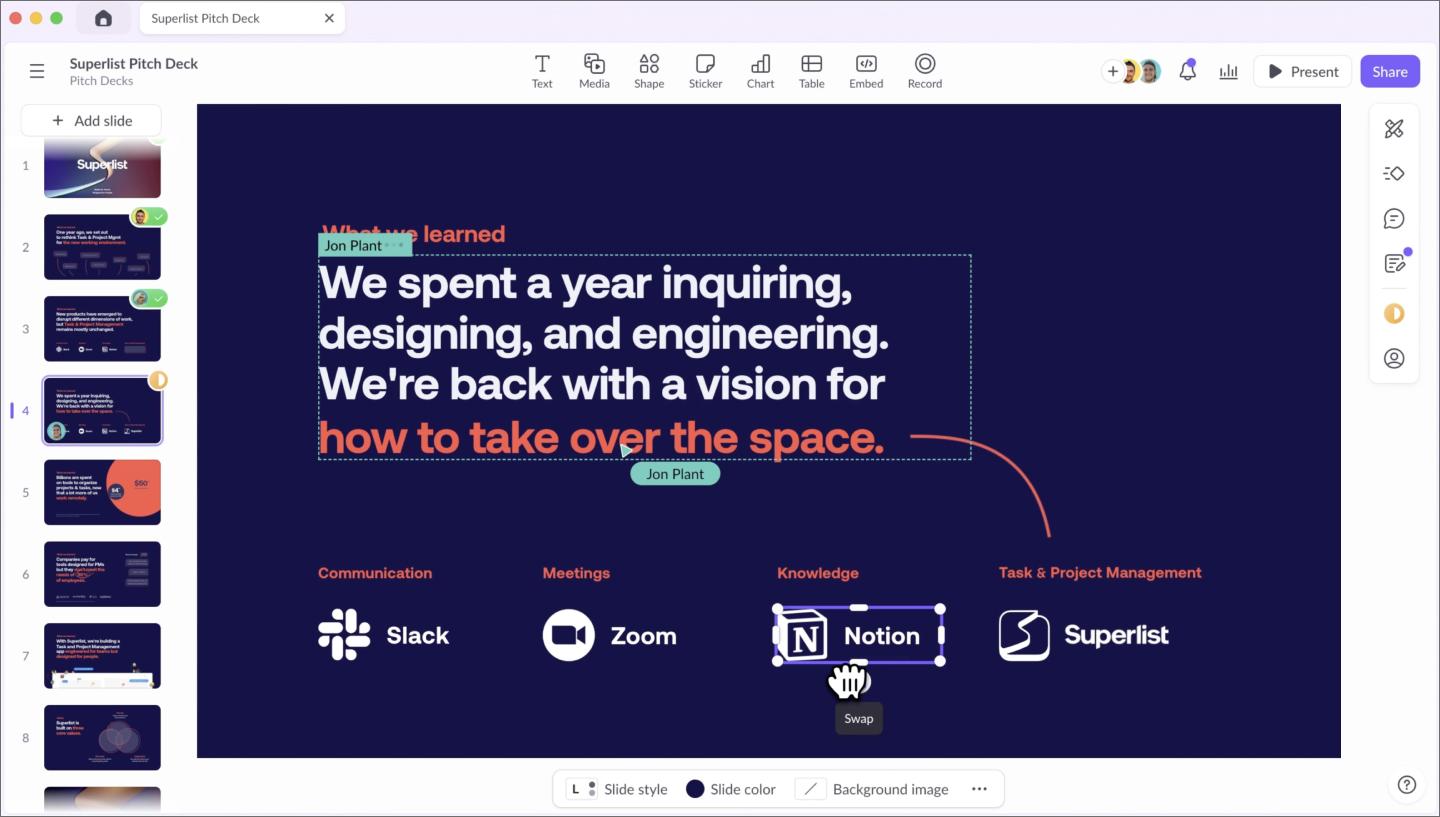
Ideal for: High-polish decks and visual storytelling
Pitch treats slide decks with the same level of craft you’d give a production-ready prototype. It uses smart layout blocks, so your content snaps into place as you add it. That frees you up to focus on the narrative flow and transitions.
The workflow revolves around live data and real-time collaboration. You can connect external data sources to your charts to keep your numbers up to date. While you’re refining the visual style, a teammate can update data links in the same file, keeping the deck accurate right up until the moment you present.
With so many tools covering overlapping ground, the right choice depends on your team’s workflow. A few things worth thinking through:
Of course, no tool will check every box. The sweet spot is usually a stack where the tools connect, like moving from a FigJam brainstorm into a Figma Design file, then turning a finished design into a Figma Slides deck. The work stays in one place, and so does the thinking behind it.
Visual collaboration tools should make it easier to keep everyone on the same page, no matter where the work stands. We’ve built our products to work together so that context travels from first idea to final build.
Here’s how to get started:
Figma Design is where teams come together to explore, iterate, and bring digital products to life.
Explore 8 of the best design collaboration tools of 2026 to help teams boost creativity, streamline workflows, and keep every project on track.

Explore 24 mind map examples to find the best template for brainstorming new ideas, simplifying complex topics, and encouraging cross-team collaboration.

Turn your sprint reviews into actionable sessions. Discover how to collect feedback, set priorities, and boost team collaboration with this five-step guide.

A project kickoff meeting sets up for success by aligning goals, timelines, and team roles. Learn what to include in a project kickoff and how to make it productive.

Discover different types of org charts (hierarchical, flat, etc.) and how they impact team efficiency. See common formats to visualize company structure.

Learn 13 actionable tips, and use FigJam templates and tools to unlock the power of collaboration and efficiency.