
10 vibe coding tools for building better experiences
Keep up with the latest shift in software development using vibe coding tools that allow you to create full applications from plain language prompts.
Skip to main content
Building with AI

Most designers and PMs have at least one idea that’s been waiting on engineering bandwidth for longer than they’d like. With vibe coding, you can build it yourself. Just describe what you want in plain language, and an AI tool generates a working prototype you can test, share, and iterate on. Knowing how to start vibe coding is one of the most practical skills a designer or PM can pick up right now.
Read on to learn:
Designers, PMs, and solo builders who need to make an idea tangible quickly get the most out of vibe coding. It works well for prototyping a new feature, validating a concept, or testing whether an idea is worth building. Anything that needs to perform at scale or handle sensitive data is better suited to a traditional workflow.
A PM might use Figma Make to mock up a new onboarding experience and share it with their team, while a designer might build a working version of a checkout flow to test with users. It’s worth looking through a few vibe coding examples before you start.
Start by spending a few minutes writing out what you want to build. It can just be a sentence or two describing the core function.
Then, pick a vibe coding tool that matches how you work. If you’re a designer or PM who already lives in Figma, Figma Make is a natural starting point. It builds directly from your design system, so early prototypes match your product.
The last thing to get right is your mindset. Vibe coding is iteration-first by nature. Your first output will rarely be exactly what you want, but each prompt will get you closer to your goal.
Describe what you want to build and generate a working prototype using your existing design system.
The steps below walk through a full vibe coding session from the first prompt to a shareable prototype. Each step builds on the last, so even if you’ve dabbled before, it’s worth going in order the first time.

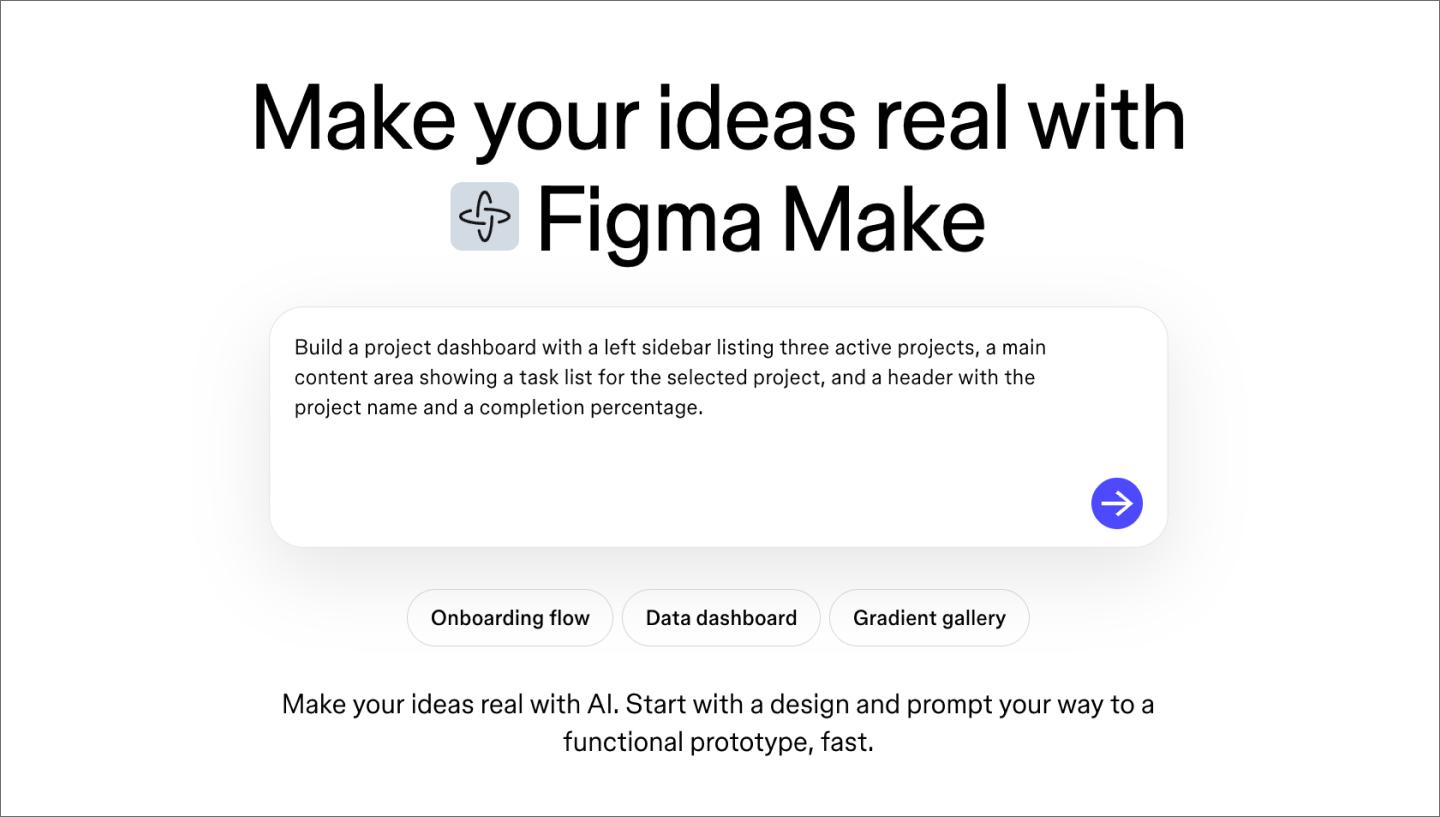
Scope matters more than detail at this stage. A focused first build—one screen or one core interaction—gives the AI something concrete to work with. When you’re ready to prompt, lead with the core function and describe the key UI elements you want. Add any context about the user or use case that would shape the result.
I treat the prompt like a design brief rather than a wish.
— Anthony Cooke, Design Director at WongDoody
Here’s what that looks like in practice:
Weak prompt: “Build me a project dashboard.”
Strong prompt: “Build a project dashboard with a left sidebar listing three active projects, a main content area showing a task list for the selected project, and a header with the project name and a completion percentage.”
A well-scoped prompt does a lot of the work before the AI even starts.

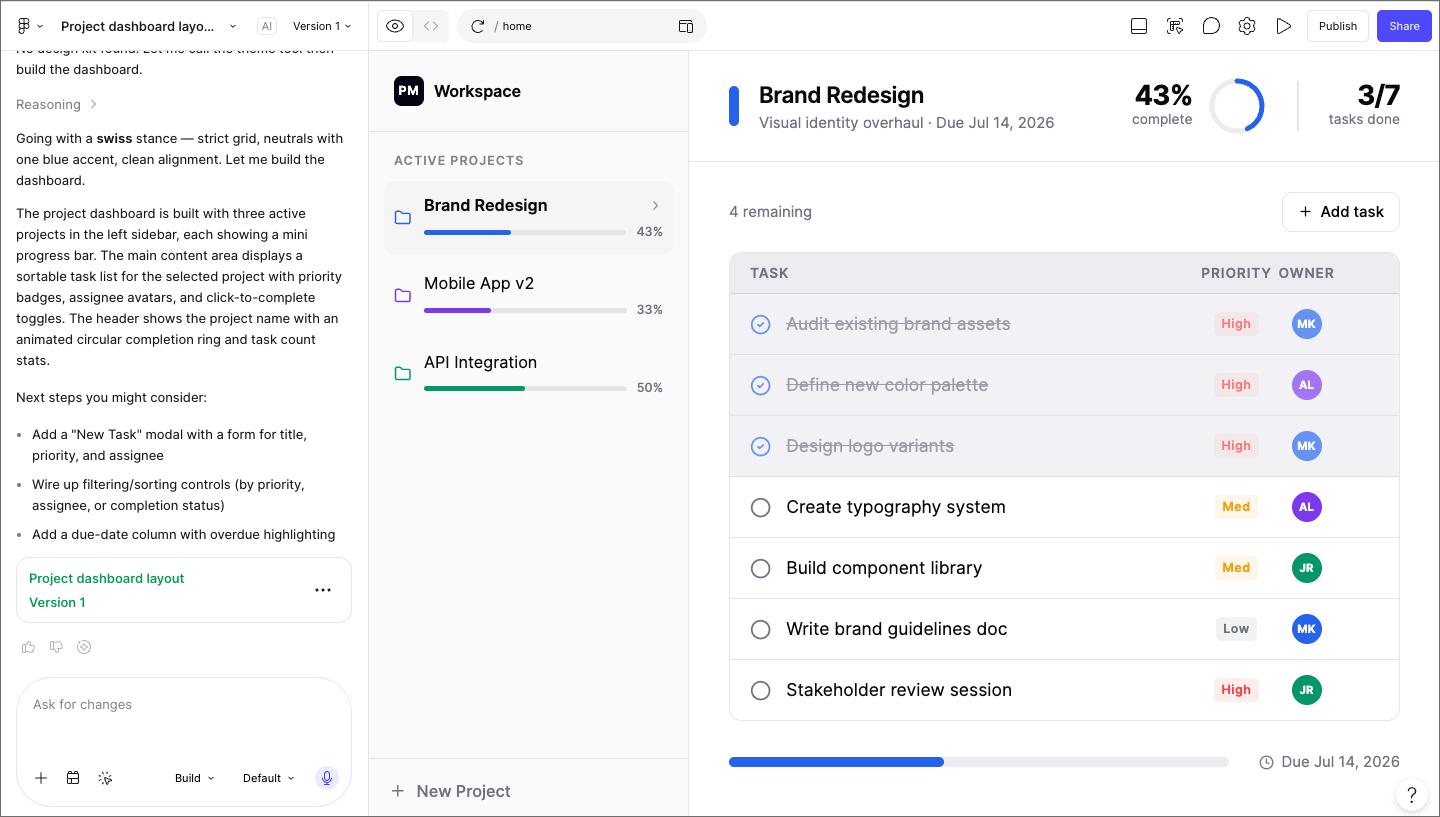
Hit submit and see what comes back. Resist the urge to read through the generated code or tweak anything yet—just click through the prototype as a user would.
You’re looking for a few things here:
This is just a quick pass to understand what you’re working with before you start refining. Most of the time, you’ll get something that works, even if it’s a little rough. That’s your starting point.

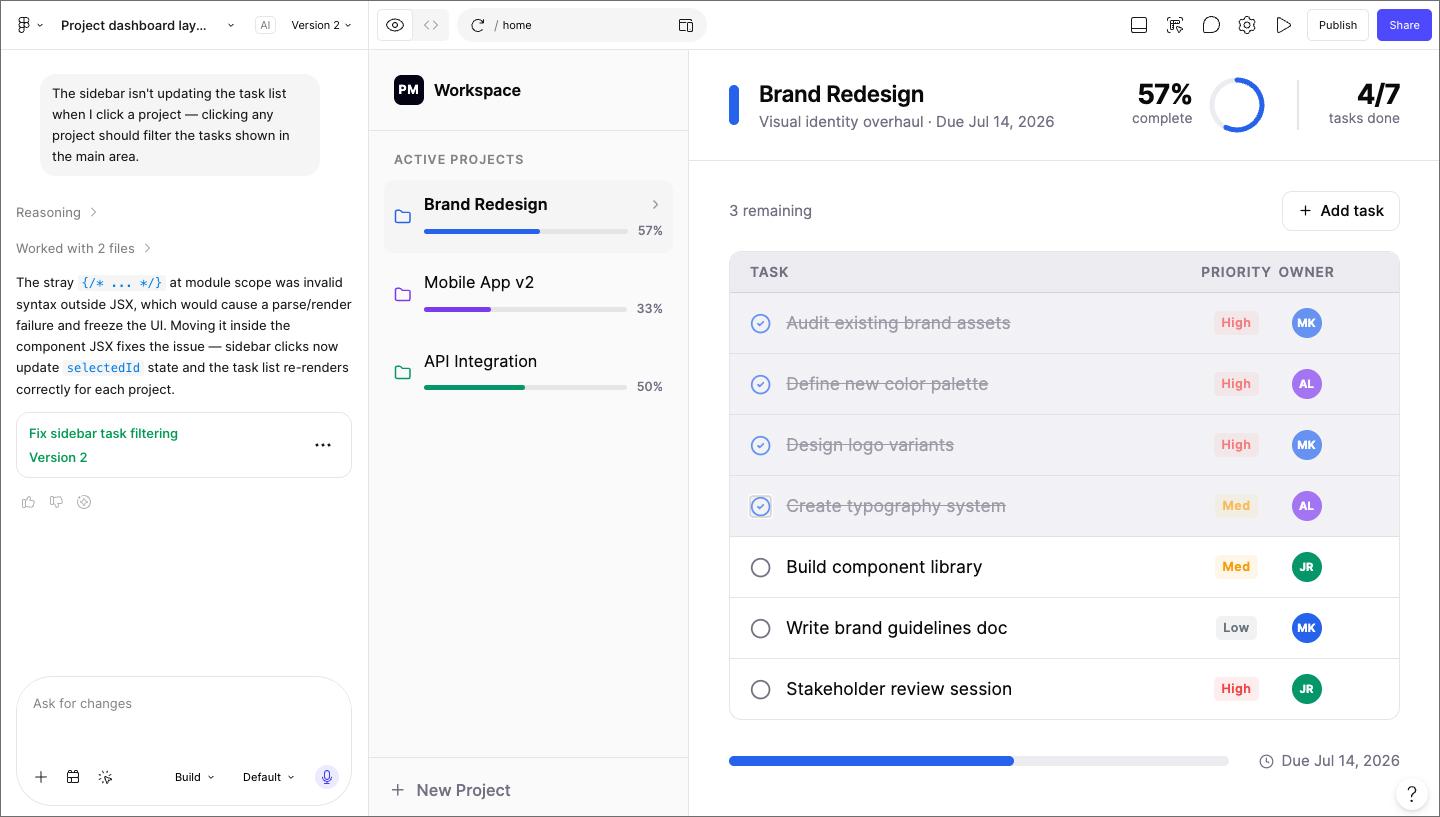
Follow-up prompts are more effective when they describe what’s wrong rather than prescribing a fix. The AI has more context about the current state of the code than you do at this point, so telling it what’s happening will get you further than telling it what to change.
A few other things that help: ask for one change at a time, and reference specific elements from the current output. Asking for too many changes at once often produces messier output than a series of targeted requests.
Here are some examples of effective follow-up prompts:

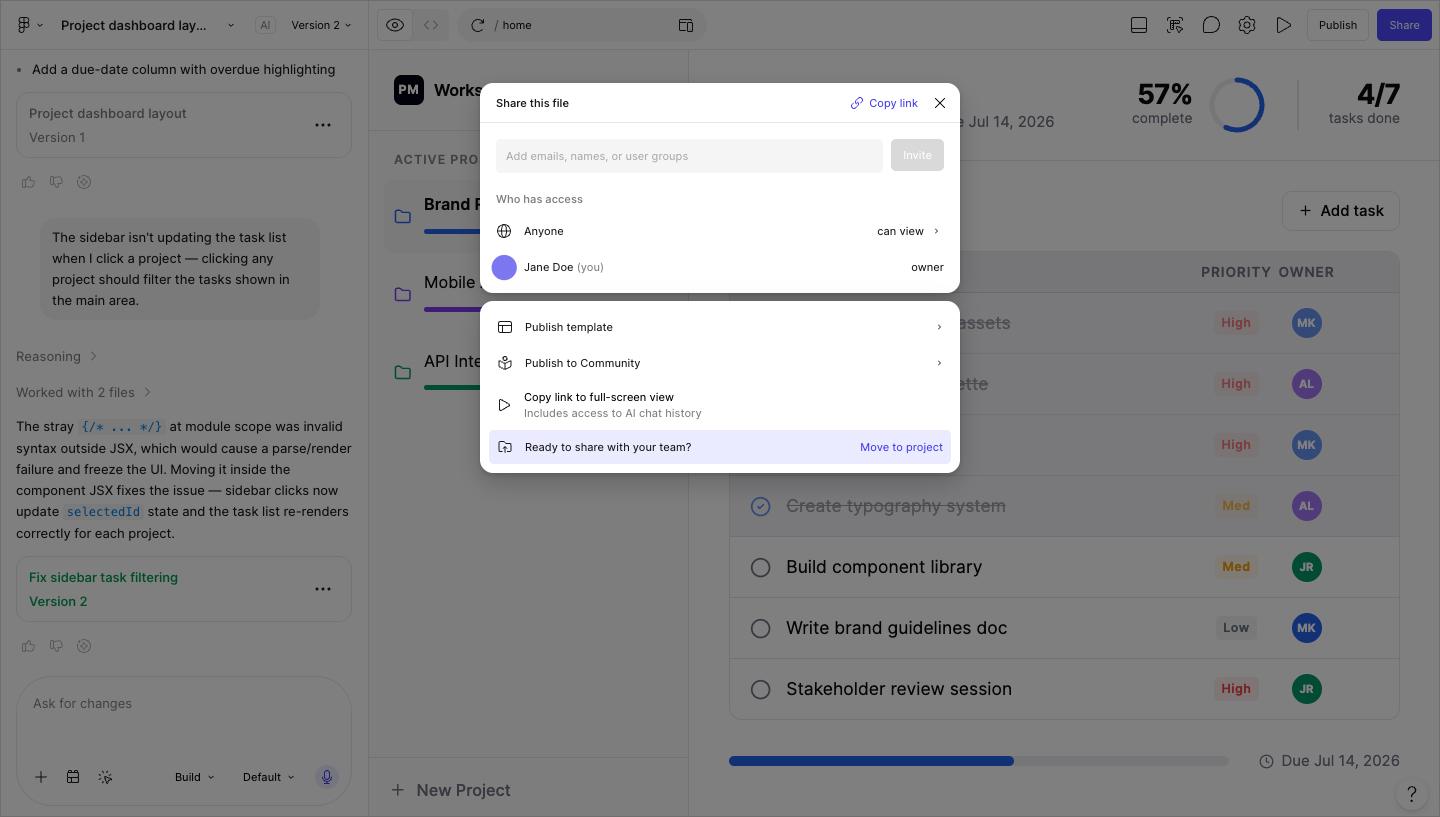
Once something works, share it. A vibe-coded prototype doesn’t need to be polished to be useful. Running a stakeholder demo, testing a user flow, or gut-checking an idea with a teammate are all fair game at this stage.
When you share, pay attention to whether the interaction makes sense to someone who didn’t build it. Is the flow easy to follow? Does it solve the problem you set out to solve? Those two questions will tell you more than any visual feedback at this stage.
From here, you move your vibe coding workflow into production. Most teams take one of two paths: bring the design into Figma Design to refine the visual layer and align it with your design system, or use Dev Mode to give engineering accurate specs directly from the file so what gets built matches what you designed.
Vibe coding is not really about faster execution. It’s about faster alignment.
— Suin Kim, Creative Director and Product Designer at deepidv
If the feedback showed the idea didn’t work, that’s a valid outcome too. Vibe coding is fast enough that a failed prototype still saves significant engineering time compared to discovering it mid-build. Either way, you’ve completed one cycle, and the next one starts with a clearer picture of what you’re trying to build.
Vibe coding has a short learning curve, but a few patterns tend to trip people up early on. For many designers, when coding becomes conversation, the hardest part is knowing what to expect. Here’s what to watch for.
The biggest mistake I made was adding features before the core was solid. Every addition compounds the complexity. Bugs get harder to trace, the code gets harder to iterate on, and before you know it, your MVP isn't an MVP anymore.
— Ambreen Sharif, Creative Director and Founder at SocialPreviewing
Don’t assume you know what the AI can do. You don't know until you ask.
— Scott Hooten, UI/UX designer at Hooten Agency
The best way to get comfortable with vibe coding is to start before you feel ready. You don’t need the perfect idea or a polished plan—just something you want to build and a prompt that describes it. From there, you have everything you need to take it further in Figma.
Here’s how to put it all together:
Figma Make lets you build functional apps and interactive UI components using natural language prompts.
Keep up with the latest shift in software development using vibe coding tools that allow you to create full applications from plain language prompts.

Understand the differences and benefits of no code vs. low code and when to use each approach. Plus, learn how Figma can help.


Explore 12 real-world vibe coding examples that show how to build apps from prompts. Learn a workflow to turn your best ideas into functional prototypes instantly.

Building an app requires research and constant iteration to meet customer needs. Learn how to design an app effectively and how Figma can help in this guide.

Explore Web development trends defining 2026. Learn how AI-driven workflows, server-first performance, and new browser standards are reshaping how teams build.

Curious how AI in design is changing the way teams work? See how tools like Figma make it easier to bring ideas to life with real-world examples.