12 defining Web development trends for 2026
Share 12 defining Web development trends for 2026
Explore more from
Design basics
From wireframe to website, faster
Design, prototype, and refine every page.


The Web is starting to feel less like a collection of pages and more like a single, fluid experience. We’ve reached a point where the browser can handle our most ambitious ideas without the lag or loading states that used to get in the way.
The latest Web development trends all center on immediacy—reducing lag, smoothing transitions, and making sure the interface responds as quickly as the user thinks. This means we can finally stop designing around technical limitations and start focusing on the product’s flow.
Read on to learn:
- 12 Web development trends defining the next generation
- How AI and new standards are shifting workflows
- How to support these new workflows using Figma
Trend 1: AI-driven workflows
AI has found its place as a functional partner in the daily build process. Our 2025 AI report found that 68% of developers use AI to generate code during development. As AI design tools handle more of the grunt work, developers are evolving into overseers and orchestrators.
“It’s already happening,” notes Matt McDonald, Web developer at Figma. “A single experienced developer using the right AI-driven framework will run a team of agents with the same efficiency and output as a team of 4-5 engineers.” Agent-runner frameworks like BMAD power this shift by upgrading basic prompting into fully structured, agile-like workflows.
But speed relies on context. For AI to output clean, usable components, it needs structured inputs. This is where the Model Context Protocol (MCP) server has become a huge win for development teams.
“It enables our agents to read directly from Figma design source to translate orchestrated web work into precise output, including dev annotations to bring in the full context,” says McDonald. Your design file becomes the blueprint for your AI team.
Trend 2: Automated design handoffs

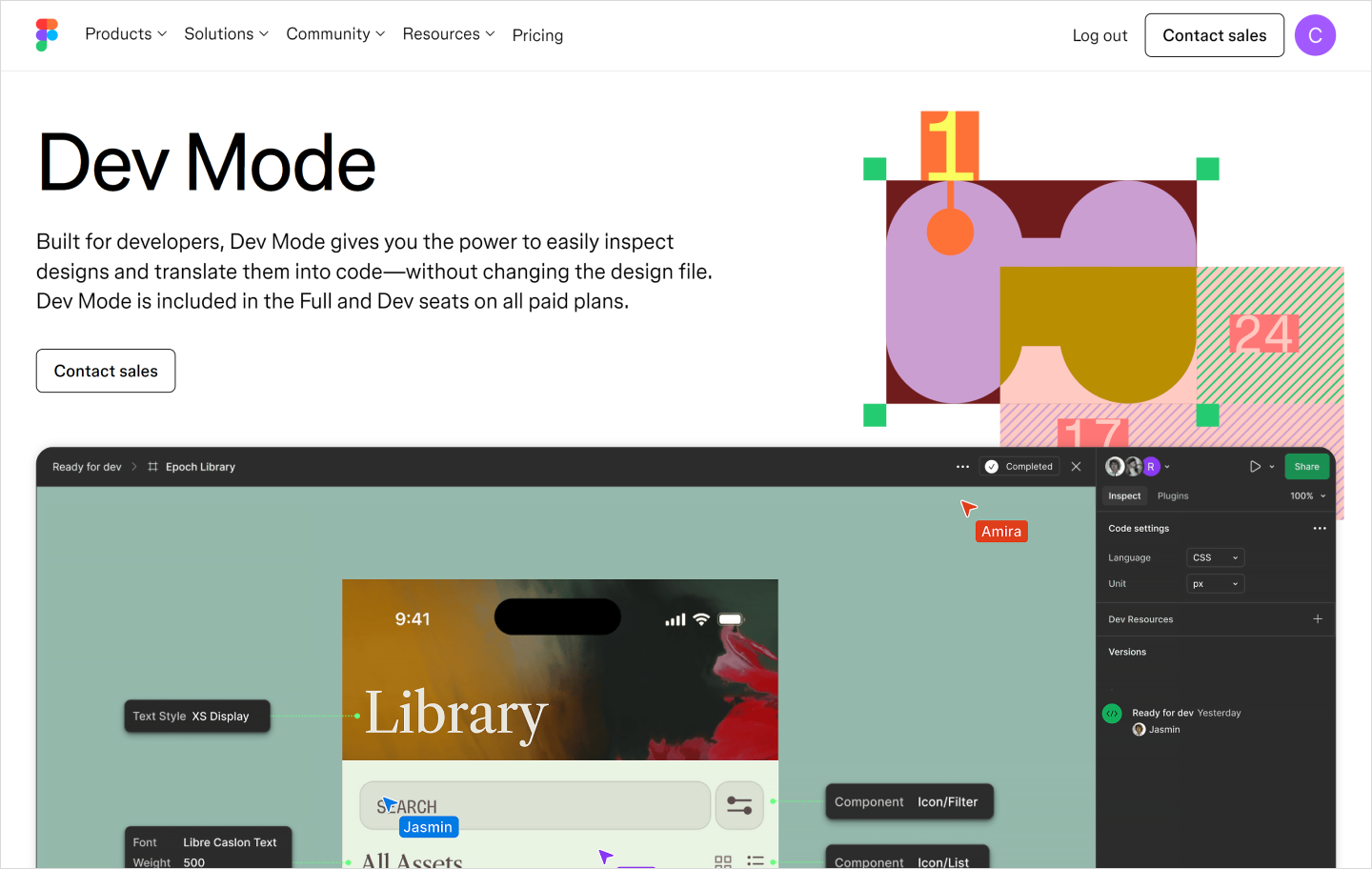
Handoff is no longer a one-time event that happens at the end of a sprint. In modern Web development, it’s a continuous, automated sync between design and development.
Tools like Dev Mode let you inspect a design and grab the exact, production-ready code for your components. With features like Code Connect, you see the actual React or Next.js snippet that powers each button, card, or input field.
This connects your design system directly to production, turning the design file into a single living source of truth. As McDonald explains, “It enables intent-understanding in new ways like annotations and allows developers to take part in bridging the gap between design and implementation.”
This deeper context eliminates manual translation and helps teams ship clean, semantic code.
Speed up your handoff
Use Dev Mode to inspect designs, compare changes, and grab ready-to-use code snippets.
Trend 3: Server-first performance
For years, we offloaded everything to the browser—heavy JavaScript bundles, complex logic, and the loading spinners to match. In 2026, the pendulum has swung back. The default is now server-first, moving the heavy lifting away from the user’s device to make applications feel instant.
With the widespread adoption of React Server Components (RSC) and Server-Side Rendering (SSR), frameworks now render UI on the server by default. You only send the JavaScript that’s actually needed for interactivity, keeping the client lightweight.
This forces a new kind of discipline. You have to decide up front what’s static and what needs client-side logic, building speed into the site’s architecture.
Trend 4: Full-stack framework adoption
We’re moving away from the era of piecing together separate tools for the frontend and backend. Modern Web development technologies like Next.js and Remix have become the default starting point because they give you a complete toolkit from the start. They link the server and the UI directly, so you no longer have to manage a messy handoff between the two.
This keeps your data and your UI in sync from the start. If you update information on the server, your components update automatically. You catch mistakes while you’re still building, rather than finding them after the site is live.
Ultimately, these frameworks let you focus on the experience instead of the setup. McDonald says the rise of TypeScript heavily fuels this approach, stating that it’s “increasingly chosen as the baseline language for both frontend and backend work, as it is extremely valuable for maintainability and bug prevention.”
With one shared language, you spend less time on infrastructure and more time shipping.
Trend 5: Agentic user interfaces
Today’s users are getting used to tools that book flights, negotiate refunds, and organize schedules without any micromanaging. Agentic interfaces—software that acts on your behalf—are becoming the standard for complex workflows.
The industry is moving fast. Our AI report found that twice as many teams built agentic products in 2025 compared to the year before. But while the tech is ready, the execution is often getting too much of the wrong kind of attention. “Everyone is building a prompt box,” warns McDonald, “and this is starting to feel like a trend that will live fast and die hard as newer and more engaging patterns emerge.”
Instead, we’re entering what he calls a “renaissance era of AI-inspired UX,” where “people crave the ability to interact with AI abstracted behind a beautiful interface that feels intuitive and inviting.” The focus is on transparent interactions built directly into the product’s design.
Trend 6: Component-driven layouts

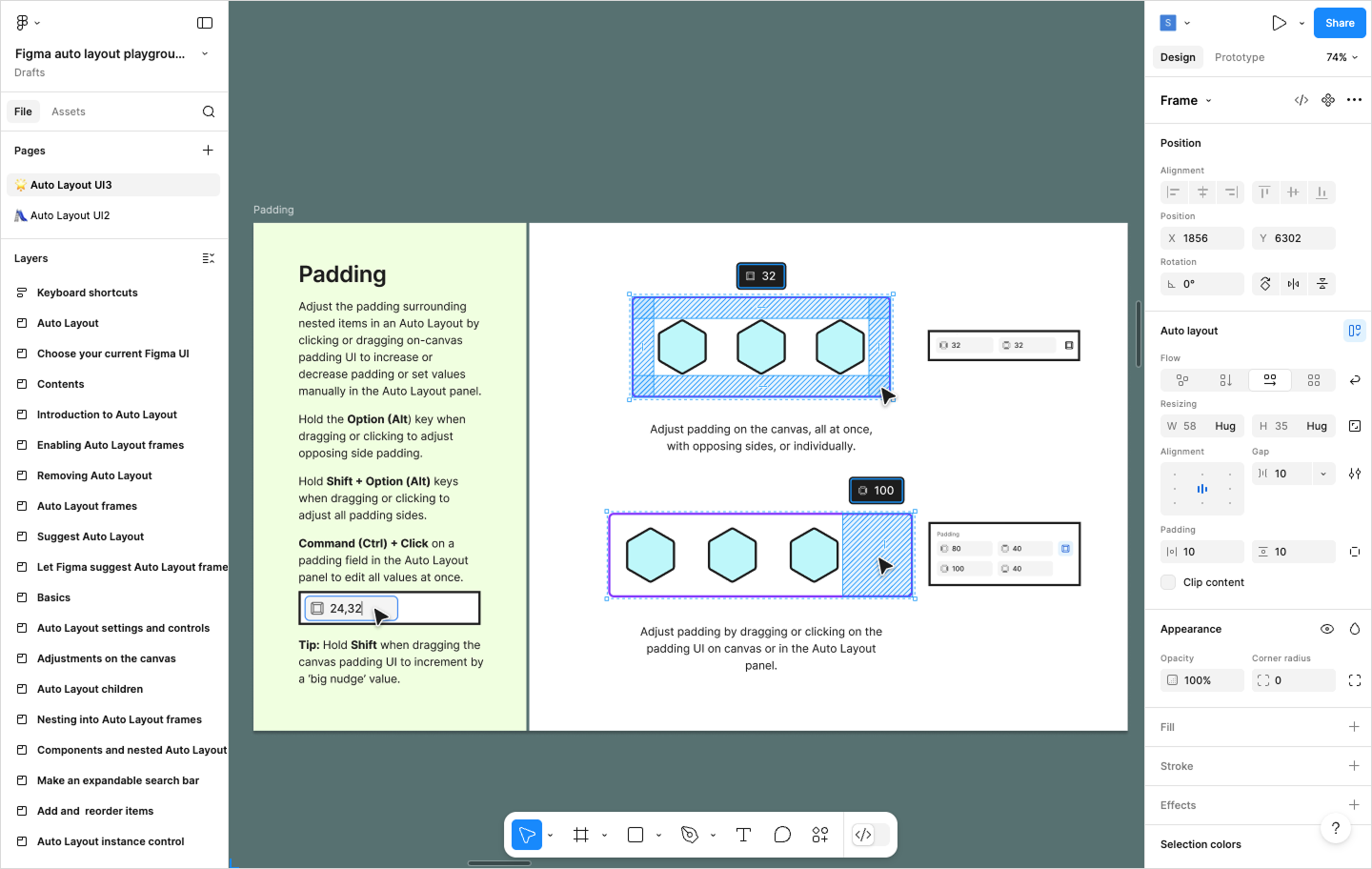
Modern layouts are driven by logic, not fixed positions. We’re moving toward systems of smart components that resize and reorder based on the data they hold—a natural evolution of responsive web design.
In Figma Design, features like auto layout let you design with the same physics as the browser, using stacks, padding, and wrap rules. When you build with these constraints, the layout logic is already baked into the design.
This reduces the back-and-forth during handoffs. When you design resilient components, they translate directly into clean, predictable code.
Design with code in mind
Figma Design helps you build responsive layouts and prototypes that are ready for development.
Trend 7: Legal accessibility mandates

We used to treat accessibility as something to check off right before launch. That mindset is over. Today, stricter global regulations make inclusive design a legal requirement for any minimum viable product (MVP).
Despite these mandates, McDonald notes the topic isn’t getting enough attention because “building semantically correct and usable products for everyone comes with a high learning curve.”
The AI boom complicates this further. He warns that “AI and vibe-coded products are popping up everywhere that vastly miss the mark on a11y best practices, further polluting the web with experiences that not everyone can use.”
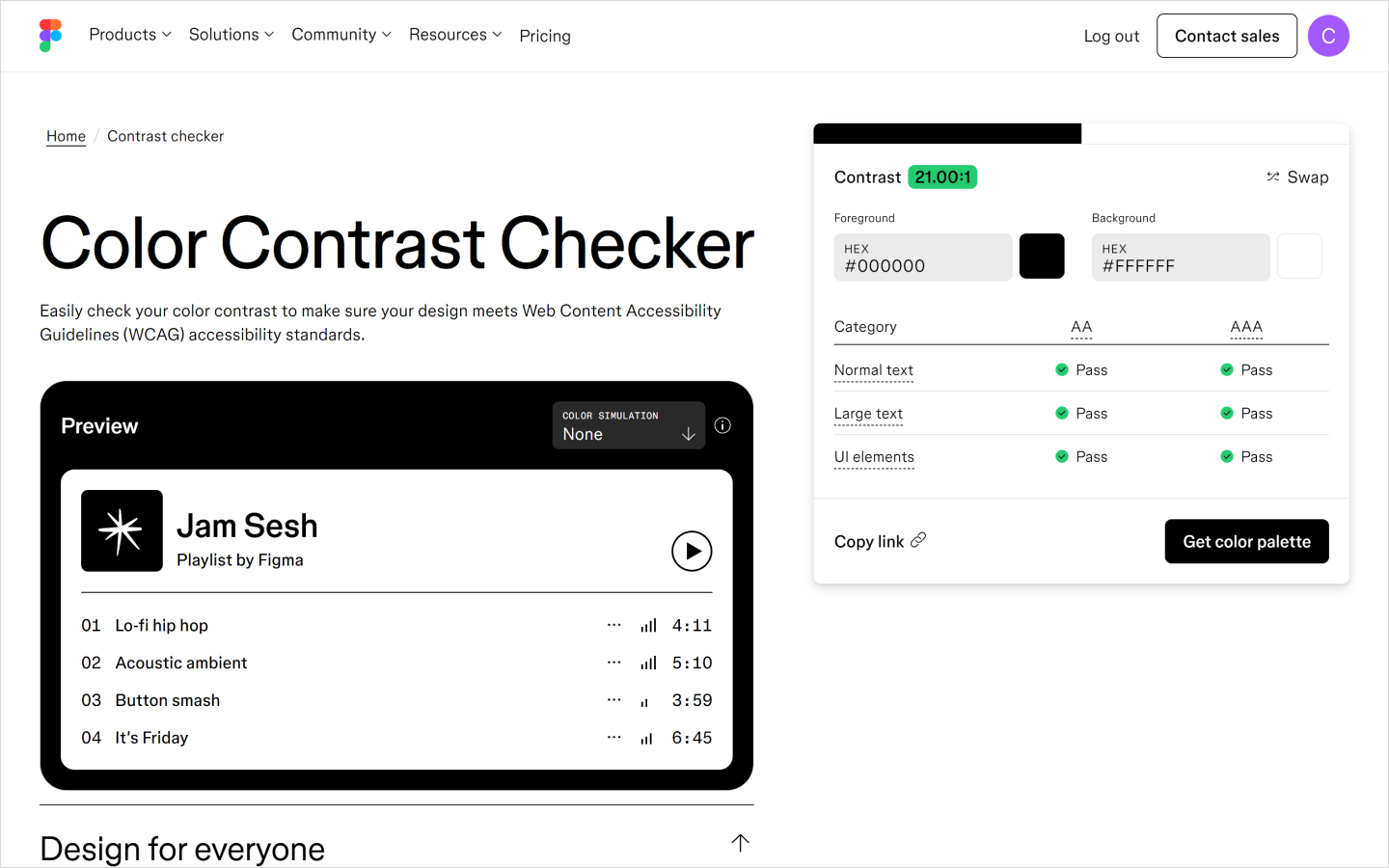
To combat this, teams must change their workflow. Designers are now validating ratios with tools like this Color Contrast Checker at the start of a project, while developers fire up screen readers as often as they check mobile layouts. We’re building for every user, from the very first commit.
Trend 8: Baseline-first browser features
Baseline is changing how we decide which features to build. It’s a cross-browser standard that signals when a feature, like a native popover or a new CSS rule, is ready for everyone.
This opens the door to native interactions. Developers are building complex patterns like popovers, dialogs, and scroll-driven animations using native browser APIs. You don’t need to write custom scripts just to get a dropdown to behave.
It also means the codebase gets lighter and the workflow gets faster. You can trust the browser to handle the behavior and accessibility, leaving you free to focus on the creative details.
Trend 9: Desktop-class Web apps
The line between a website and a desktop app is blurring. Thanks to technologies like WebAssembly, you can now run heavy-duty software, like video editors and 3D design tools, right inside a tab. It feels just as snappy as a native app, without the massive download.
This capability opens up a new tier of product design. You can build rich, complex interfaces that feel instant. The performance limits that once held the Web back are disappearing.
Trend 10: Edge computing defaults
Edge computing brings processing logic closer to the user—sometimes even right onto their device—instead of relying on a central cloud.
This changes the way we build. Developers can distribute the workload globally to avoid bottlenecks, while designers can finally stop planning for latency. You don’t need to design a loading spinner or a skeleton screen for a search bar when the results appear instantly.
It also introduces a major privacy benefit. When data is processed locally, it doesn’t always need to leave the user’s device. You get the speed of a native app and the security of local storage, all within the browser.
Trend 11: Functional motion design

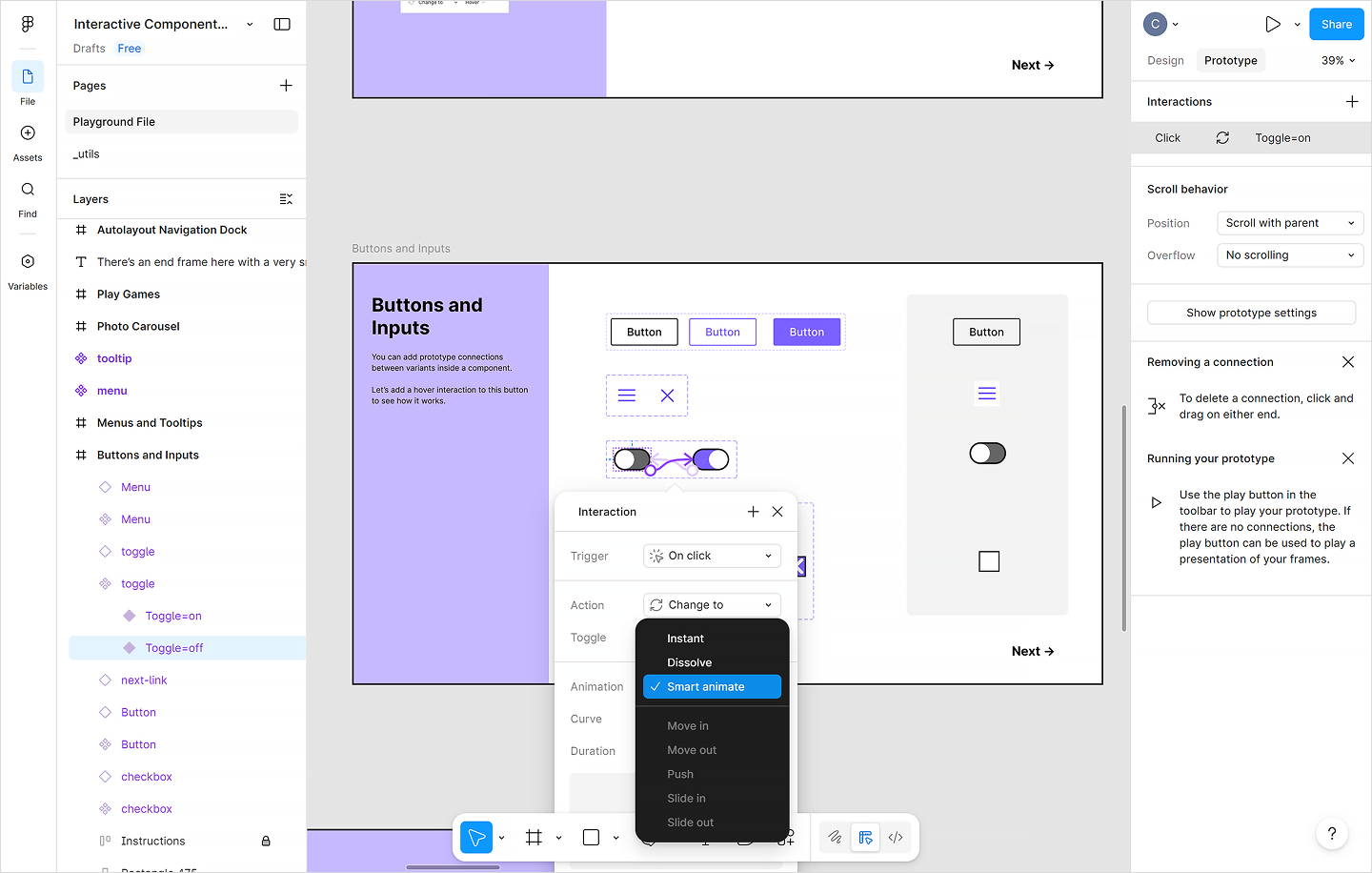
Animation used to be a final decoration—something you added at the end to make the interface feel premium. But today, motion is structural. It connects the experience as the user moves from screen to screen.
Designers are now defining the in-between states. We explicitly spec how a card expands or a menu enters, treating the transition logic with the same precision as layout or typography. This gives developers a clear blueprint for how the interface connects.
It also solves a practical problem: latency. When data takes time to load, we use motion to mask the wait. Smart Animate in Figma lets you prototype these behaviors exactly, turning motion into a functional requirement that developers can build directly into the logic.
Trend 12: Headless and API-first architectures
Traditional CMS platforms used to dictate how our designs looked, locking teams into rigid templates. Now, headless and API-first architectures are taking over, completely decoupling the frontend experience from the backend data.
As McDonald notes, “Headless CMS adoption has been growing in popularity,” and it’s easy to see why. It gives your team the freedom to design the exact user experience you want without compromising. Developers can build a lightning-fast UI using modern frameworks and simply plug the content in via APIs. The backend finally adapts to the design, instead of the other way around.
Build the future of the Web in Figma
The Web is finally becoming the powerful, responsive platform we’ve been building toward. Staying ahead of these Web development trends means building with tools that can keep up. Whether you’re leaning into functional motion or optimizing for the edge, Figma gives you the space to prototype, test, and hand off these complex ideas with precision.
Here’s how Figma can help:
- Start with professional website templates from the Figma community to jumpstart your next project.
- Use Figma Design to build high-fidelity layouts that adapt to any screen size.
- Turn on Dev Mode to give developers the exact specs, CSS, and asset data they need to build native-quality Web apps.
Ready to start building?
Figma Sites helps you design and publish professional websites directly from your canvas.
Keep reading


How to use AI to create a website
Learn how to use AI to create a website from start to finish. Discover tools, tips, and strategies to design, build, and launch your site faster.

What is Web design and development?
Learn the key differences between Web design and development and their roles in creating effective websites.