Top Web design trends for 2026
Share Top Web design trends for 2026
Explore more from
Design basics
From wireframe to website, faster
Design, prototype, and refine every page.

Remember when adding a simple drop shadow to a button felt futuristic? Or when parallax scrolling made a flat page feel like an adventure? Those one-cutting-edge features—dark mode, gradients, playful motion—have become baseline expectations for modern websites.
With 2026 around the corner, new Web design trends are pushing boundaries again. Whether you’re leading creative teams or starting to experiment with your first website, this guide is here to inspire you with the innovations shaping digital experiences—and shows you how to bring them to life in your designs.
Read on to learn:
- 13 key Web design trends
- 4 AI-assisted Web design trends
- Why these trends matter
Trend 1: 3D and immersive elements

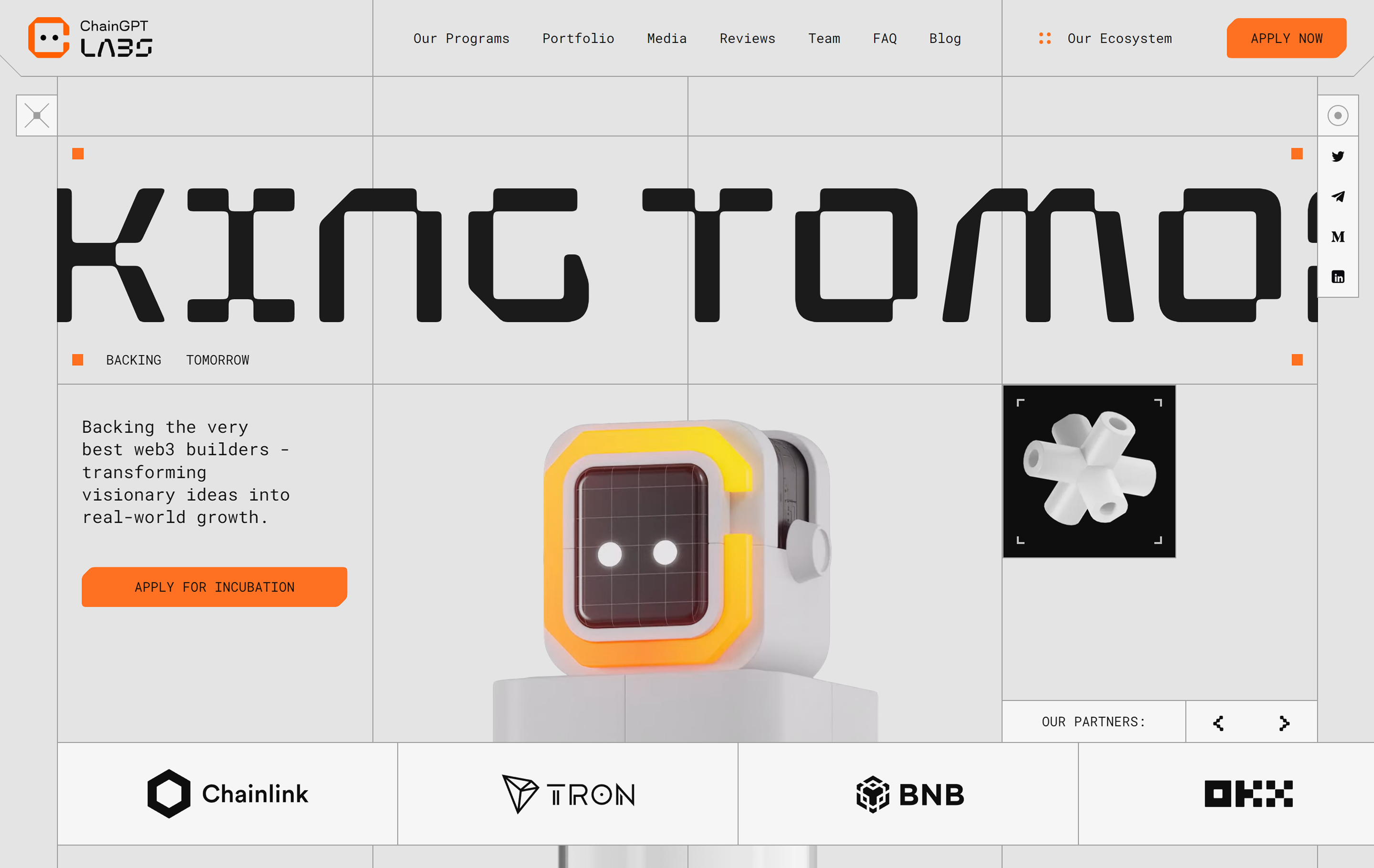
Designers are leaning into depth and interaction, moving beyond static images to immersive, 3D-driven experiences. Using technologies like WebGL, sites now feature interactive models, scroll-triggered animations, and AR previews
You might see this as a shoe you can spin 306 degrees or in virtual tours that let you walk through a space. Brands like Nike and IKEA use 3D and AR to help users virtually try on products, visualize a fit, or navigate environments before making a purchase.
With Figma, you can use prototyping tools and plugins that mimic WebGL effects to simulate these interactive elements. Try layering effects, experimenting with scroll-triggered animations, or collaborating with your crew in FigJam to map out immersive user journeys.
Trend 2: Experimental navigation

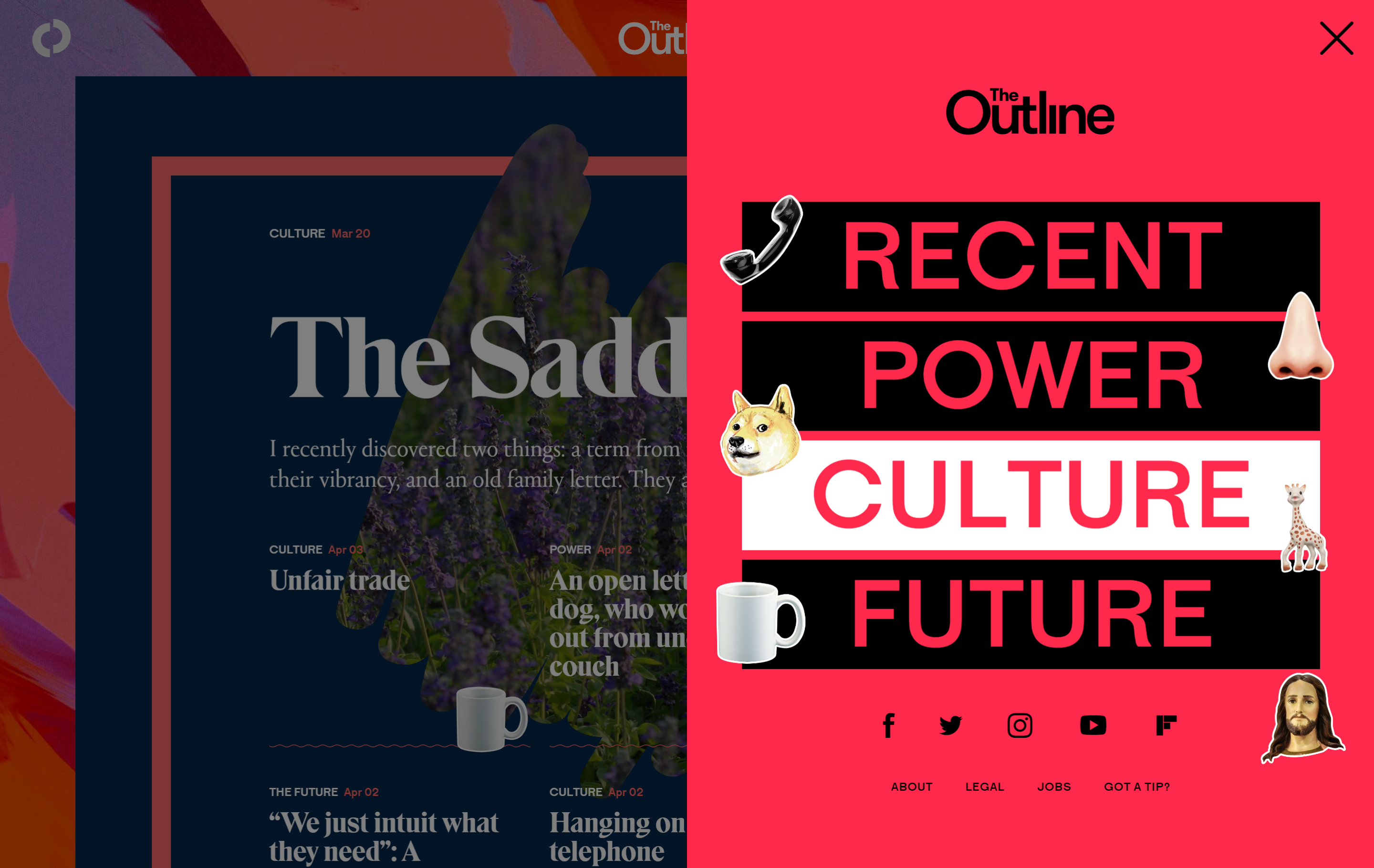
Not all websites follow the standard “Home/About/Contact” path anymore. Designers are experimenting with layouts that feel more like exploration than navigation. Think radial menus, hidden drawers, interactive maps, or nonlinear journeys.
Tools like Figma Make and Dev Mode make it easy for your team to prototype these explorations. Check out sites like Locomotive, The Outline, Palmer dinnerware, and Google’s Arts and Culture for inspiration.
Trend 3: Vibrant color palettes

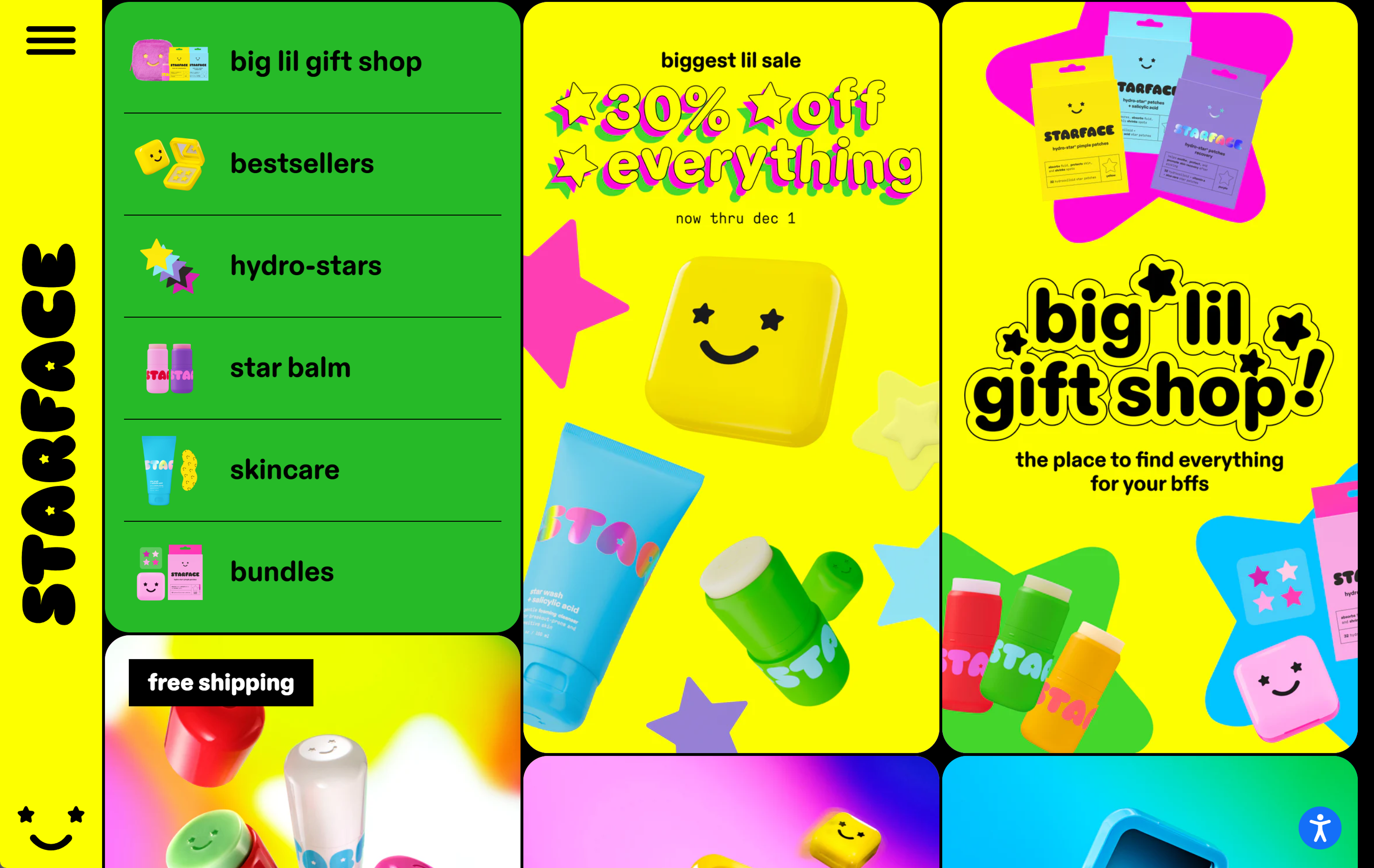
Color is turning up the volume in 2026. One of the Web design trends for 2026 is that bright, saturated color palettes are making a comeback, fueled by Y2K nostalgia, retro patterns, and “dopamine design” aesthetics. Neon gradients, high-contrast pairings, and playful hues are replacing minimal or muted tones, especially on sites for lifestyle, beauty, and youth-focused brands. Look to examples like Lush, Headspace, and Starface.
Explore website templates and color palettes for combinations that pop
Uncover new website design ideas by playing with gradients, backgrounds, and overlays until you find a palette that fits your brand’s vibe or story.
Trend 4: Bold typography

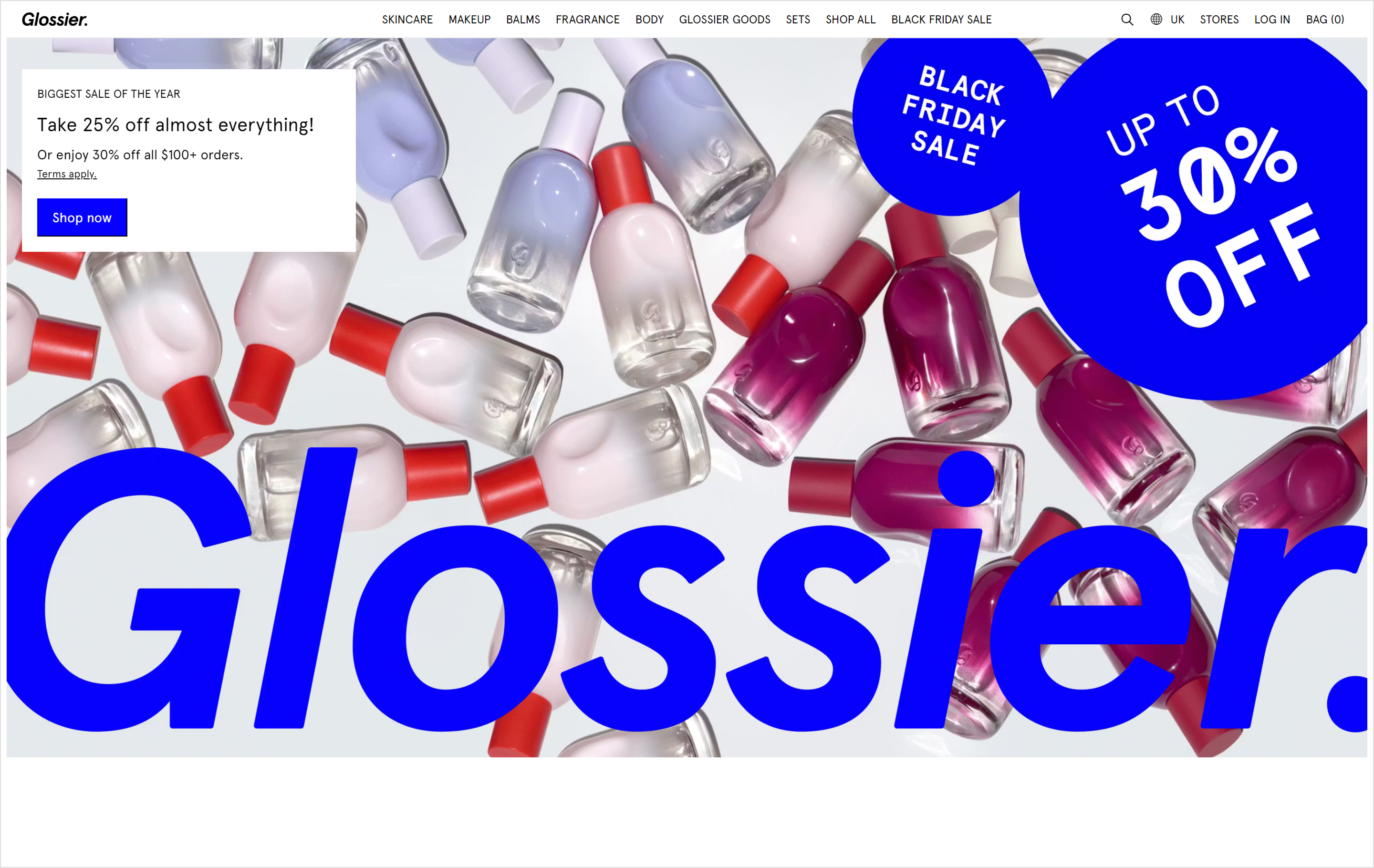
Typography is taking center stage in 2026, moving beyond legibility into storytelling. Brands are using custom fonts, oversized headlines, motion, and layered styles to make bold first impressions.
You’ll see expressive types in everything from landing pages to navigation. Hero sections now often feature kinetic lettering, dynamic font pairings, and variable fonts that respond to interaction or context. Glossier and Samsung are two standout examples.
Try this in Figma
Experiment with font combinations using a Figma Sites template. Try animating text on scroll, using oversized headers, or layering type over imagery for a high-impact hero section.
Trend 5: Dark mode

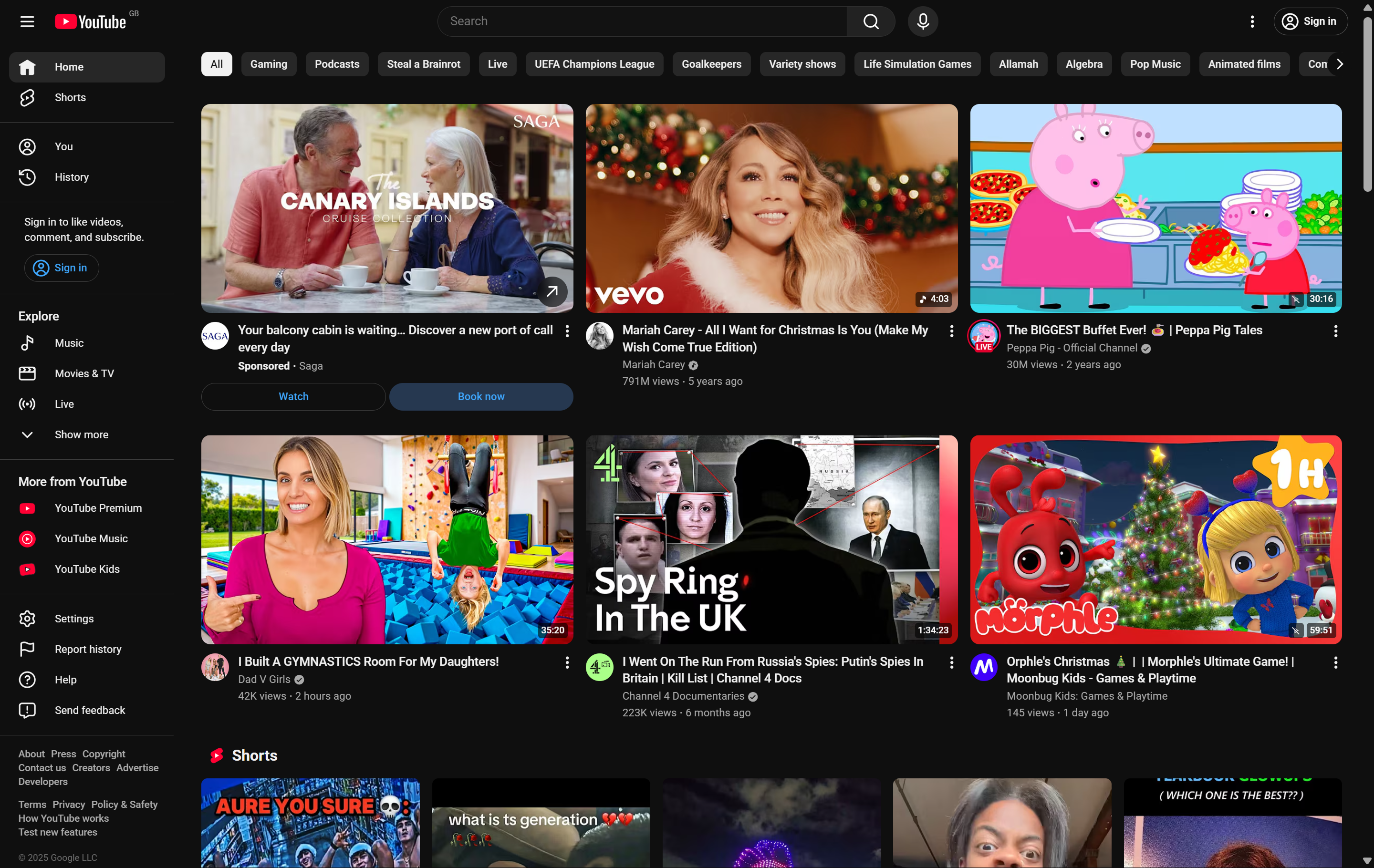
Dark mode has become standard for sites and mobile apps. It reduces eye strain, saves battery life on computers with OLED screens, and simply looks great when done right. Many well-known brands like YouTube, X, and Slack offer a toggle for switching between light and dark modes. This web design style reflects a broader push for personalization and accessibility.
In Figma, you can prototype dark and light themes side by side, preview accessibility, and test contrast ratios before launch. This level of personalization is yet another hallmark of modern Web design styles.
Trend 6: Motion design and animation

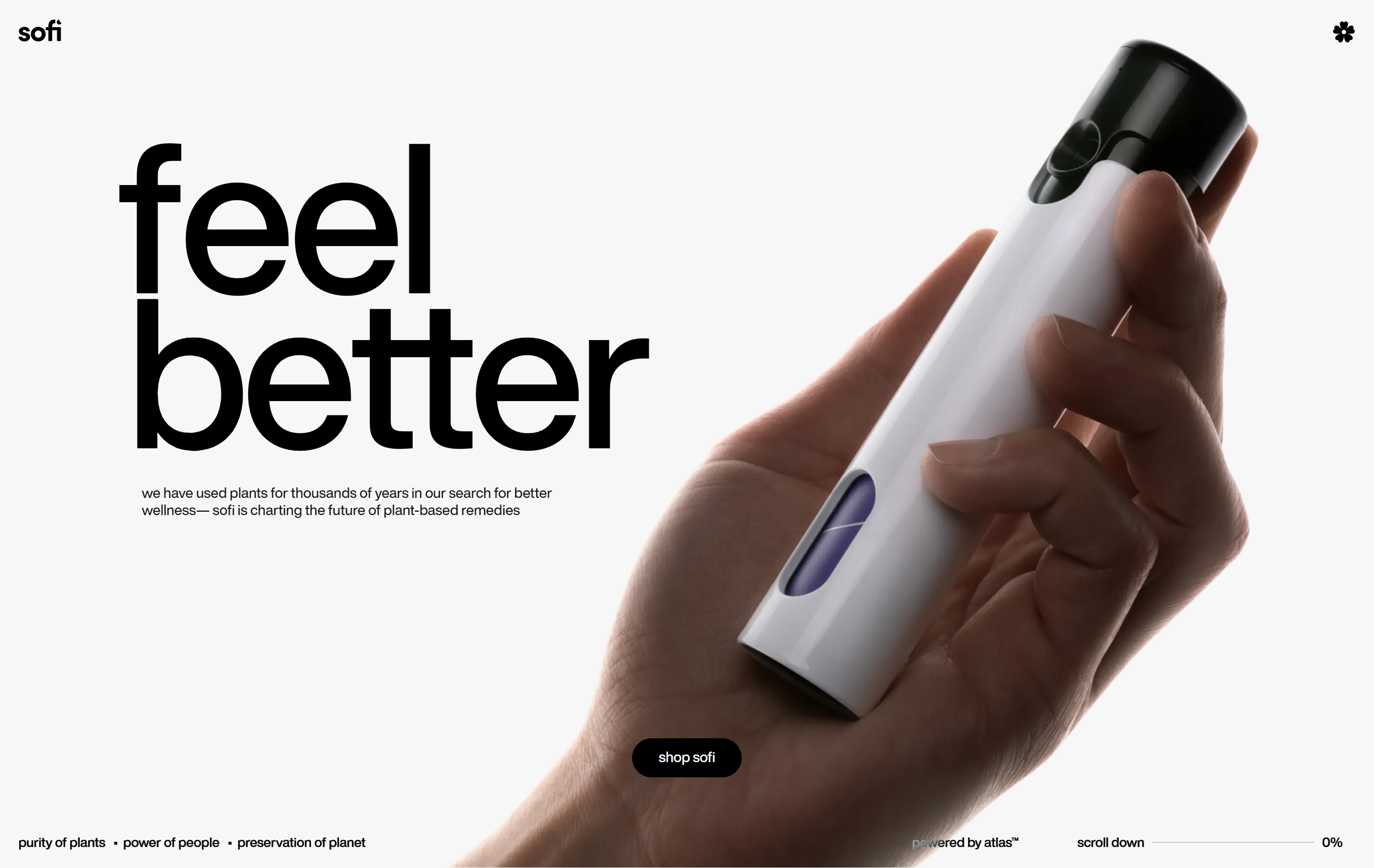
Motion design adds rhythm and storytelling to Web experiences. From subtle hover effects to full scroll-based narratives (“scrollytelling”), motion helps guide attention and build immersion.
Brands like Nike and Ralph Lauren use micro animations—scroll triggers, button ripples, animated states—to enhance the user journey without slowing performance. Other examples include Jitter, Sofi, and Silo. Play with Figma’s interactive components and smart animate in prototypes. Test motion timing and easing curves to match the tone of your site—smooth for luxury, snappy for playful brands.
Trend 7: Gamified design

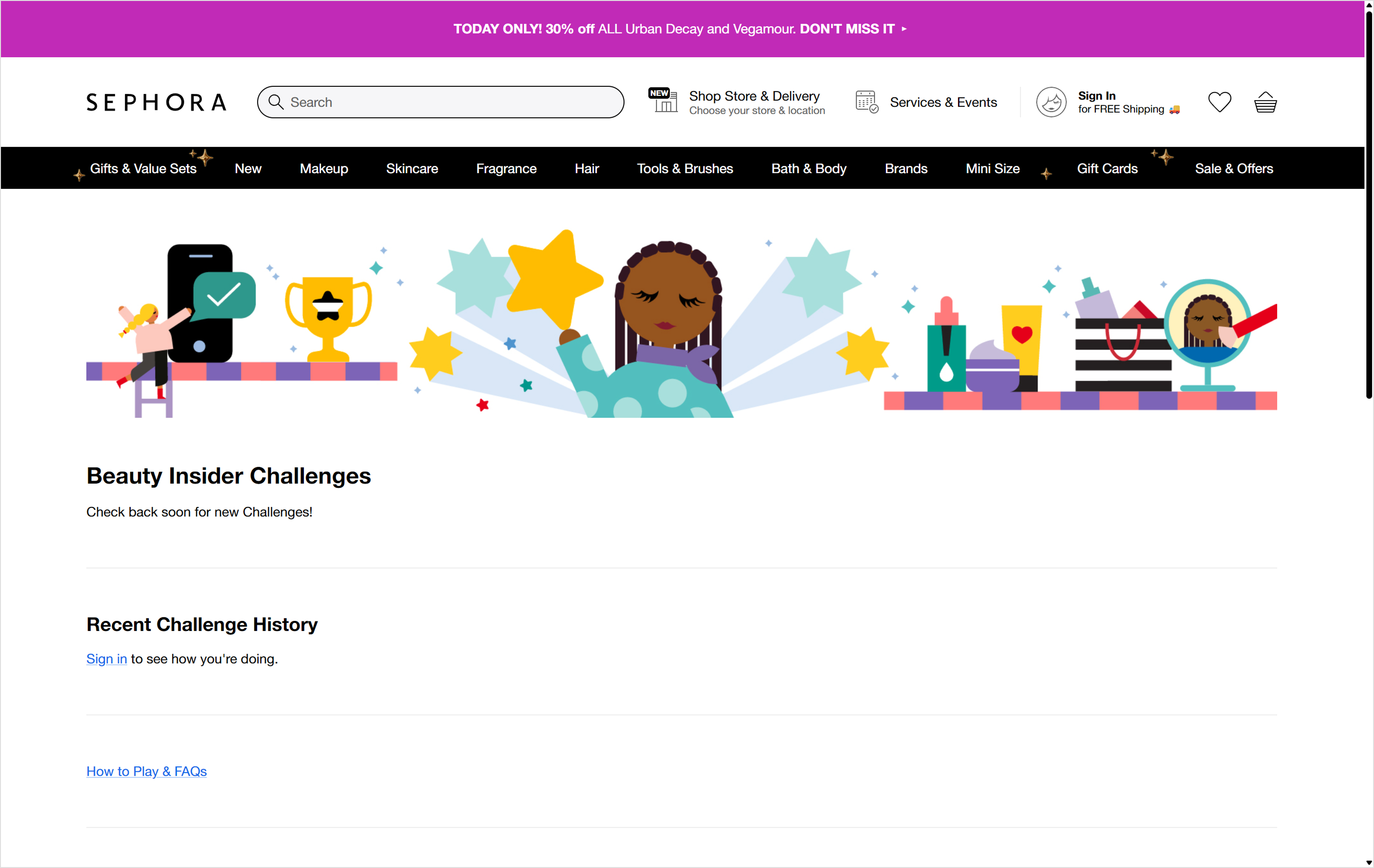
Gamified design is quickly turning websites into digital playgrounds where learning, shopping, and even filling out forms can feel like a rewarding adventure. Think points, levels, badges, progress bars, leaderboards, challenges, and micro-rewards woven into the user journey to boost engagement and motivation.
Gamification encourages users to participate, explore, and return—because it rewards curiosity and makes complex flows feel fun.
Duolingo is a clear example, using daily streaks and leaderboards to build habits. E-commerce brands like Sephora have added rewards, challenges, and interactive quizzes to personalize the experience and celebrate user achievements.
Trend 8: Neumorphism

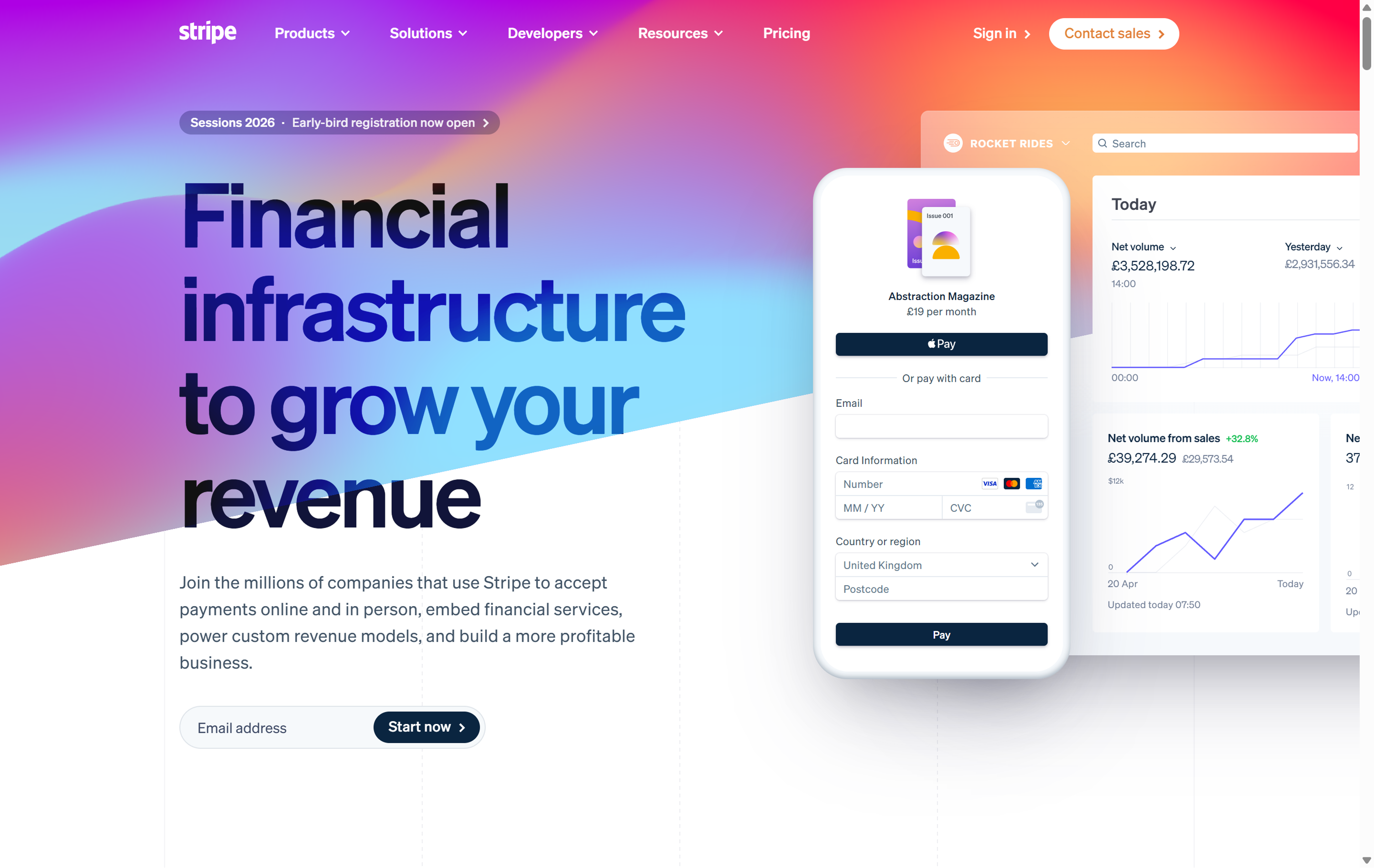
Neumorphism blends the realism of skeuomorphism with simplicity in design. Soft shadows and subtle gradients create raised or inset elements that look almost touchable—great for interfaces that aim to feel tactile and refined.
You’ll see this trend in fintech and productivity apps where clarity meets polish. Brands like Apple, Flow Ninja, and Stripe use it to create interfaces that feel intuitive and elevated.
Features of a skeuomorphic design mimic their real-world counterparts—for example, the trash folder looks like a trash can, and the “save” button looks like a floppy disk. By calling upon existing knowledge of the physical world, skeuomorphism makes interfaces easier to understand and use.
Trend 9: Retrofuturism

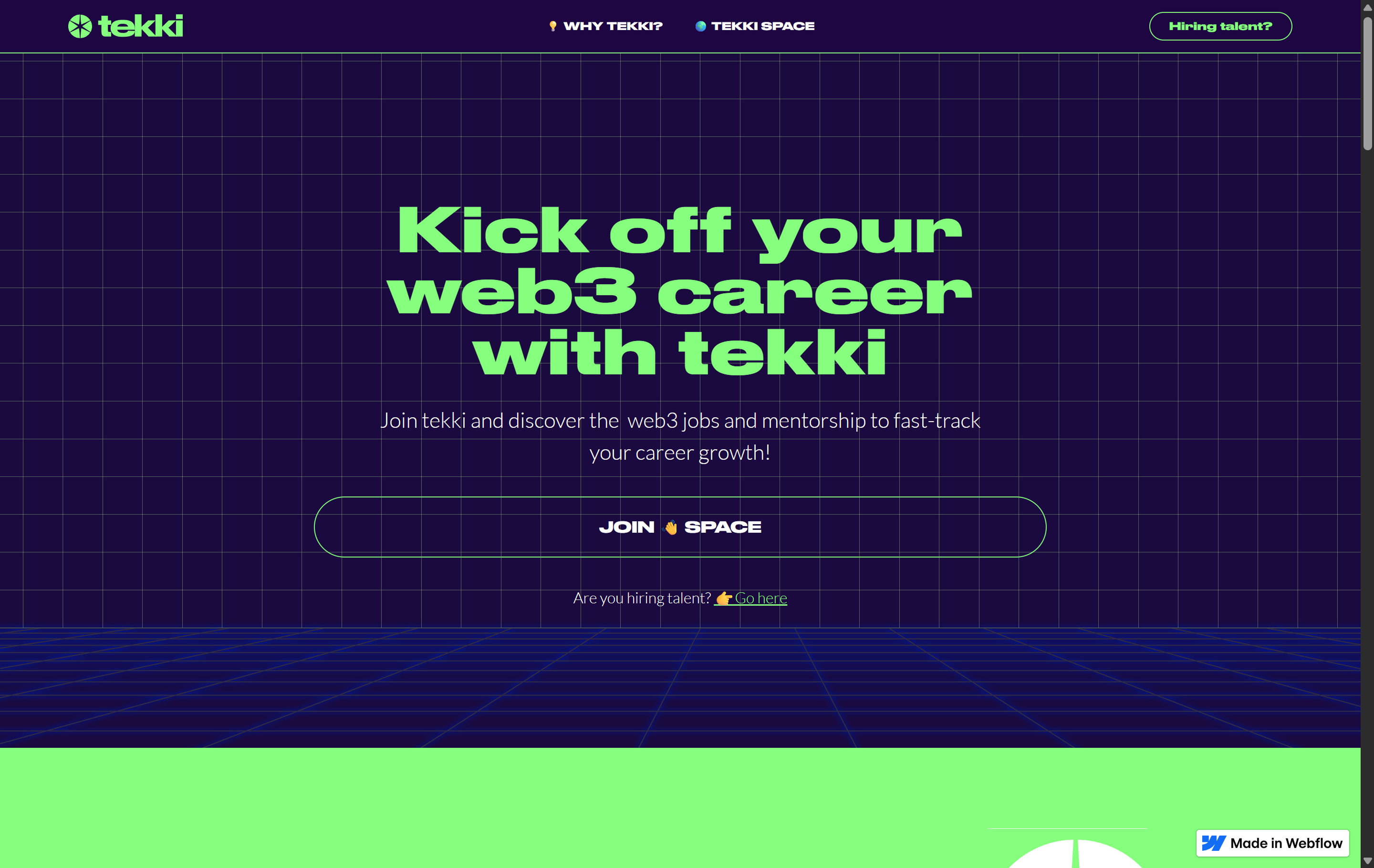
Retrofuturism fuses nostalgia with optimism, bringing vintage visions of the future into modern Web design. Expect neon accents, chrome textures, pixel art, bold gradients inspired by sci-fi films, arcade games, and early Web aesthetics.
Retrofuturism often pairs well with futuristic fonts and works especially well for lifestyle brands, portfolios, or music and entertainment sites that want to stand out with personality.
Trend 10: Maximalism

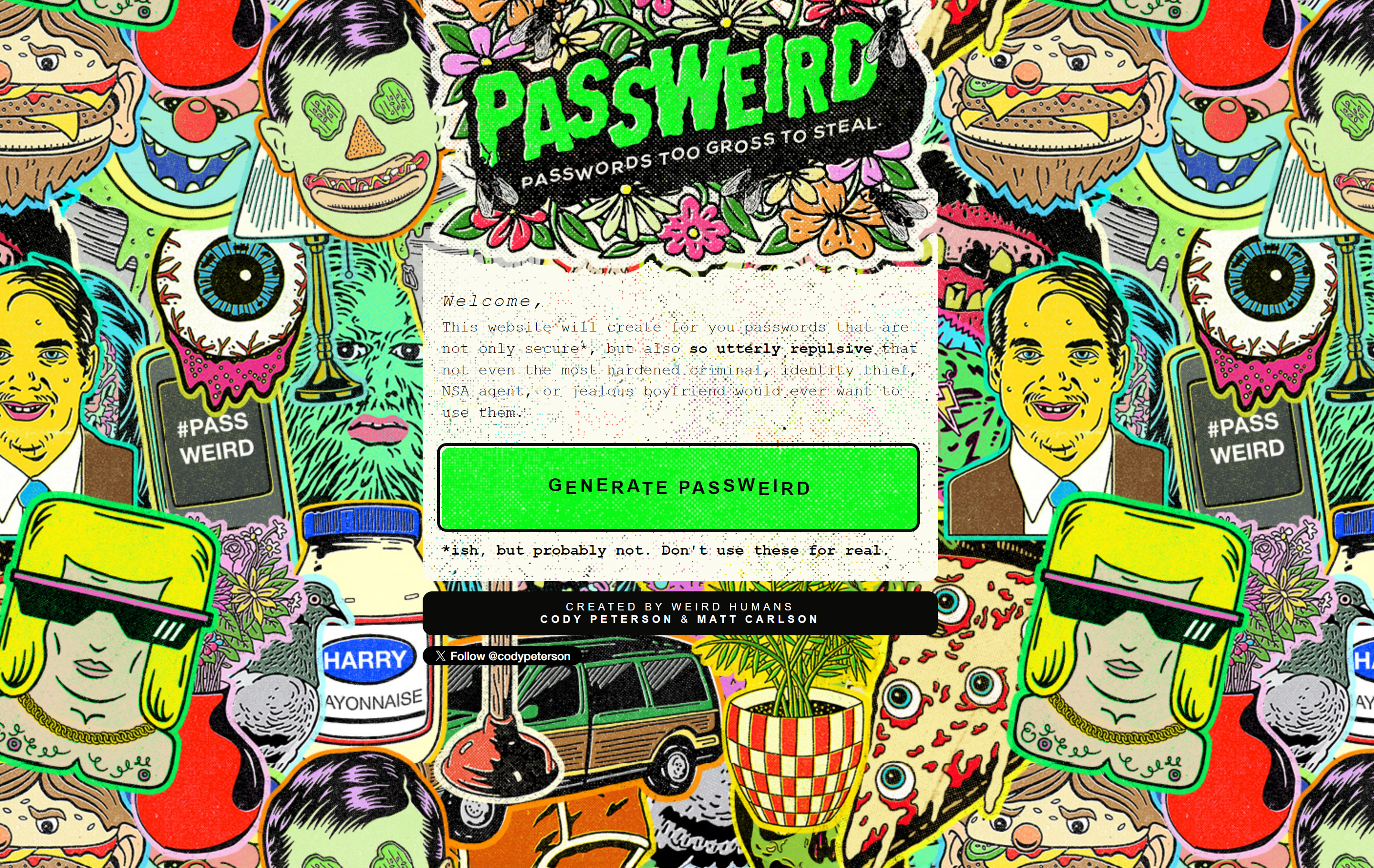
Minimalism isn’t going anywhere, but maximalism is taking up more space—in the best way. Rich colors, overlapping visuals, bold fonts, and dense compositions are key ingredients in this high-energy trend.
Brands like Spotify and Liquid Death lean into maximalism to surprise and engage visitors, using layers of texture and bold storytelling to leave an impression.
Figma’s canvas is perfect for experimenting with overlapping shapes, stacked effects, and energetic compositions for designs that pop without overwhelming.
Trend 11: Collage

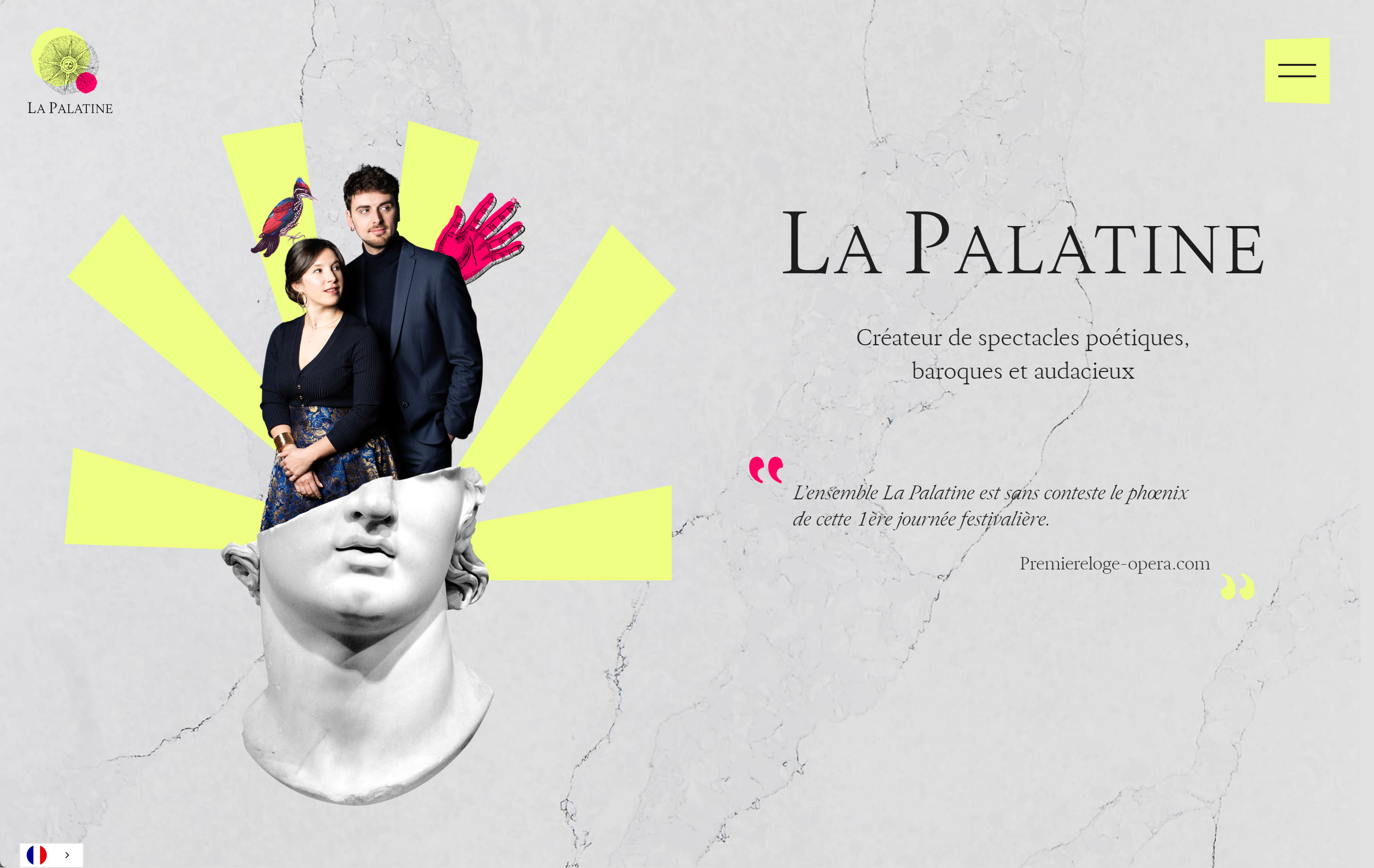
Collage Web design brings scrapbook-style creativity into digital experiences. Think sticker graphics, torn textures, cutout photos, and expressive, hand-drawn fonts. It’s messy on purpose—and that’s what makes it memorable.
Lifestyle brands and personal portfolios often use collage layouts to reflect individuality and playfulness. La Palatine, for examples, blends real photos and digital elements in surprising ways.
Figma’s drag-and-drop tools and endless layer options let you build, arrange, and remix designs until you find the right look.
Trend 12: Neo-brutalism/“anti-design”

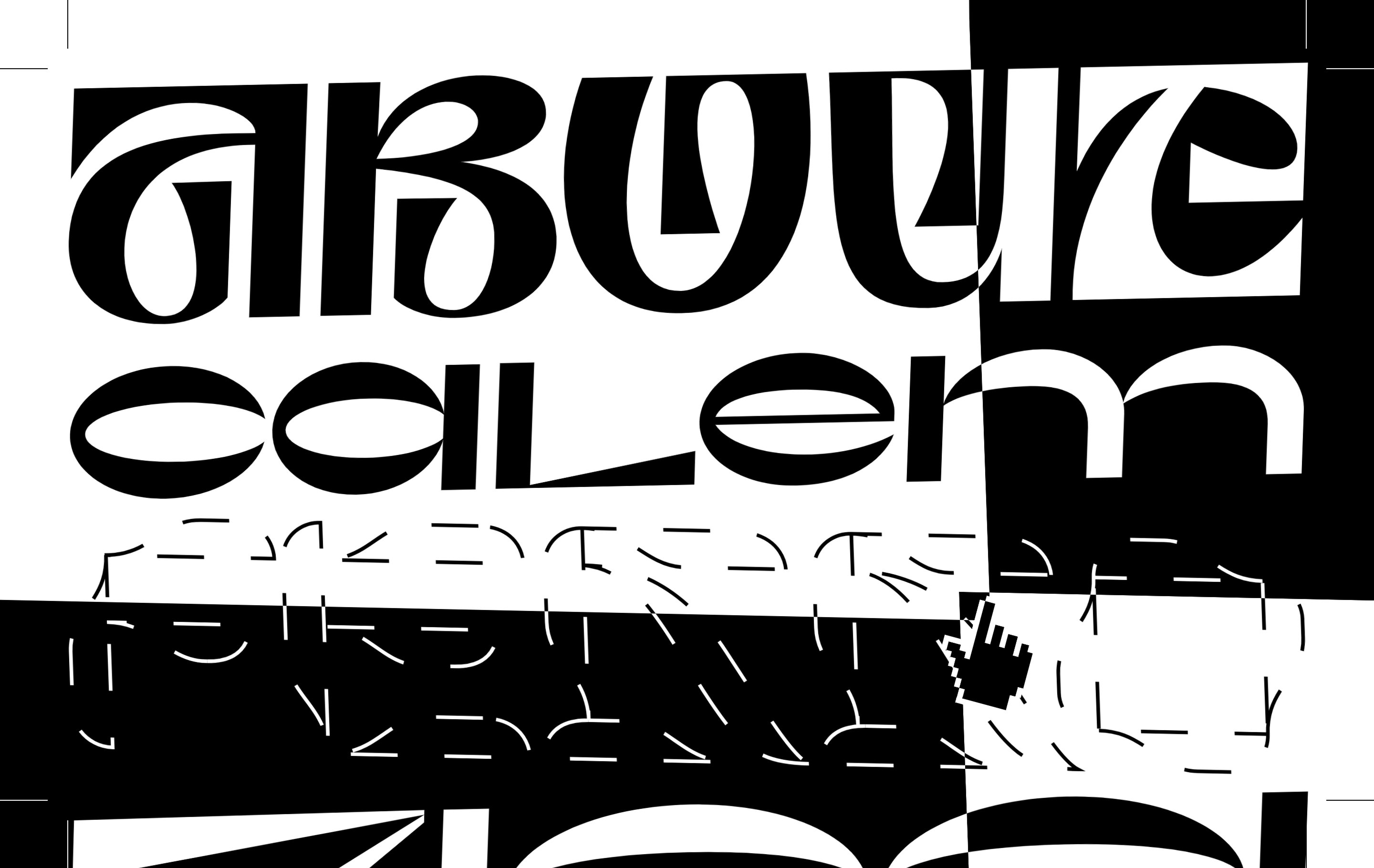
Neo-brutalism (or“anti-design”) embraces raw, unpolished visuals that stand out in a sea of sleek, minimalist templates.
This style challenges norms and creates a sense of urgency or irreverence—perfect for brands that want to provoke, surprise, or break away from convention. You’ll see it in edgy fashion brands, experimental agencies, and creative portfolios.
Brands like Balenciaga, Diesel, and Mailchimp have used anti-design principles to stand out and create memorable websites.
With Figma, you can easily test unconventional layouts and bold compositions without breaking your design system. It’s a powerful playground for unexpected visuals
Trend 13: Sustainable Web design

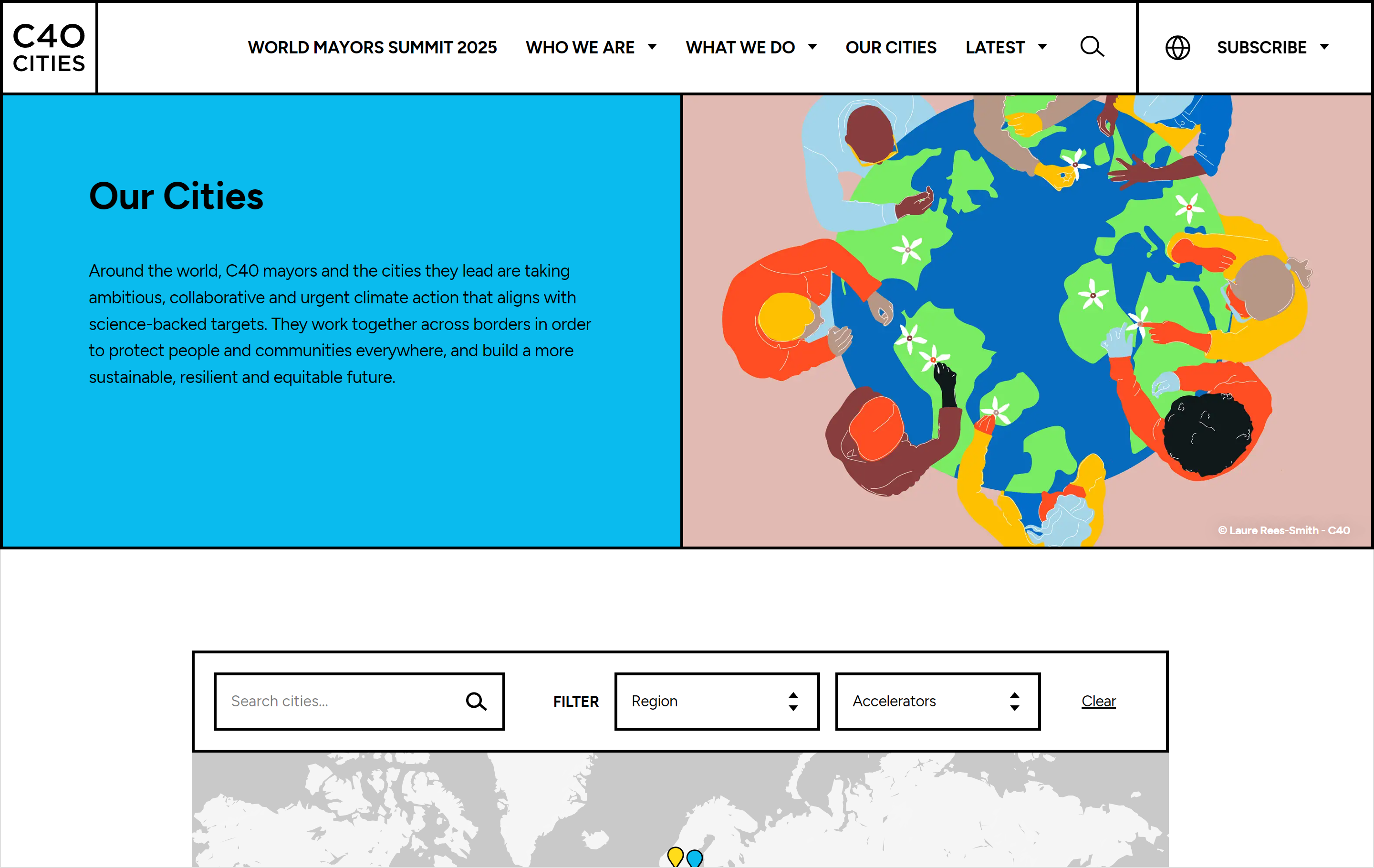
Sustainability is central to Web design trends in 2026 and shaping how sites are built. Leaner code, optimized images, and low-impact hosting help reduce the carbon footprint of digital products.
Designers are also prioritizing accessibility and inclusion: high contrast color palettes, screen reader support, voice navigation, and keyboard-only flows are becoming standard. Intentionally avoiding “dark patterns” (deceptive UX tricks) is also part of ethical, sustainable design.
Designers and developers can use Figma collaborate on efficient site flows, test accessibility, and reduce visual clutter without compromising impact.
AI Web design trends
AI is shaking up Web design, making sites smarter and more personalized. With tools like Figma Make, AI in 2026 is about smarter, more intuitive digital products. Here’s how it’s showing up:
AI trend 1: Chatbots

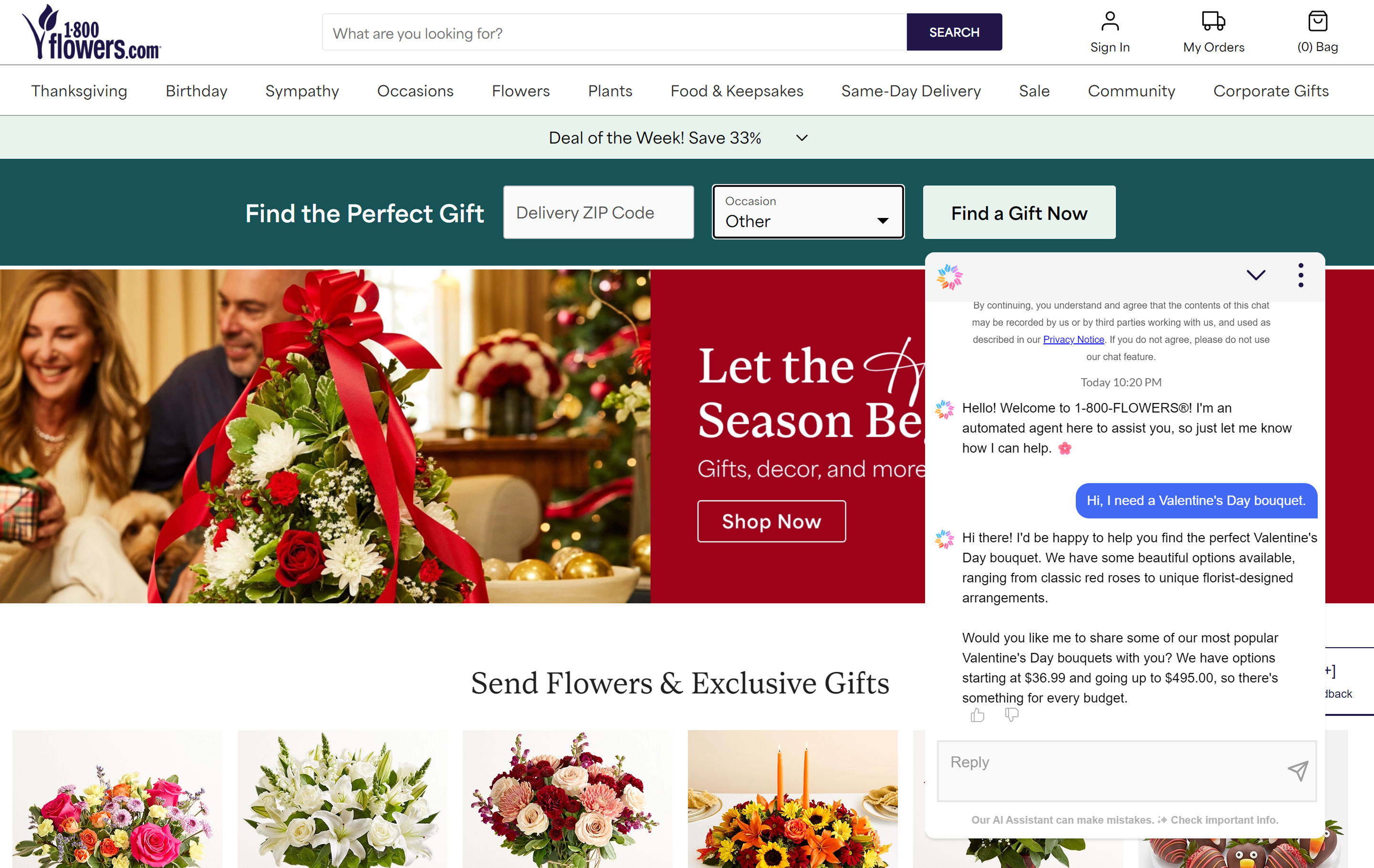
Today’s AI chatbots are proactive, conversational, and often agentic—capable of handling multi-step tasks and anticipating user needs. According to Figma’s 2025 AI report, 51% of Figma users working on AI products are building agents, compared to just 21% last year.
AI trend 2: Voice-activated interfaces
Voice navigation is getting more advanced and more common, paving the way for more accessibility, hands-free navigation, and personalized help. It now goes beyond search, letting you control site features, talk to helpful chatbots, or browse menus naturally.
Besides Amazon and Google, brands leveraging voice navigation for shopping and site features include Walmart, Domino’s, Nike, ASOS, H&M, and Sephora.
AI trend 3: Progressive lead nurturing
Smarter forms now learn about your visitors over time. Instead of overwhelming users, AI tailors form questions, follow-ups, and product recommendations based on each interaction.
Evolve and adapt to the latest Web design trends
With Figma Sites, you’ll get all the tools and templates you need to experiment with the latest innovations in Web design and development.
Why follow website design trends?
Staying up to date with Web design statistics and trends helps you:
- Improve site usability and accessibility
- Stand out against competition
- Keep your site feeling fresh and relevant for users
- Ensure compatibility with new devices, standards, and user habits
- Encourage experimentation, collaboration, and continuous learning across teams
Web design trends FAQ
Keep reading for answers to frequently asked questions about the latest website design trends.
How can I incorporate AI into my Web design process?
Using AI in Web design is simpler than you think. User-friendly tools like Figma Make let you test smart layouts, interactive agents, and AI-driven experiences before launch. You can also try prototyping chatbot flows, personalising user journeys, or automating repetitive tasks for faster site creation. According to Figma's State of the Designer 2026 report, 72% of designers now use generative AI in their workflows—and 91% say it improves the quality of their outputs, not just their speed. Figma's Shortcut blog provides actionable strategies for implementing AI into your workflows as well as diverse viewpoints on how AI tooling is shaping modern digital products.
What Web design trends improve user experience the most?
Accessible navigation, immersive 3D elements, and vibrant color palettes all make sites easier and more fun to use. Trends like sustainable design and thoughtful motion also help users feel comfortable and confident while using your site, contributing to a smoother user experience.
How do I decide which Web design trends are right for my project?
Start by thinking about your audience, goals, and brand values. Do you want a playful, bold look or a minimalist, calming vibe? Are you going for a full rebrand or just tweaking a few cosmetic features? Use Figma to test ideas, share with your team, and refine based on feedback before committing.
What role does sustainability play in modern Web design?
Sustainable design reduces digital waste, speeds up site load times, and makes sites more accessible for everyone.
From energy-efficient hosting to image optimization and inclusive features, thoughtful design choices create a better experience for users and the planet.
What are the top Web design trends to watch in 2026?
Expect immersive 3D, experimental navigation, AI-driven experiences, and vibrant maximalist layouts to take center stage this year. And as always, sustainable and accessible practices are must-haves, not just nice-to-haves.
How are designers feeling about all these changes in 2026?
Cautiously optimistic. Figma's State of the Designer 2026 report—based on a survey of 906 designers across five global regions—found that 36% say the profession is getting better, and designers who are increasing their AI usage are 25% more likely to report growing job satisfaction. The designers thriving in 2026 are those treating change as creative momentum: using AI to explore more directions faster, while keeping craft, judgment, and creative freedom at the centre of their process.
Bring your favorite Web design trends to life with Figma
Designing for the Web means keeping up with change—and knowing which trends are worth leaning into. Whether you’re building a brand from scratch or evolving an existing one, Figma helps you turn ideas into interactive experiences that reflect what’s next.
Here’s how Figma supports your workflow:
- Map out user journeys and site flows with FigJam templates.
- Enter prompts and try out AI-assisted interactive prototyping in Figma Make to swiftly design a functional prototype.
Launch your next website through Figma Sites, complete with its own CMS plus responsive components and preset interactions like marquee scrolling, custom cursors, and hover effects.
Try out the latest Web design trends
Explore user-friendly tools to refresh your Web presence and build more intuitive experiences.

What is Web design and development?
Learn the key differences between Web design and development and their roles in creating stunning and functional websites.

Mobile website design: 10 inspiring examples + best practices
From bold CTAs to clean UI, these 10 mobile website design examples and best practices will help you design for smaller screens with confidence.
Build faster with Figma AI