21 Instagram story ideas + templates to inspire your next post
Share 21 Instagram story ideas + templates to inspire your next post
Explore more from
Design basics
From wireframe to website, faster
Design, prototype, and refine every page.


Instagram Stories are micro-moments that can add up to create a larger narrative your audience wants to keep tuning in to. This popular social media feature is a space for you to test ideas, connect with your followers, and build brand identity.
But coming up with fresh Instagram story ideas can feel like a full-time job. You’ve got just a few seconds to make someone stop tapping, but how do you keep people engaged day after day? Fortunately, stylish templates can help you turn passive IG story views into engagement and conversions.
Read on to explore:
- 21 creative Instagram story ideas and customizable templates
- Best practices and tips for creating Insta stories
Idea 1: Birthday invitation story

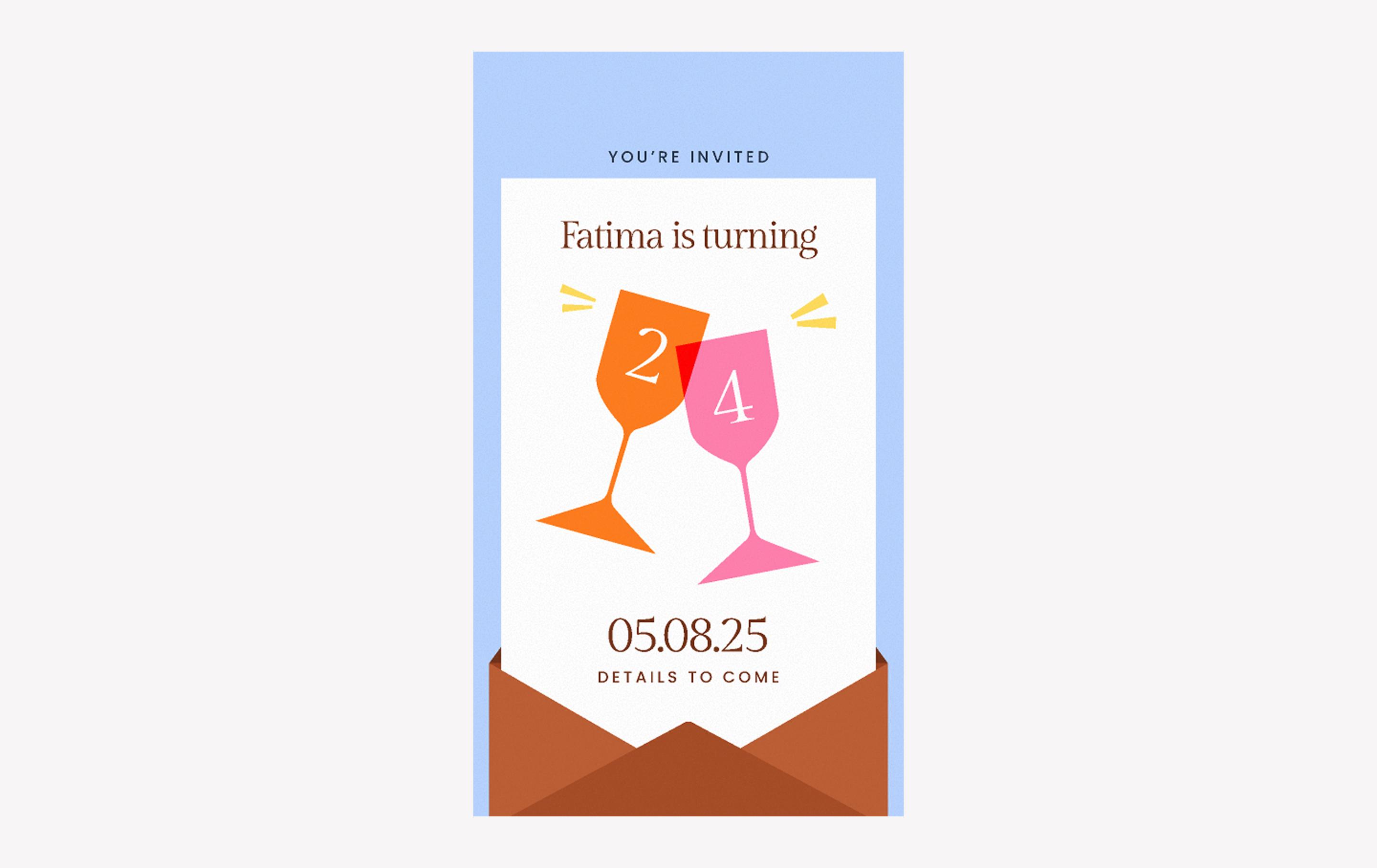
When to use: Promoting a public event or inviting your “close friends” list to a private event like a birthday party
Throwing a party or hosting an event? The bright, bold shapes and envelope-style design in this template practically shout RSVP. The Poppins and Gilda Display font pairing makes names, dates, and details crystal clear.
Make it yours: Add the date of your event and the name of the person you’re celebrating. Swap the background color to match your theme—pink for brunch, navy for an evening dinner, gold if you’re going glam.
Idea 2: Ask me anything story

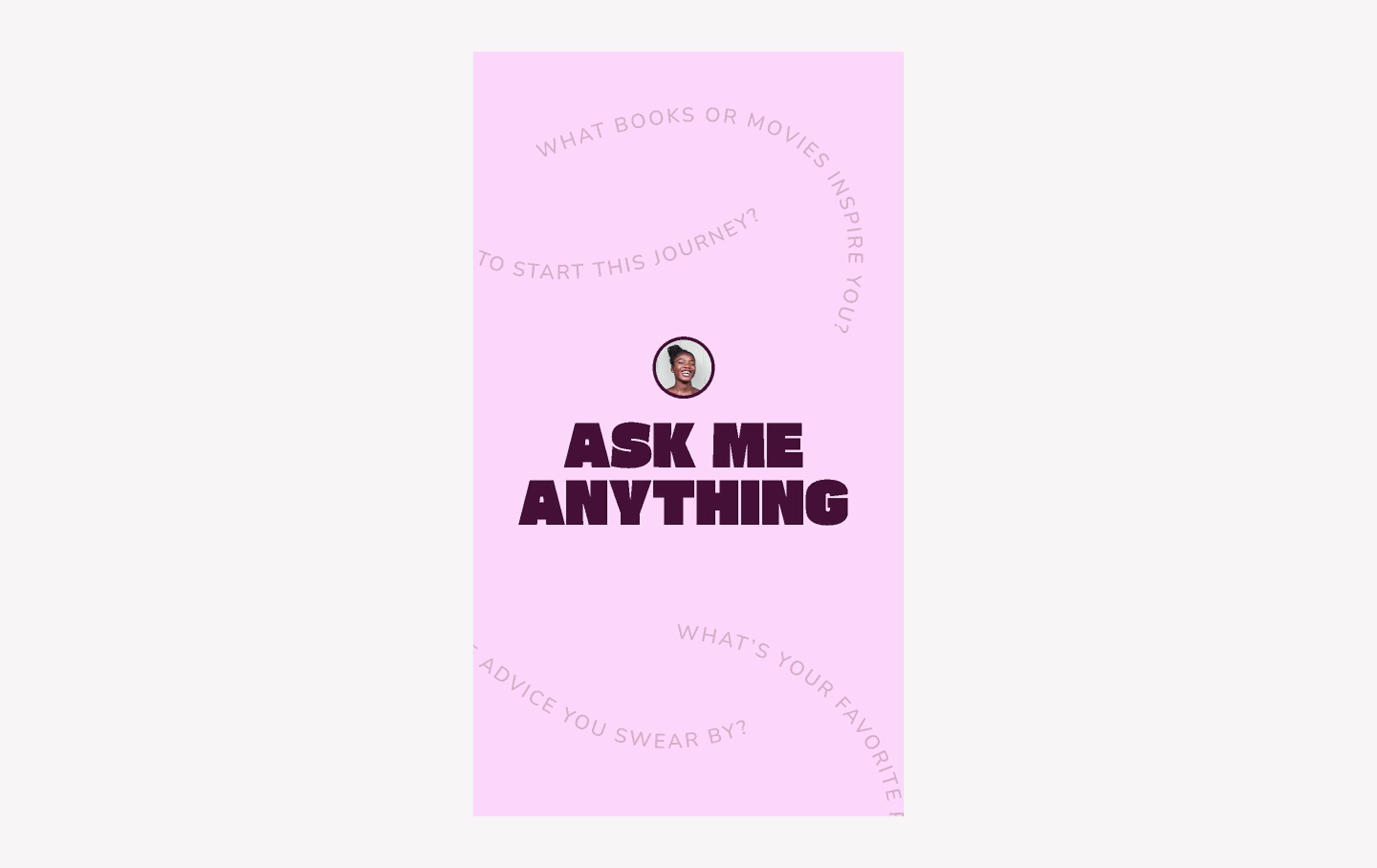
When to use: Promoting or announcing a Q&A session
An “Ask me anything” story is one of the fastest ways to connect with Instagram followers. This template puts the bold Gasoek One call to action front and center, while curved questions in the background keep it playful.
Make it yours: Swap in your photo and colors of choice. Use Instagram’s built-in questions sticker so fans can type right in. Change the background color every time you run an AMA to keep it interesting.
Idea 3: Webinar promo story

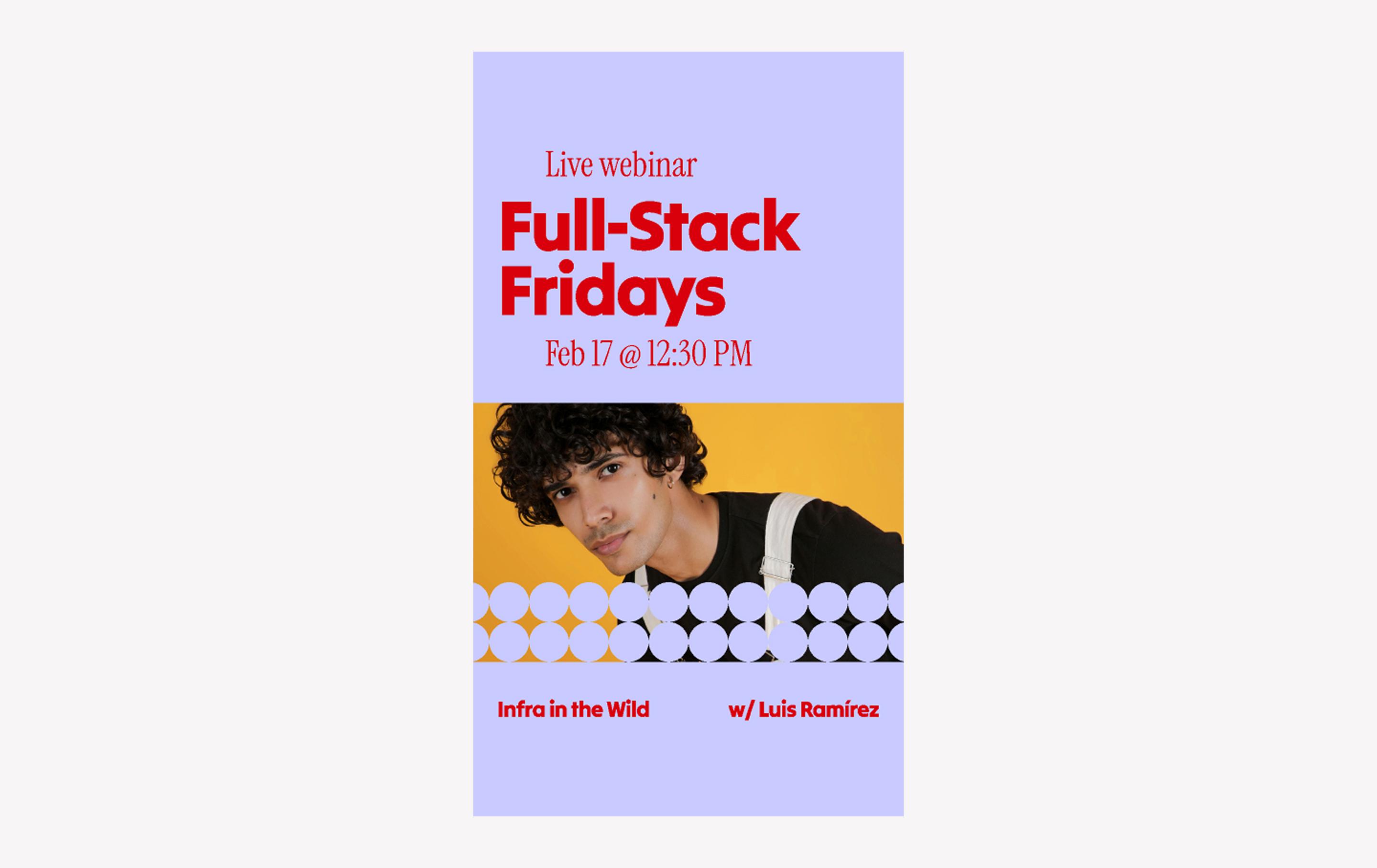
When to use: Promoting or announcing a webinar series or other livestream
If you need to spread the word about a webinar series or streaming event, the bright colors and bold Tilt Warp font in this template will grab attention. This layout guides the viewer’s gaze from the event title down through the details to a decorative image, where the circular cutouts evoke LED stadium lights.
Make it yours: Update the time, date, and other event details. Add a landscape image showcasing the speakers or the subject of your webinar.
Idea 4: Floral event story

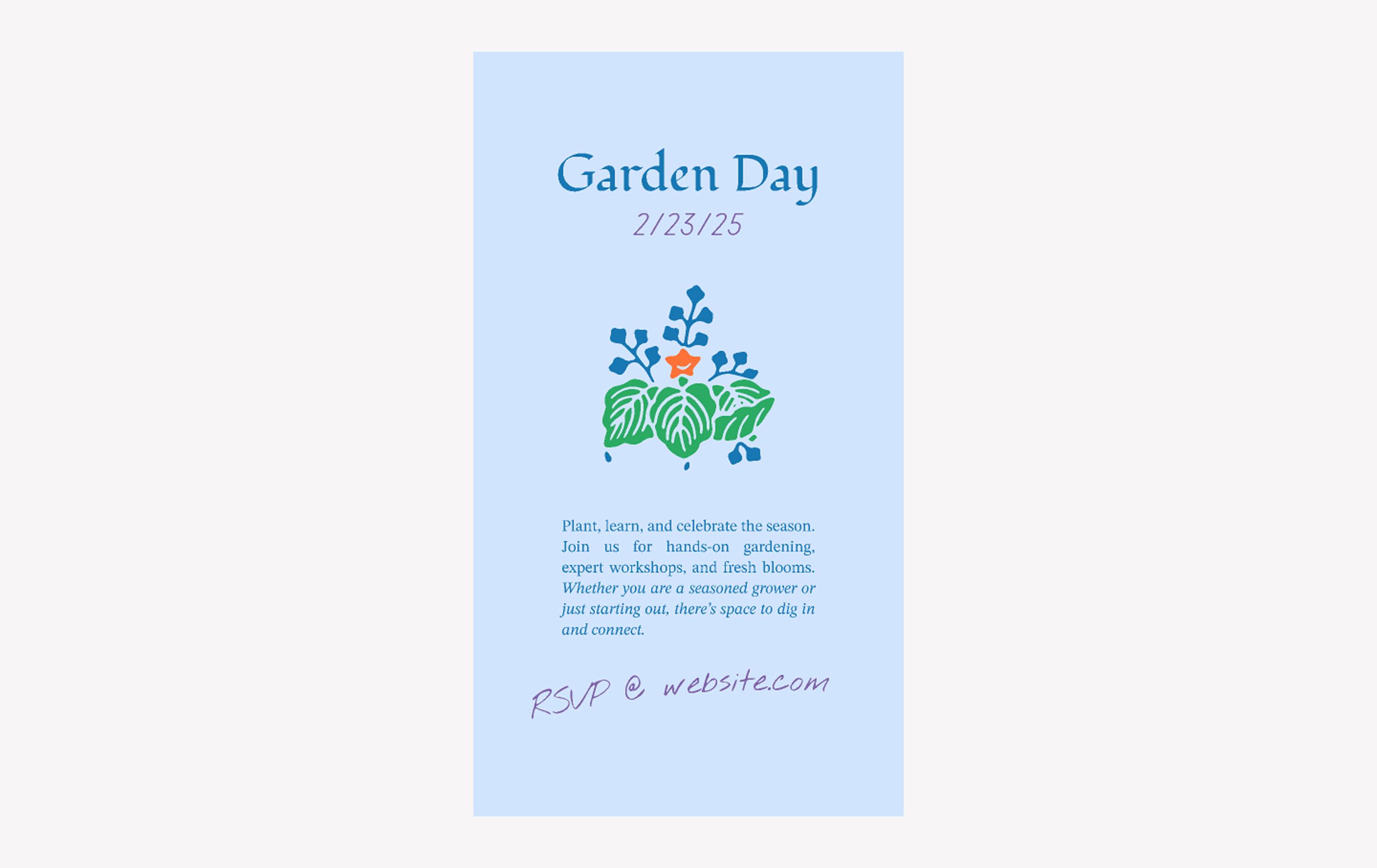
When to use: Promoting a workshop, class, or similar community event
Need an Instagram story idea for a workshop or class you want to share with your community? This template keeps things light with simple floral shapes and a calm color scheme. Charming typography like the handwritten Nothing You Could Do font adds a layer of warm whimsy to this design.
Make it yours: Write a short description of your event so attendees know what to expect. Remember to add the date, time, and instructions on how to sign up or RSVP.
Idea 5: Happy hour story

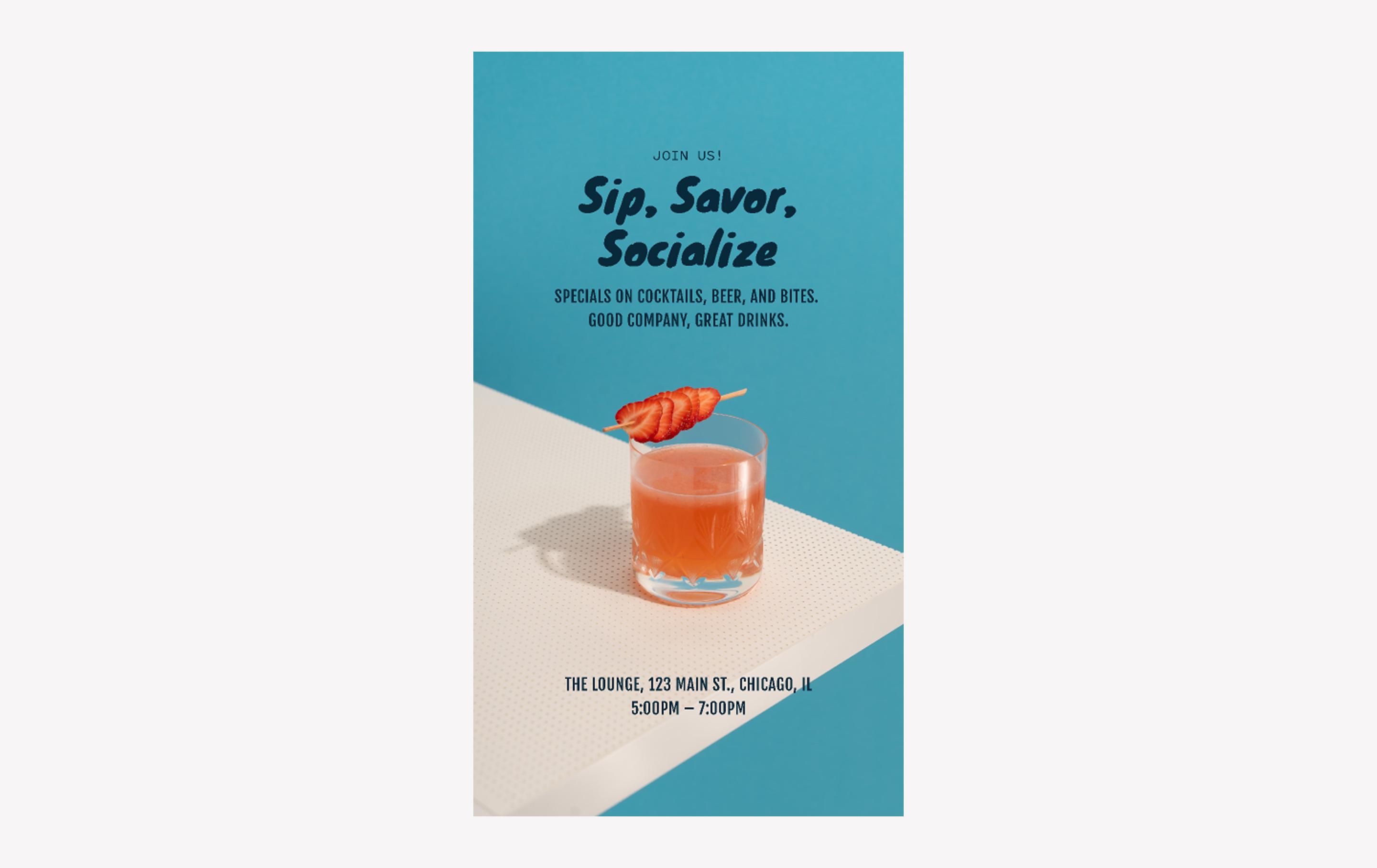
When to use: Promoting a restaurant, bar, or nightclub happy hour
Bars and restaurants always need fresh ways to tempt people in. This template pairs a cocktail photo with bold blue-and-orange complementary colors for a polished look. Mixing fonts adds another element of visual interest.
Make it yours: List your specials and timing. Showcase your best drink or appetizer photo to draw eyes immediately. If you run themed nights, swap background colors to match.
Idea 6: Hiring announcement story

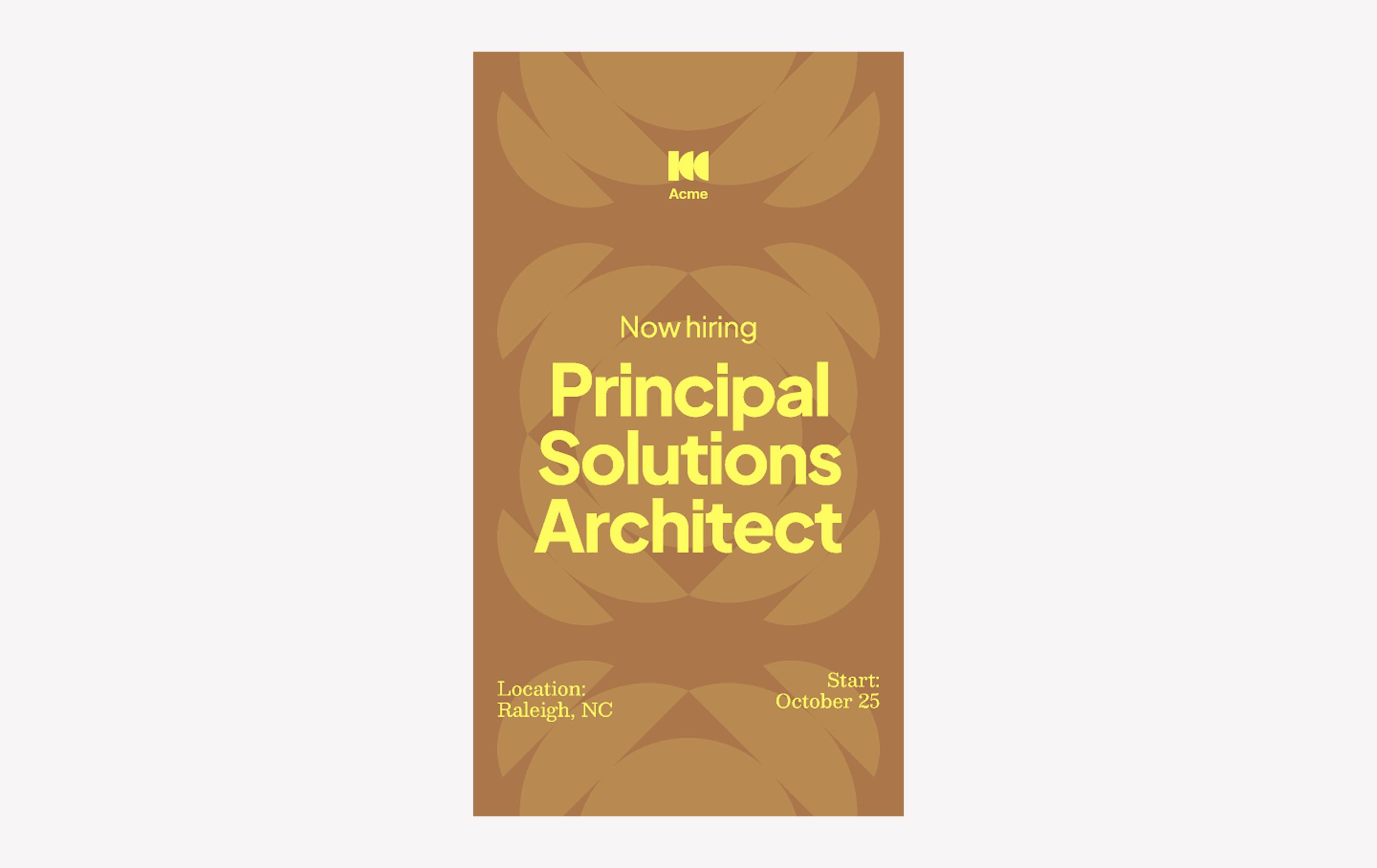
When to use: Announcing open positions to candidates and encouraging referrals
If you need to spread the word about a new job opening, an Instagram story is a great way to attract applicants. The elegant, petal-like semicircle shapes in the background of this template add visual interest without overwhelming your key information. In addition, the central Plus Jakarta Sans font is big and bold yet simple and legible.
Make it yours: Add your logo, location, and job details. You might also swap the yellow for your brand color to make it unmistakably yours.
Idea 7: Save the date story

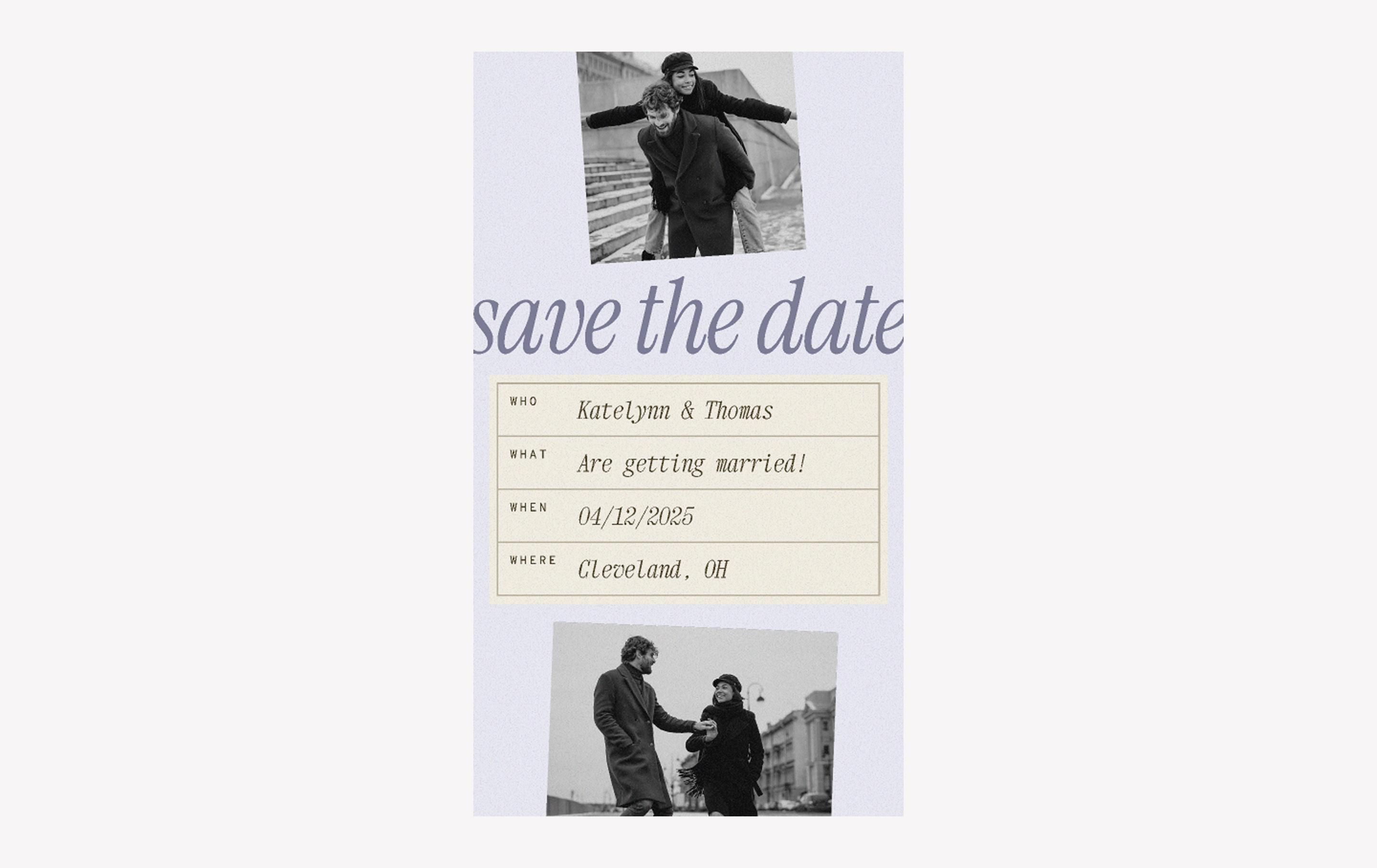
When to use: Sharing an electronic wedding invitation
Digital invites don’t have to be boring. This template pairs a textured backdrop with sleek type, making it an easy fit for weddings or formal events. The subtle background texture and creative contrast of the Overpass Mono and Xanh Mono fonts make this a picture-perfect template for your big day.
Make it yours: Fill in your wedding info in the center. Drop in photos top and bottom, then adjust the colors to match. You could even add a “yes or no” poll to the story to gauge RSVPs.
Looking for more templates?
Explore 60+ Instagram story templates to fit any aesthetic.
Idea 8: Sale promo story

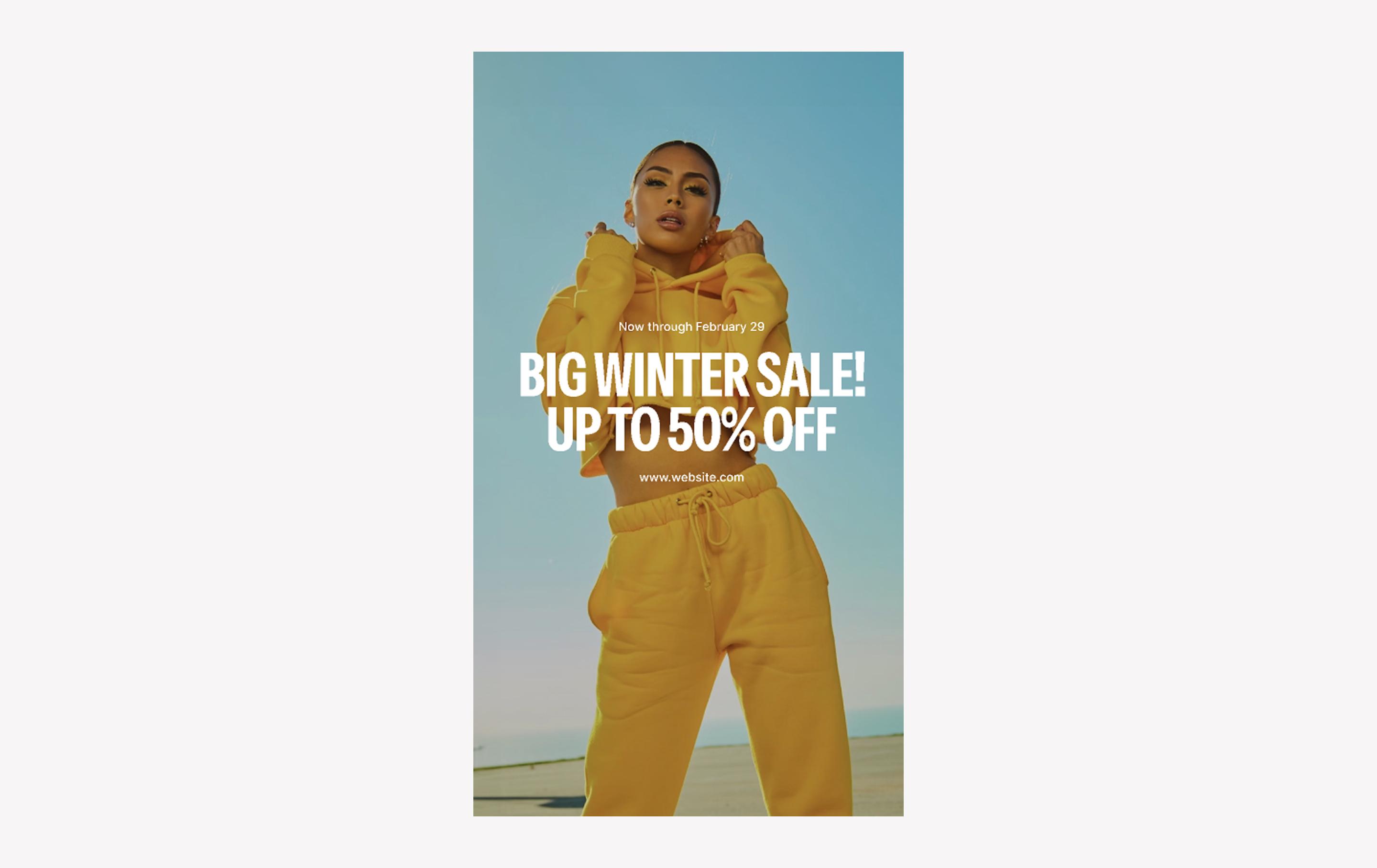
When to use: Announcing sales, seasonal promotions, and other time-sensitive events
Have an eye-catching fashion photo you want to share? The bold energy of this Instagram story template is perfect for fashion brands looking to drive engagement and bring attention to their seasonal sales and promos. Meanwhile, the all-caps Instrument Sans font emphasizes the call to action.
Make it yours: Add your editorial lookbook pictures, sales details/timeframe, and website. Use the “Link” sticker to send shoppers straight to your site—don’t make them hunt.
Idea 9: Adventure hike story

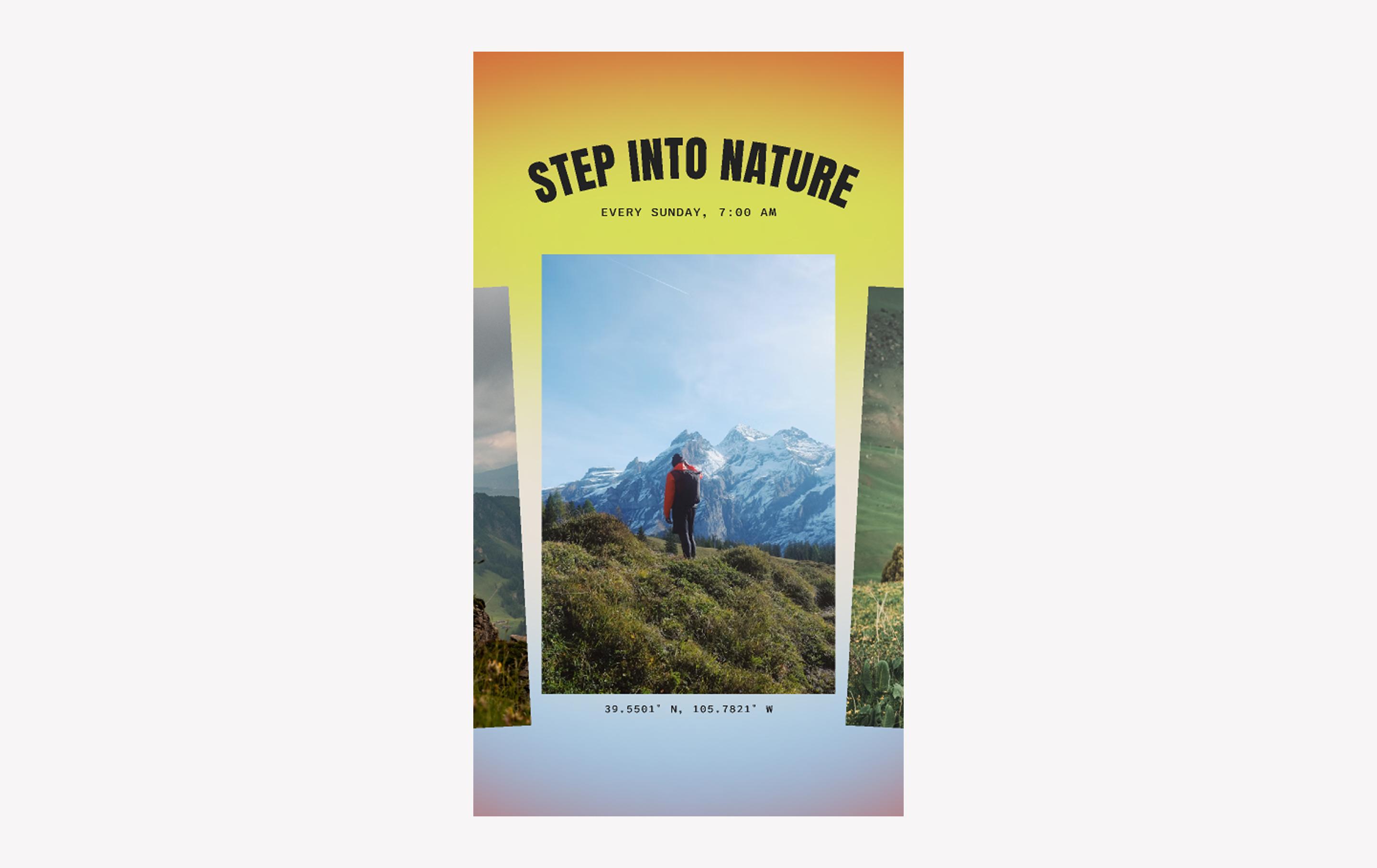
When to use: Promoting outdoor events/retreats or sharing travel photos
Invite viewers to join you on an adventure to the great outdoors with this energetic Instagram story template. The arched typography and gradient background evoke a warm sunrise. Flanking a central photo with cropped versions from the same shoot also helps unify the aesthetic.
Make it yours: Add your own trail photos and a simple call to action.
Idea 10: Product launch story

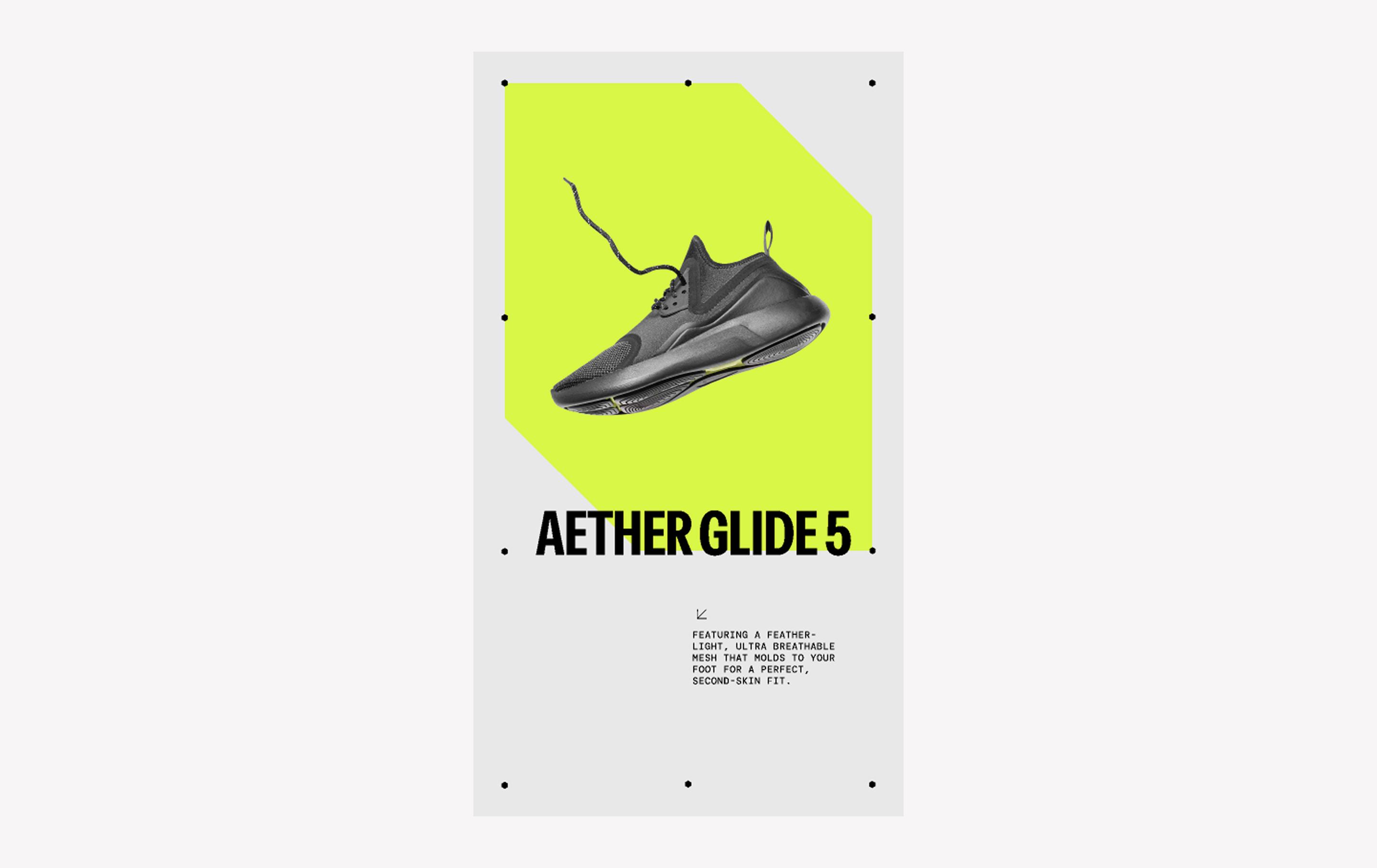
When to use: Announcing a new product launch, colorway, or collaboration
This sleek and simple Instagram story template lets your product speak for itself. The product name stands out front and center, while the smaller DM Mono font and the diagonal lines and arrows add a high-tech feel to this minimal yet futuristic layout.
Make it yours: Drop in a high-res product photo with a transparent background. Add a short description, then use the “Link” sticker so followers can buy without extra clicks.
Idea 11: Promotion announcement story

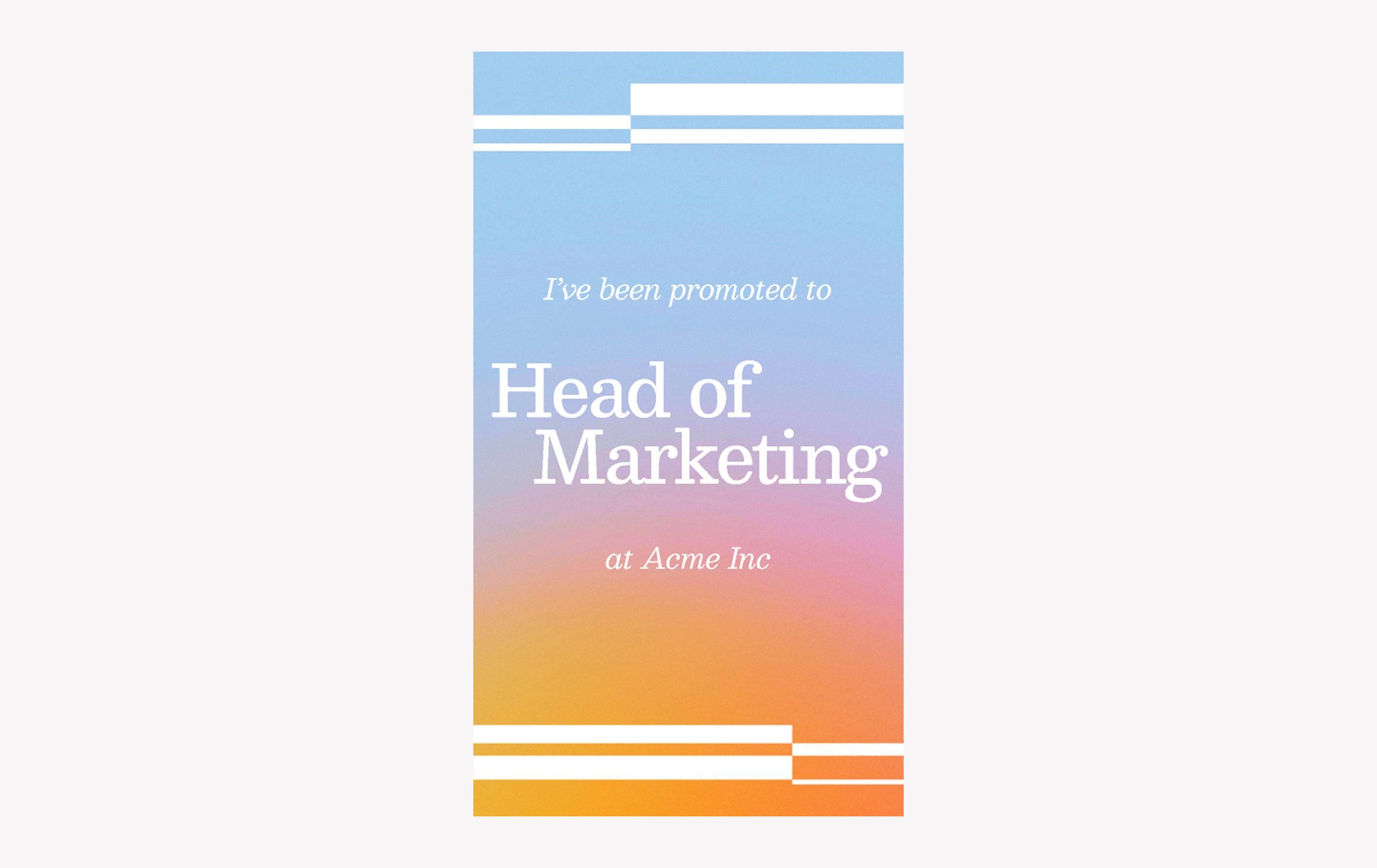
When to use: Announcing a promotion, award, or similar milestone
If you’ve got big news, this gradient Instagram template makes it easy to spotlight a promotion, award, or milestone without overcomplicating things. Design details are kept to a minimum with the simple horizontal lines at the top and bottom, while the Besley font confidently communicates your new job title or other announcement.
Make it yours: Use Instagram’s “emoji slider” sticker story feature to encourage engagement and let your followers celebrate with you.
Idea 12: Book spotlight story

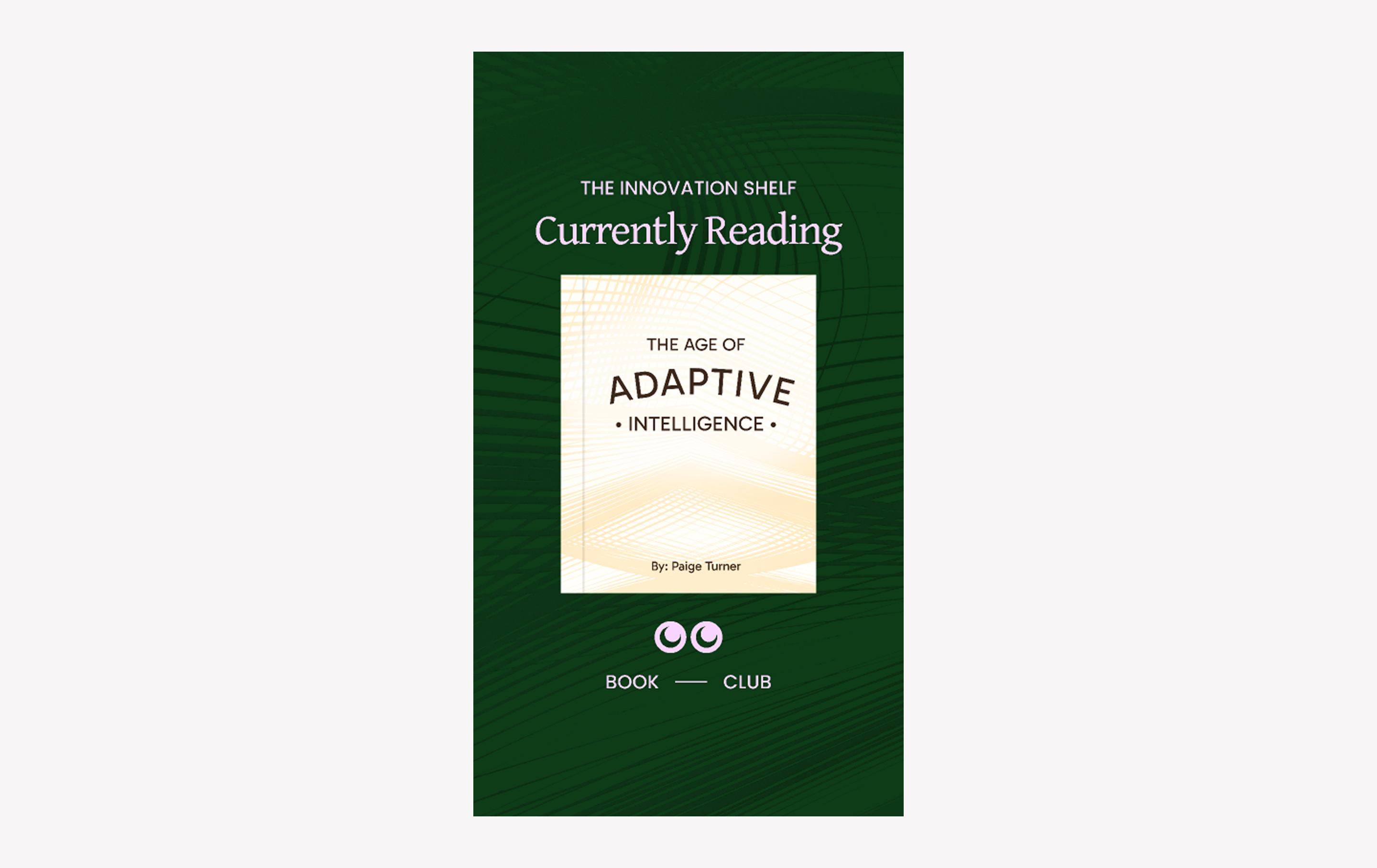
When to use: Sharing a favorite book, website, or movie recommendation with your Instagram followers
From books to movies to beauty products, fans love it when influencers share their top recommendations—and this refined design lets your current favorites shine. It’s also a great fit for corporate teams seeking to share insights, book club meetings, or thought leadership highlights.
Make it yours: Feature a book cover, movie poster, or screenshot in the center. If you’ve got a referral code or affiliate link, add it here so fans can follow through.
Idea 13: Twitter/X screenshot story

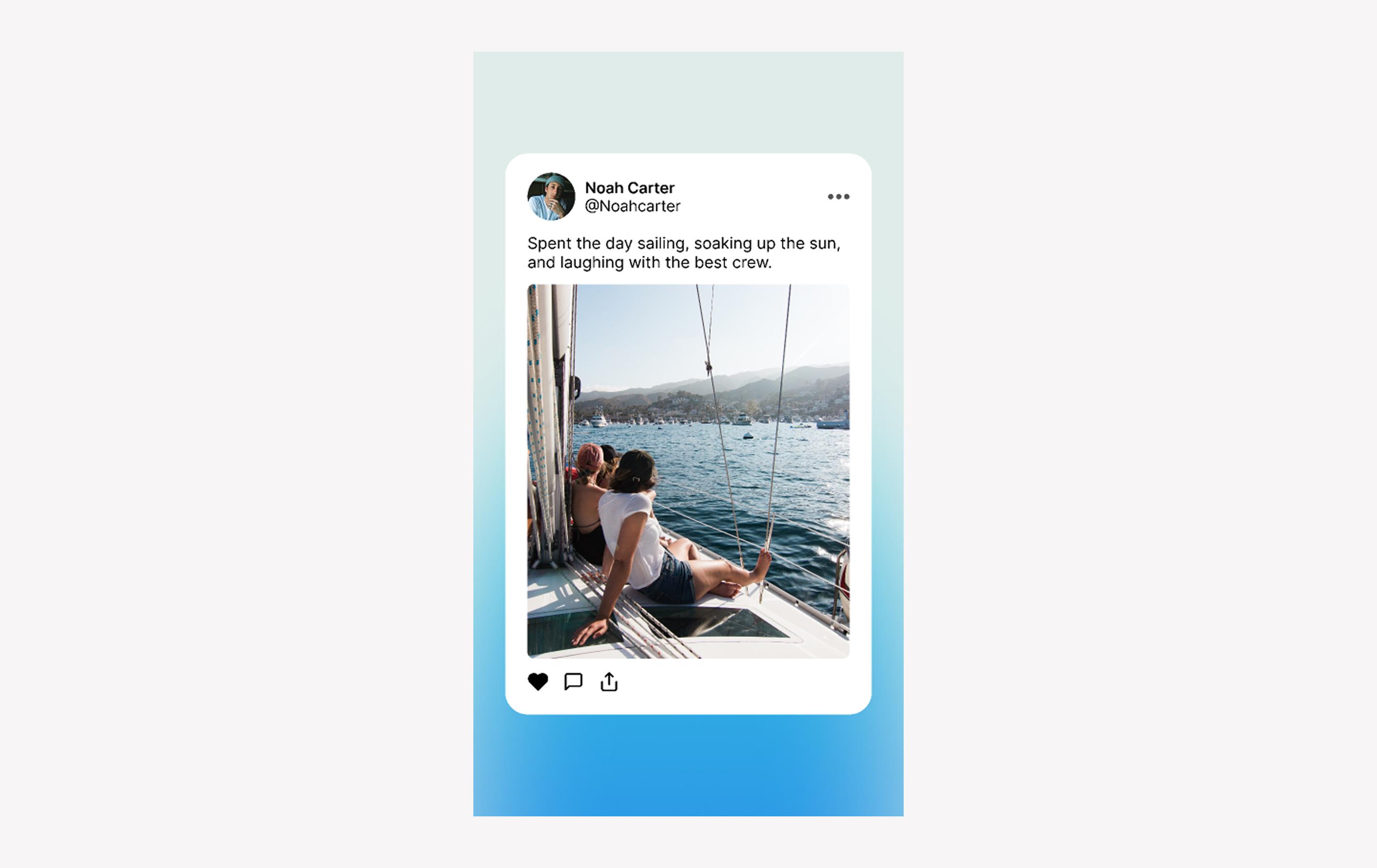
When to use: Sharing an Instagram feed post to your story or sharing a post from a different social media platform
This template was built for tweets-with-photos but works just as well for any cross-post. The soft blue gradient keeps things clean while giving your screenshot a polished frame.
Make it yours: Drop your screenshot in the center and you’re done—a quick way to keep content flowing across platforms.
Idea 14: Live reading story

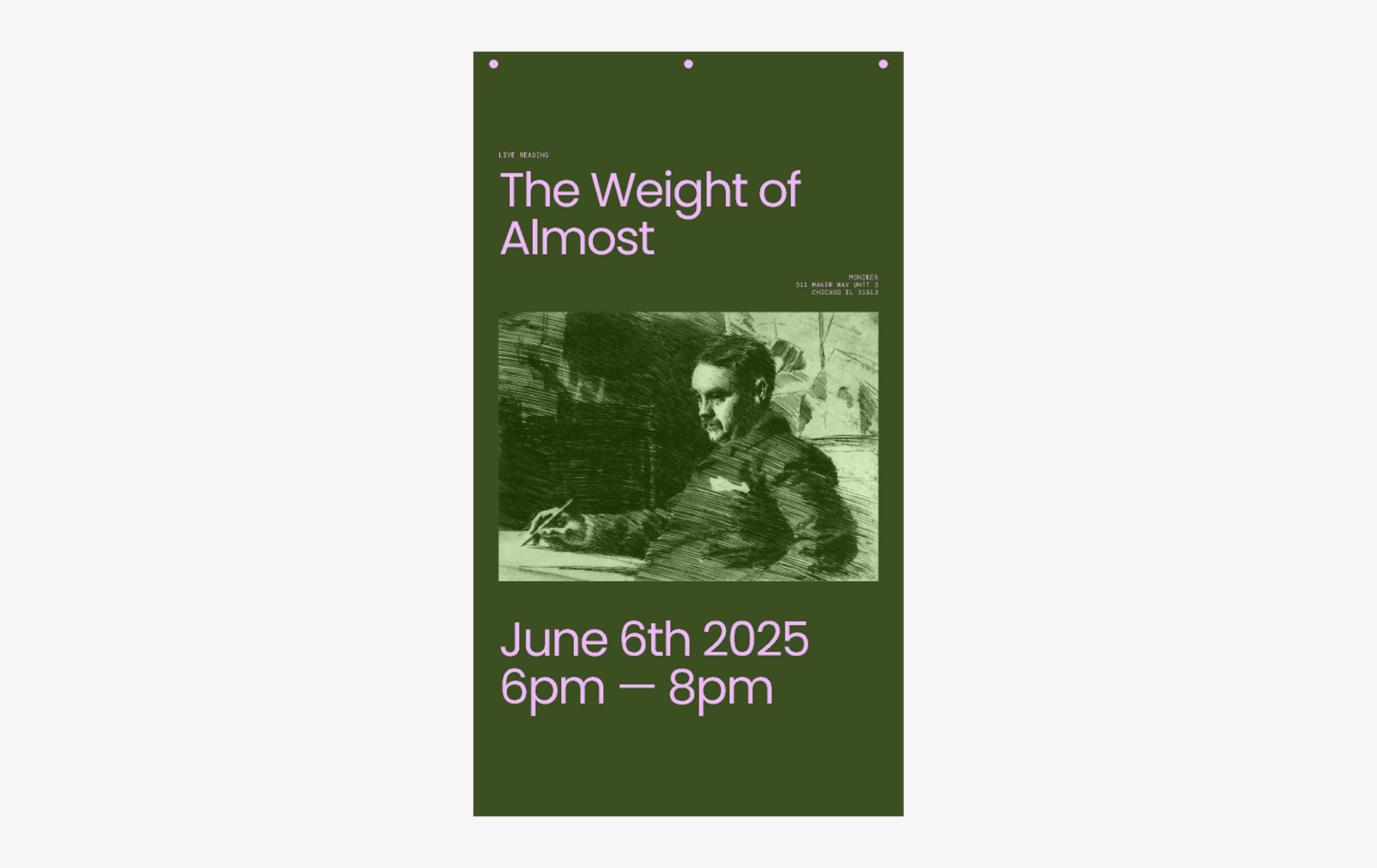
When to use: Promoting a live reading, art show, or similar event
This minimalist template is designed to promote book readings, talks, and other live events. The text-forward layout makes the large Poppins date, time, and title immediately clear, while the notepad-inspired upper decorative elements add a personalized touch.
Make it yours: Add your event details, then a central image. Play with opacity or overlays so the photo blends seamlessly into the background.
Idea 15: Talk announcement story

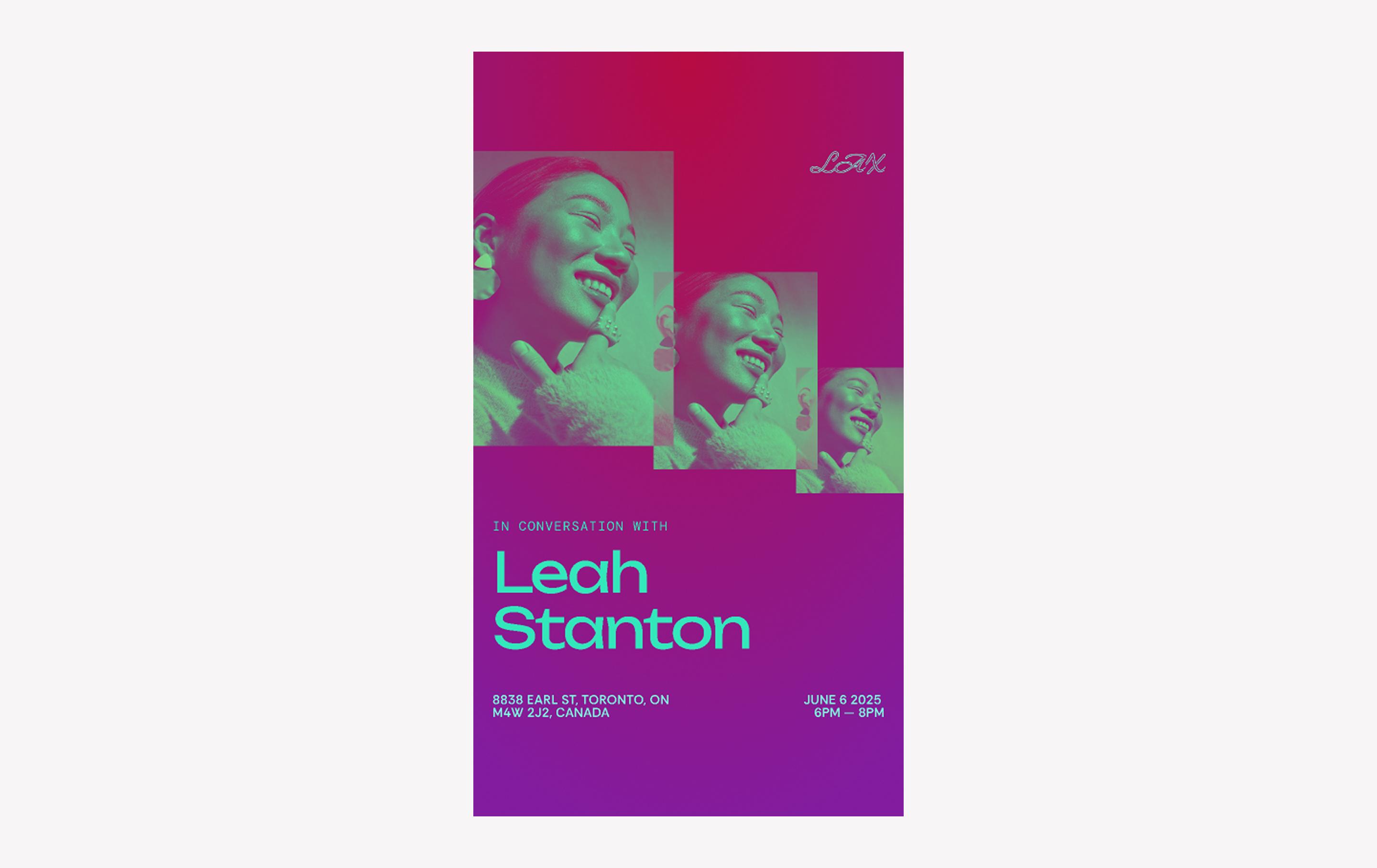
When to use: Promoting a speaking engagement, panel, signing, or similar event
This vibrant template clearly establishes visual hierarchy, guiding the viewer’s eye from the featured photo down to the name and then the smaller details in a zig-zagging path. The speaker’s name is in the enticing Unbounded font while the finer details are in Rethink Sans
Equal parts artsy and edgy, the layered collage-style layout for the photo(s) adds movement and dimension. The high contrast between the text and background also helps ensure legibility.
Make it yours: Add photos into the rectangles and experiment with filters. Adjust colors to match your brand or venue.
Idea 16: NYE party story

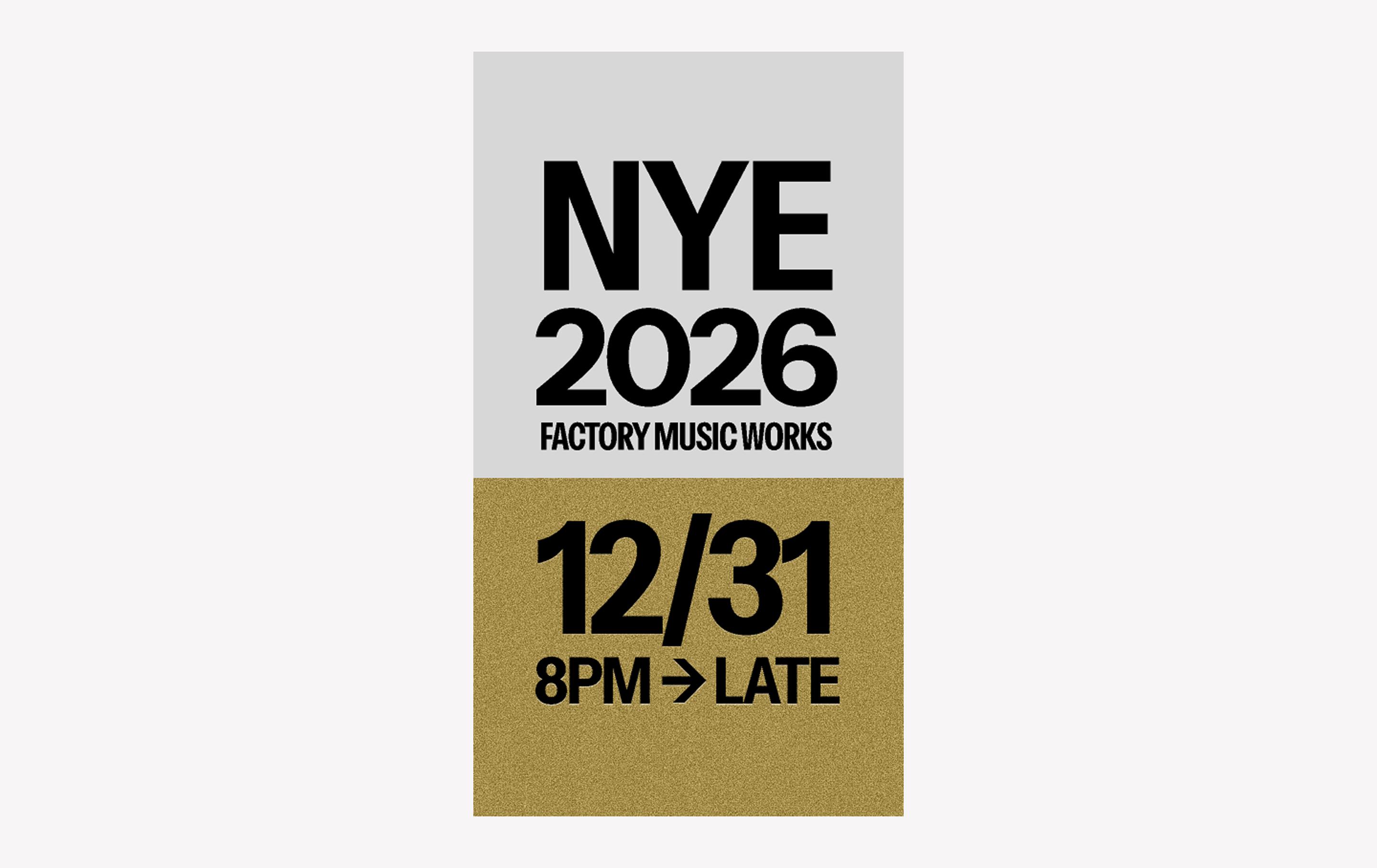
When to use: Promoting a public event or party
When you want maximum impact, this design delivers.. Bold, oversized black type pops against a silver and gold background, with a textured effect on the gold section that mimics glitter.
Make it yours: Add your event’s time, date, and location. Consider abbreviating whatever you can, keeping it short and sweet, so text won’t need to shrink to fit.
Idea 17: Product spotlight story

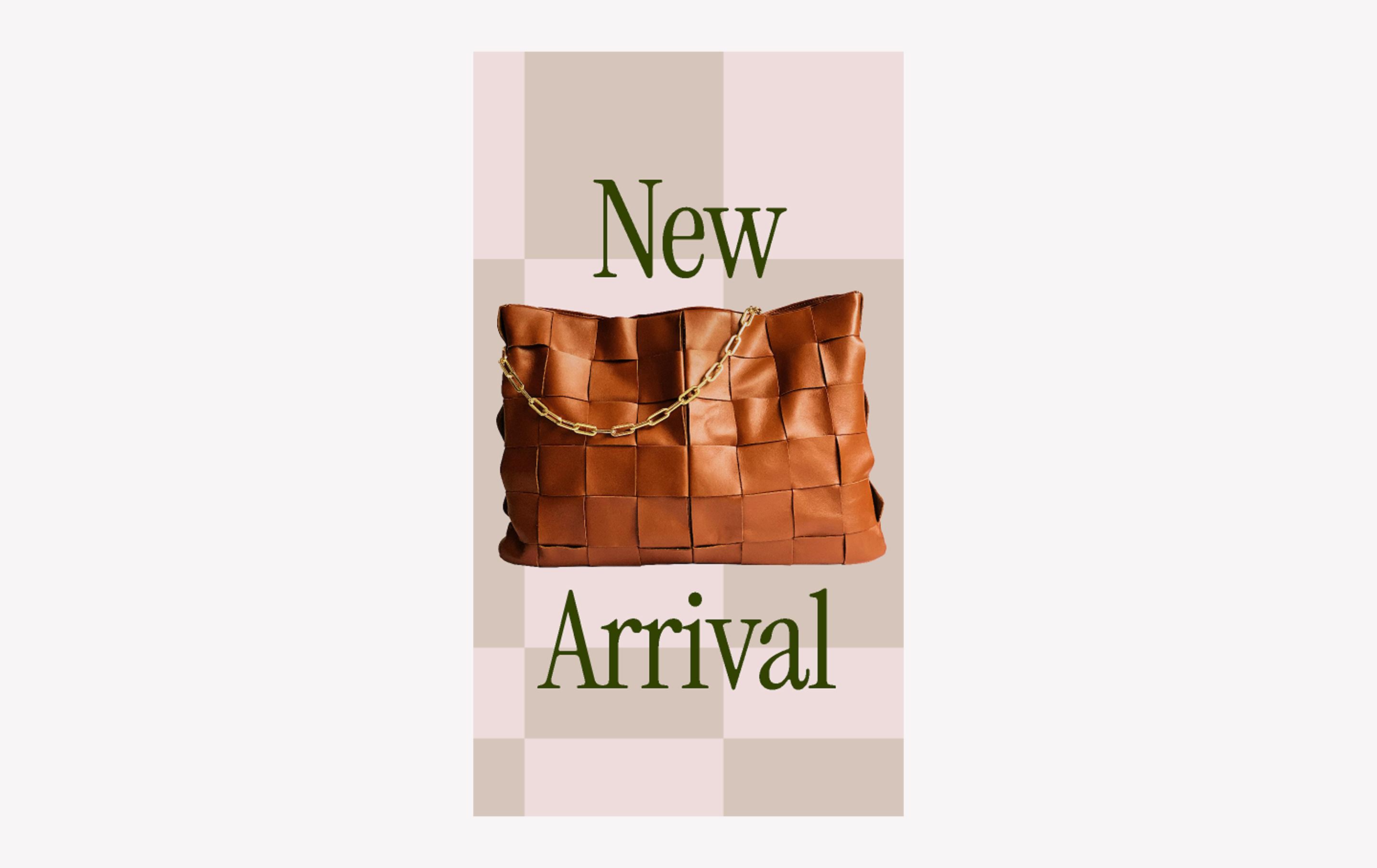
When to use: Announcing a new product line, design, or other offering
If you need Insta story ideas for featuring your newest product, check out this template. A high-quality product photo is placed front and center, confidently showing off your new arrival in a clear, refined layout. The off-center checkered background adds a playful detail to the composition.
Make it yours: Showcase your product with a clean photo. Add a “Link” sticker for quick purchases and switch up the background color to complement the product.
Idea 18: Hand-drawn birthday invitation story

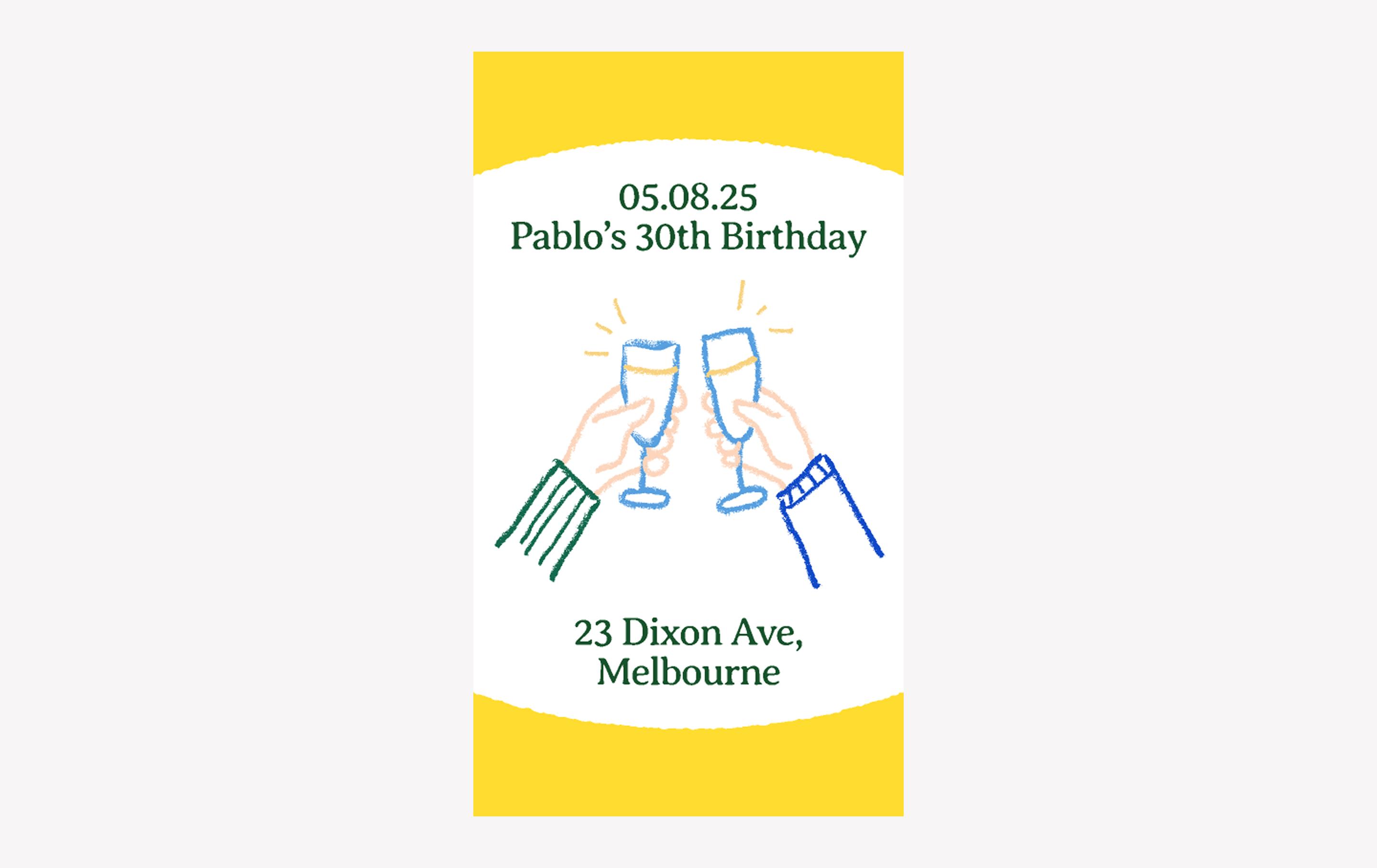
When to use: Promoting a public event or inviting your “close friends” list to a private event
Having a small gathering or casual celebration and want to spread the word on your social media? The simple hand-drawn illustration style, with its crayon-like brushstrokes and curved border, gives this invitation a friendly, down-to-earth vibe.
The bubbly and bright color scheme is a good fit for daytime events but can be easily tweaked for nighttime. (Fun fact: The quirky Averia Serif Libre font was created from averaging all of the fonts on its creator’s computer.)
Make it yours: Add your event info and, if you want, include the theme, dress code, or food you’ll be serving.
Idea 19: Sale tag story

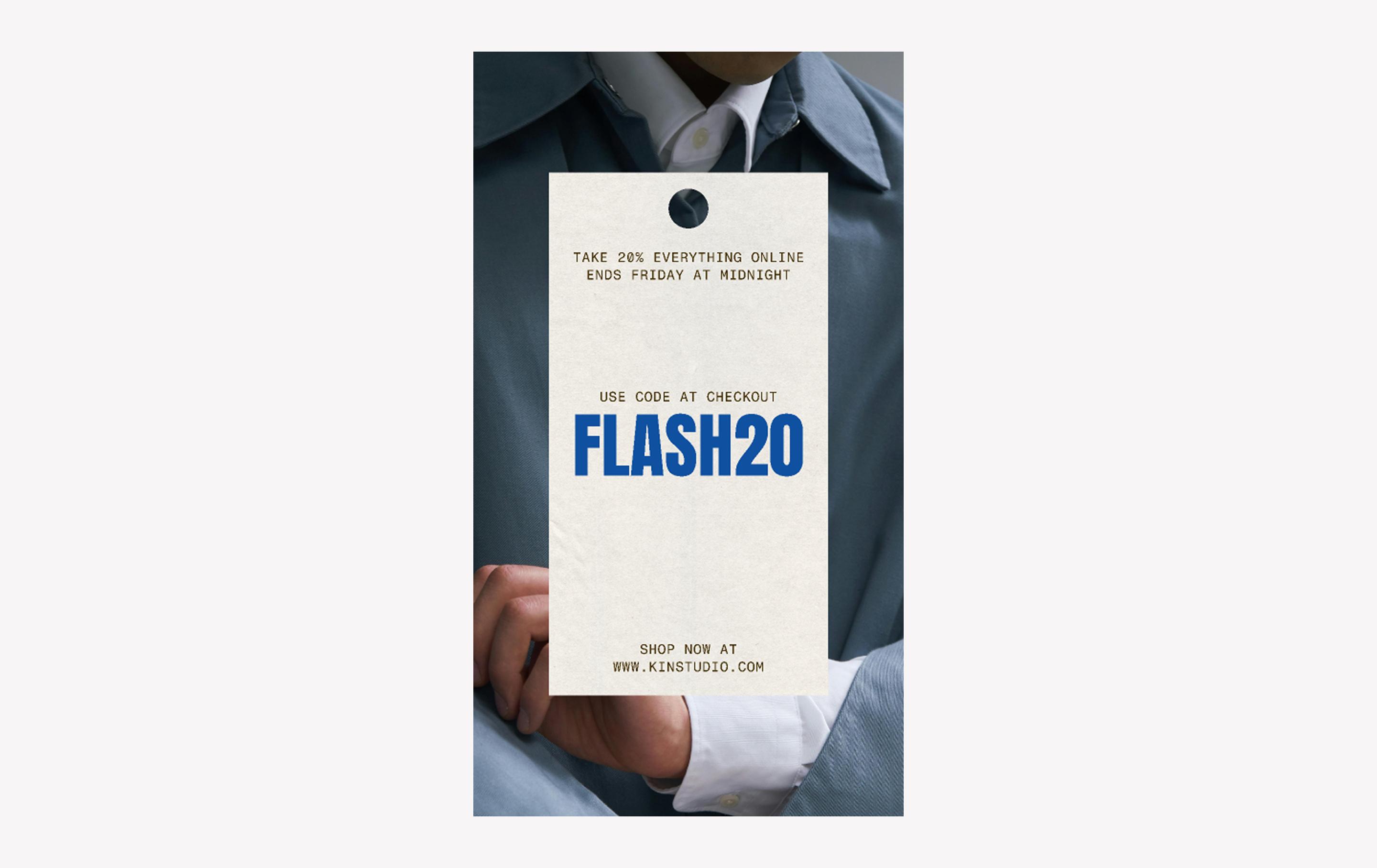
When to use: Announcing sales, seasonal promotions, and other time-sensitive events
Clean and modern, this layout highlights your promo code with a bold font. The paper texture background and circular cutout nod to a classic price tag, tying the look together.
Make it yours: Add your own photo to the border and write your promo code in the central Anton font. Use the Instagram story “Link” sticker/button to direct viewers to the signup page or applicable product category on your website.
Idea 20: Editorial fashion drop story

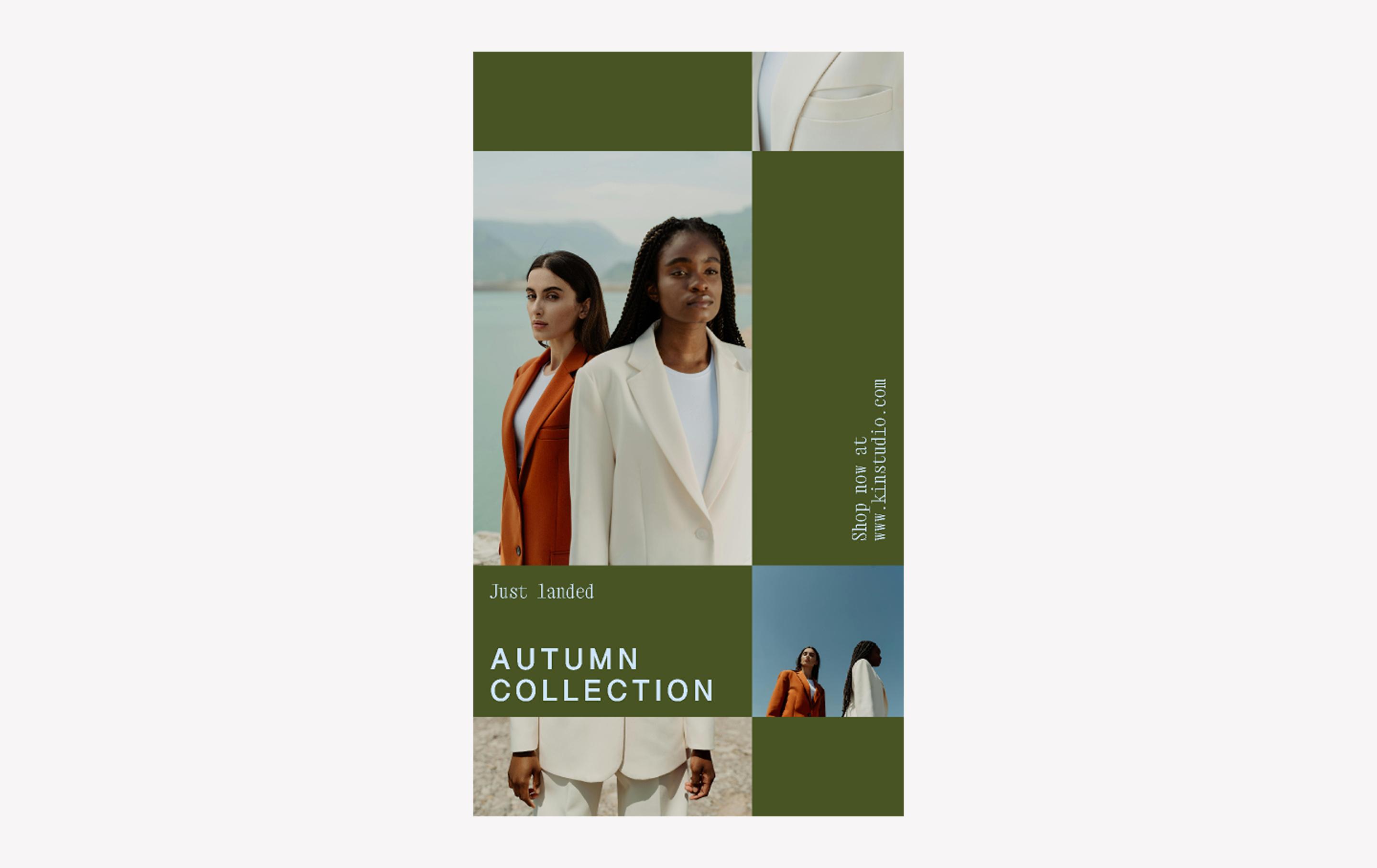
When to use: Promoting product launches, lookbooks, and new drops from fashion designers and similar brands
When the seasons change and your fashion brand needs Instagram story ideas for photos, this template answers the call. The grid layout is a stylish and modern way to balance your text with imagery, while the perpendicular CTA adds a touch of quirkiness and mystery.
Make it yours: Fill the grid with your own photos, then adjust background and text colors to let the imagery shine.
Idea 21: Lookbook story

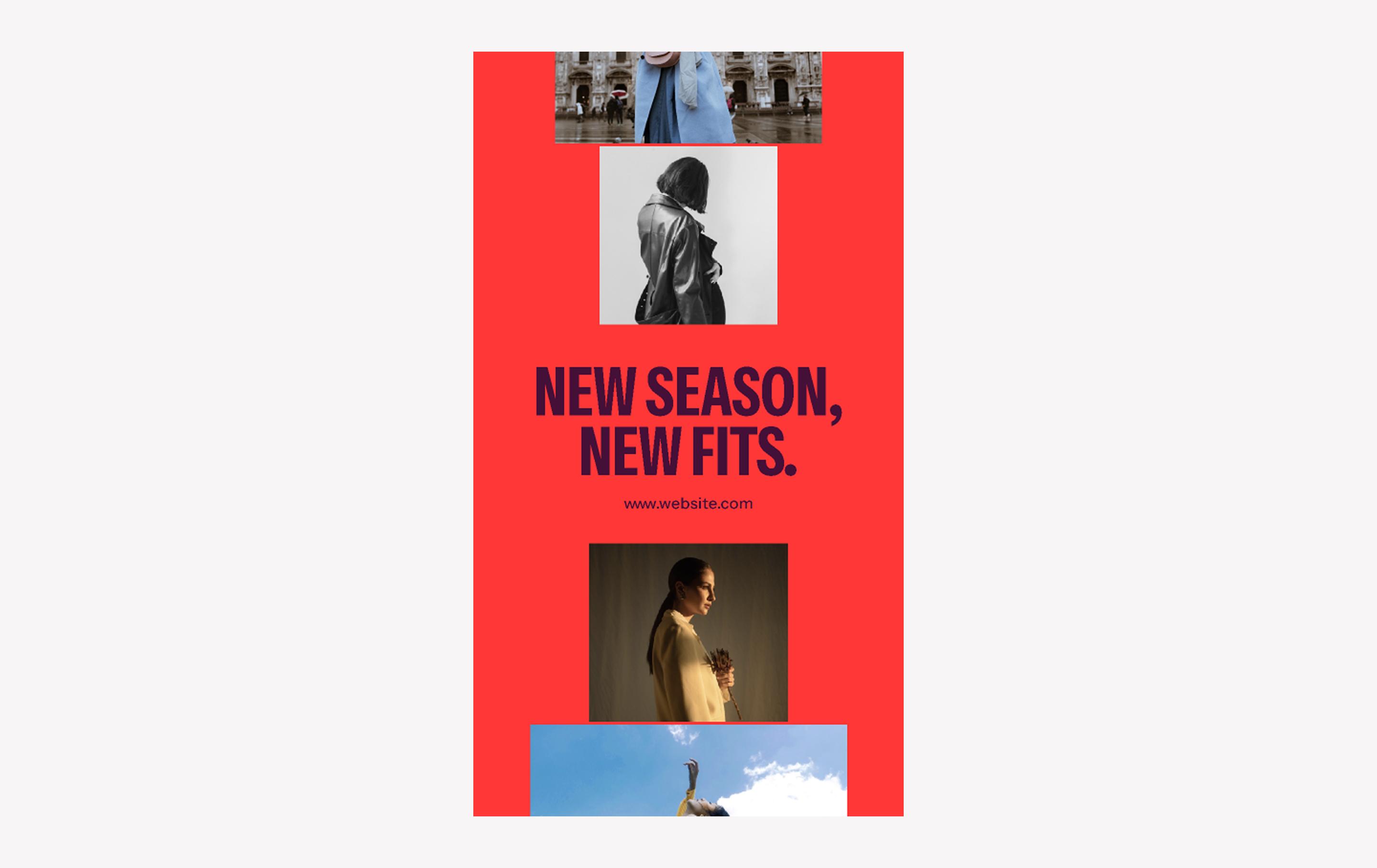
When to use: Promoting product launches, lookbooks, and new drops from fashion designers and similar brands
Make a statement with this striking Instagram story template, perfectly suited for fashion drops and seasonal campaigns. Bold, condensed type in all-caps Instrument Sans commands attention, while the smaller square Instagram photo sizes can easily become repurposed feed posts.
Make it yours: Add your fashion shots, CTA, and URL. Use a “Link” sticker to send followers directly to your campaign landing page.
Best practices for creating Instagram stories

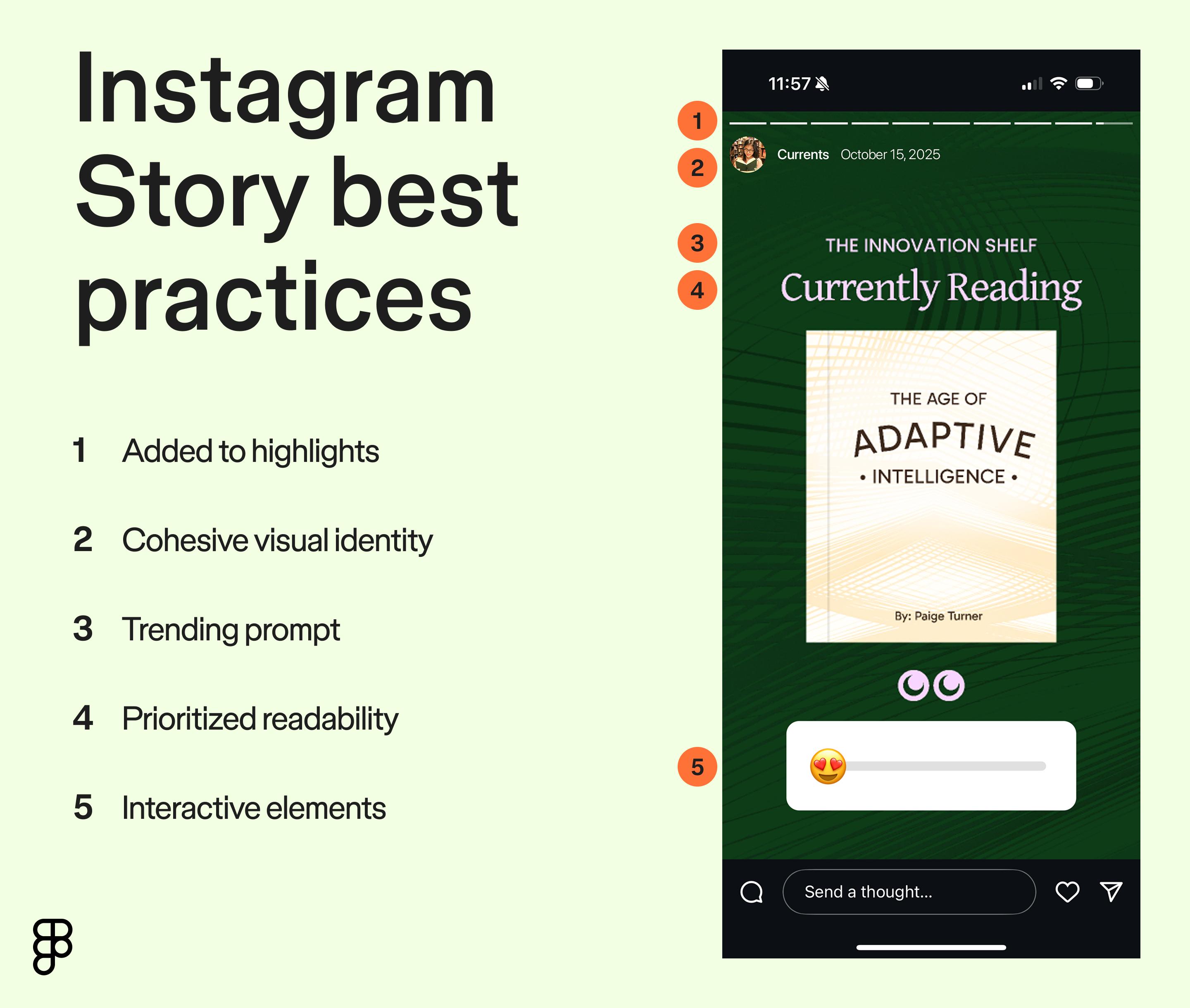
What kinds of things make you pause when you’re tapping through Instagram stories? A bold headline? A clever animation? A provocative poll? There are endless opportunities for creativity, but there are a few best practices to keep in mind while crafting your story.
- Create a cohesive visual identity. Match your IG story ideas to your website design and brand style guide color palettes so they feel instantly recognizable.
- Prioritize readability. Viewers tap through stories quickly, so keep text short and scannable.
- Include interactive elements. Native Instagram story features like polls, questions, prompts, and reaction sliders make stories feel two-way instead of static.
- Watch trends. Use the “Add Yours” stickers and trending hashtags when they fit your content.
- Highlight evergreen stories. Use the “highlights” feature to shine a permanent spotlight on important stories. Save FAQs, testimonials, or key promos so they live beyond 24 hours.
Create your next Instagram story with Figma
Instagram stories give you a chance to show off your brand’s personality one tap at a time. Whether you’re a designer, marketer, or content creator, you can easily remix and repurpose your designs with Figma.
Figma’s robust features can help you create a scalable, reusable, and on-brand system for your Instagram stories. Here’s how:
- Use free design tools from Figma and Figma Buzz templates to build a library of assets, so anyone on your team can create a perfectly branded and unique post in minutes.
- Invite feedback from teammates via FigJam’s shared online whiteboard.
- Browse additional Instagram story templates from the Figma Community.Working on a multi-channel social media marketing strategy? Check out these Facebook post examples and LinkedIn post examples.
Ready to tell your story?
Figma Buzz has dozens of templates to streamline your social media content creation process.