11 AI competitor analysis tools for product teams in 2026
Share 11 AI competitor analysis tools for product teams in 2026
Explore more from
Building with AI


Most product teams are maxed out, leaving no room for the time-consuming task of tracking competitor updates. But we all know that your next sprint is only as good as the data behind it. Getting the context right from the start gives your team the confidence to tinker, experiment, and ship with impact.
In our 2025 AI report, 78% of designers and developers told us that AI makes them more efficient. Competitive intelligence is the perfect place to put that to work. AI competitor analysis tools handle the tedious research for you, so you can spend less time digging through tabs and more time finding a better way forward.
Read on to learn:
- 11 tools for automating your product research
- The best use cases for each tool
| Tool | Ideal for | Key features |
|---|---|---|
| Crayon | Enterprise-scale monitoring | Automated tracking, Sparks AI, gap analysis, trend visualization |
| Klue | Sales enablement and win rates | Intelligence dashboards, battlecards, win-loss analytics, Slack and CRM integrations |
| Visualping | Visual change detection | Visual comparison, AI summaries, selection tools, workflow integrations |
| Similarweb | Digital market share analysis | Marketing channel tracking, citation analysis, audience overlap, AI brand visibility |
| Productboard | Strategic roadmap alignment | Competitor insights, AI summaries, prioritization matrix, Figma embeds |
| Competely | Instant qualitative comparisons | AI audits, side-by-side comparisons, feature gap analysis, performance scoring |
| Ahrefs | Organic search and backlink intelligence | Site Explorer, Content Gap, site structure report, Link Intersect |
| Profound | Generative Engine Optimization (GEO) | Sentiment analysis, source attribution, knowledge gap identification, Slack and CRM integrations |
| BuzzSumo | Content and social engagement | Content Research, Monitoring, Find Influencers, Questions |
| Sembly AI | Conversational intelligence | Semblian AI, AI Artifacts, sentiment tracking, multi-meeting synthesis |
| Contify | Industry-specific market monitoring | Ask Athena, customized fact templates, niche source integration, website tracking |
1. Crayon

Ideal for: Enterprise-scale monitoring
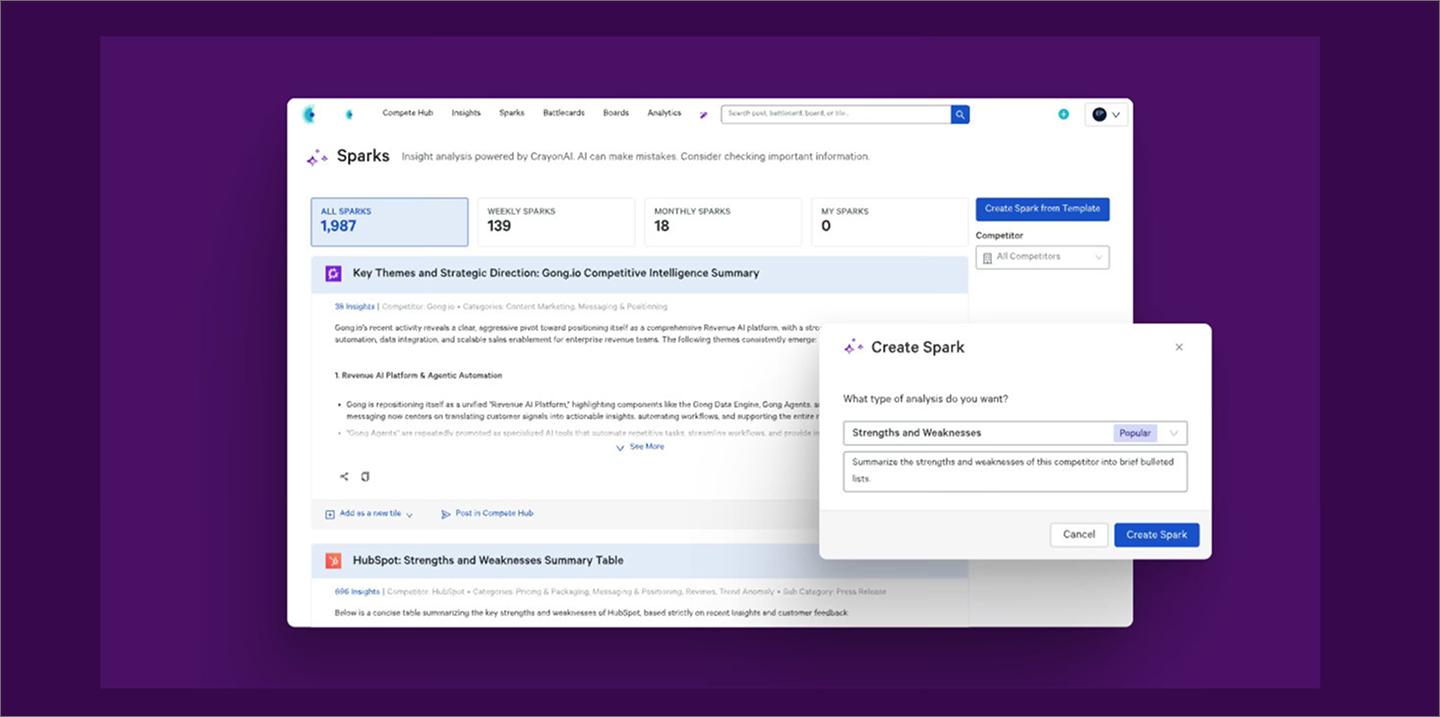
Crayon captures a competitor’s entire digital footprint to spot changes in their messaging, pricing, and product positioning. It automatically monitors over 100 data types to help product teams see how a rival’s go-to-market strategy is shifting in real time.
The platform’s AI engine, Sparks, does the heavy lifting. It can analyze a quarter’s worth of market news and website changes to generate a SWOT analysis, turn forum discussions into sales talk tracks, or extract competitive mentions from call recordings through its Gong integration.
Crayon works well for high-velocity teams that need to maintain hundreds of battlecards simultaneously. This automated approach means your sales and product teams always have the latest picture without the manual upkeep.
Key features
- Continuous tracking. Monitor competitor updates and market shifts in real time to eliminate manual research.
- Automated synthesis. Use Sparks AI to generate battlecards, SWOT analyses, and sales talk tracks from competitive data.
- Gap analysis. Identify underserved market needs to help your team differentiate and capture new segments.
- Trend visualization. Map industry trends over time to help leadership pivot strategy before competitors.
2. Klue

Ideal for: Sales enablement and win rates
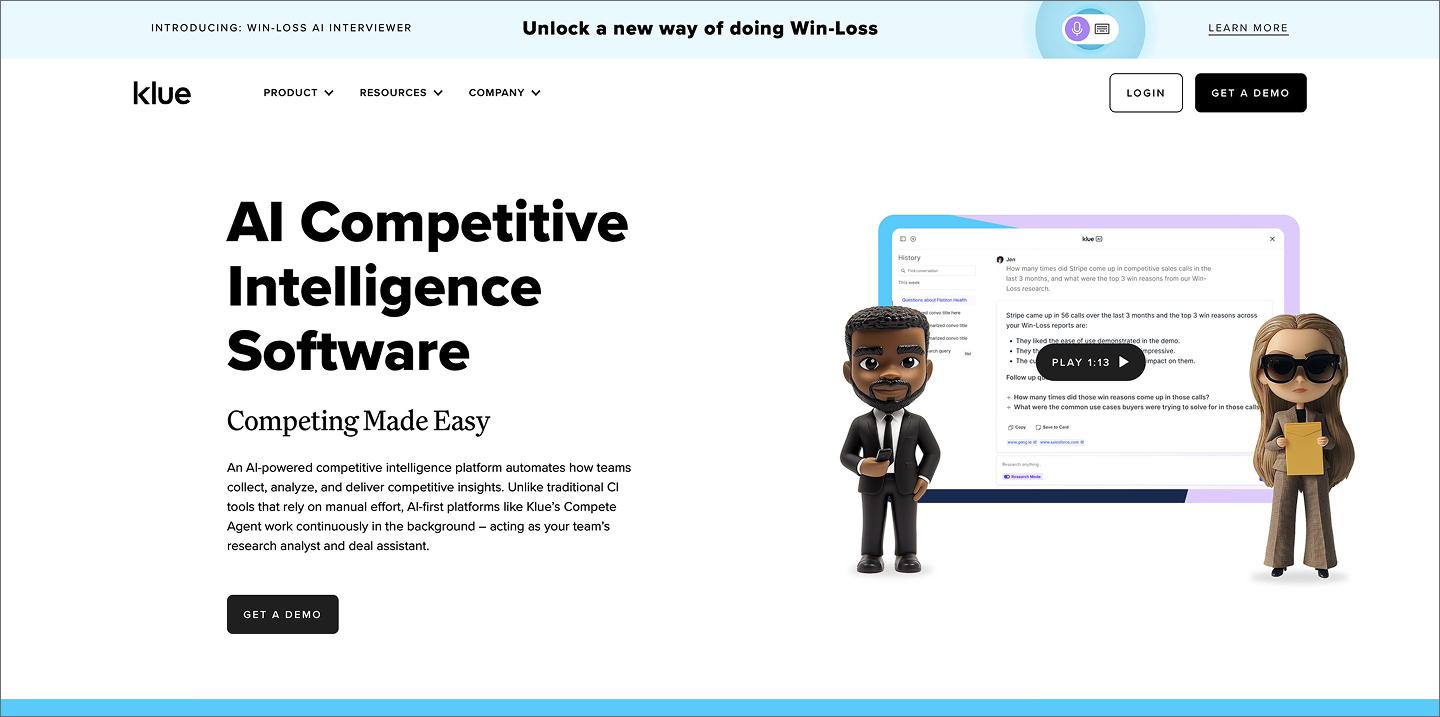
Klue is a competitive analysis tool that centralizes market data into interactive battlecards and playbooks. It serves as a single source of truth where you can add internal context to automated updates, like a developer flagging that a peer’s new feature is built on a legacy framework that limits its scalability.
Klue AI summarizes website edits and news into actionable summaries and briefs, so teams can quickly identify threats and opportunities. It also pulls in internal signals from your CRM and sales calls to surface win-loss insights. This gives you a clear picture of competitor tactics that you won’t find on a public homepage.
Key features
- Intelligence dashboards. Surface high-signal updates to inform your product roadmap and strategy.
- Automated battlecards. Deliver live talking points to sales teams based on real-time competitor shifts.
- Slack and CRM integrations. Push market data across your existing tools to keep the organization aligned.
- Win-loss analytics. Integrate CRM data to pinpoint why you’re winning or losing against rivals.
3. Visualping

Ideal for: Visual change detection
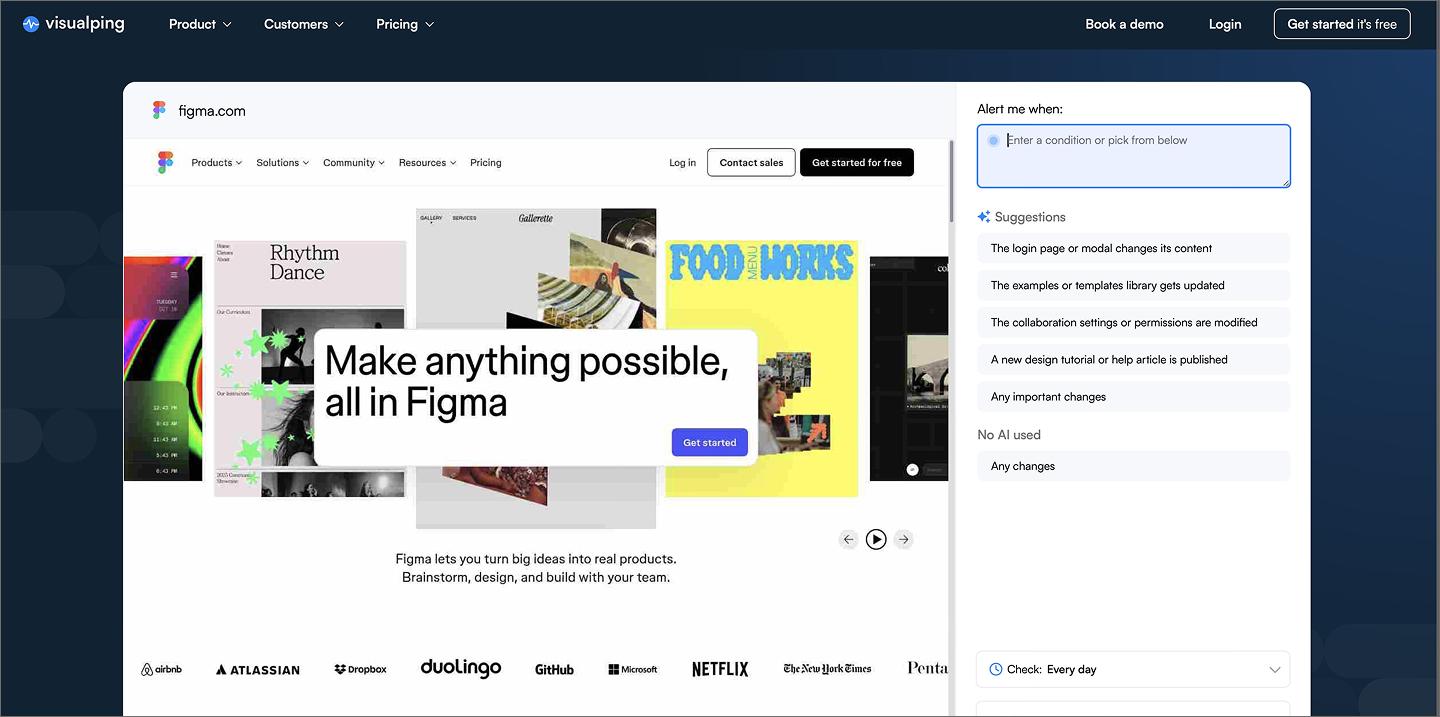
Visualping provides pixel-level alerts whenever another brand modifies its website, tracking everything from user interface (UI) design tweaks to hidden pricing updates. These high-resolution screenshots show users exactly what a website added, removed, or moved.
Visualping AI filters out background noise, like rotating banners or timestamps, so you only get alerts for meaningful changes. AI summaries then distill these updates into bullet points so you can quickly understand why a redesign or pricing change matters.
Since Visualping captures pixels, it’s a natural fit for visual benchmarking. You can pull screenshots into Figma or FigJam to compare UI patterns side-by-side with your own prototypes. This visual history helps you track how competitor’s interfaces change over time and keep your own product designs distinct.
Key features
- Visual comparison. View side-by-side screenshots with highlighted changes to see exactly how a page has evolved.
- AI summaries. Review brief reports that explain the context and importance of a website update.
- Selection tools. Monitor specific page elements—like a checkout button or pricing plan—to track only the areas that matter.
- External integrations. Sync alerts and data to Slack, Google Sheets, or MS Teams to automate your research feed.
Turn your AI insights into prototypes
Use Figma Make to turn your market insights into high-fidelity, interactive prototypes with just a few prompts.
4. Similarweb

Ideal for: Digital market share analysis
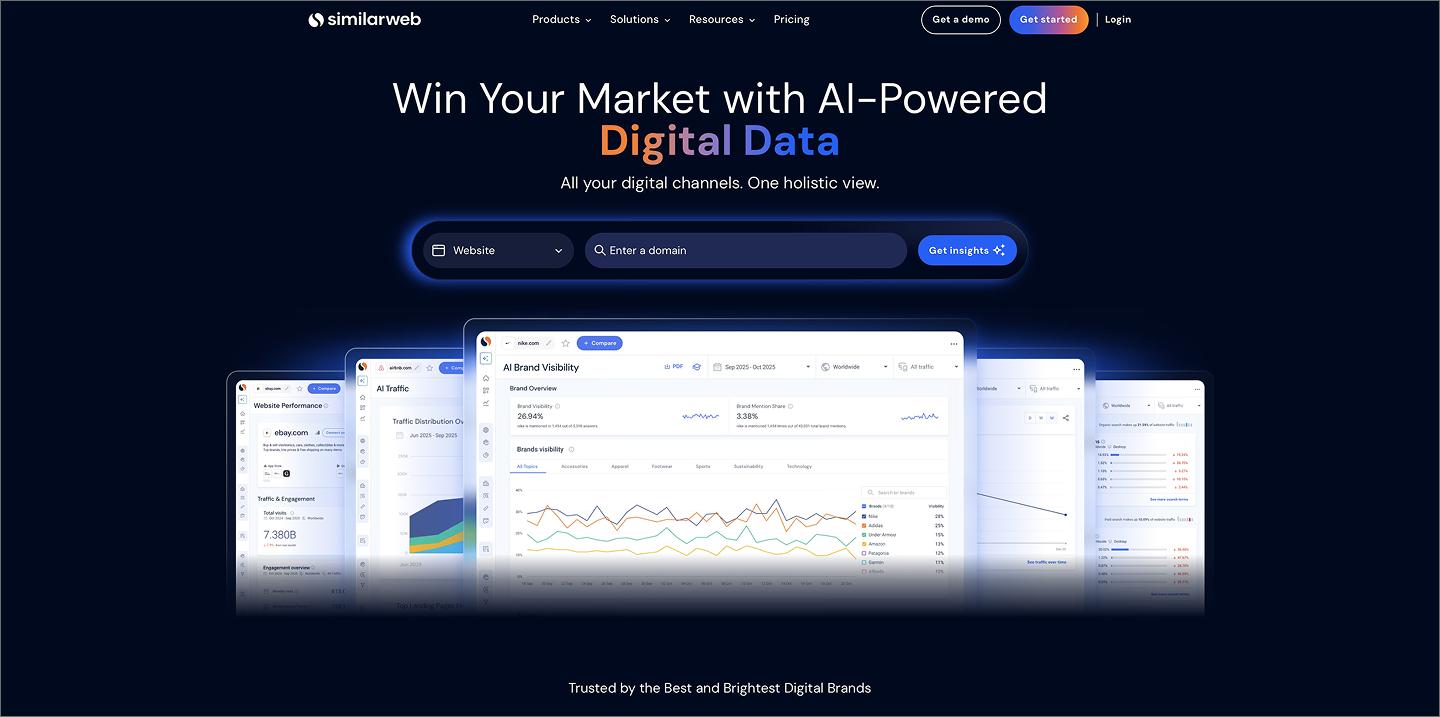
Similarweb uses a global panel of user data to estimate traffic and engagement for any website or app. While other competitive analysis tools track on-page visual shifts, Similarweb provides a macro view of how other brands acquire users and which channels drive their growth. It allows you to benchmark your performance against your entire industry.
Similarweb’s AI categorizes traffic by industry and product type, highlighting growth segments for your rivals. This automated classification helps you pivot your strategy based on where users spend their time.
Designers can pull audience demographics and behavioral data into Figma to build more accurate user personas. Using real data to inform your prototypes helps you design a user experience (UX) that aligns with how users actually behave.
Key features
- Marketing channel tracking. Break down competitor traffic by source, including organic search, referrals, and social media.
- Citation analysis. Pinpoint the URLs and content sources that generative models prioritize for citations.
- Audience overlap. Visualize how much of your audience also visits other sites to identify untapped market segments.
- AI brand visibility. Monitor your brand’s mention share and sentiment across major AI discovery engines.
5. Productboard

Ideal for: Strategic roadmap alignment
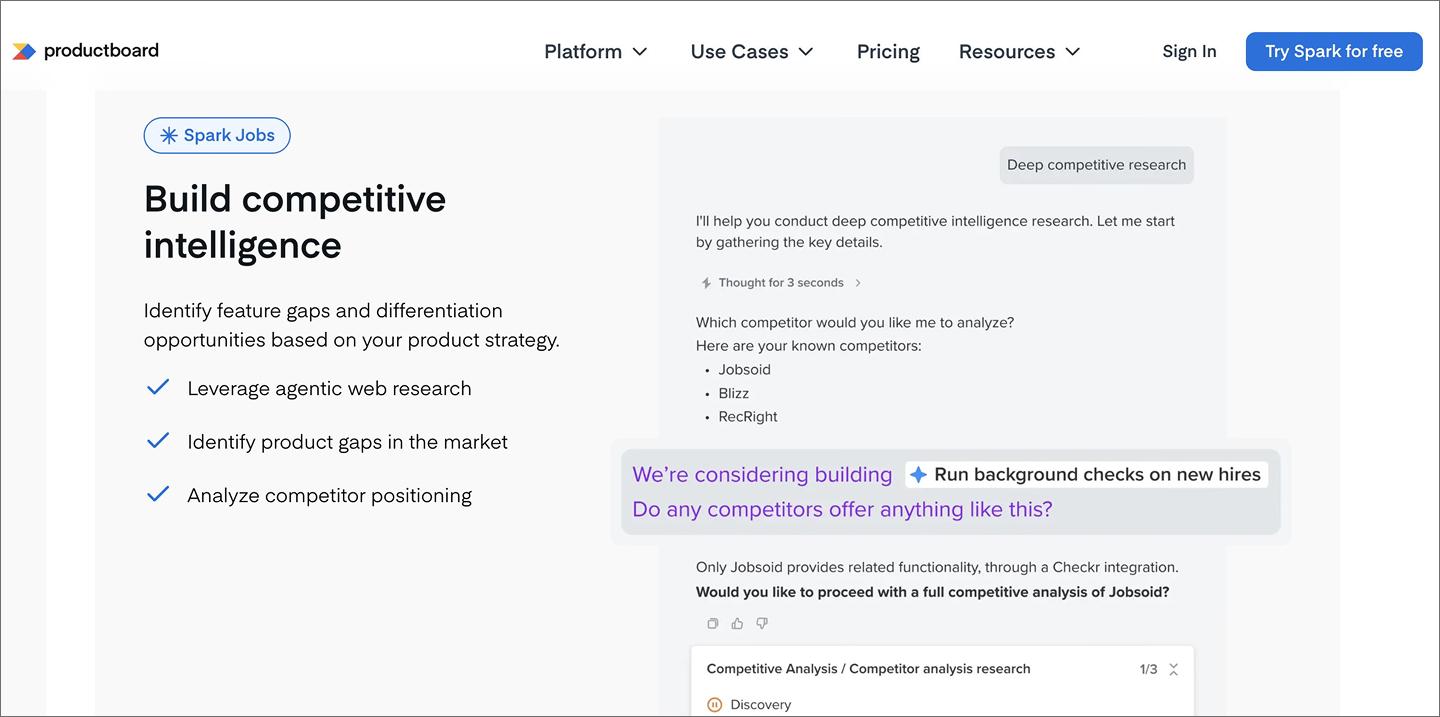
Productboard uses its AI agent Spark to turn competitive intelligence into prioritized product requirements, streamlining your product development process from the start. The AI runs agentic web research to identify feature gaps, analyze competitor positioning, and build battlecards.
Spark keeps context for your product across conversations, so it can generate competitive analyses that reflect your actual business goals. Ask how a rival’s move affects your strategy, and it pulls together a cited summary from your internal research.
Productboard syncs directly with your Figma files to keep research from getting lost in a separate tab. You can turn FigJam brainstorming stickies into research notes or embed live prototypes in your feature specs, keeping the data on your canvas while you build.
Key features
- Competitor insights. Link market research directly to feature ideas to justify your product priorities.
- AI summaries. Distill competitor mentions from customer notes into actionable product themes.
- Prioritization matrix. Rank new ideas based on competitive urgency and customer impact.
- Figma integration. Maintain a single source of truth by placing live designs next to the competitive data that informed them.
6. Competely

Ideal for: Instant qualitative comparisons
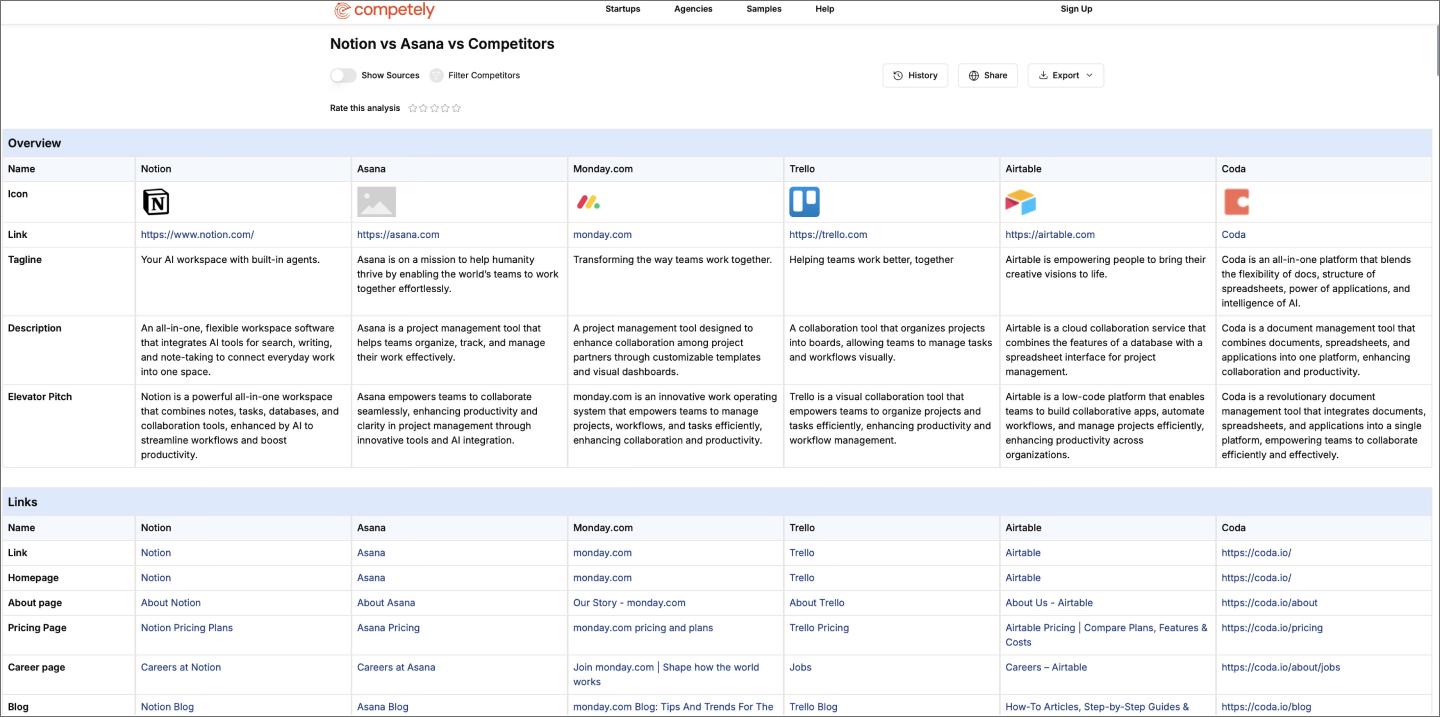
Competely automates benchmarking by generating side-by-side feature and pricing comparisons on demand. Enter your product URL or description, and it identifies your top competitors and highlights where your features overlap or diverge.
Rather than just listing what others are doing, Competely helps you identify market gaps, like a specific user need no one else is currently addressing. Every AI-generated summary includes a direct link to the source, so you can verify the data before sharing it with your team.
Key features
- AI audits. Generate comprehensive business overviews by scanning live web data.
- Side-by-side comparisons. Review automated teardowns that contrast your product features against rival offerings.
- Feature gap analysis. Pinpoint missing capabilities in your own product compared to market standards.
- Performance scoring. Assign data-driven values to competitor strategies to pinpoint specific market gaps.
7. Ahrefs

Ideal for: Organic search and backlink intelligence
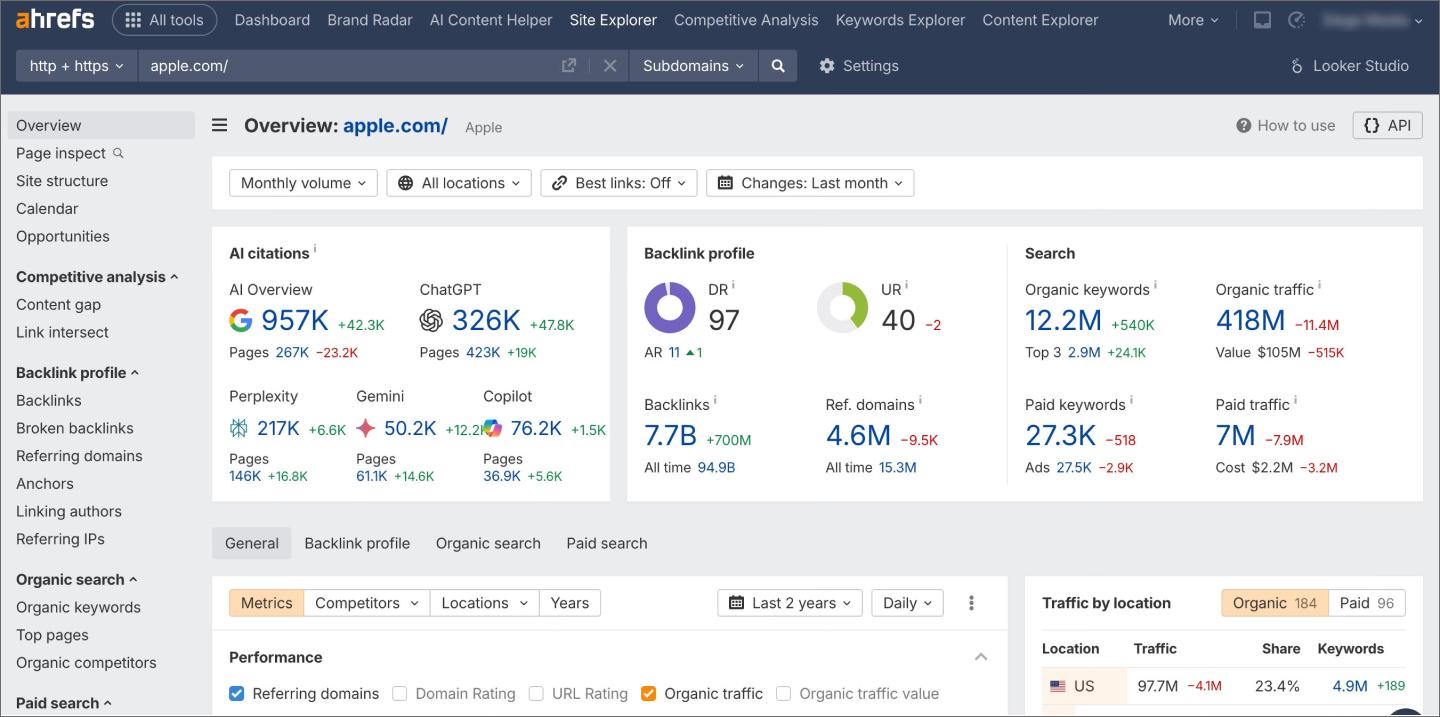
Ahrefs gives you the technical depth to understand how other brands perform in organic search, AI platforms, and paid channels. With one of the largest backlink databases on the web, it reveals the linking and content strategies behind a rival’s authority so you can reverse-engineer what works.
The tree-view site structure report is especially useful for information architecture and UX planning. It shows how a competitor organizes their subfolders and high-value pages, helping you design navigation flows and sitemaps that are technically optimized to compete in search results.
Ahrefs also reveals your rivals’ paid strategies, showing the exact keywords they bid on and the landing pages they use for paid advertising. Analyzing their ad copy and CTA placement clarifies their conversion tactics—useful context when you’re making your own design decisions.
Key features
- Site Explorer. Analyze any website’s organic traffic, backlink profile, and paid search performance.
- Content Gap tool. Identify the search terms your rivals rank for that your own site is missing.
- Site structure report. Visualize a competitor’s page hierarchy to inform your navigation and information architecture.
- Link Intersect. Find websites linking to multiple brands but not to your own site.
8. Profound

Ideal for: Generative engine optimization (GEO)
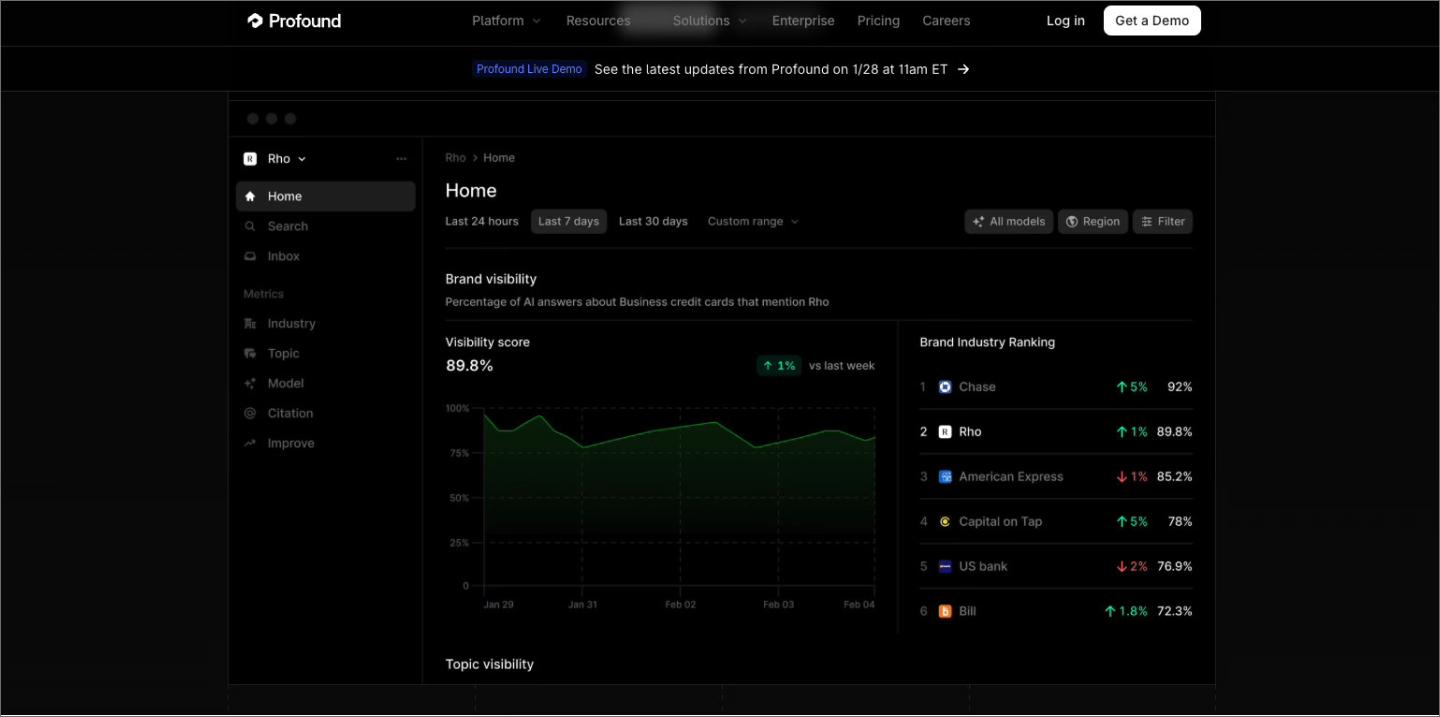
Profound is built to track brand visibility inside large language model (LLM) responses. It allows product teams to see how often models like ChatGPT, Claude, and Perplexity recommend your product over other brands.
Profound’s analytics trace the specific training data—like whitepapers, reviews, or GitHub repos—that influence model perception. If an LLM consistently favors another product, you can identify exactly where your documentation is falling short. This kind of detail helps you fix content gaps so your product shows up accurately in AI-powered search.
Key features
- Sentiment analysis. Measure whether AI models are positioning your product as a market leader or a secondary option.
- Source attribution. Identify the third-party domains and documentation that AI engines cite as authorities for your category.
- Knowledge gap identification. Get actionable insights on what content you need to publish to improve your product’s visibility within AI interfaces.
- Slack and CRM integration. Push real-time alerts about shifts in your AI market share directly into your team’s communication channels.
9. BuzzSumo

Ideal for: Content and social engagement
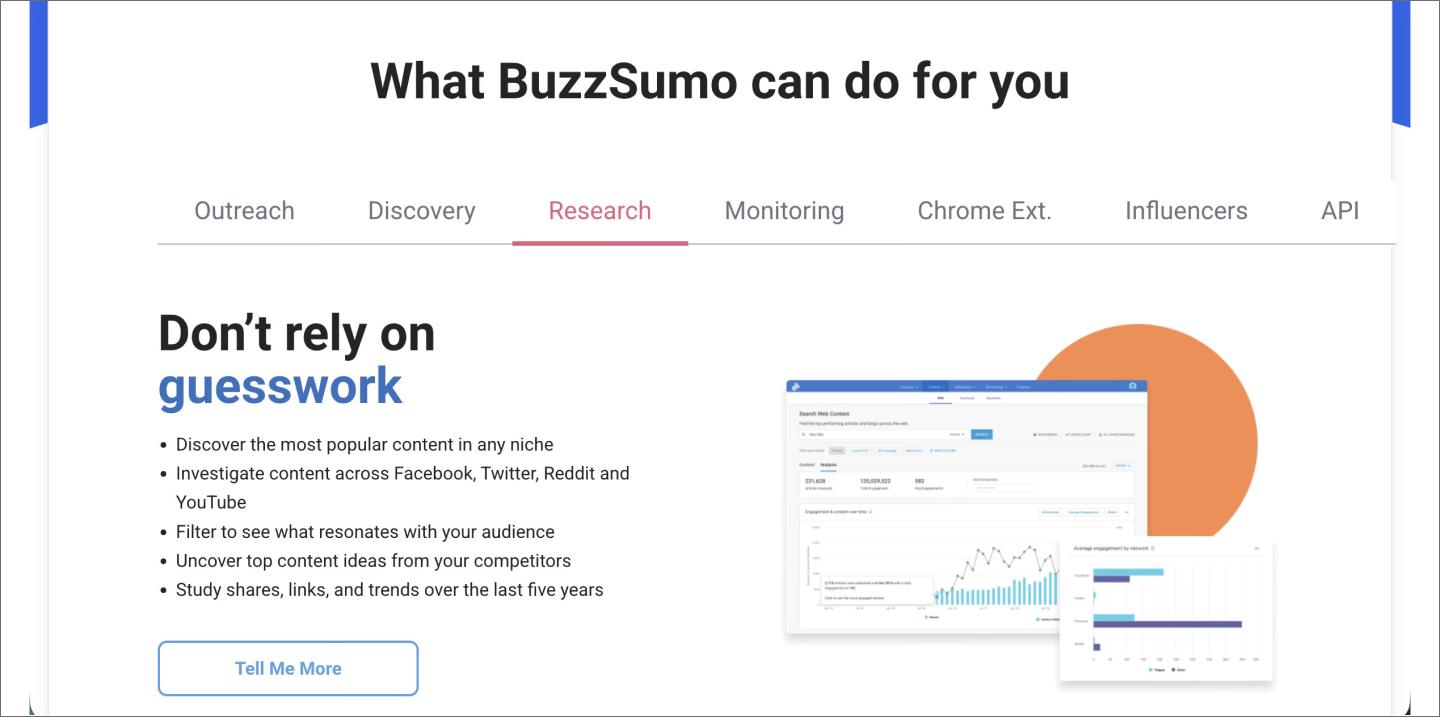
BuzzSumo analyzes engagement across social media to identify trending topics and high-performing content. Search any keyword or domain to see what content performs best, then analyze competitors’ strategies by examining their publication frequency, top formats, and engagement by network.
BuzzSumo’s AI features include the Question Analyzer, which scans Reddit, Quora, and Amazon to surface audience questions, and the Content Ideas Generator, which suggests topics based on billions of headlines. Set up alerts to track when rivals publish content, earn backlinks, or get mentioned online.
Key features
- Content Research. Scan any domain to see a brand’s most shared content and engagement trends.
- Monitoring. Track competitor brand mentions and new links in real time across the web.
- Find Influencers. Identify the authors and creators who are currently amplifying your rivals’ content.
- Questions. Review real customer questions from Reddit and Quora to uncover rival feature gaps.
10. Sembly AI

Ideal for: Conversational intelligence
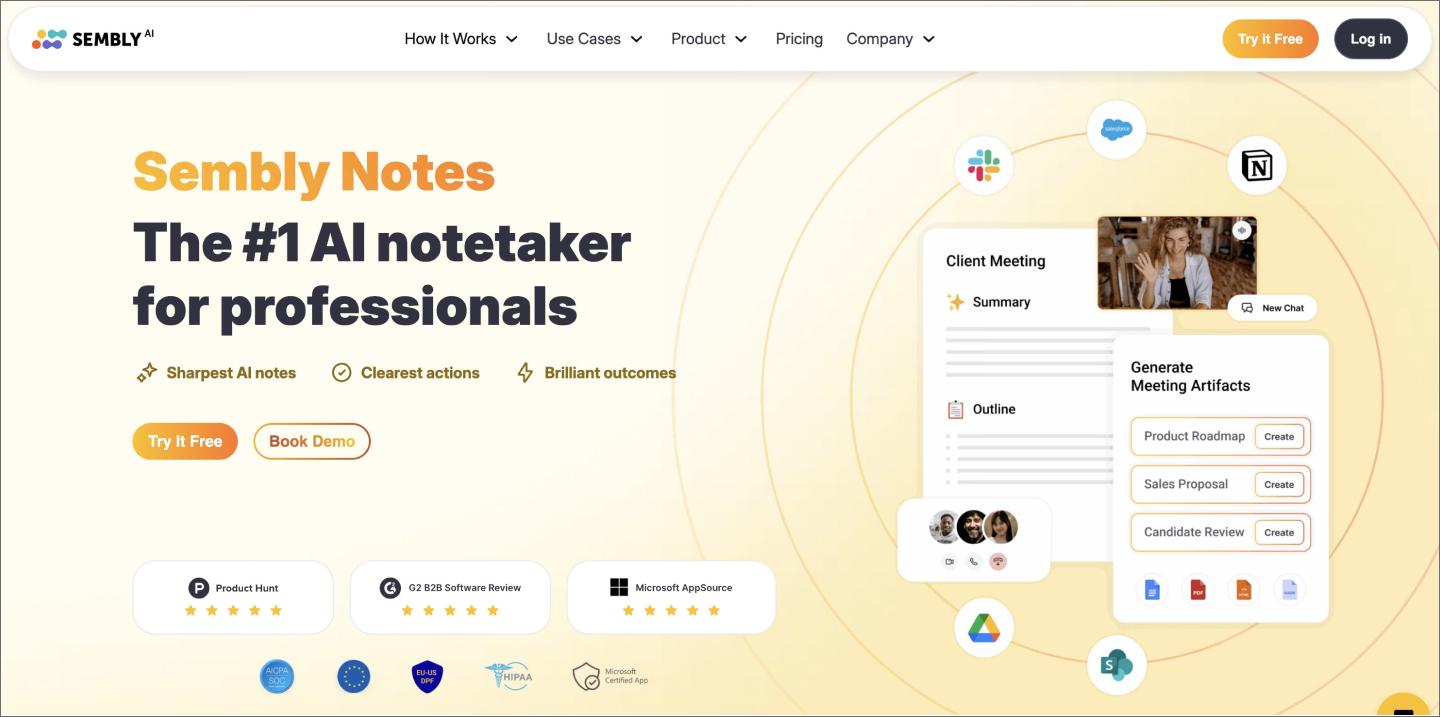
Sembly AI acts like an extra set of ears during research and sales calls, picking up on the details that usually get buried in a messy transcript. It scans for mentions of other products and feature requests, pulling those moments into a quick summary so your team can see how you’re being compared in real-time.
Asking Sembly to connect the dots across months of conversations helps you spot trends, like why users might prefer a rival’s specific workflow. This turns months of scattered calls into a pattern you can actually act on.
Key features
- Semblian AI. Query your meeting history to generate on-demand competitive summaries.
- AI Artifacts. Use templates to transform meeting mentions into structured competitor battlecards and reports.
- Sentiment tracking. Monitor qualitative shifts in customer tone when rivals are mentioned.
- Multi-meeting synthesis: Surface recurring competitive themes and market trends across your entire call library.
11. Contify

Ideal for: Industry-specific market monitoring
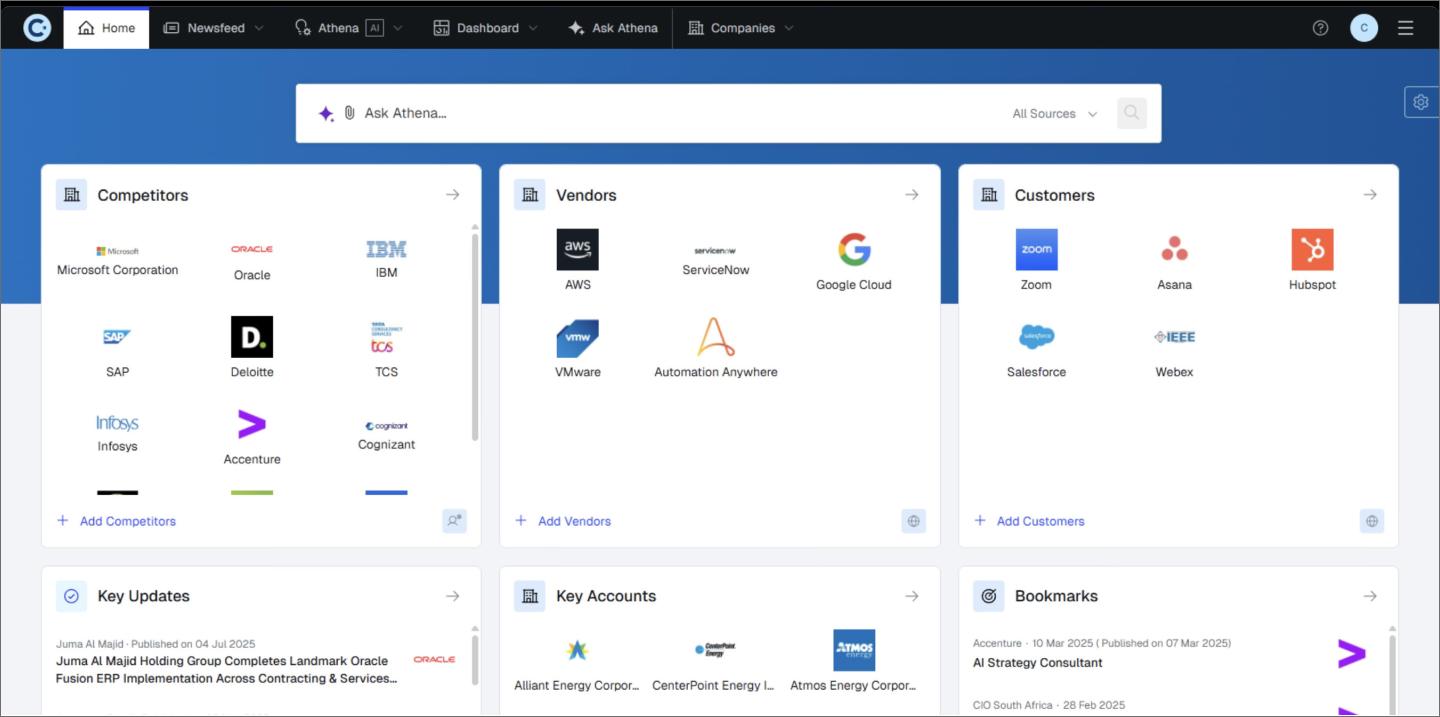
Contify is competitive analysis software that pulls updates from over a million websites, news outlets, and regulatory filings to surface competitor moves as they happen. It categorizes data into industry-relevant themes, such as mergers and acquisitions activity, clinical trial phases, or niche regulatory shifts.
Ask Athena, Contify’s AI assistant, lets you query your intelligence library using natural language to pull out different facts. By connecting related events—like a series of specialized job postings followed by a subtle pricing update—Contify helps you anticipate a competitor’s next strategic move, giving you the lead time required to build a ground-breaking product.
Key features
- Ask Athena. Use a conversational AI copilot to retrieve facts and summaries from your curated industry data.
- Customized fact templates. Define data points for the AI to extract automatically, ensuring you only see what matters to your sector.
- Niche source integration. Add your own industry-specific trade journals, scientific portals, or local news sites that generic scrapers often miss.
- Strategic website tracking. Monitor competitor sites for pricing and messaging updates, using AI to contextualize how these changes affect your market position.
Move from competitor research to better products in Figma
Research is only worth the time if it helps you build something better. Bringing findings from AI competitor analysis tools into Figma means you can get back to tinkering while the context is still fresh. When you’re ready to turn those insights into something real, we’d love for you to try Figma.
Here’s how to get started:
- Brainstorm in FigJam by whiteboarding your initial competitive teardowns and mapping out new user flows.
- Use Figma’s product development roadmap template to transform raw data into a clear, prioritized plan for your next release.
- Iterate in Figma Design to refine UI components and layouts based on the feature gaps you’ve identified in the market.
- Hand off in Dev Mode to give engineers the precise specs and assets they need for production.
Ready to outpace the competition?
Figma Make uses AI to turn your research notes into high-fidelity, editable prototypes in seconds.
Keep reading


What is a go-to-market (GTM) strategy? + How to build one
A go-to-market strategy is a plan for launching a product or service into the market. Read on to learn how FigJam can help you build a successful GTM strategy.


How to use AI for product design: 7 use cases
Learn how to use AI for product design 7 different ways. Turn your ideas into working prototypes faster with prompt-based design and collaborative creativity.